
Introduction
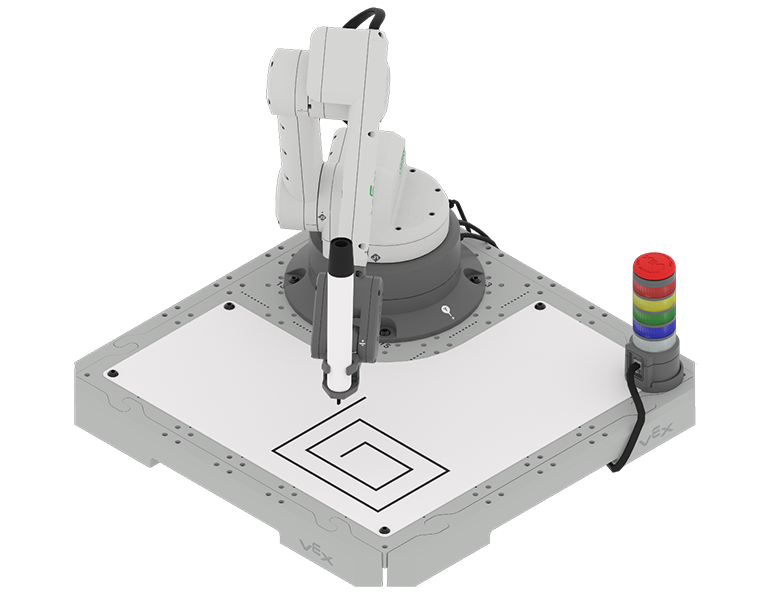
In previous Units, you moved the 6-Axis Robotic Arm from one point to another using the Move to position block. This block moves the 6-Axis Arm using absolute movements. This means the 6-Axis Arm moves to a specific location based on set coordinate values. However, the information that was already known (side lengths of shapes) can also be used to move the 6-Axis Arm using relative movements. This moves the 6-Axis Arm to a new location based on its previous coordinates.
In this Unit, you will learn about the difference between absolute and relative movements, and how to code the 6-Axis Arm to move in a combination of them to draw different shapes and patterns. You will also learn about how variables can be used to store values and how to use variables with Repeat blocks to simplify your projects.
Watch the introduction video below for an overview of what you will learn and do in this Unit.
Co-Create Learning Targets
Now that you have watched the video, you know that you will code the 6-Axis Arm to move using absolute and relative movements to draw shapes and patterns. First, you will be introduced to the Increment position block so that you can code the 6-Axis Arm to move with relative movements to draw a square. Then you will practice reading code to help identify the kinds of movements the 6-Axis Arm is making throughout a project. You will build on these skills as you learn about variables and Repeat blocks, and code the 6-Axis Arm to draw more complex patterns. Finally, you will pull all of this together to create a project that draws a specific pattern.
You will co-create learning targets with your group and your teacher to capture these goals, so that you have a shared understanding of your learning goals for the Unit. You will write your learning targets in your engineering notebook so you can refer to them throughout the Unit.
It is helpful to phrase learning targets in the form of "I can" statements. Example learning targets for this Unit could include:
- I can identify the difference between absolute and relative movement.
- I can use the Increment position block to code the 6-Axis Arm to move in relative movements.
- I can use a variable in a project with a Repeat loop to code the 6-Axis Arm to draw a square.
- I can document the absolute and relative movements needed to draw a square in my engineering notebook.
To create your learning targets, first brainstorm what you will need to know to be able to complete the activities shown in the video above. Make a list in your engineering notebook of what you will need to know, learn, and do, like this:
- Identify what a relative movement is.
- Identify the difference between the Move to position and Increment position blocks in VEXcode.
- Use a Increment position block in a project with the 6-Axis Arm.
- Use a variable in a project to store a value.
- Use a Repeat block in a project to repeat behaviors.
- Work collaboratively to complete the activity with the 6-Axis Arm.
Next, co-create learning targets based on your list. Think about how each of the things you listed can be framed into a learning target, using "I can" statements. You can use this template to help you write your learning targets in your engineering notebook. (Google Doc / .docx / .pdf)
For example, the list items "Identify what a relative movement is" and "identify the difference between the Move to position and Increment position blocks in VEXcode" can be shifted to a learning target of I can use the Increment position block to code the 6-Axis Arm to move in relative movements.
The following table shows an example of how the Learning Target Organizer in your engineering notebook could be filled out.
| Learning Target Category | Learning Targets |
|---|---|
|
Knowledge Targets What do I need to know and understand in order to be successful in the Unit? |
|
|
Reasoning Targets What can I do with what I know and understand in order to be successful in the Unit? |
|
|
Skill Targets What can I demonstrate to show I understand the concepts and skills needed to be successful in the Unit? |
|
Share your learning targets with your teacher. Adjust them as needed so that you, your group, and your teacher are all in agreement.
Vocabulary
In this Unit, you will learn how to code the 6-Axis Arm to use both absolute and relative movement to draw shapes and patterns. This vocabulary list is here to provide reference for any new terms you may come across. Record this vocabulary in your engineering notebook. Use this list as reference as you work through the Unit and encounter words you may not be familiar with.
- Absolute Movement
- Moving a robotic arm to a specific location based on set coordinate values. These coordinates are ‘absolute’, meaning they are fixed points in the robot’s operating space.
- Relative Movement
- Moving a robotic arm to a new position based on its current location, rather than fixed coordinates. This means the movement is calculated 'relative' to where the robot is currently positioned.
- Variable
- A way of storing a value to be used later in a project.
- Repeat Loop
- A block that repeats the blocks within it a set number of times.
| Quantity | Materials Needed |
|---|---|
| 1 per group | |
| 1 per group |
Computer |
| 1 per group |
VEXcode EXP |
| 1 per student |
Engineering Notebook |
Select Next > to move on to Lesson 1.