Connecting to the V5 Controller
The VEX V5 Robot Brain is equipped with the ability to communicate with a V5 Controller.
Hardware/Software Required:
Amount | Hardware/Software |
|---|---|
Amount 1 | Hardware/Software V5 Robot Brain 276-4810 |
Amount 1 | Hardware/Software |
Amount 1 | Hardware/Software V5 Robot Radio 276-4831 |
Step
Checking V5 Controller and V5 Robot Brain Synchronization
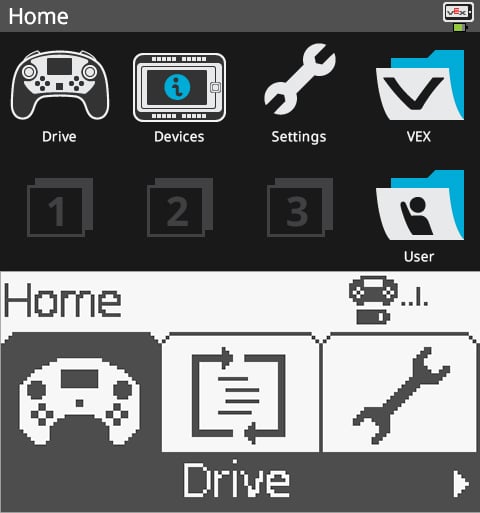
The V5 Robot Brain and V5 Controller when no connection is established
When you first get your V5 Robot Brain and V5 Controller, they may not be synced with each other. The image shows a typical indication of the lack of connection.
Step
Connecting the Wireless Components
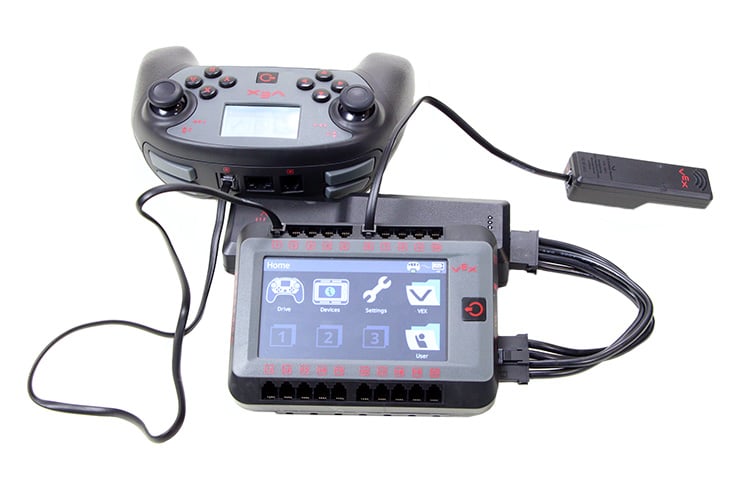
A possible setup to sync the V5 Controller to the V5 Robot Brain
To sync the devices, connect one of the rear ports of the V5 Controller to any Smart Port on the V5 Robot Brain with a V5 Smart Cable and power on both devices. The image above also shows a V5 VEXnet 3 Radio connected to the V5 Robot Brain. This will be necessary for a wireless connection and can also be placed in any Smart Port.
Step
Verifying a Wired Link
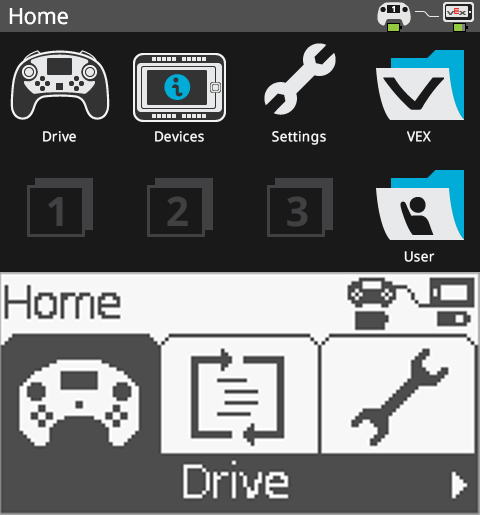
The V5 Robot Brain and V5 Controller are wired together
When the V5 Robot Brain and V5 Controller are connected with a V5 Smart Cable, they will show wired connection indicator icons.
Step
Setting the Radio Mode

The V5 Robot Radio is set to Vexnet communication
If you navigate to the Settings menu of the V5 Robot Brain, you can change the Radio setting. The Radio setting changes how the V5 Robot Brain and V5 Controller communicate through the V5 Robot Radio.
You may need to set the Radio communication setting to different configurations depending on the environment and other considerations. Typically, the Radio should be set to VEXnet.
You may need to set the Radio communication setting to different configurations depending on the environment and other considerations. Typically, the Radio should be set to VEXnet.
Step
The Radio Setting Alert
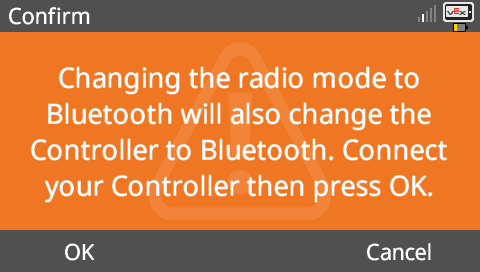
An alert from changing the Radio setting
You may encounter a warning when changing the Radio setting. Ensure that the V5 Controller is connected via a V5 Smart Cable to the V5 Robot Brain and press OK to continue.
Step
Verifying a Wireless Connection
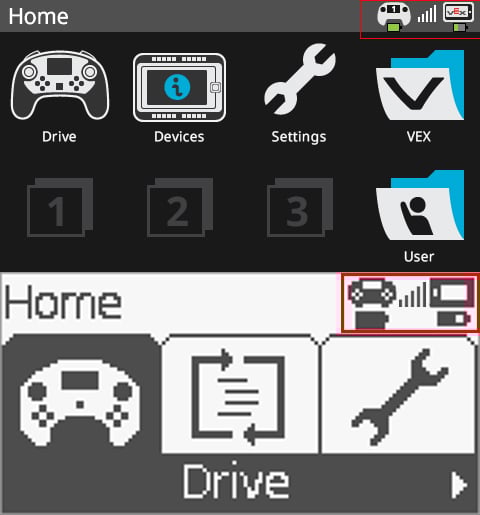
The V5 Robot Brain and V5 Controller are connected wirelessly
You may now use your V5 Controller to communicate with your V5 Robot Brain wirelessly.
Conclusion:
The V5 Controller can be used in Drive mode to control V5 Smart Motors connected in standard configurations or used as an input device for your own programs.