Changing Planetary Gear Cartridges
In this section you will learn how to change the Planetary Gear Cartridges on your V5 Smart Motors.
Hardware/Software Required:
Amount | Hardware/Software |
|---|---|
Amount 1 | Hardware/Software V5 Smart Motor 276-4840 |
Amount 1 | Hardware/Software Alternate Planetary Gear Cartridge (red, green, or blue) |
Amount 1 | Hardware/Software Phillips #1 Screwdriver |
Step
Opening the V5 Smart Motor
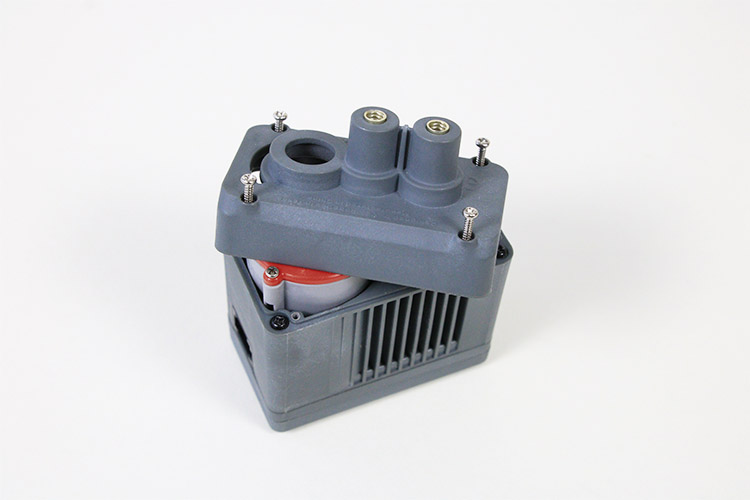
V5 Smart Motor Unscrewed
Start by unscrewing the four screws that hold the V5 Smart Motor closed.
Step
Removing the Casing
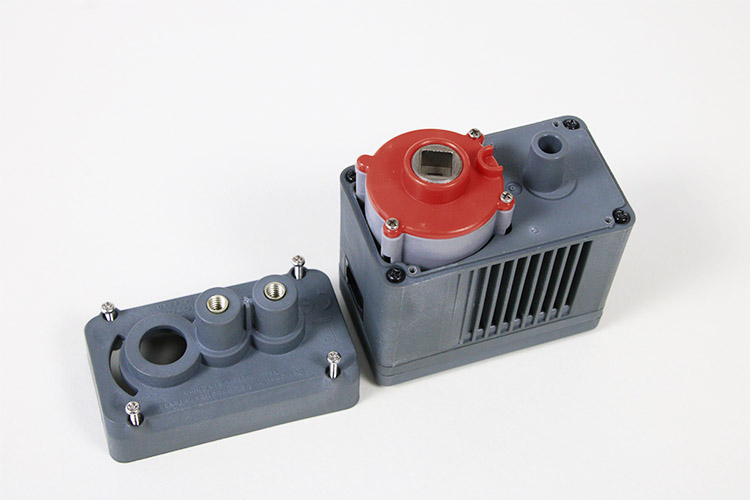
Exposed Planetary Gear Cartridge within a V5 Smart Motor
Remove the casing to access the color-coded Planetary Gear Cartridge. Do not remove any more screws than you already have. Simply pull the cartridge up and out of the V5 Smart Motor.
Step
Replacing the Cartridge
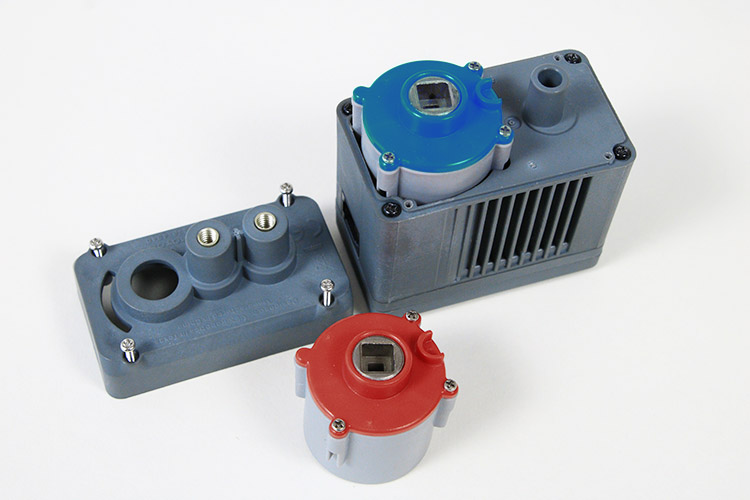
V5 Smart Motor with Planetary Gear Cartridge Replaced
After the Planetary Gear Cartridge has been removed, replace it with an alternative cartridge. There are three types: 100 rpm (red), 200 rpm (green), and 600 rpm (blue).
Each cartridge has a small plastic bump on the bottom of it. Align that bump with the opening in the motor's well to ensure it that it is seated properly. Then carefully screw the casing back into place.
Each cartridge has a small plastic bump on the bottom of it. Align that bump with the opening in the motor's well to ensure it that it is seated properly. Then carefully screw the casing back into place.
Conclusion:
You now know how to change the Planetary Gear Cartridges on your V5 Smart Motors. You can now to test how these different cartridges affect the performance of your robot.