रनिंग बेस को व्यवस्थित करने के लिए कमेंट ब्लॉक का उपयोग करें।

Activity Image
चित्र
Play Ball
VEX Platform
Subject
Activity PDF Link
https://content.vexrobotics.com/assets/education/stem-labs/docs/exp/Activities/EXP Activity - Play Ball.pdf
Activity Image Alt
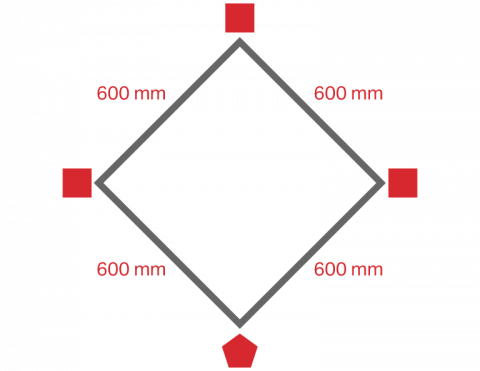
EXP बेसबॉट के दौड़ने के लिए बेसबॉल मैदान का आरेख। होम बेस से लेकर पहले, दूसरे और तीसरे बेस तक की दूरी 600 मिमी है और ये सभी हीरे के आकार में स्थित हैं।
अपने EXP क्लॉबॉट का उपयोग करके एक मजेदार स्कोरिंग गेम खेलें।

Activity Image
चित्र
Rebound
VEX Platform
Subject
Activity PDF Link
https://content.vexrobotics.com/assets/education/stem-labs/docs/exp/Activities/EXP Activity - Rebound!.pdf
Activity Image Alt
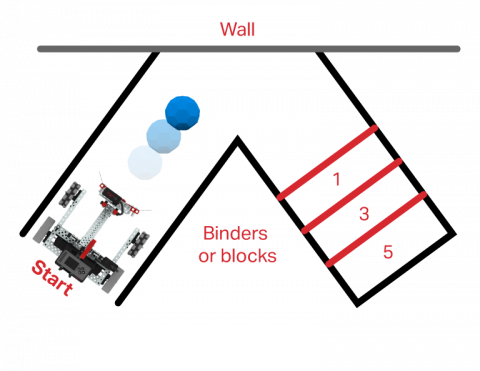
EXP क्लॉबॉट का ऊपर से लिया गया दृश्य, जिसमें एक फील्ड सेटअप है जो दीवार से बकीबॉल को मारकर स्कोरिंग ज़ोन में पहुंचाता है।

अपने रास्ते में आने वाली वस्तुओं से बचने के लिए एक प्रोजेक्ट बनाएं!

Activity Image
चित्र
Dodge It Tile
VEX Platform
Subject
Activity PDF Link
https://content.vexrobotics.com/assets/education/stem-labs/docs/exp/Activities/EXP Activity - Dodge It!.pdf
Activity Image Alt
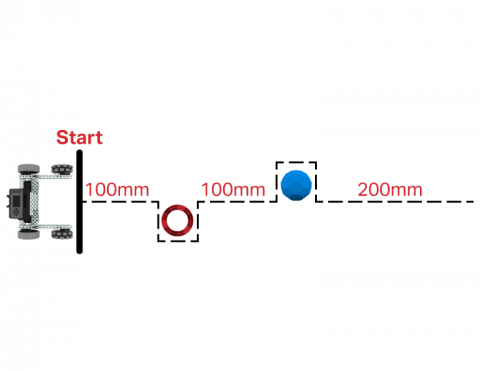
EXP बेसबॉट का ऊपर से लिया गया दृश्य, जिसमें आगे का रास्ता चिह्नित है जो दो बाधाओं से बचते हुए उनके चारों ओर से निकल जाएगा।
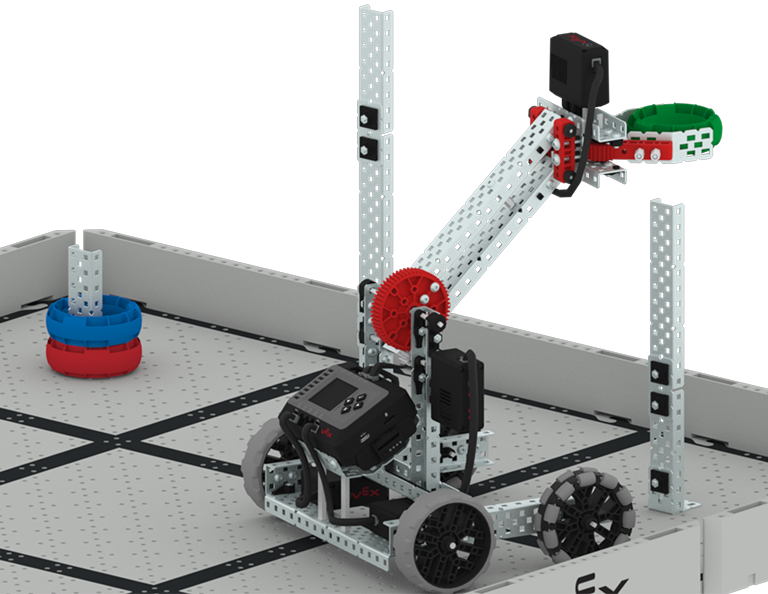
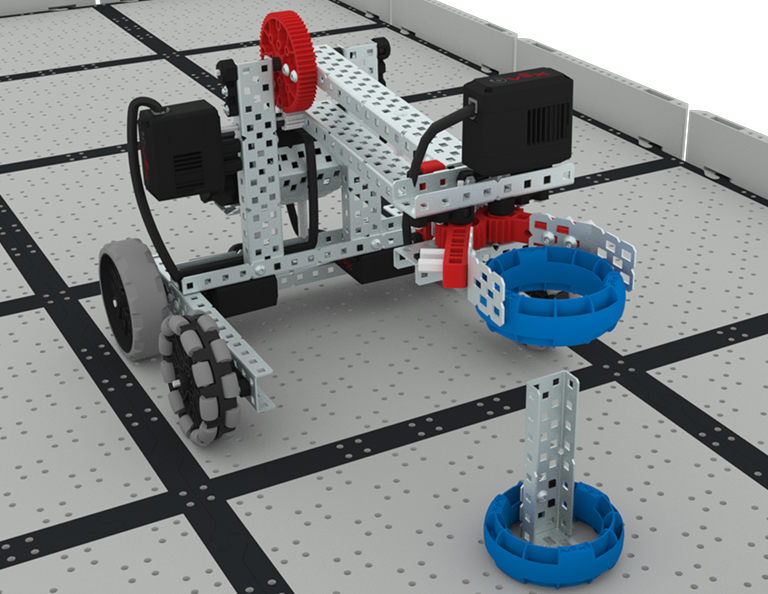
EXP क्लॉबॉट के पंजे में एक अंगूठी है और वह अंगूठी को एक खंभे पर गिराने और स्कोर करने के लिए अपना हाथ ऊपर उठा रहा है।

सरगना

6 Lessons

इस यूनिट में, आप ड्राइवर कंट्रोल और ऑटोनॉमस मूवमेंट के बीच के अंतर को समझेंगे, क्योंकि आप रिंग लीडर प्रतियोगिता में अलग-अलग आकार के पोस्ट पर रिंग स्कोर करने के लिए कई प्रोग्राम (ऑटोनॉमस और ड्राइवर कंट्रोल) का उपयोग करेंगे!

रिंग लीडर पाठों की सामग्री और सुविधा के बारे में शिक्षक सहायता सामग्री और वीडियो के लिए शिक्षक पोर्टल पर जाएँ।

सरगना शिक्षक पोर्टल  >

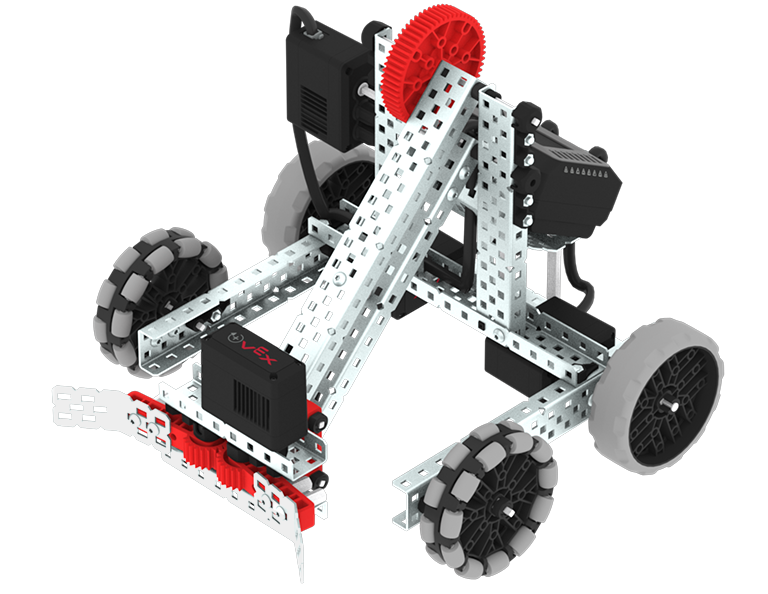
VEX EXP Clawbot build.

पाठ 1: परिचय

इस पाठ में, आपको रिंग लीडर प्रतियोगिता से परिचित कराया जाएगा, क्लॉबॉट का निर्माण कराया जाएगा और कोडिंग के लिए तैयार किया जाएगा।

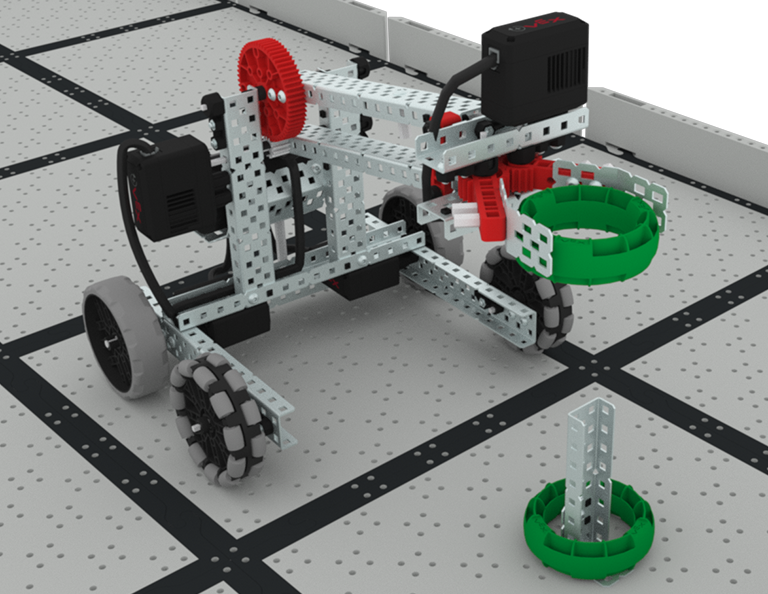
A close up view of the Clawbot with the arm raised, ready to place a green ring onto a post attached to the Tile. The post already has one green ring on it.

पाठ 2: चालक नियंत्रण

इस पाठ में, आप EXP ब्रेन पर ड्राइवर कंट्रोल प्रोग्राम का उपयोग करना सीखेंगे ताकि आप क्लॉबॉट को चलाकर मैदान पर मौजूद रिंगों को नियंत्रित कर सकें और स्पीड और स्कोर चैलेंज में भाग ले सकें।

Lesson 3: Coding for Autonomous Movements

Lesson 3: Coding for Autonomous Movements

In this Lesson, you will learn about coding your robot for autonomous movements including how to plan the path of your robot. Then, you will create a VEXcode EXP project to place rings on posts in the Coding Crunch Challenge.

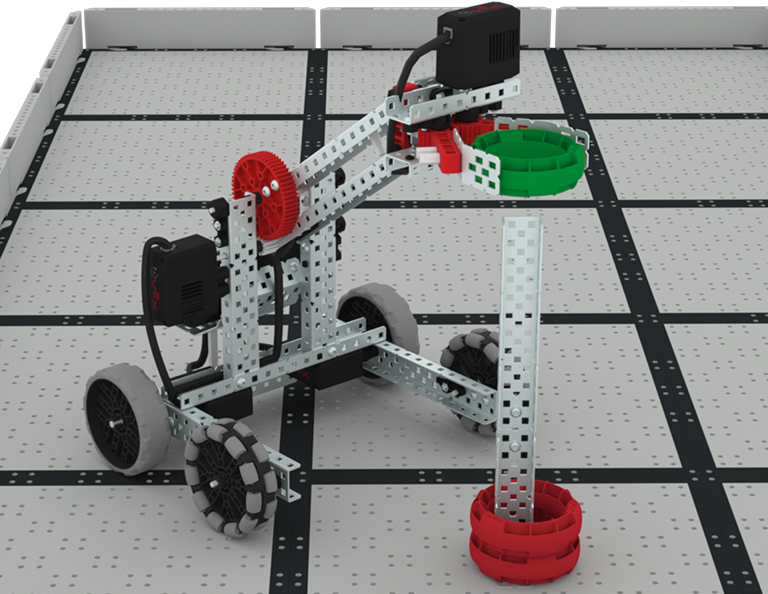
The Clawbot is on the Field with the arm raised about to place a green ring onto a tall post that already has two red rings stacked around the base of the post.

पाठ 4: एकाधिक प्रोग्रामों का उपयोग करना (स्वायत्त और चालक)

इस पाठ में, आप ड्राइवर नियंत्रणों को अनुकूलित करने के बारे में जानेंगे और यह भी जानेंगे कि आप स्प्लिट डिसीजन चैलेंज में प्रतिस्पर्धा करने के लिए अपनी ड्राइवर रणनीति को अनुकूलित करने के लिए कंट्रोलर और VEXcode EXP का उपयोग कैसे कर सकते हैं।

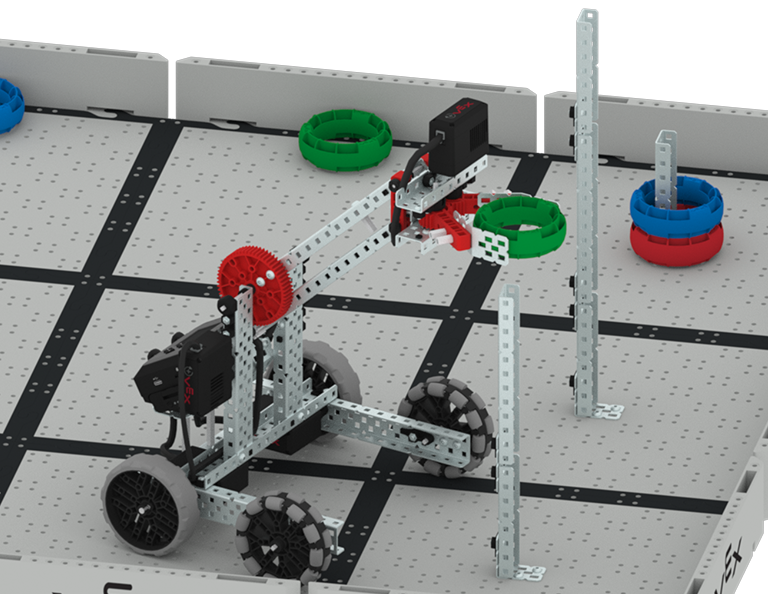
A close up of the Clawbot scoring a green ring onto the medium post in the competition, where other rings are already scored onto the lowest post.

पाठ 5: रिंग लीडर प्रतियोगिता

इस पाठ में, आप पिछले पाठों से सीखी गई बातों को रिंग लीडर प्रतियोगिता में भाग लेने के लिए लागू करेंगे!

A red light bulb icon.

पाठ 6: निष्कर्ष

इस पाठ में, आप इकाई पर चिंतन करेंगे और आपने जो किया है और उससे संबंधित STEM करियर के बीच संबंध स्थापित करेंगे।

बेसबॉट को इस तरह कोड करें कि वह एक वर्गाकार मार्ग में चले!

Activity Image
चित्र
Square Dance
VEX Platform
Subject
Activity PDF Link
https://content.vexrobotics.com/assets/education/stem-labs/docs/exp/Activities/EXP Activity - Square Dance.pdf
Activity Image Alt
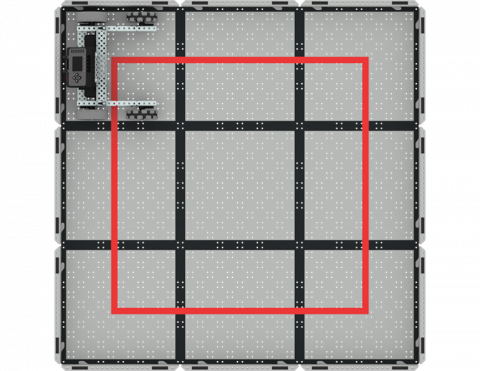
एक चिह्नित वर्गाकार पथ पर चल रहे EXP फील्ड पर EXP बेसबॉट का ऊपर से नीचे का दृश्य।

ऑप्टिकल सेंसर का उपयोग करके एक बकीबॉल से दूसरे बकीबॉल तक यात्रा करें!

Activity Image
चित्र
Color Sensing
VEX Platform
Activity PDF Link
https://content.vexrobotics.com/assets/education/stem-labs/docs/exp/Activities/EXP Activity - Color Sensing.pdf
Activity Image Alt
एक EXP फील्ड पर रखे गए EXP बेसबॉट का ऊपर से लिया गया दृश्य, जिसमें एक ऑप्टिकल सेंसर लगा हुआ है और उस पर 3 नीली बकीबॉल रखी हैं।

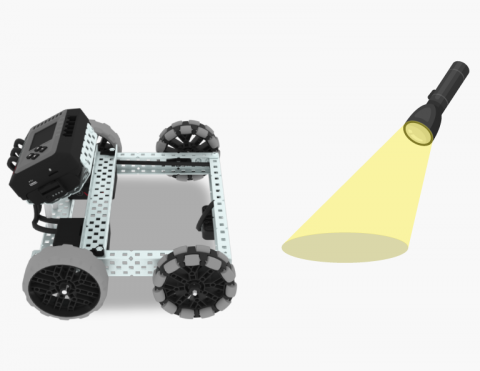
टॉर्च की रोशनी का इस्तेमाल करके अपने रोबोट को चलाएं!

Activity Image
चित्र
Follow the Light
VEX Platform
Activity PDF Link
https://content.vexrobotics.com/assets/education/stem-labs/docs/exp/Activities/EXP Activity - Follow the Light.pdf
Activity Image Alt
EXP बेसबॉट जिसमें एक ऑप्टिकल सेंसर लगा हुआ है और उसके सामने टॉर्च की रोशनी डाली जा रही है।

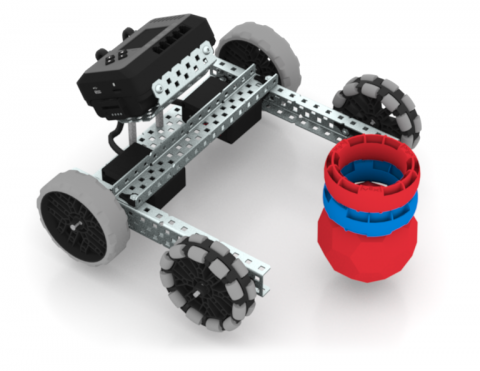
बेसबॉट को कोड करें ताकि वह गेम के मोहरों के ढेर को गिरा सके!

Activity Image
चित्र
Stack Crasher Challenge
VEX Platform
Subject
Activity PDF Link
https://content.vexrobotics.com/assets/education/stem-labs/docs/exp/Activities/EXP Activity - Stack Crasher Challenge.pdf
Activity Image Alt
बकीबॉल के ऊपर रखे दो छल्लों के ढेर के बगल में EXP बेसबॉट।

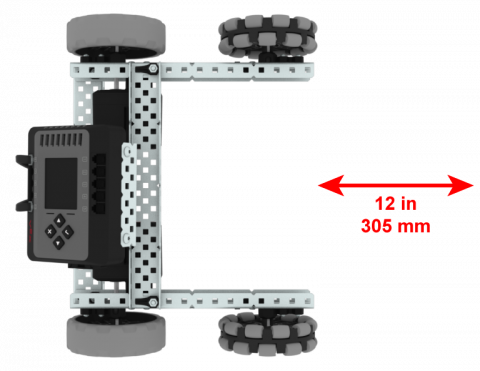
अपने रोबोट को स्वचालित रूप से आगे और पीछे ले जाएं

Activity Image
चित्र
Drive Forward and Reverse
VEX Platform
Subject
Activity PDF Link
https://content.vexrobotics.com/assets/education/stem-labs/docs/exp/Activities/EXP Activity - Drive Forward and Reverse.pdf
Activity Image Alt
EXP बेसबॉट जिसके सामने 12 इंच का तीर का निशान है और जो गति को दर्शाने के लिए आगे और पीछे की ओर इशारा कर रहा है।

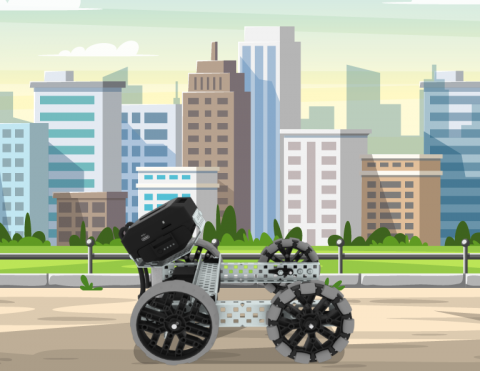
कंट्रोलर का उपयोग करके शहर की भूलभुलैया में रास्ता खोजें। पहले शहर बनाओ, फिर उसमें गाड़ी चलाओ!

Activity Image
चित्र
BaseBot Driver
VEX Platform
Subject
Activity PDF Link
https://content.vexrobotics.com/assets/education/stem-labs/docs/exp/Activities/EXP Activity - BaseBot Driver.pdf
Activity Image Alt
कार्टून शहर के वातावरण में EXP बेसबॉट।