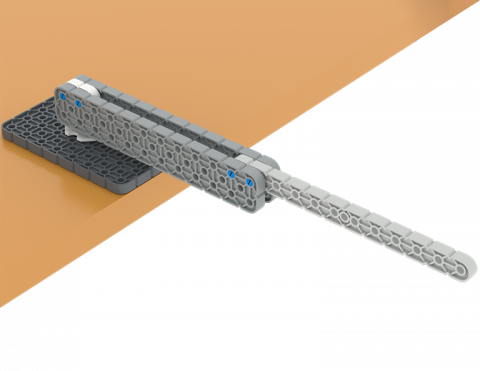
คุณสามารถสร้างอุปกรณ์ที่แขวนไว้บนโต๊ะได้หรือไม่?

Activity Image
Image
Hang out
VEX Platform
Activity PDF Link
https://content.vexrobotics.com/assets/education/stem-labs/docs/iq/Activities/IQ Activity - Hang Out.pdf

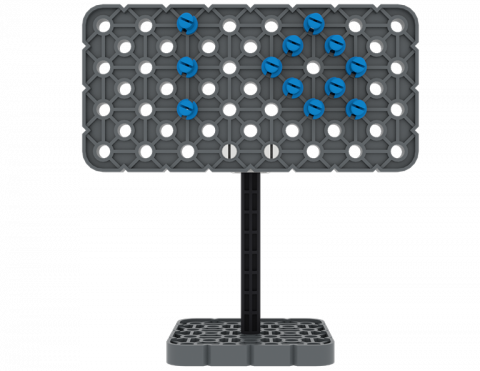
คุณสามารถสร้างป้ายด้วยชิ้นส่วนจาก VEX IQ Kit ของคุณได้หรือไม่?

Activity Image
Image
Signs Tile
VEX Platform
Activity PDF Link
https://content.vexrobotics.com/assets/education/stem-labs/docs/iq/Activities/IQ Activity - Signs.pdf

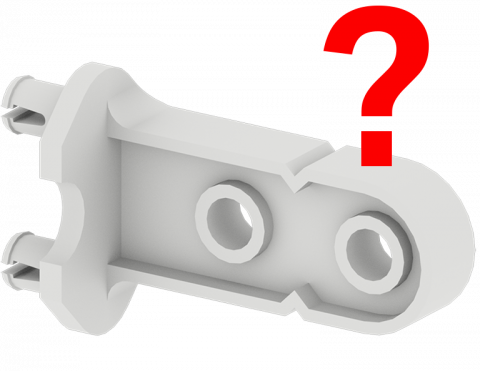
เล่นเกมเพื่อค้นหาชิ้นส่วนของ VEX IQ Kit!

Activity Image
Image
Can you name that part
VEX Platform
Activity PDF Link
https://content.vexrobotics.com/assets/education/stem-labs/docs/iq/Activities/IQ Activity - Can You Name That Part .pdf

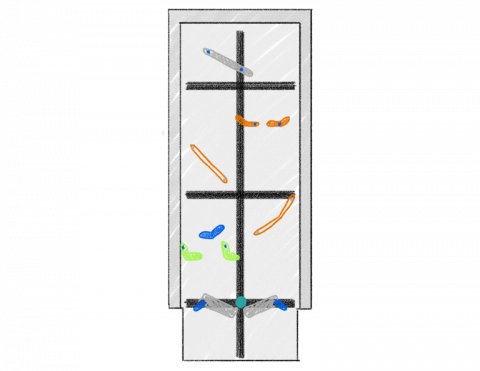
สร้างเกมพินบอลที่มีเครื่องจักรง่ายๆ โดยใช้ชิ้นส่วน VEX IQ!

Activity Image
Image
pinball wizard
VEX Platform
Activity PDF Link
https://content.vexrobotics.com/assets/education/stem-labs/docs/iq/Activities/IQ Activity - Pinball Wizard.pdf

ทิศทางใดเร็วกว่าเมื่อเคลื่อนย้ายวัตถุ?

Activity Image
Image
Forward Lift Reverse Tile
VEX Platform
Activity PDF Link
https://content.vexrobotics.com/assets/education/stem-labs/docs/iq/Activities/IQ Activity - Forward Lift Reverse.pdf

คุณสามารถย้ายสามช่วงตึกไปยังตำแหน่งใหม่ได้เร็วแค่ไหน?

Activity Image
Image
Triple transfer
VEX Platform
Activity PDF Link
https://content.vexrobotics.com/assets/education/stem-labs/docs/iq/Activities/IQ Activity - Triple Transfer.pdf

สร้างส่วนเสริมให้กับ BaseBot เพื่อพกพา IQ Cube ขึ้นไปในระนาบเอียง!

Activity Image
Image
Build a Wagon
VEX Platform
Builds
Activity PDF Link
https://content.vexrobotics.com/assets/education/stem-labs/docs/iq/Activities/IQ Activity - Build a Wagon.pdf

ขึ้นและเหนือ

6 บทเรียน

ในหน่วยการเรียนรู้นี้ คุณจะได้สำรวจวิธีการออกแบบ Clawbot เพื่อรวบรวม หยิบ และย้ายลูกบาศก์จากด้านหนึ่งของสนามไปยังอีกด้านหนึ่ง ในการแข่งขัน Up and Over!

เยี่ยมชมพอร์ทัลของครูเพื่อดูสื่อและวิดีโอสนับสนุนครูเกี่ยวกับเนื้อหาและการอำนวยความสะดวกของบทเรียน Up and Over

ขึ้นและเหนือ พอร์ทัลของครู  >

VEX IQ 2nd generation Clawbot build.

บทที่ 1: บทนำ

ในบทเรียนนี้คุณจะได้รับการแนะนำให้รู้จักกับการแข่งขัน Up and Over ตั้งค่าแบตเตอรี่และคอนโทรลเลอร์เตรียมพร้อมที่จะเขียนโค้ดและสร้าง Clawbot

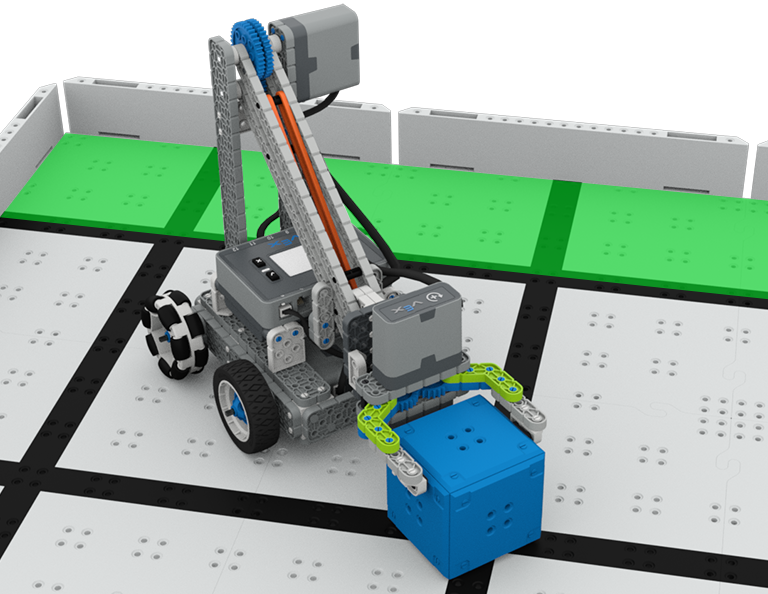
A close up view of the Clawbot with a blue cube in its grasp, in front of a green score area on the Field.

บทที่ 2: การออกแบบกรงเล็บ

ในบทเรียนนี้คุณจะได้เรียนรู้ว่ากรงเล็บคืออะไรกรงเล็บที่มีประสิทธิภาพทำงานอย่างไรและการสอดแนมจะเป็นประโยชน์ต่อการออกแบบและกลยุทธ์ของทีมของคุณอย่างไร จากนั้นคุณจะนำสิ่งที่คุณได้เรียนรู้ไปใช้ในการท้าทาย Grab and Go

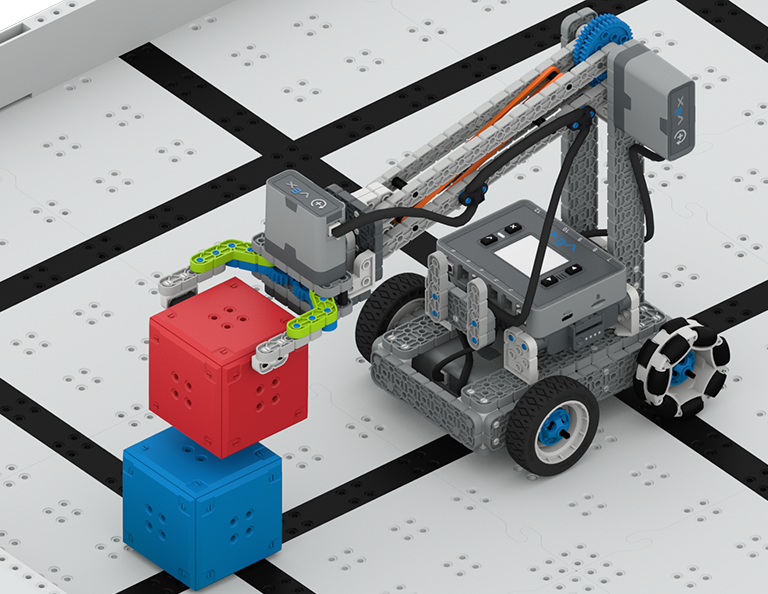
A close up view of the Clawbot on the Field, holding a red cube in the air in the process of stacking it on top of a blue cube on the Tile.

บทที่ 3: การออกแบบแขน

ในบทเรียนนี้คุณจะได้เรียนรู้เกี่ยวกับองค์ประกอบต่างๆของแขนหุ่นยนต์วิธีการทำงานและสิ่งที่ทำให้การออกแบบแขนมีประสิทธิภาพเพื่อที่จะเรียงซ้อนลูกบาศก์ให้มากที่สุดเท่าที่จะทำได้ภายในหนึ่งนาทีในการท้าทายแบบเรียงซ้อน

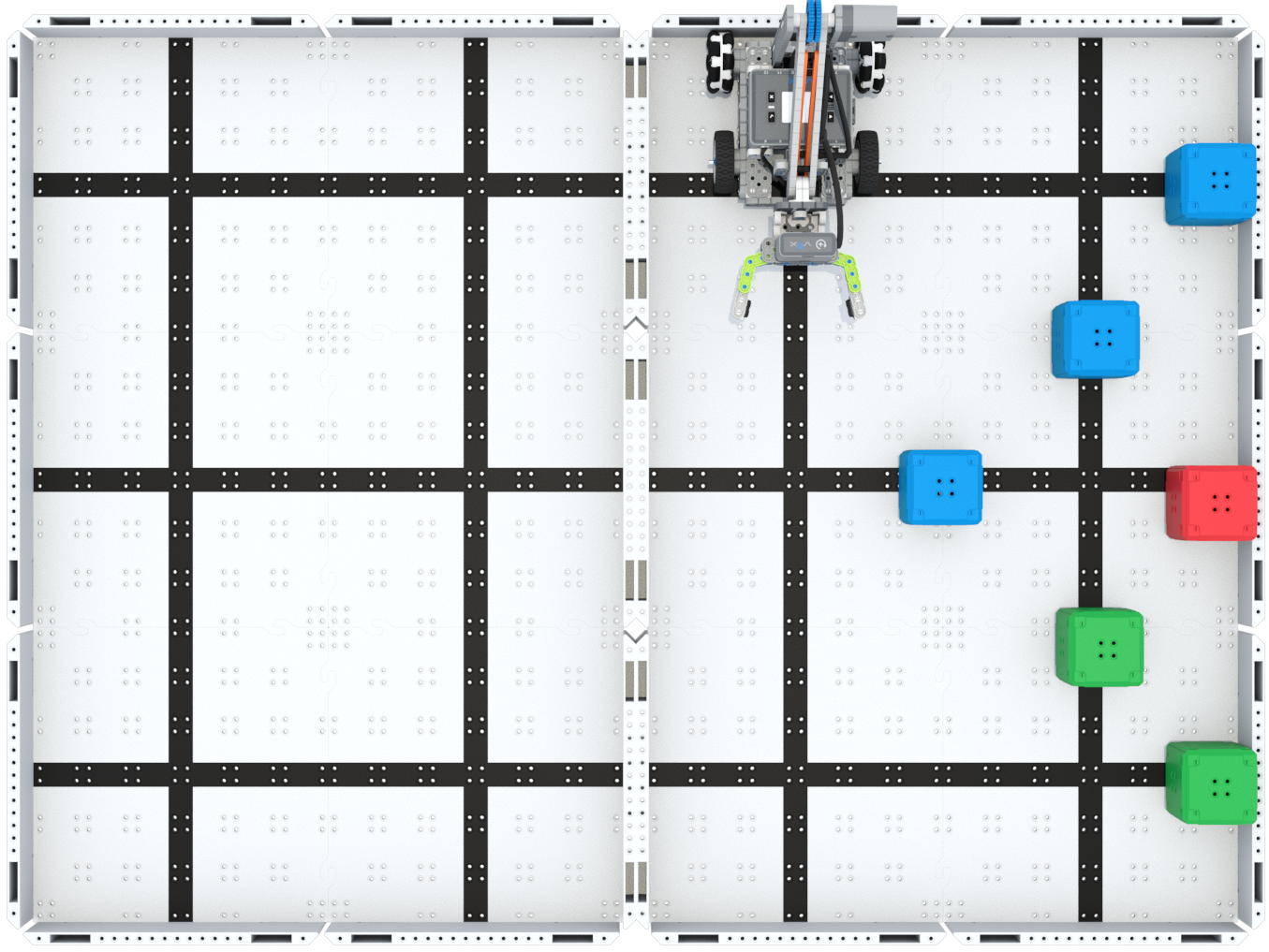
Top down view of the Up and Over Field with the Clawbot in the starting position on the right side of the Field and six Cubes arranged in a pyramid shape starting against the right wall and extending to the center of the right side.

บทเรียนที่ 4: กลุ่มมอเตอร์

ในบทเรียนนี้คุณจะได้เรียนรู้ว่ากลุ่มมอเตอร์คืออะไรมีประโยชน์อย่างไรและวิธีการกำหนดค่ากลุ่มมอเตอร์ใน VEXcode IQ เพื่อทำซ้ำบนหุ่นยนต์ของคุณเพื่อทำการท้าทาย Up and Over ให้เสร็จสมบูรณ์

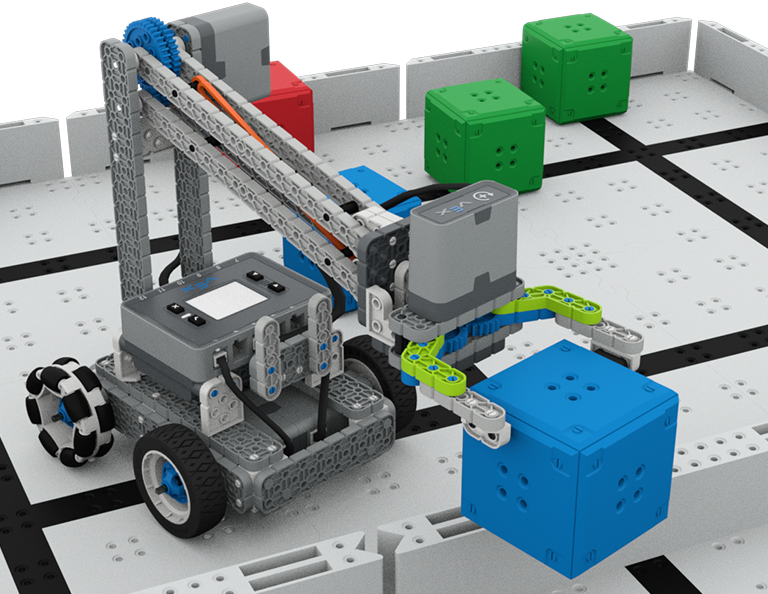
A close up view of the Clawbot lifting a Blue cube over the barrier, with other cubes in their starting positions behind it.

บทที่ 5: การแข่งขันที่สูงขึ้นเรื่อยๆ

ในบทเรียนนี้คุณจะใช้การเรียนรู้ของคุณจากบทเรียนก่อนหน้านี้เพื่อแข่งขันในการแข่งขันขึ้นและลง!

Blue light bulb icon.

บทที่ 6: บทสรุป

ในบทเรียนนี้คุณจะได้ทบทวนหน่วยและระบุความเชื่อมโยงระหว่างสิ่งที่คุณทำกับอาชีพ STEM

หุ่นยนต์ฟุตบอล

4 บทเรียน

ในหน่วยการเรียนรู้นี้ คุณจะได้สำรวจวิธีสร้างหุ่นยนต์ควบคุมบนหุ่นยนต์ของคุณเพื่อคว้า ส่ง และทำประตูให้มากที่สุดในฐานะนักฟุตบอลหุ่นยนต์ในการแข่งขัน Robot Soccer!

ไปที่พอร์ทัลครูเพื่อดูสื่อและวิดีโอสนับสนุนครูเกี่ยวกับเนื้อหาและการอำนวยความสะดวกของ Robot Soccer Lessons

หุ่นยนต์ฟุตบอล พอร์ทัลของครู  >

ชักเย่อ

6 บทเรียน

ในบทนี้ คุณจะได้สำรวจว่าความได้เปรียบเชิงกลและจุดศูนย์กลางมวลส่งผลต่อความสามารถของ เบสบอท ในการดึงวัตถุอย่างไร และออกแบบหุ่นยนต์ที่ดีที่สุดสำหรับเกม ชักเย่อ!

เยี่ยมชมพอร์ทัลครูเพื่อดูสื่อและวิดีโอสนับสนุนครูเกี่ยวกับเนื้อหาและการอำนวยความสะดวกของบทเรียนชักเย่อ

ชักเย่อ พอร์ทัลของครู  >

VEX IQ 2nd generation Base Bot build.

บทที่ 1: บทนำ

ในบทเรียนนี้คุณจะได้รับการแนะนำให้รู้จักกับการแข่งขัน Tug of War และสร้าง BaseBot

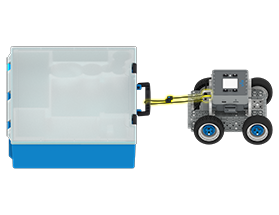
A side view of the IQ BaseBot with a rope attached to an IQ Kit box, to pull the box forward.

บทที่ 2: การดึงวัตถุด้วย BaseBot

ในบทเรียนนี้คุณจะออกแบบการยึดเชือกเพื่อฝึกการดึงวัตถุด้วย BaseBot ของคุณ จากนั้นคุณจะได้แข่งขันในการท้าทาย Robot Tractor Pull

A close up perspective view of the BaseBot with a yellow highlight around the gear train added to the rear wheels.

บทที่ 3: การใช้ขบวนเกียร์

ในบทเรียนนี้คุณจะเพิ่มรถไฟเกียร์ลงใน BaseBot ของคุณเพื่อสำรวจว่าการกำหนดค่าเกียร์ที่แตกต่างกันมีผลต่อความสามารถในการดึงวัตถุของหุ่นยนต์ของคุณอย่างไร จากนั้นคุณจะได้แข่งขันในการท้าทาย Gear Train Tractor Pull

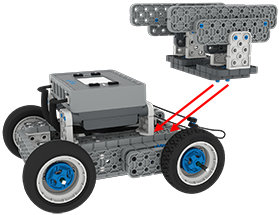
A side view of the BaseBot with an attachment of IQ pieces floating above it, with arrows indicating to add the attachment over the geared up wheels on the rear of the robot.

บทเรียนที่ 4: การเพิ่มมวล

ในบทเรียนนี้คุณจะเพิ่มมวลลงใน BaseBot ของคุณเพื่อสำรวจว่าการเปลี่ยนศูนย์กลางของมวลมีผลต่อความสามารถในการดึงวัตถุของหุ่นยนต์ของคุณอย่างไร จากนั้นคุณจะได้แข่งขันในการท้าทาย Tug of War

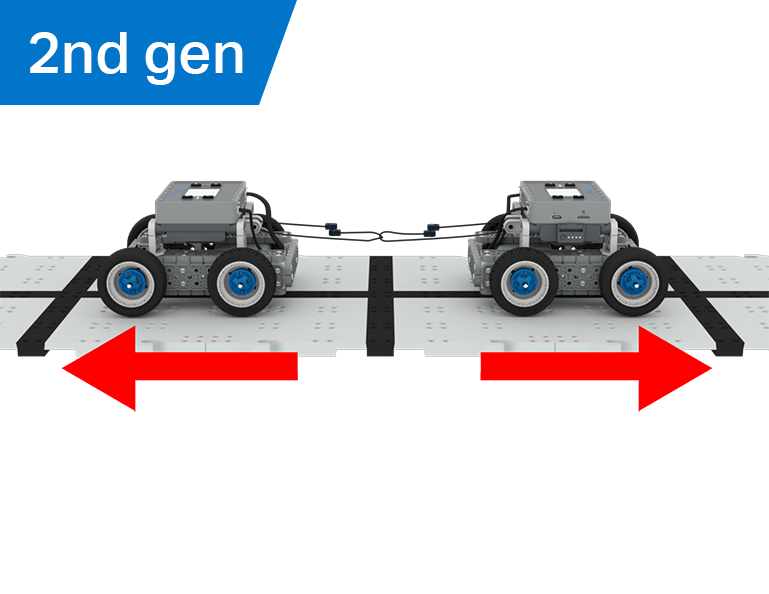
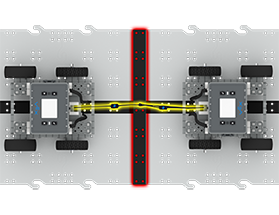
A top down view of two BaseBots connecting with a rope over a center line on the tiles, ready to start a Tug of War Match.

บทที่ 5: การแข่งขันชักเย่อ

ในบทเรียนนี้คุณจะใช้การเรียนรู้ของคุณจากบทเรียนก่อนหน้านี้เพื่อแข่งขันในการแข่งขัน Tug of War!

A blue lightbulb icon.

บทที่ 6: บทสรุป

ในบทเรียนนี้ คุณจะได้สะท้อนถึงการเรียนรู้ของคุณในหน่วยนี้ และระบุความเชื่อมโยงระหว่างสิ่งที่คุณได้ทำกับอาชีพ STEM