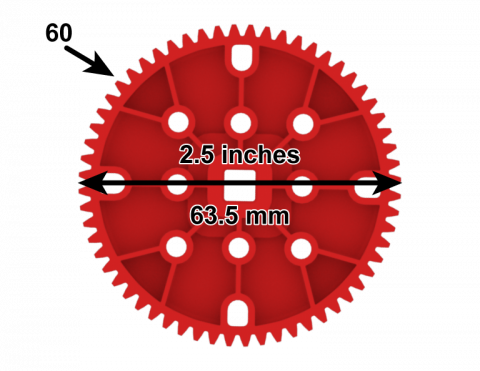
क्या आप अपने गियर और स्प्रोकेट की पिच की गणना कर सकते हैं?

Activity Image
चित्र
How Big are Your Teeth
VEX Platform
Activity PDF Link
https://content.vexrobotics.com/assets/education/stem-labs/docs/exp/Activities/EXP Activity - How Big Are Your Teeth_.pdf
Activity Image Alt
EXP 60 टूथ गियर का पार्श्व दृश्य, जिसमें दांतों की संख्या 60 और व्यास 2.5 इंच अंकित है।
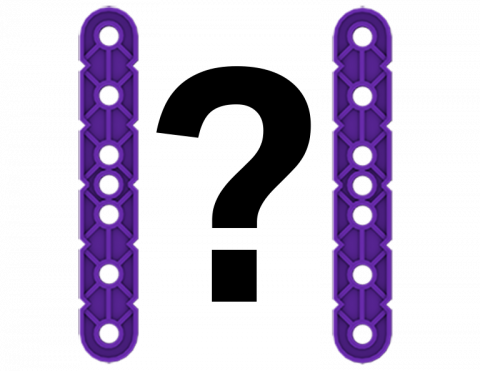
कुछ स्थानिक तर्क मस्तिष्क टीज़र को हल करने के लिए अपने VEX IQ टुकड़ों का उपयोग करें।

Activity Image
चित्र
Teaser 2
VEX Platform
Subject
Activity PDF Link
https://content.vexrobotics.com/assets/education/stem-labs/docs/iq/Activities/IQ Activity - VEX Teasers.pdf
Activity Image Alt
दो IQ बीम टुकड़ों के बीच एक प्रश्न चिह्न।

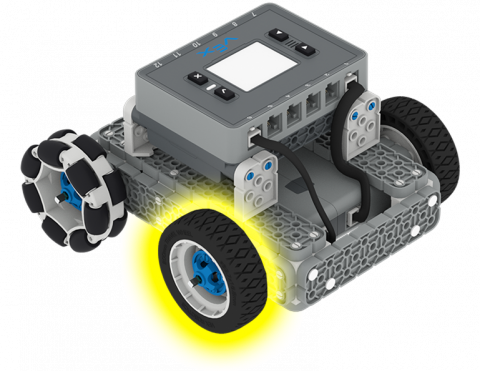
क्या आप VEXcode IQ प्रोजेक्ट से माप का उपयोग करके यह गणना कर सकते हैं कि आपका पहिया कितनी तेजी से घूमता है?

Activity Image
चित्र
Spin your wheels
VEX Platform
Subject
Activity PDF Link
https://content.vexrobotics.com/assets/education/stem-labs/docs/iq/Activities/IQ Activity - Spin Your Wheels.pdf
Activity Image Alt
आईक्यू बेसबोट का कोणीय दृश्य, जिसमें इसका एक अगला पहिया पीले रंग से हाइलाइट किया गया है।

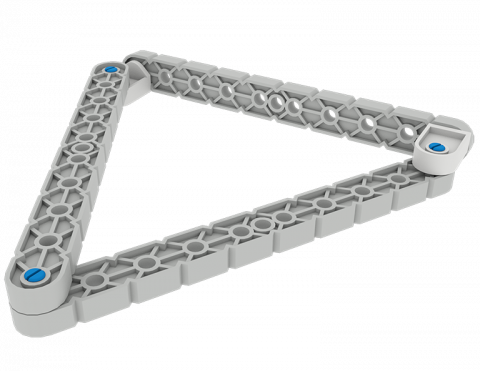
विभिन्न आकृतियाँ बनाने के लिए कनेक्टर का उपयोग करें।

Activity Image
चित्र
Get in Shape
VEX Platform
Subject
Activity PDF Link
https://content.vexrobotics.com/assets/education/stem-labs/docs/iq/Activities/IQ Activity - Get in Shape.pdf
Activity Image Alt
IQ बीम के टुकड़ों से बना एक त्रिभुज आकार।
वी5 स्पीड बॉट एक चेकर ध्वज के ऊपर बैठा हुआ है जो दौड़ के माहौल को दर्शाता है।

रोबो रैली

0 Lessons

रोबो रैली में योजना बनाएं, डिजाइन करें और प्रतिस्पर्धा करें!

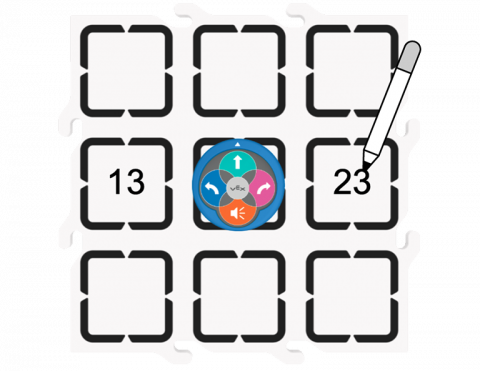
अपने 123 रोबोट को छोटी संख्या दिखाने में मदद करें।

Activity Image
चित्र
More or less activity
VEX Platform
Subject
Activity PDF Link
https://content.vexrobotics.com/assets/education/stem-labs/docs/123/Activities/VEX 123 Activity - More or Less.pdf
Activity Image Alt
फील्ड टाइल पर 123 रोबोट का ऊपर से नीचे का दृश्य, जिसके आगे दो संख्याएं लिखी हैं, पहली संख्या 13 है और दूसरी 23 है।

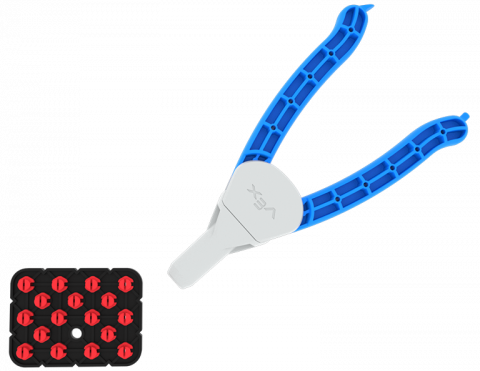
क्या आप अपने साथी को हराकर अंतिम पिन जीत सकते हैं?

Activity Image
चित्र
pin out challenge
VEX Platform
Subject
Activity PDF Link
https://content.vexrobotics.com/assets/education/stem-labs/docs/go/Activities/GO Activity - Pin Out.pdf
Activity Image Alt
पिन आउट गेम बोर्ड जिसमें एक काली प्लेट होती है तथा प्रत्येक पिन छेद एक लाल पिन से भरा होता है। एक पिन टूल भी दिखाया गया है।

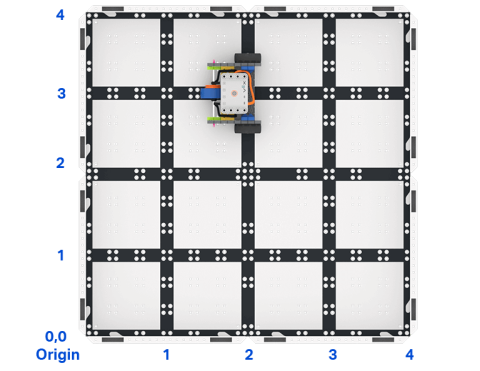
VEXcode GO में एक प्रोजेक्ट बनाएं जो कोड बेस को ग्रिड पर एक विशिष्ट बिंदु तक जाने का निर्देश दे।

Activity Image
चित्र
Top down view of a 2 by 2 square field of GO field tiles with a GO Code Base robot. The sides are labeled as x and y axes, and the bottom left corner is labeled as the origin with x 0 y 0.
VEX Platform
Activity PDF Link
https://content.vexrobotics.com/assets/education/stem-labs/docs/go/Activities/GO Activity - Code Base Coordinates.pdf
Activity Image Alt
GO कोड बेस रोबोट के साथ GO फ़ील्ड टाइल्स के 2 x 2 वर्गाकार क्षेत्र का ऊपर से नीचे का दृश्य। भुजाओं को x और y अक्षों के रूप में लेबल किया गया है, और निचले बाएं कोने को x 0 y 0 के साथ मूल के रूप में लेबल किया गया है।

रंग मिश्रण के बारे में जानें और अपने खुद के डिज़ाइन को रंग दें

Activity Image
चित्र
Color Designs!
VEX Platform
Activity PDF Link
https://content.vexrobotics.com/assets/education/stem-labs/docs/go/Activities/GO Activity - Color Designs.pdf
Activity Image Alt
स्पाइरोग्राफ का उपयोग करके डिज़ाइन तैयार किया गया और फिर रंग दिया गया ताकि यह दिखाया जा सके कि विभिन्न रंग एक साथ कैसे मिश्रित होते हैं।