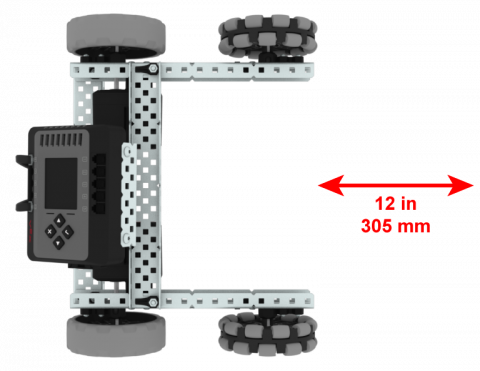
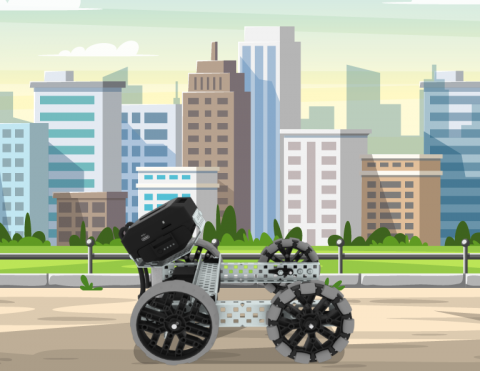
ใช้บล็อกความคิดเห็นเพื่อจัดระเบียบฐานการวิ่ง

Activity Image
Image
Play Ball
VEX Platform
Activity PDF Link
https://content.vexrobotics.com/assets/education/stem-labs/docs/exp/Activities/EXP Activity - Play Ball.pdf

ใช้ EXP Clawbot ของคุณเพื่อเล่นเกมให้คะแนนแสนสนุก

Activity Image
Image
Rebound
VEX Platform
Activity PDF Link
https://content.vexrobotics.com/assets/education/stem-labs/docs/exp/Activities/EXP Activity - Rebound!.pdf

สร้างโครงการเพื่อหลีกเลี่ยงวัตถุที่ขวางทางคุณ!

Activity Image
Image
Dodge It Tile
VEX Platform
Activity PDF Link
https://content.vexrobotics.com/assets/education/stem-labs/docs/exp/Activities/EXP Activity - Dodge It!.pdf

ผู้นำแหวน

6 บทเรียน

ในบทนี้ คุณจะได้สำรวจความแตกต่างระหว่างการควบคุมผู้ขับและการเคลื่อนไหวอัตโนมัติ เมื่อคุณใช้หลายโปรแกรม (การควบคุมอัตโนมัติและการควบคุมผู้ขับ) เพื่อให้คะแนนวงแหวนบนโพสต์ที่มีขนาดต่างกันในการแข่งขัน Ring Leader

ไปที่พอร์ทัลของครูเพื่อดูสื่อและวิดีโอสนับสนุนครูเกี่ยวกับเนื้อหาและการอำนวยความสะดวกของบทเรียน Ring Leader

ผู้นำแหวน พอร์ทัลของครู  >

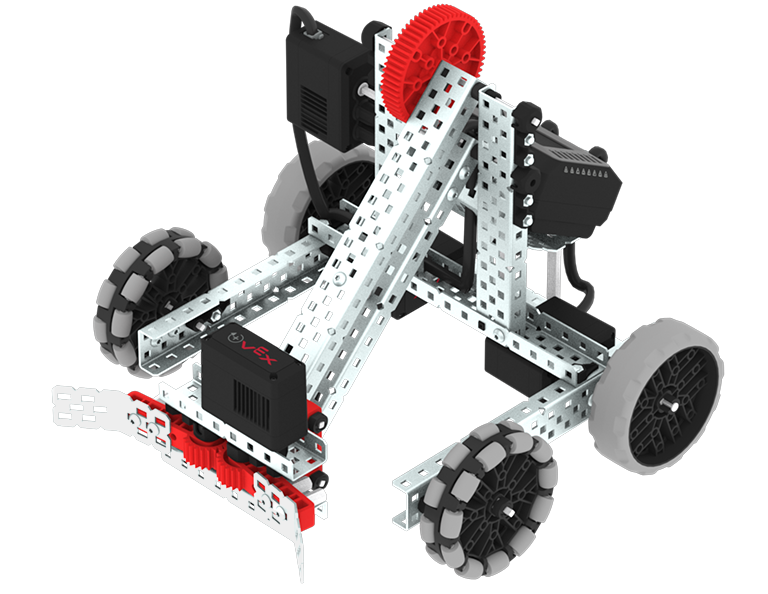
VEX EXP Clawbot build.

บทที่ 1: บทนำ

ในบทเรียนนี้คุณจะได้รับการแนะนำให้รู้จักกับการแข่งขันผู้นำแหวนสร้าง Clawbot และเตรียมพร้อมที่จะเขียนโค้ด

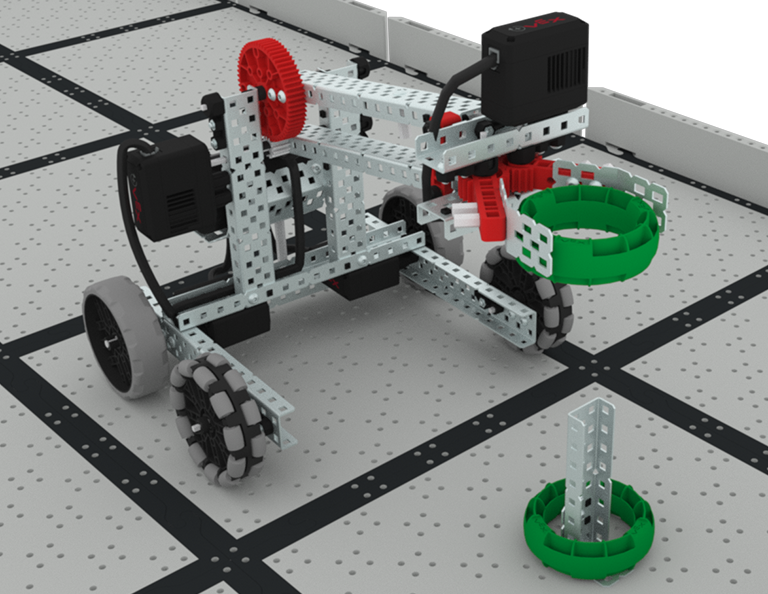
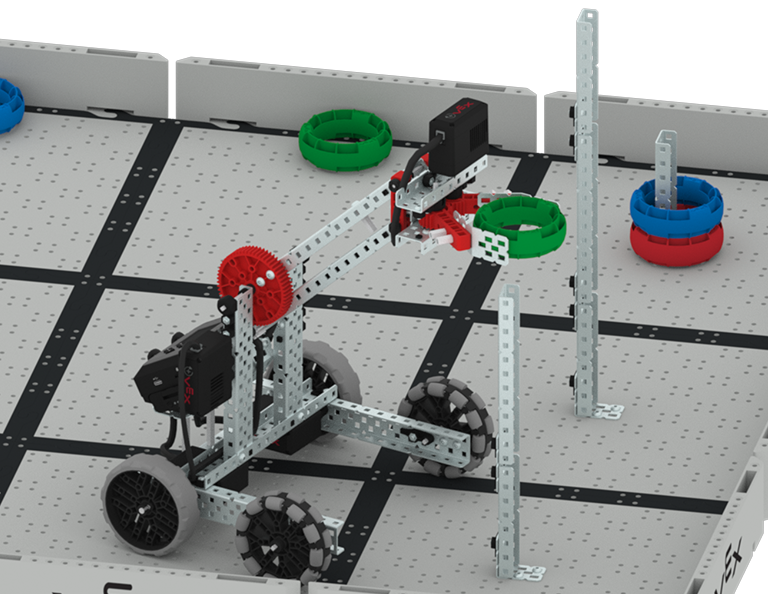
A close up view of the Clawbot with the arm raised, ready to place a green ring onto a post attached to the Tile. The post already has one green ring on it.

บทที่ 2: การควบคุมผู้ขับขี่

ในบทเรียนนี้คุณจะได้เรียนรู้เกี่ยวกับการใช้โปรแกรมควบคุมผู้ขับขี่บนสมอง EXP เพื่อให้คุณสามารถขับ Clawbot เพื่อจัดการวงแหวนในสนามและเข้าร่วมในการท้าทายความเร็วและคะแนน

Lesson 3: Coding for Autonomous Movements

บทที่ 3: การเข้ารหัสสำหรับการเคลื่อนไหวอัตโนมัติ

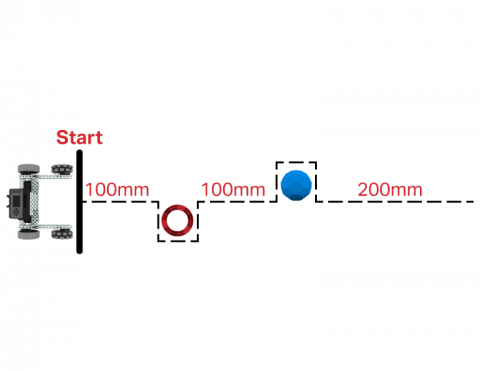
ในบทเรียนนี้คุณจะได้เรียนรู้เกี่ยวกับการเข้ารหัสหุ่นยนต์ของคุณสำหรับการเคลื่อนไหวอัตโนมัติรวมถึงวิธีการวางแผนเส้นทางของหุ่นยนต์ของคุณ จากนั้นคุณจะสร้างโครงการ VEXcode EXP เพื่อวางแหวนบนโพสต์ใน Coding Crunch Challenge

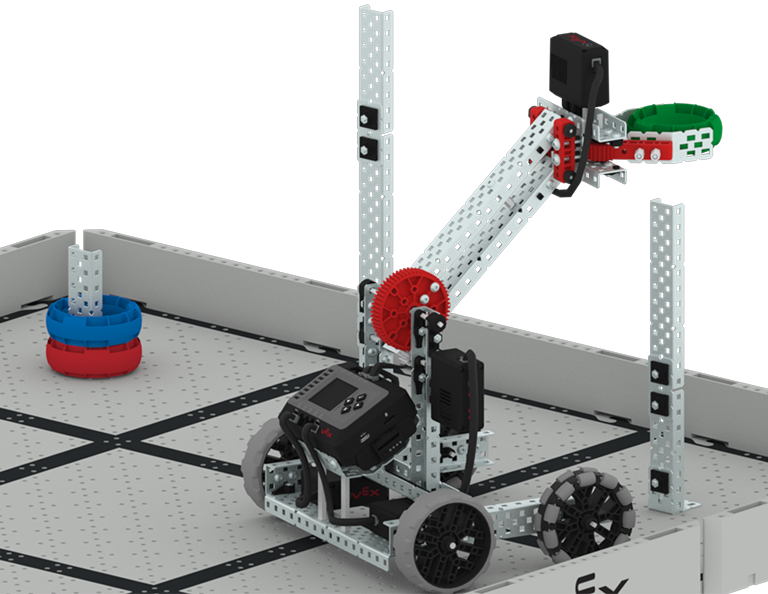
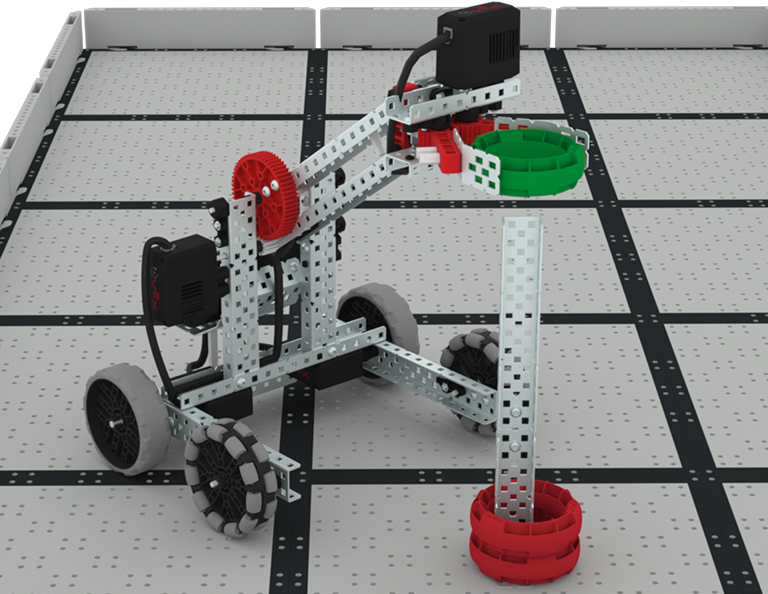
The Clawbot is on the Field with the arm raised about to place a green ring onto a tall post that already has two red rings stacked around the base of the post.

บทที่ 4: การใช้โปรแกรมหลายโปรแกรม (อัตโนมัติและไดรเวอร์)

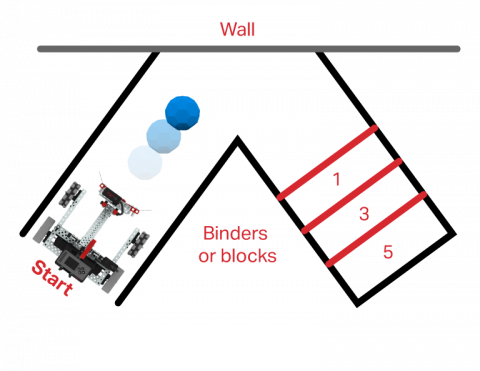
ในบทเรียนนี้คุณจะได้เรียนรู้เกี่ยวกับการปรับแต่งการควบคุมไดรเวอร์และวิธีที่คุณสามารถใช้ Controller และ VEXcode EXP เพื่อเพิ่มประสิทธิภาพกลยุทธ์ไดรเวอร์ของคุณสำหรับการแข่งขันใน Split Decision Challenge

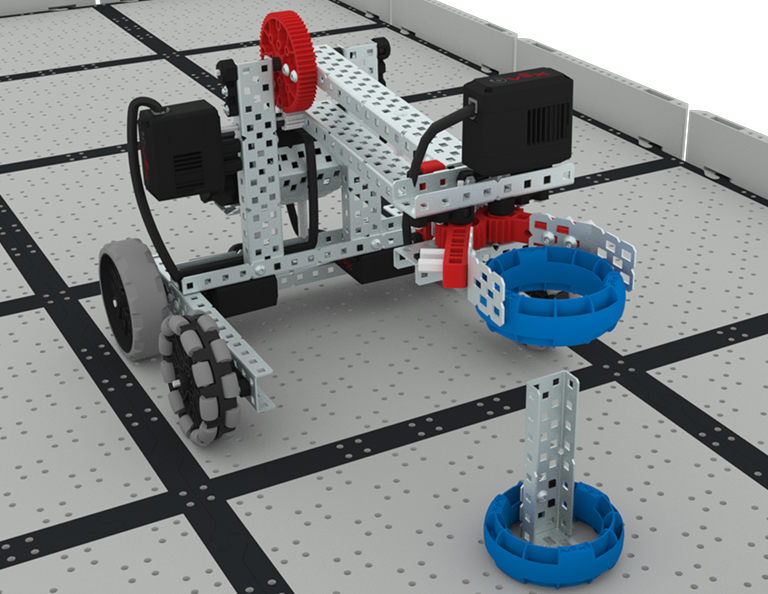
A close up of the Clawbot scoring a green ring onto the medium post in the competition, where other rings are already scored onto the lowest post.

บทที่ 5: การแข่งขันริงลีดเดอร์

ในบทเรียนนี้คุณจะใช้การเรียนรู้ของคุณจากบทเรียนก่อนหน้านี้เพื่อแข่งขันในการแข่งขันผู้นำแหวน!

A red light bulb icon.

บทที่ 6: บทสรุป

ในบทเรียนนี้คุณจะได้ทบทวนหน่วยและระบุความเชื่อมโยงระหว่างสิ่งที่คุณทำกับอาชีพ STEM ที่เชื่อมโยงกัน

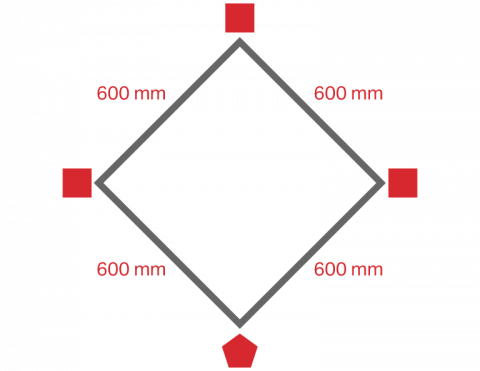
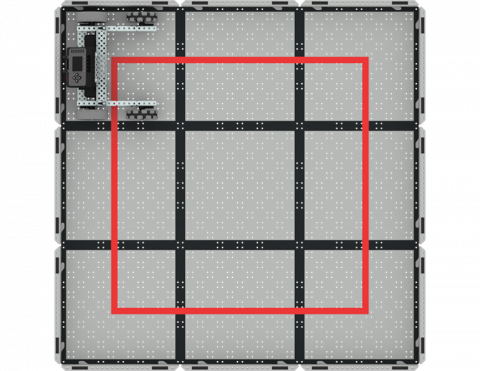
เขียนโค้ด BaseBot เพื่อขับเป็นสี่เหลี่ยม!

Activity Image
Image
Square Dance
VEX Platform
Activity PDF Link
https://content.vexrobotics.com/assets/education/stem-labs/docs/exp/Activities/EXP Activity - Square Dance.pdf

ใช้เซ็นเซอร์รับแสงเพื่อเดินทางจาก Buckyball ไปยัง Buckyball!

Activity Image
Image
Color Sensing
VEX Platform
Activity PDF Link
https://content.vexrobotics.com/assets/education/stem-labs/docs/exp/Activities/EXP Activity - Color Sensing.pdf

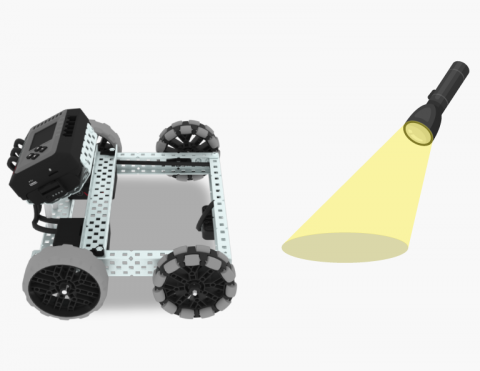
ขับหุ่นยนต์ของคุณโดยใช้ไฟฉาย!

Activity Image
Image
Follow the Light
VEX Platform
Activity PDF Link
https://content.vexrobotics.com/assets/education/stem-labs/docs/exp/Activities/EXP Activity - Follow the Light.pdf

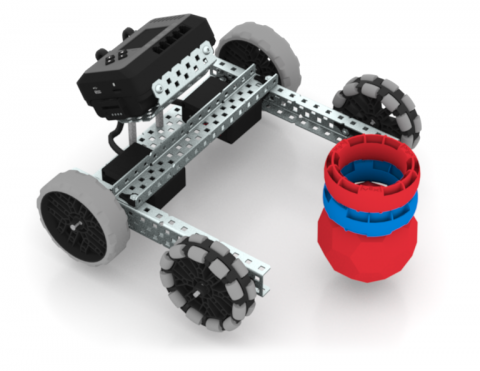
เขียนโค้ด BaseBot เพื่อล้มชิ้นส่วนเกมจำนวนมาก!

Activity Image
Image
Stack Crasher Challenge
VEX Platform
Activity PDF Link
https://content.vexrobotics.com/assets/education/stem-labs/docs/exp/Activities/EXP Activity - Stack Crasher Challenge.pdf

เคลื่อนหุ่นยนต์ของคุณไปข้างหน้าและข้างหลังโดยอัตโนมัติ

Activity Image
Image
Drive Forward and Reverse
VEX Platform
Activity PDF Link
https://content.vexrobotics.com/assets/education/stem-labs/docs/exp/Activities/EXP Activity - Drive Forward and Reverse.pdf

นำทางเขาวงกตในเมืองโดยใช้คอนโทรลเลอร์ ขั้นแรก สร้างเมือง จากนั้นจึงขับเข้าไป!

Activity Image
Image
BaseBot Driver
VEX Platform
Activity PDF Link
https://content.vexrobotics.com/assets/education/stem-labs/docs/exp/Activities/EXP Activity - BaseBot Driver.pdf