
Step 3: Creating a Scaled Version
 Teacher Toolbox
Start by having students convert to a standard unit of measurement either by converting the centimeter measurements of the robots to meters (in decimals) or by converting their meter measurements of the space to centimeters. Use the standard unit of measurement to more easily create the scale.
The approximate measurements of the Speedbot are 30 cm across the front and 24 cm down the side.
30 cm = 300 mm = 0.3 m
24 cm = 240 mm = 0.24 m
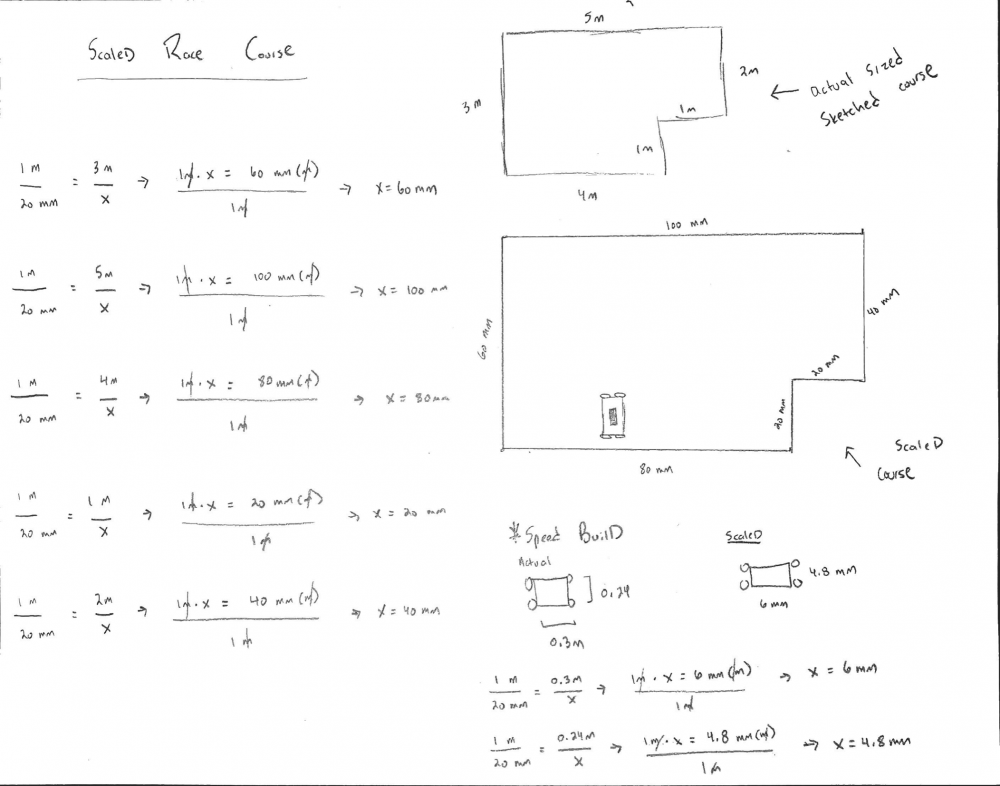
In your engineering notebook, create a scaled version of the area you sketched using your recorded measurements. Before starting, decide the scale at which you would like to recreate the area in meters. For example, 20 millimeters on the sketch may be 1 meter in the area you have available for your race course, like in the example above.
You should consider the size of your sketch when choosing the scale. Too large of a scale may not fit on the paper that you are using.
Add a scaled version of the VEX V5 Speedbot to your sketch to help visualize its scaled size in comparison to the scaled area you have created.
Respond to the questions below in your engineering notebook:
- How did you determine the scale to you use in your sketch?
- How did the dimensions of your robot influence your scale?
Teacher Toolbox
You can also sketch the course using graph paper:
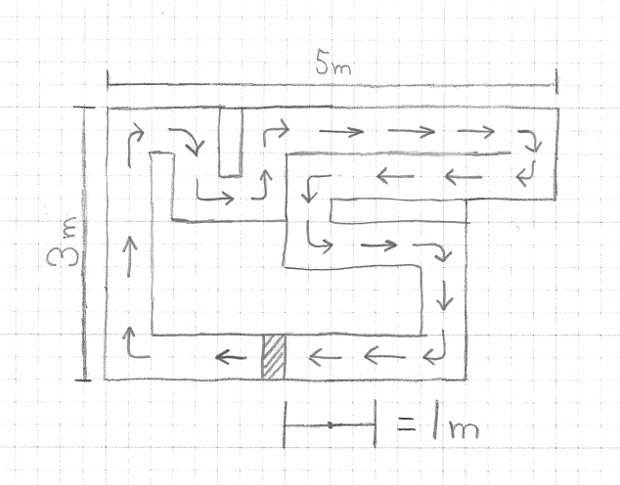
Ask the students to sketch a race course within the scaled area that they made in their engineering notebook. Keep in mind the size of the VEX V5 Speedbot and how it is represented in the scale that they used. The robot should be able to navigate the course without leaving the sides of the race course.
Try to be as creative as possible with the course by adding multiple turns and straightaways. Use arrows or other symbols to indicate the direction the robot on the race course should travel in. In addition, indicate the location of the starting and finishing lines using a symbol or lines.