
In this activity, you will go beyond basic takeoff and landing and begin using flight data to guide how you fly your VEX AIR Drone. You will open the Drone Dashboard on the VEX AIR Drone Controller and learn how the drone’s position is shown using coordinates on the screen.
As you fly, you’ll watch how the numbers change when you pitch the drone forward and backward. This helps you understand how your movements affect where the drone is in space. By the end of the activity, you’ll use dashboard data to fly to specific positions instead of relying only on what you see.
Watch the video below to learn about:
- How to access the Drone Dashboard on the controller.
- How pitching the drone affects the y-coordinate.
<<VIDEO>>
Hover & Discover
The Drone Dashboard shows live information about what the drone is doing while it’s flying. This information, called instrument data, includes values like the drone’s position, height, and movement. Instead of guessing where the drone is, pilots can use this data to fly more accurately and repeat the same movements each time.
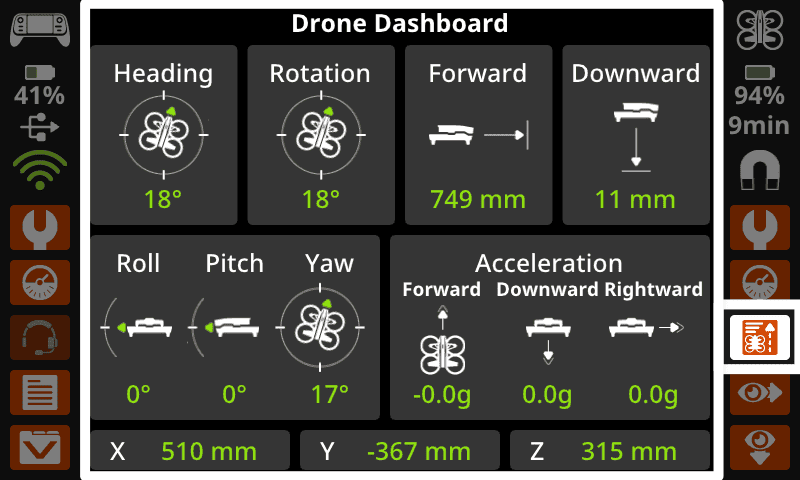
When you pitch the drone forward or backward, you’ll notice the coordinates on the dashboard change. These numbers show how the drone moves through space and help pilots understand how their control inputs affect flight. Learning to use instrument data is an important step toward flying with intention instead of relying only on what you see.
Mission: Fly to Y
Check Your Understanding
Select Next > to move to the next lesson.