
In this lesson, you will take on your first challenge using the Motorized Hook Module with the VEX AIR Drone. You’ll learn how to raise and lower the hook using the VEX AIR Drone Controller in order to pick up and deliver an orbit ball during flight.
Watch the video below to learn more about:
- What the Motorized Hook Module is and how it works.
- How to attach the hook to the Motorized Hook Module.
- Picking up and releasing an orbit ball with the Motorized Hook Module using the controller.
Mission: Motorized Hook Moves
In this mission, you will practice picking up and delivering an orbit ball to the drop-off zone. Follow these steps to complete your mission:
- Place an orbit ball opposite the takeoff zone in the center of the indoor flight area. The orbit ball should be 4 ft (1.22 m) apart from the drone. Mark a drop-off zone behind the takeoff area where the orbit ball will be delivered. The drop-off zone should be 3 ft (0.91 m) apart from the drone.
- Use the image below for reference as you set up your flight area.
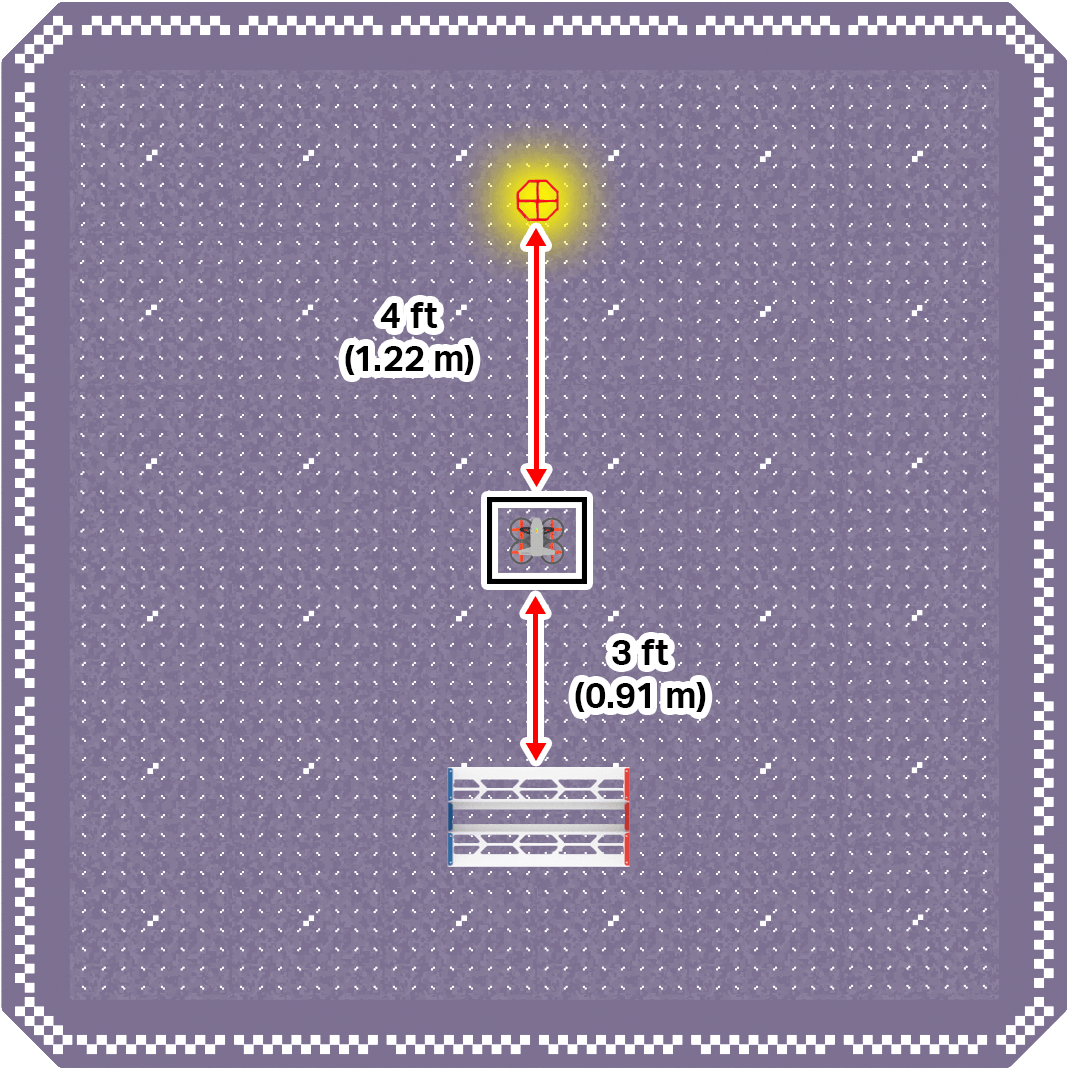
- Use the image below for reference as you set up your flight area.
- Ensure all flight team members are clear on their roles, then use the Pre-Flight Checklist in the Mission Log (Google Doc / .docx / .pdf) to ensure you, your flight environment, and the drone itself are ready and safe for flight.
- Be sure the Motorized Hook Module is attached to the drone.
- See this article for pre-flight safety reminders and guidance on getting your drone ready for flight.
- Try to pick up the orbit ball using the Motorized Hook Module, deliver it to the drop-off zone, and land. Record each flight in the Mission Log.
Pro Tip: Use the Forward Camera and talk with your co-pilot to help understand where the hook is in relation to the orbit ball. Clear communication can help make your flights more successful.
Check Your Understanding
Before moving on, ensure that you understand the concepts in this lesson by answering the questions here (Google Doc / .docx / .pdf).
Select Next > to move to the next lesson.