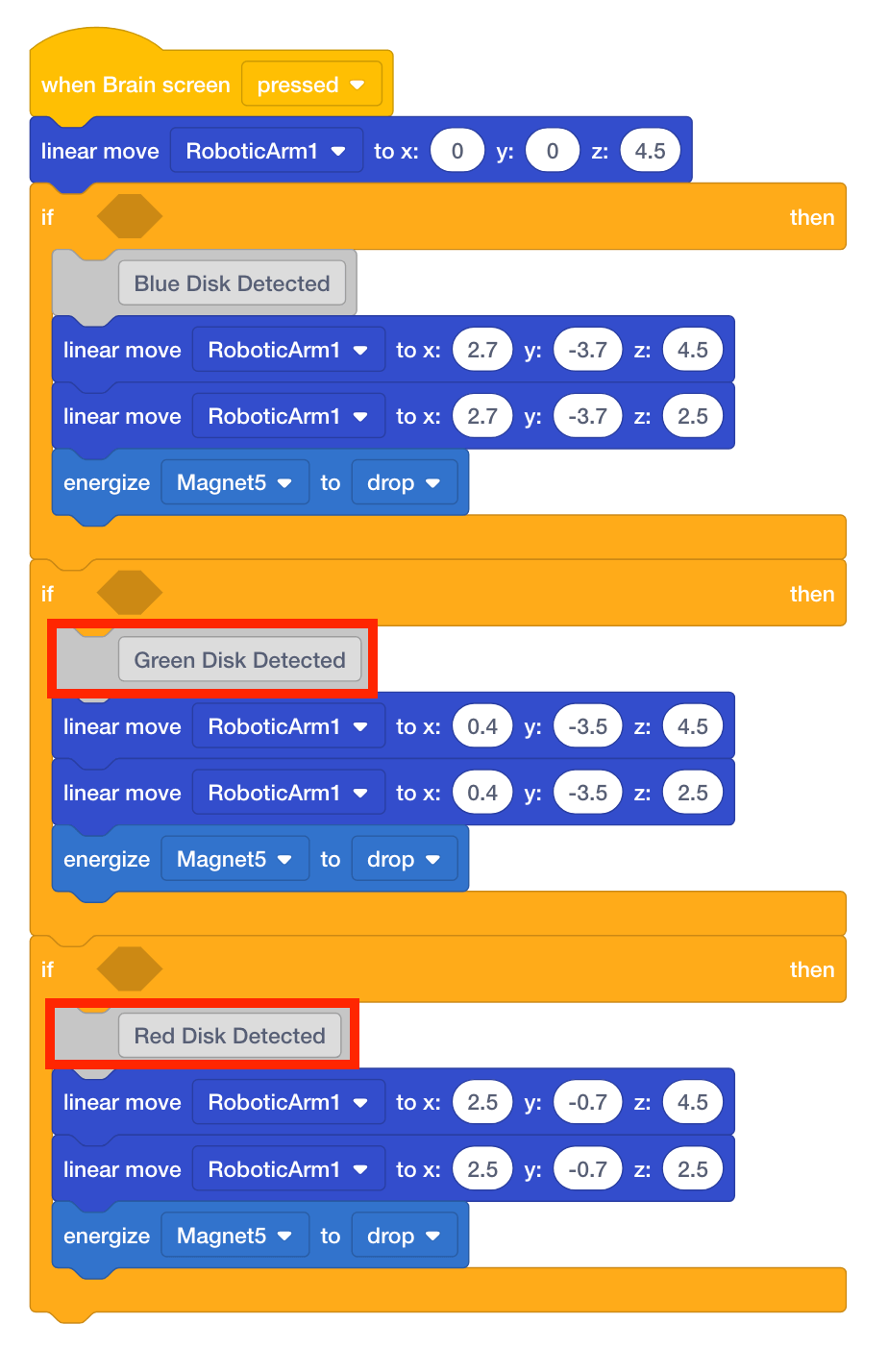
Detect Blue, Green, and Red Disk
The blocks that move the V5 Robotic Arm to the blue, green, and red disks drop off locations will now be moved into [If then] blocks.
- Move the four blocks associated with the blue disk inside the first [If then] block.
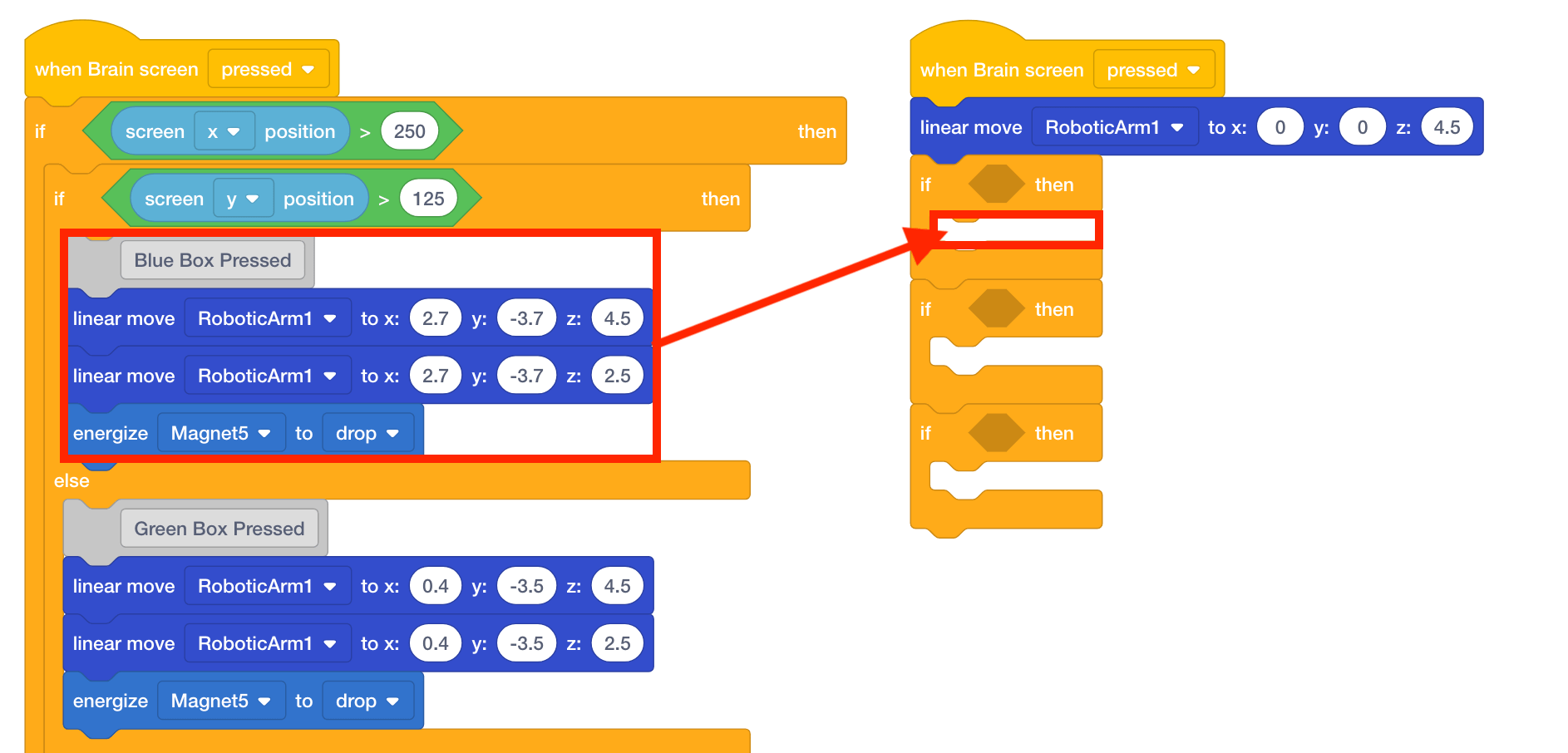
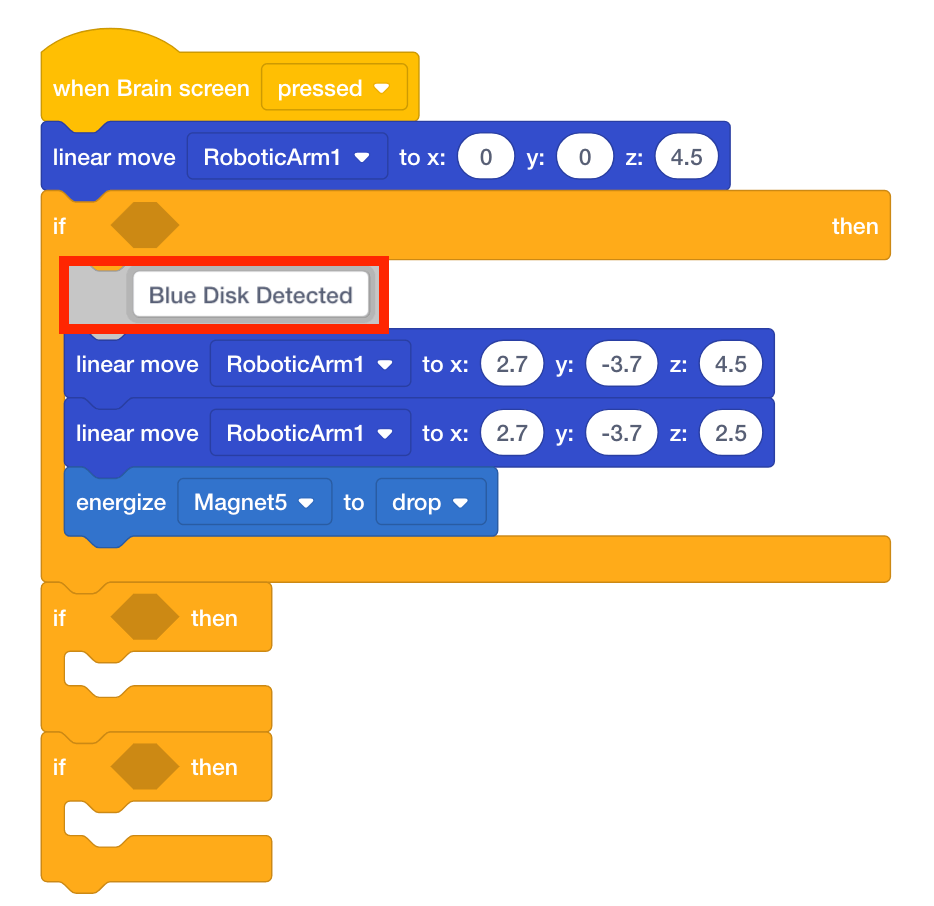
- Since the colored boxes are no longer on the V5 Brain’s screen, change the comment from ‘Blue Box Pressed’ to ‘Blue Disk Detected.’
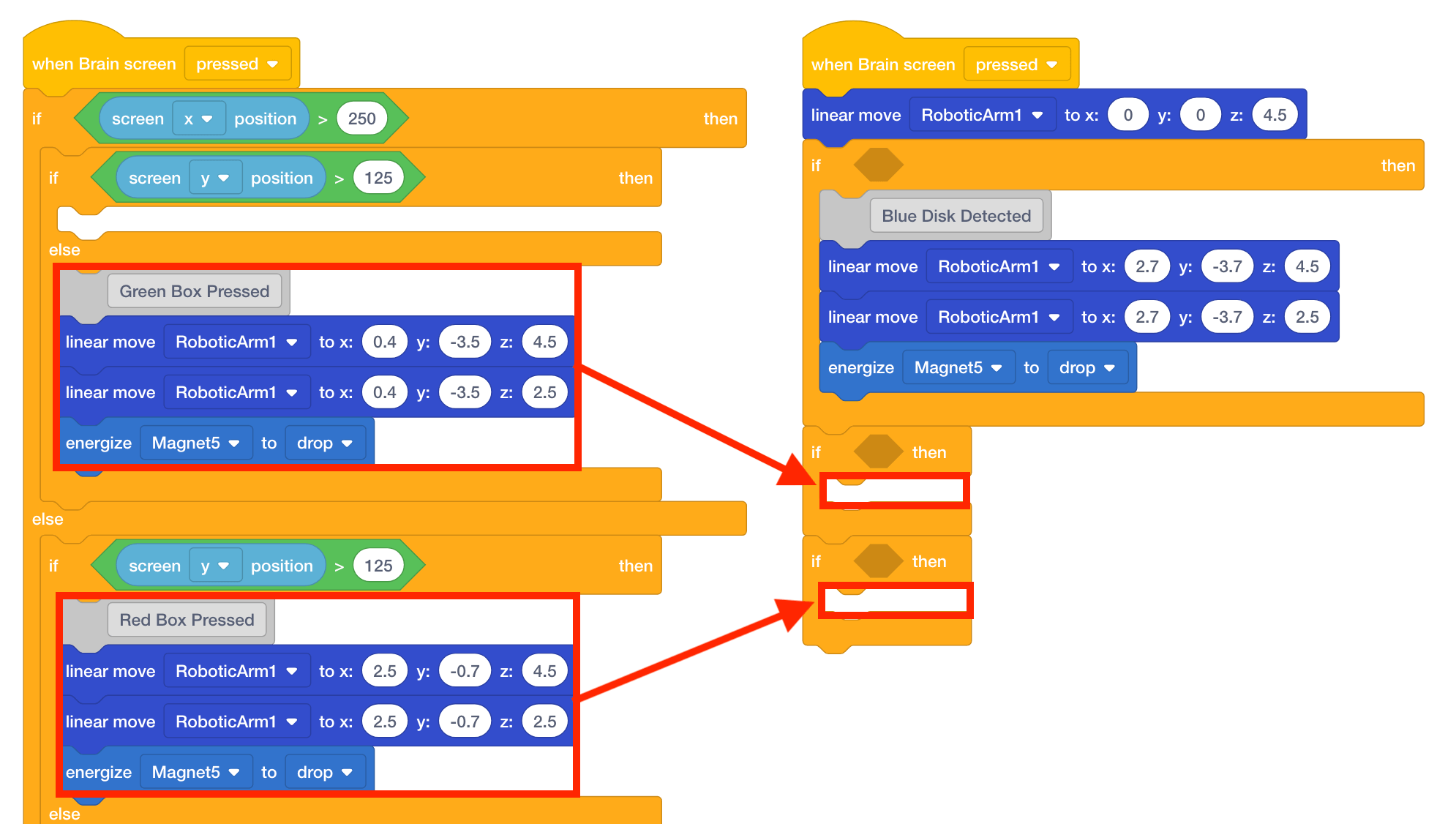
- Move the four blocks associated with the green disk inside the second [If then] block and the four blocks associated with the red disk inside the third [If then] block.
- Adjust the comments to ‘Green Disk Detected’ and ‘Red Disk Detected.’