
Challenge
Previously in this Lab, you have successfully used sensors and Boolean variables to move two green disks from the Entry Conveyor to their designated locations. In this challenge, you will expand the project to move two red, two green, and two blue disks. The first of each color disk will be moved through to the designated drop off location. The second disk of each color will be diverted to the Exit Conveyor.
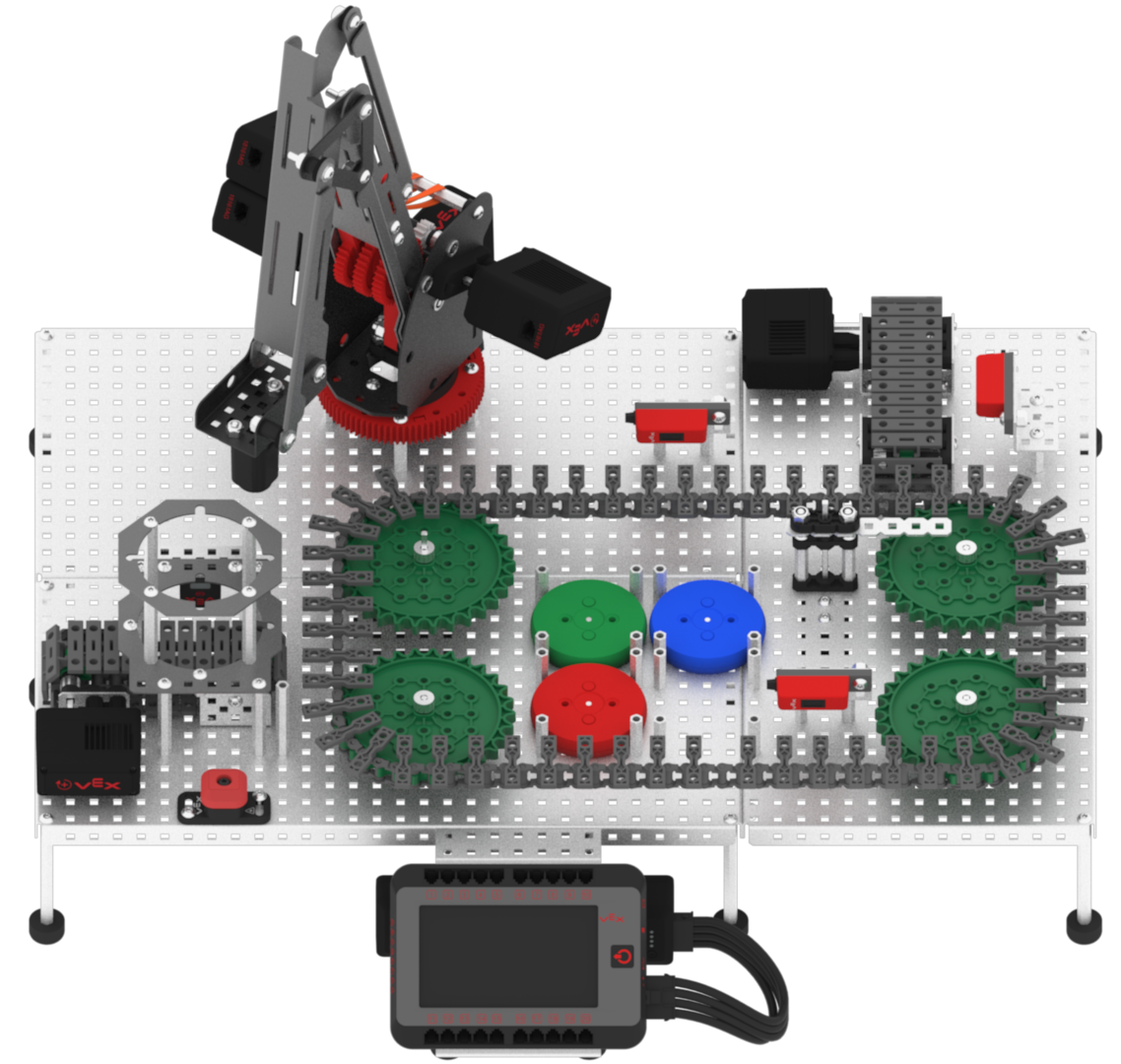
Follow these steps to complete the challenge:
- Open the ‘Lab 11- Disk Feeder’ project in VEXcode V5.
- Select ‘File’ then ‘Save As’ to rename the project ‘Lab 11- Challenge.’
- Using the skills developed earlier in this Lab, edit the project. Your VEXcode V5 project should accomplish the following using sensor data and Boolean variables:
- Move two red, two blue, and two green disks from the Entry Conveyor Belt to their designated locations.
- Two additional Boolean variables will need to be created: one for the red disks and one for the blue disks.
- The first disk of each color should move through the Diverter along the Transport Conveyor and then moved by the arm mounted on the VEX V5 Workcell to the designated drop off location in the image above.
- The second disk of each color should be diverted off to the Exit Conveyor Belt.
- Note that multiple location points will be needed in this project to pick each disk up and move it from the Transport Conveyor Belt to the drop off location.
- Run the project.
Working with one system?
- Follow all of the above steps.
- Once a disk has been moved to the Exit Conveyor Belt, remove the disk from the Workcell. This will prevent any errors from the Line Tracker Sensor on the Exit Conveyor Belt.
Working with two systems?
- When the second disk of each color is diverted off of the first system, the disk should move onto the second system.
- The second system should only expect one disk of each color. If for some reason the second system receives more than one disk of each color, the additional disks should be diverted off of the exit conveyor.
- Each disk that reaches the second system should be moved by the arm mounted on the V5 Workcell to the designated drop off location in the image above.
- Each V5 Workcell can run their own project.
 Teacher Tips
- Ensure students have their mastering values readily available from Lab 1.
- Ensure the students change the [Set tool] block to ‘electromagnet.’ If this is missed, the arm mounted on the VEX V5 Workcell may not move as intended.
- Remind students that the z-coordinate value should raise the arm mounted on the V5 Workcell up enough to not collide with any standoffs, especially when transporting a disk.
- Encourage students to use [Comment] blocks while planning and creating their projects.
- Remind students to set their Boolean variables to ‘false’ at the beginning of the project. This should be the same process that was followed in the Lab 11 Play instructions.
Teacher Tips
-
Connecting Two Systems
- To connect two systems together, place the Entry Conveyor of the second system next to the Exit Conveyor of the first system.
- The Systems do not need to be attached using any hardware, they can simply be placed next to each other.
- The Disk Feeder only needs to be attached to the first system. However, if there is a Disk Feeder on each system, it will still work properly.

 Teacher Toolbox
The following is an example of one possible solution for the Rethink challenge. Click here to see a larger version of the example program.
