
Challenge
Previously in this Lab, you have created variables and used them with blocks from the ‘Operators’ category to move the arm mounted on the VEX V5 Workcell to different locations. In this challenge, you will take two given coordinates and move the arm mounted on the V5 Workcell to the center of those two points using variables and the Midpoint Formula.
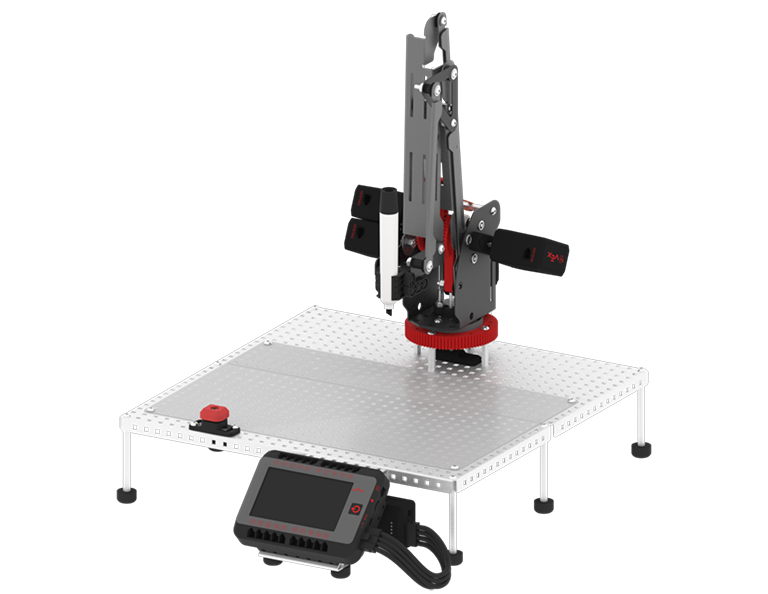
Follow these steps to complete the challenge:
- Mark the given coordinates on the whiteboard using one color of dry-erase marker.
- Point A: (1.367, 4.335, 1.5)
- Point B: (-2.416, -3.813, 1.5)
- In your VEXcode V5 project, create the necessary variables for the Point A and Point B coordinates.
- Using the [Linear move] block and blocks from the ‘Operators’ category, create a project that moves the arm mounted on the V5 Workcell to the center of Point A and Point B using the Midpoint Formula.
- Midpoint Formula:
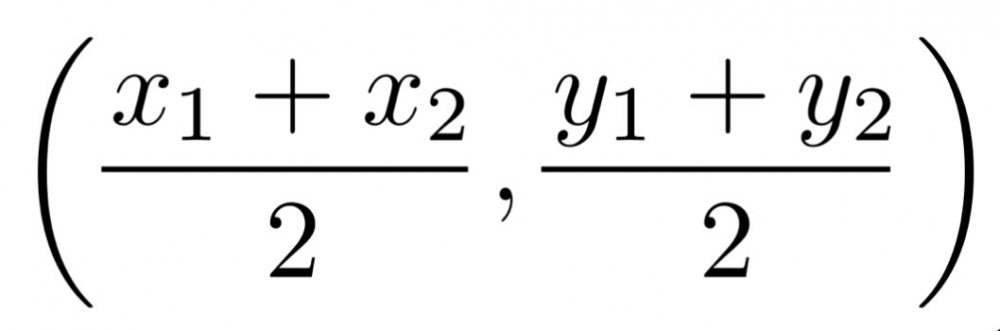
- Midpoint Formula:
- Run the project and record the midpoint value in your Engineering Notebook.
 Teacher Tips
- Ensure students have their mastering values readily available from Lab 1.
- Before students begin, check that they have set the tool to ‘Marker.’
- Have students check the movement of their V5 Workcell by solving the equation by hand. They can use the ‘Arm Display Position’ example project to see if their calculated values match the displayed values on the V5 Brain.
 Teacher Toolbox
The following is an example of one possible solution for the Rethink challenge. Click here to see a larger version of the example program.
