
As you work with your classmates and copilot to complete the Drone Flight Challenge, you may find yourself wanting to showcase other skills you have developed during the course. This page is here to help you learn how to customize and create a capstone mission that is unique to your class.
Customizing a mission follows 3 steps:
- Decide on a showcase skill.
- Choose variable(s) to change.
- Customize a Mission Log.
Throughout the process be sure that you are working with your entire class and teacher. Capstone challenges are there to showcase the skills of all pilots in your learning environment.

The process of creating an adapted capstone mission should be a collaborative one. Use the following suggestions to help keep your customizing process collaborative:
- Brainstorm ideas for each step as a class, then take a vote to decide.
- Ensure everyone agrees on the rules for the mission before anyone flies.
- Have a strategy in place for breaking any tie votes or stalemates.
Come back to these suggestions as needed throughout the process of creating your mission extension.
1. Determine what skill(s) to showcase.
Customizing a mission starts with deciding what skills should be tested and emphasized. You and your class may decide you want to showcase:
- More advanced flight skills (like flying in complex routes).
- Adaptability to changes in the flight area.
- Your skills scoring using all three modules.
Once the class has decided on the focus, write it down somewhere visible. The rest of the decisions you make while customizing the mission should relate back to these skills.
2. Choose variable(s) to change that support your skill choice.
Now that the class has chosen what to demonstrate with the capstone, it is time to consider what in the mission will allow you to showcase that skill! Below are some possible options for modifying a capstone based on the desired showcase skill.
Choose 1-2 variables to help create your customized capstone mission.
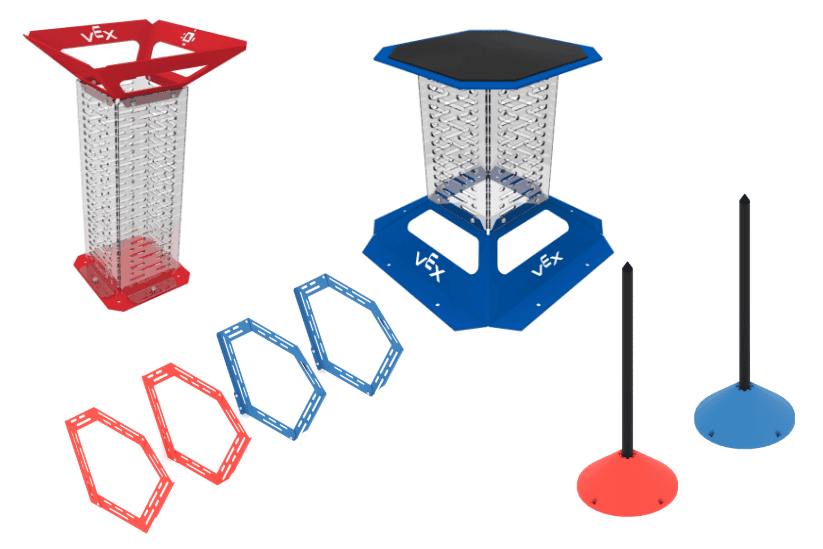
Types of Goals
Goals allow you to showcase skills related to precision and maneuvering the VEX AIR Drone. You can add or modify goals in the flight area to help emphasize those skills.
When modifying goals, consider the following:
- Include varying levels of difficulty. Multiple difficulty options allow pilots of all skill levels to have a chance at success.
- Increase the total number of goals. More options for where to score objects can create additional options for flight paths and strategies.
- Decrease the total number of goals. Fewer goals focus the showcase on pilot skills related to the design of that goal.
- Assign colors to goals. Color assignments allow you to add another layer of scoring, where matching colored objects with same-colored goals awards more points. This helps to emphasize flight planning and strategizing.
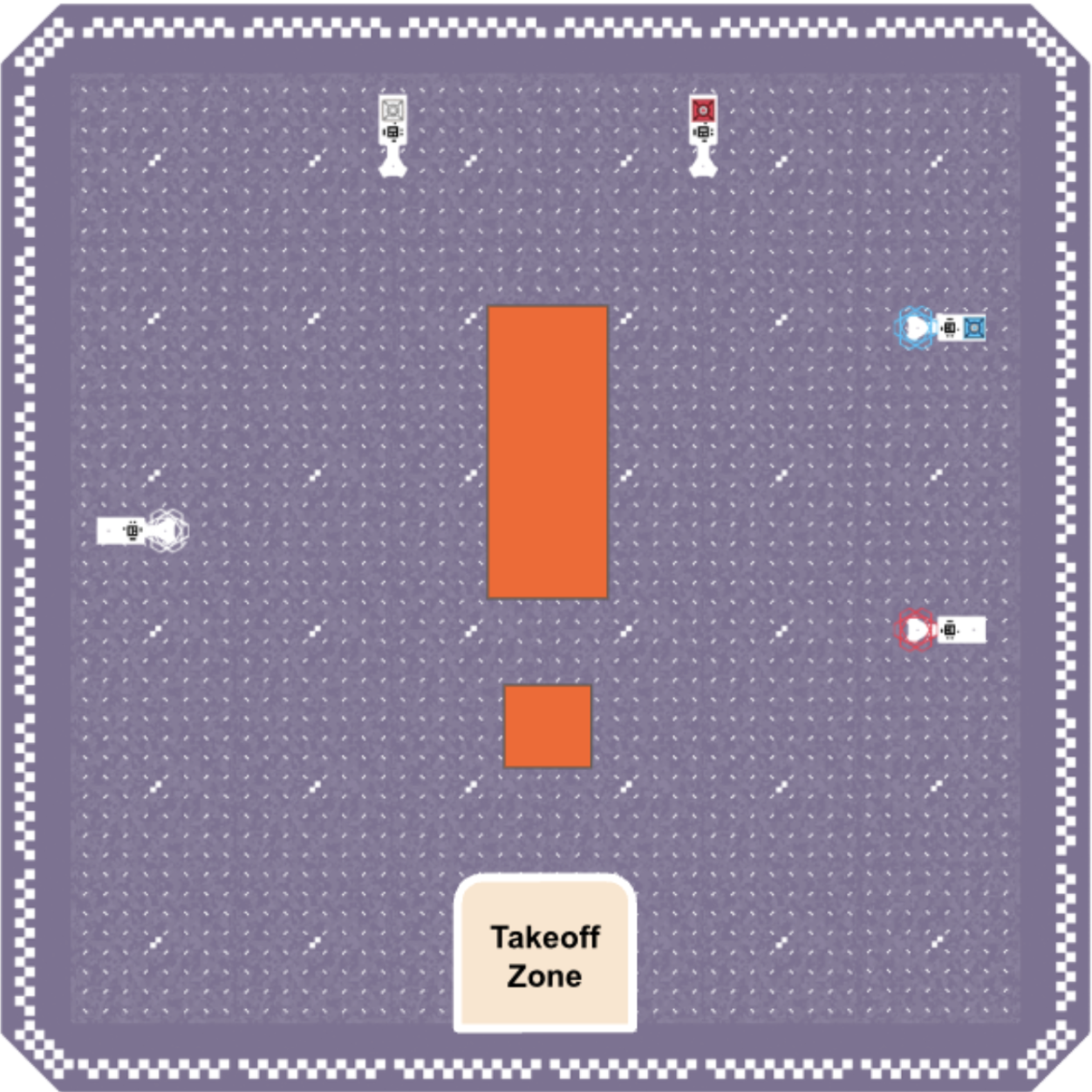
Indoor Flight Area Layout
The layout of the flight area directly relates to the paths you need to take to pick up and score objects into goals. Updating the field layout allows you to emphasize skills related to flight planning or adaptability.
Consider the following when changing the layout of the flight area:
- Randomize placement of objects. Consider having more pickup locations than objects for the capstone, so the starting location of cargo and orbit balls changes from one run to the next. This emphasizes adaptability as you must change your flight path to match where objects are available.
- Randomize placement of goals. Any randomness introduces the need for pilots to adapt their strategies to the flight area they see when arriving for their turn to complete the capstone mission.
- Move objects and/or goals closer together. The distance between objects or goals can affect the ease of picking up and scoring those objects. This can emphasize your precision and flight accuracy.
- Add obstacles. Flight path planning and specific piloting skills can be emphasized when obstacles are added to the layout.
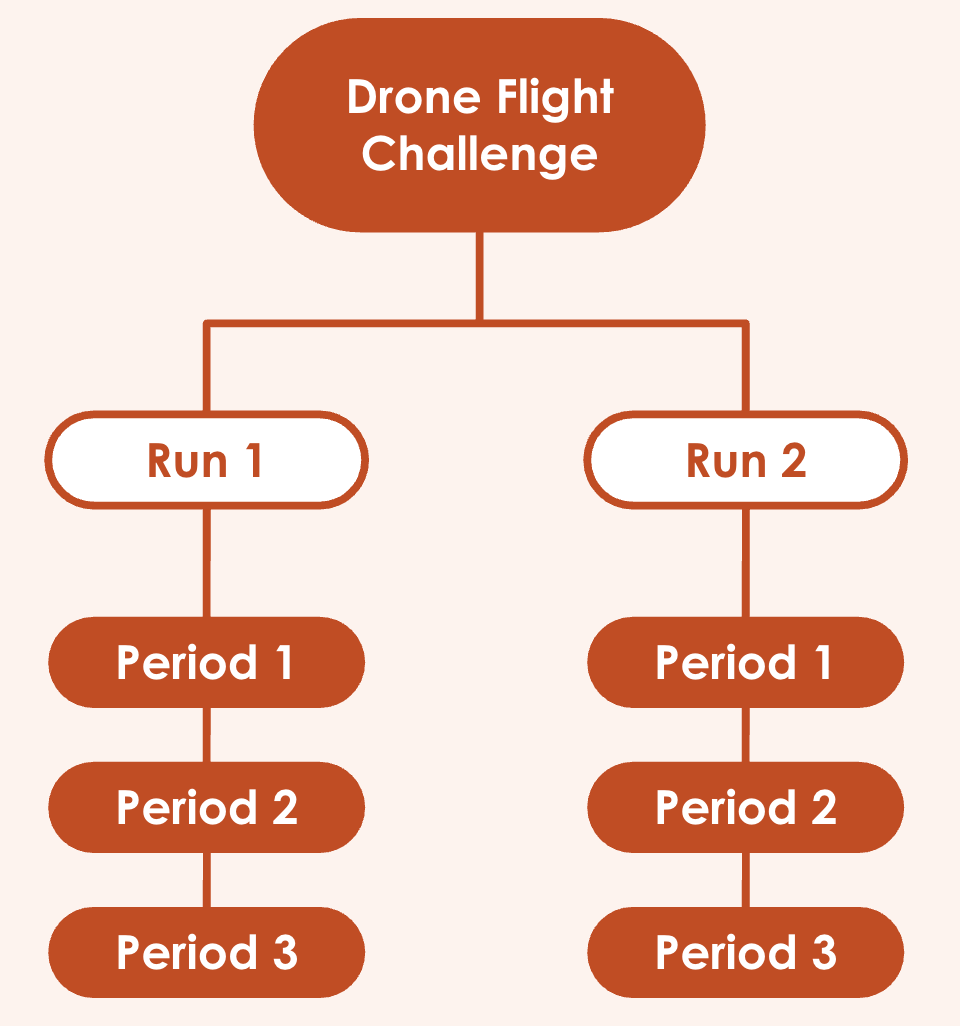
Capstone Mission Structure
The Drone Flight Challenge takes the highest two scores across three runs. Each run is made up of two 90-second periods. Modifying the structure of this mission can help to emphasize planning skills. Consider how many runs and periods you need to best showcase your chosen skill(s).
When modifying the structure of the capstone mission, consider the following:
- Change the layout between periods and/or runs. Strategizing skills can be emphasized by randomizing or changing the layout from one flight to another.
- Increase the time for each period. Additional time can give pilots a chance to showcase more advanced maneuvering skills, especially when there are more goals and/or objects in the flight area.
- Change the number of scored runs for each mission.
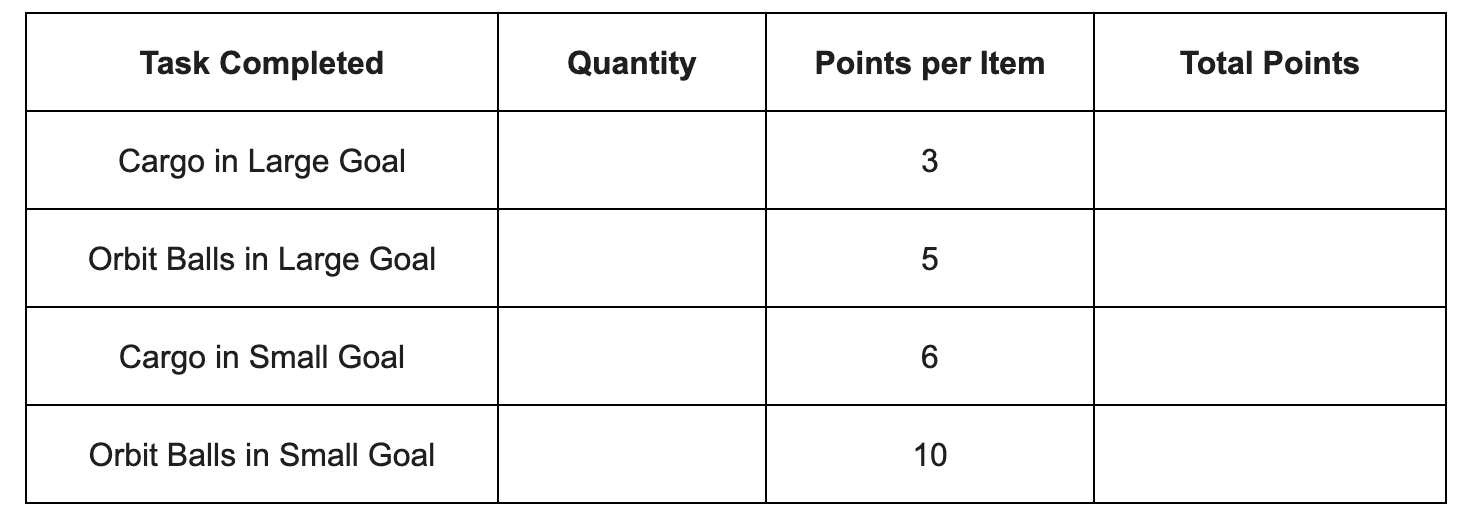
Point Values
Determine point values for each task. Decide how many points each game object, goal, or action is worth. This is an opportunity to emphasize strategy and collaborative decision-making, or to focus on accuracy of object delivery or flight time.
- Make sure your point assignments match the task. More difficult tasks should get higher point values, and less difficult tasks should get lower point values.
- Award bonus points for time, speed, or completing tasks in a specific order. Ensure all actions that you want to incentivize for pilots have a point value. This helps to reinforce the skill(s) you want to showcase throughout the mission.
- Increase scoring options by adding color-based bonus points. Adding to the ways to score can increase the diversity in final scores and lead to more strategic opportunities for pilots.
3. Create a Mission Log.
Now that you have decided on what mission details to change, your documentation needs to change as well!
Use this Mission Log template and fill in any additional details that are specific to your new challenge (Google Doc / .docx / .pdf). You will use this Mission Log when you fly in your class's customized capstone.
This template uses the same four-phase process you have used in previous capstones and can be applied to any open-ended challenge!
Select < Back to complete the phased process for your new, customized challenge.
Select Next > to move on to the Course Wrap-Up.