
In this lesson, you will learn how to use the VEX AIR Drone Controller to record video during flights with the VEX AIR Drone. You will learn how to view videos on the controller, access them with a computer, and consider how recording video can help you improve your piloting skills.
Watch the video below to learn about:
- Using the controller to capture a video during flight.
- Viewing your video recordings on the controller.
- Accessing video recordings on a computer.
Mission: Lights, Flight, Action!
In this mission, you will fly over three locations while recording a video of your flight. You will watch the video after the flight and document what you learned in your Mission Log.
Follow these steps to complete your mission:
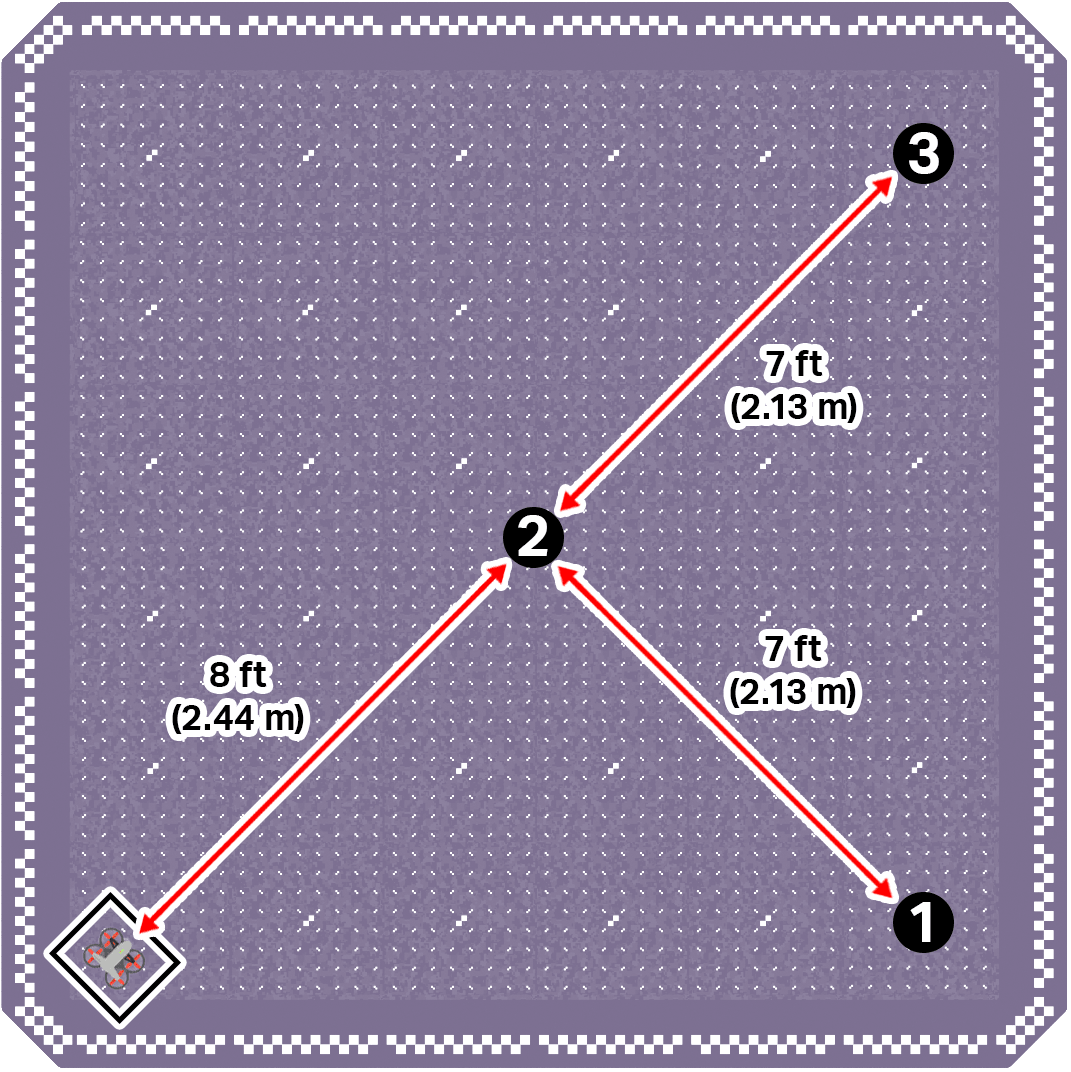
Mark three numbered locations in your flight area to the right of the takeoff zone, in the lower left corner of the field.
- Marker 1 should be near the lower right corner. Marker 1 should be 7 ft (2.13 m) apart from marker 2.
- Marker 2 should be near the center. Marker 2 should be 8 ft (2.44 m) apart from the drone.
- Marker 3 should be near the upper right corner. Marker 3 should be 7 ft (2.13 m) apart from marker 2.
- Refer to the image below for the correct positioning.
- Ensure all flight team members are clear on their roles, then use the pre-flight checklist in the Mission Log (Google Doc / .docx / .pdf) to ensure you, your indoor flight environment, and the drone itself are ready and safe for flight.
- Take off and fly the drone to the marked locations in number order.
- Start recording video when you reach Marker 1.
- Stop recording when you reach Marker 3.
- Together with your flight team, view your video recording.
- Document your flight in the Mission Log.
Real-World Connections
Professional drone pilots do not rely only on what they see during flight. They often review photos and recorded video afterward to analyze their performance.
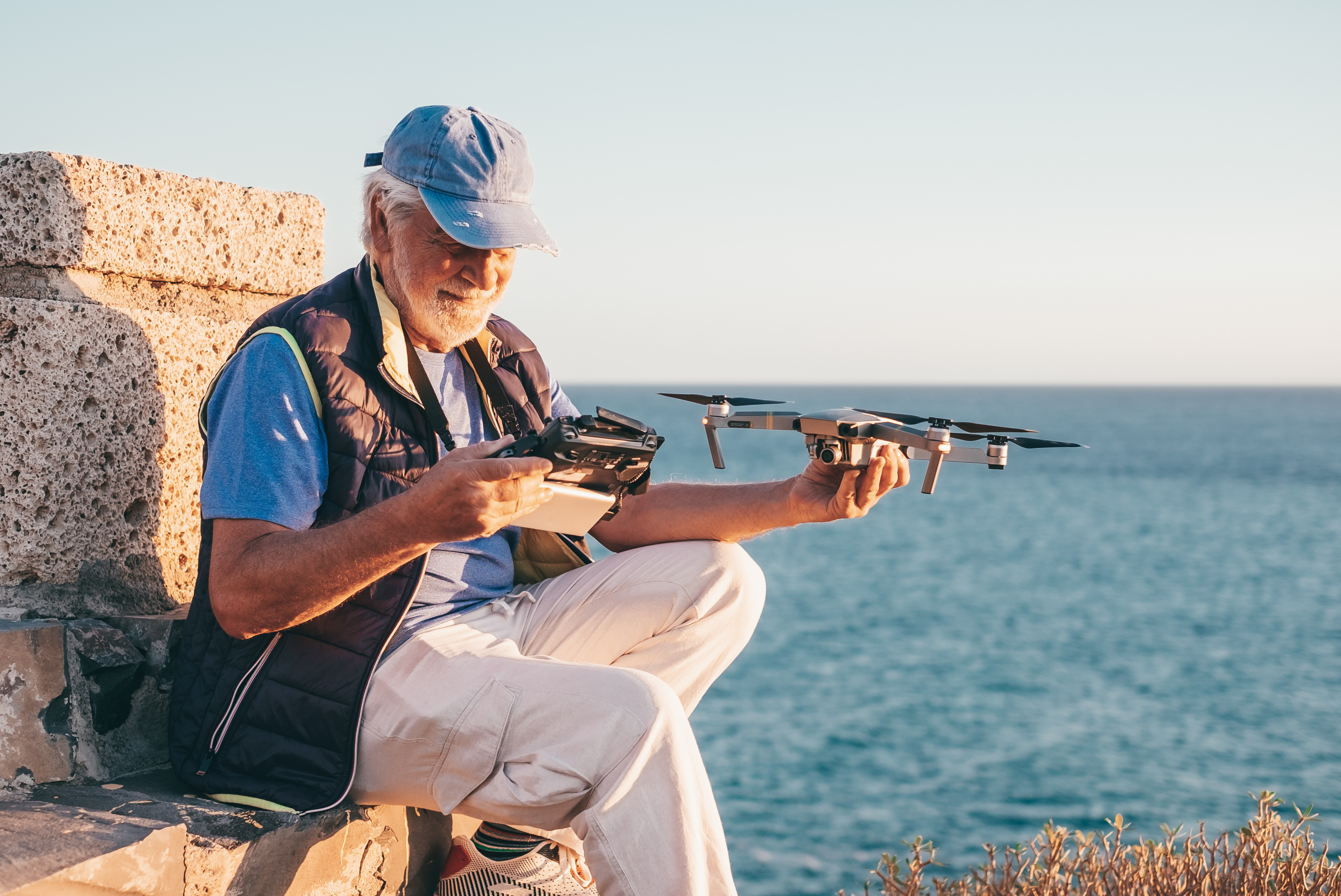
By watching recordings, they can see if the drone stayed steady, responded quickly, or moved too sharply. In the same way, when you review your own photos and videos, you may notice small details you missed during flight, like being slightly off target or not landing as smoothly as you thought. Visual feedback helps turn practice into real improvement.
As shown here, professional and hobby drone pilots often review recorded flight footage after landing to evaluate their control and flight performance.
Check Your Understanding
Before moving on, ensure that you understand the concepts in this lesson by answering the questions here (Google Doc / .docx / .pdf).
Select < Return to Units to move on to the next unit.