
You've taken off and landed! Now you can start to expand your horizons and skills as you learn to raise and lower the VEX AIR Drone using the throttle controls on the VEX AIR Drone Controller.
Watch this video to learn about:
- How to use the left joystick to throttle up and down.
- How to change the maximum Z Height of the drone.
- How to switch camera views to see the drone's position and movement from different perspectives.
Hover & Discover
Throttle is the control that the pilot uses to change the power to the motors, which affects how fast the drone’s propellers spin. When you increase throttle, the propellers spin faster and push more air downward.
Lift is the result of that action—it’s the upward force created by the spinning propellers pushing air down. If lift becomes stronger than gravity, the drone rises; if it’s weaker, the drone descends.
To summarize: throttle is what you do to control the drone, and lift is what happens because of those controls.
Mission: Throttle Flight
In this mission, you will throttle up and down to fly through the white rings on the field. Follow these steps to complete your mission:
- Connect your controller to VEXcode AIR and select the Simulator tab. Refer to this article for help using the VEX AIR Flight Simulator.
- Fly the drone to take off, throttle up through both of the white rings, and land back on the platform as shown in this video. Follow the prompts on the controller to land safely.
- Use this Mission Log to document your flight (Google Doc / .docx / .pdf).
- Record the Mission Duration from the Mission Summary before closing the window to end the project.
- Remember to check your maximum Z Height on the controller to ensure you can fly through both white rings.
- Change the camera views to best see the drone in flight as you complete your mission. The example shown above uses the Pilot View.
Practice this mission multiple times! Keep trying until you can complete the flight with no collisions. Make sure you take notes on each flight in your Mission Log.
- Once you have practiced this and logged your practice flights in your Mission Log, complete the Throttle Flight mission in Flight School.
- Read the VEX Library article Using Flight School in the VEX AIR Flight Simulator for instructions on how to access and use Flight School.
- Find the badge criteria for the mission in the Mission Log.
- When you have completed your Flight School mission, add your name to your badge.
- Save your badge, and share it with your instructor as directed.
Real-World Connections
In the real world, drone pilots can’t just fly as high as they want—every flight has a maximum height limit, often called the maximum altitude or maximum Z Height. These limits are set for safety and control.
For example, the Federal Aviation Administration (FAA) in the United States restricts most drones to a maximum altitude of 400 feet (about 122 meters). This keeps drones clear of crewed aircraft like planes and helicopters and helps prevent collisions in shared airspace.

Professional drone operators also set their own height limits when flying near buildings, trees, or power lines. Controlling altitude keeps commercial drones, like the one shown here, visible, stable, and safe—both for the pilot and for everything (and everyone) below.
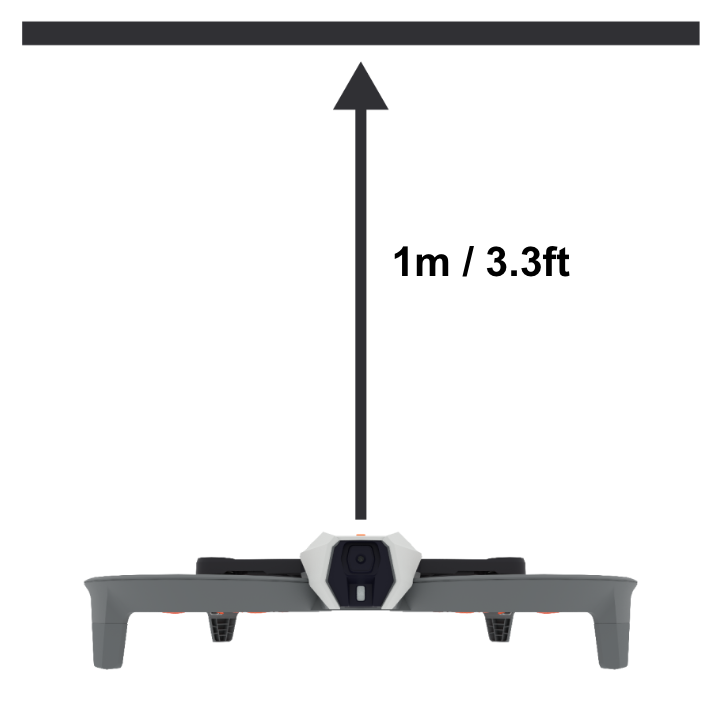
Flying with the VEX AIR Drone in a classroom means that you will also need to consider the maximum Z Height on the controller in relation to your space. You will learn more about this specific safety consideration in the following course.
Check Your Understanding
Before moving on, ensure that you understand the concepts in this lesson by answering the questions here (Google Doc / .docx / .pdf).
Select Return to Units > to move to the next unit in the course.