Introduction
Before You Begin
In this Unit, students will begin to practice controlling the VEX AIR Drone with the VEX AIR Drone Controller in a virtual environment. They will use the VEX AIR Flight Simulator for the first time as they practice taking off, landing, and controlling the throttle. The missions in this unit are designed to be simple, to give time and space for students to get to know both the simulator and the controls in an intentional, scaffolded way. They are not intended to be “one and done” activities – encourage students to practice each mission multiple times to ensure they are building the skill the mission is focused on.
Be sure students have the following ready for use before you begin:
- A charged VEX AIR Drone Controller
- A USB-C cable
- A computing device with access to VEXcode AIR
Learning Objectives:
This Unit is designed to introduce students to the VEX AIR Flight Simulator, guide them through the basics of take off and landing, and introduce the concept of throttle. By the end of this Unit students will be able to:
- Identify the corrects steps to take off and land the drone safely in the VEX AIR Flight Simulator.
- Describe how changes in propeller speed create upward and downward motion during flight.
- Recognize the function of the propeller lock and explain why it must be turned off before flight.
- Identify how to change camera views in the simulator to observe takeoff and landing from different angles.
- Describe how adjusting the throttle changes the drone's height (z value) during flight.
Standards Alignment
Common Core English Language Arts (CCSS ELA)
- CCSS.ELA-LITERACY.CCRA.L.6 - Acquire and use accurately a range of general academic and domain-specific words and phrases sufficient for reading, writing, speaking, and listening at the college and career readiness level; demonstrate independence in gathering vocabulary knowledge when encountering an unknown term important to comprehension or expression.
- CCSS.ELA-LITERACY.RST.9-10/11-12.3 - Follow precisely a complex multistep procedure when carrying out experiments, taking measurements, or performing technical tasks, attending to special cases or exceptions defined in the text.
- CCSS.ELA-LITERACY.RST.9-10/11-12.4 - Determine the meaning of symbols, key terms, and other domain-specific words and phrases as they are used in a specific scientific or technical context relevant to grade level topics.
International Society for Technology in Education (ISTE)
- Empowered Learner – 1.1.d – Students understand fundamental concepts of how technology works, demonstrate the ability to choose and use current technologies effectively, and are adept at thoughtfully exploring emerging technologies.
- Knowledge Constructor – 1.3.d – Students build knowledge by exploring real-world issues and gain experience in applying their learning in authentic settings.
- Global Collaborator - 1.7.c - Students contribute constructively to project teams, assuming various roles and responsibilities to work effectively toward a common goal.
In this Unit, you will take control of your VEX AIR Drone for the first time in the VEX AIR Flight Simulator. You will learn how to take off, land, and control your drone’s height in the air using the throttle. You will also explore how changes in propeller speed create lift and how the Propeller Lock helps keep every flight safe by preventing the propellers from spinning until you’re ready.
You will connect what you’re learning to real-world safety practices, like how drone pilots follow regulations to protect people and equipment. By the end of this unit, you’ll be able to complete safe, basic flights in the simulator and understand how careful preparation and control are part of every successful mission.
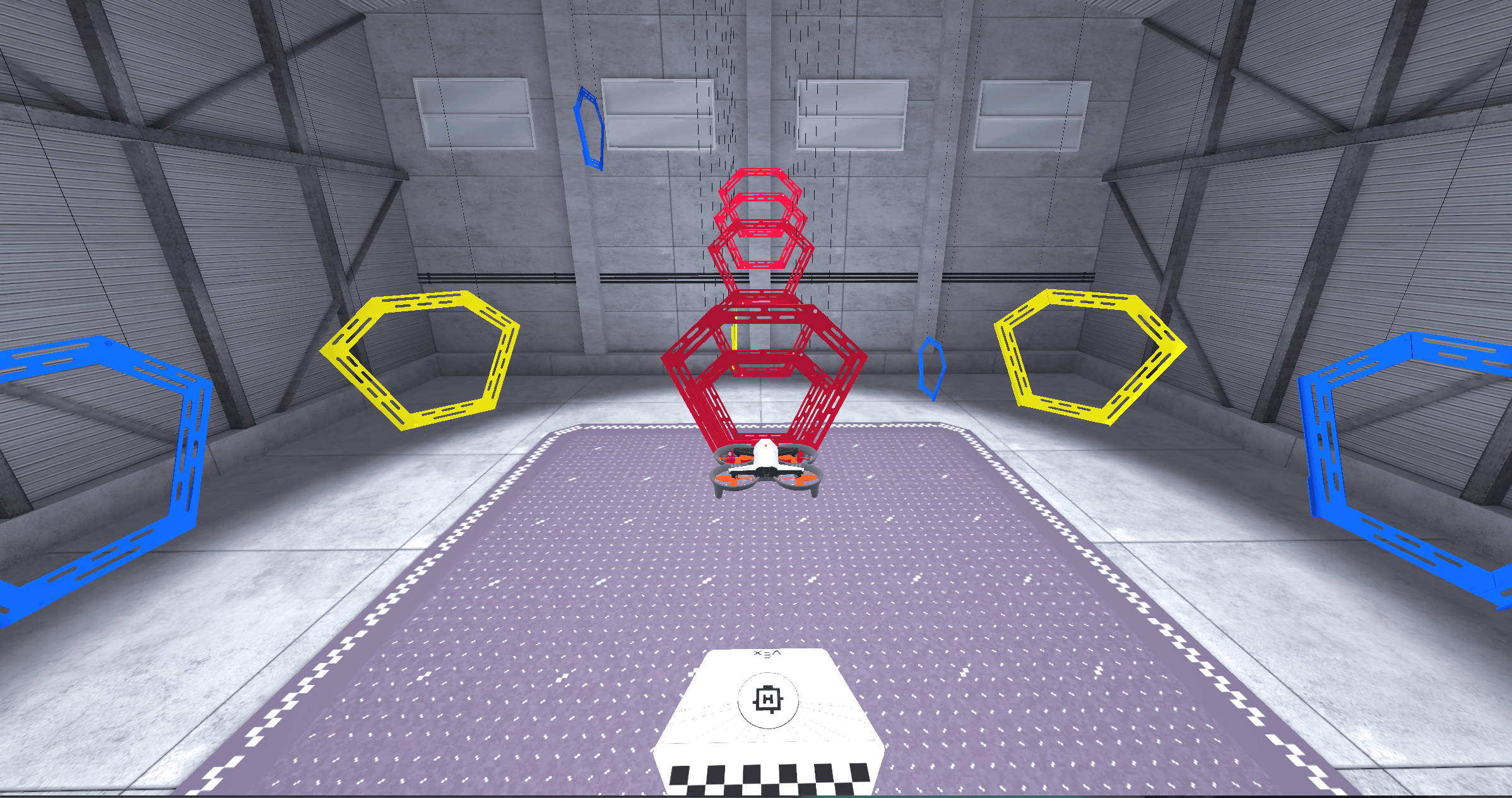
Vocabulary
In this Unit, you will take your first flight! The vocabulary list is here to provide reference for key terms you may not be familiar with.
- Flight Simulator - A virtual environment for safely practicing drone flight before real-world flying.
- Takeoff - When a drone lifts off a surface to begin a flight.
- Landing - When a drone returns to a surface and the propellers stop spinning.
- Throttle - The control that changes how fast the propellers spin to move a drone up or down.
- Lift - The upward force created by the spinning propellers that allows a drone to rise in the air.
- Gravity - The downward force that pulls objects (like a drone) to the ground.
- Propeller Lock - A safety feature on the VEX AIR Drone that prevents the propellers from spinning until the pilot is ready to fly.
- Maximum Z Height - The limit of how high the drone can fly.
- Mission Log - A record of each flight that includes details like flight time, settings, and mission data used to track pilot training and progress.
In this Unit, you will take your first flight! The vocabulary list is here to provide reference for key terms you may not be familiar with.
- Flight Simulator - A virtual environment for safely practicing drone flight before real-world flying.
- Takeoff - When a drone lifts off a surface to begin a flight.
- Landing - When a drone returns to a surface and the propellers stop spinning.
- Throttle - The control that changes how fast the propellers spin to move a drone up or down.
- Lift - The upward force created by the spinning propellers that allows a drone to rise in the air.
- Gravity - The downward force that pulls objects (like a drone) to the ground.
- Propeller Lock - A safety feature on the VEX AIR Drone that prevents the propellers from spinning until the pilot is ready to fly.
- Maximum Z Height - The limit of how high the drone can fly.
- Mission Log - A record of each flight that includes details like flight time, settings, and mission data used to track pilot training and progress.
Encourage students to use the correct terminology as they are learning and flying the drone, so that they can become familiar with terms and use them appropriately in conversation with each other and with you.
To take vocabulary further, consider offering students extension words, to add to their working knowledge of drone and flight related terms. For this unit, extension words could include:
- Z-Axis - The vertical line in a three-dimensional space that represents a drone’s height during flight.
- Safety Check – The pre-flight review a pilot performs to make sure a drone and environment are ready for flight.
What is a Mission Log?
Throughout this course you will use Mission Logs to help you track your progress and learning as you complete missions in the VEX AIR Flight Simulator. Logging flight data, practice time, and relevant information is an important way that pilots in training document their efforts. Logs also serve as valuable reference materials to be able to go back and look at how you navigated a particular task, or to reference specific skills you've practiced.
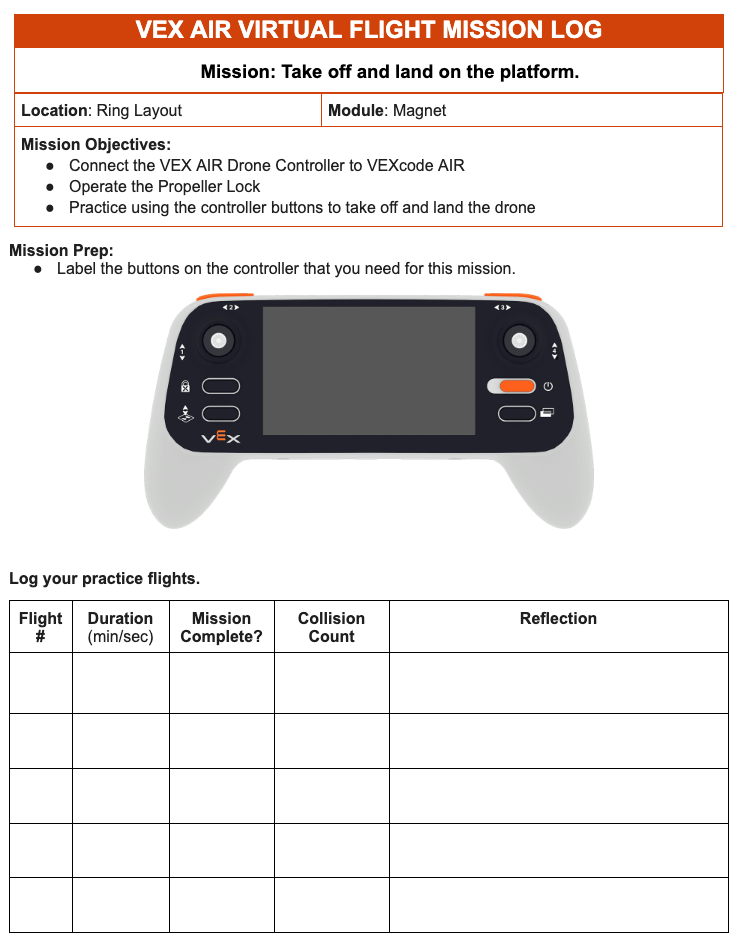
For each mission in this course, you will log information about your practice to help you build the habit of logging and reflecting on each flight. Even when the mission is simple, you are learning valuable information about the operations of the drone and how to use the controller effectively.
Throughout this course you will use Mission Logs to help you track your progress and learning as you complete missions in the VEX AIR Flight Simulator. Logging flight data, practice time, and relevant information is an important way that pilots in training document their efforts. Logs also serve as valuable reference materials to be able to go back and look at how you navigated a particular task, or to reference specific skills you've practiced.
For each mission in this course, you will log information about your practice to help you build the habit of logging and reflecting on each flight. Even when the mission is simple, you are learning valuable information about the operations of the drone and how to use the controller effectively.
Mission Logs are an important piece of how students' will document their learning throughout this course. For each mission, they will log their practice - listing each flight separately, and taking time and space to record information and reflections about how successful they were.
It is important that students keep their Mission Logs, so that by the end of the course they have a comprehensive record of every flight they have taken. Consider how you want students to interact with the Mission Logs throughout the course. Will they keep a digital record, or will you print Mission Logs to keep a paper copy? Each student should have their own log.
Select Next > to move to the next lesson.