
Now that you know what is included in your VEX AIR Drone Kit, it is time to ready the materials you will need for use in this course. In this lesson, you will get your VEX AIR Drone Controller charged, updated, and ready for use.
Watch the video below to learn how to:
- Charge your controller.
- Access VEXcode AIR.
- Connect your controller to VEXcode AIR.
- Update controller firmware.
- Install the joysticks and lanyard on your controller.
Mission: Prepare Your Controller
In this mission, you will complete the tasks you saw in the video to get your controller ready for use in this course. You can review the video content and follow along to complete each step, or, use the links provided below to follow a written version of those steps.
By the end of this mission, your controller will be ready for takeoff!
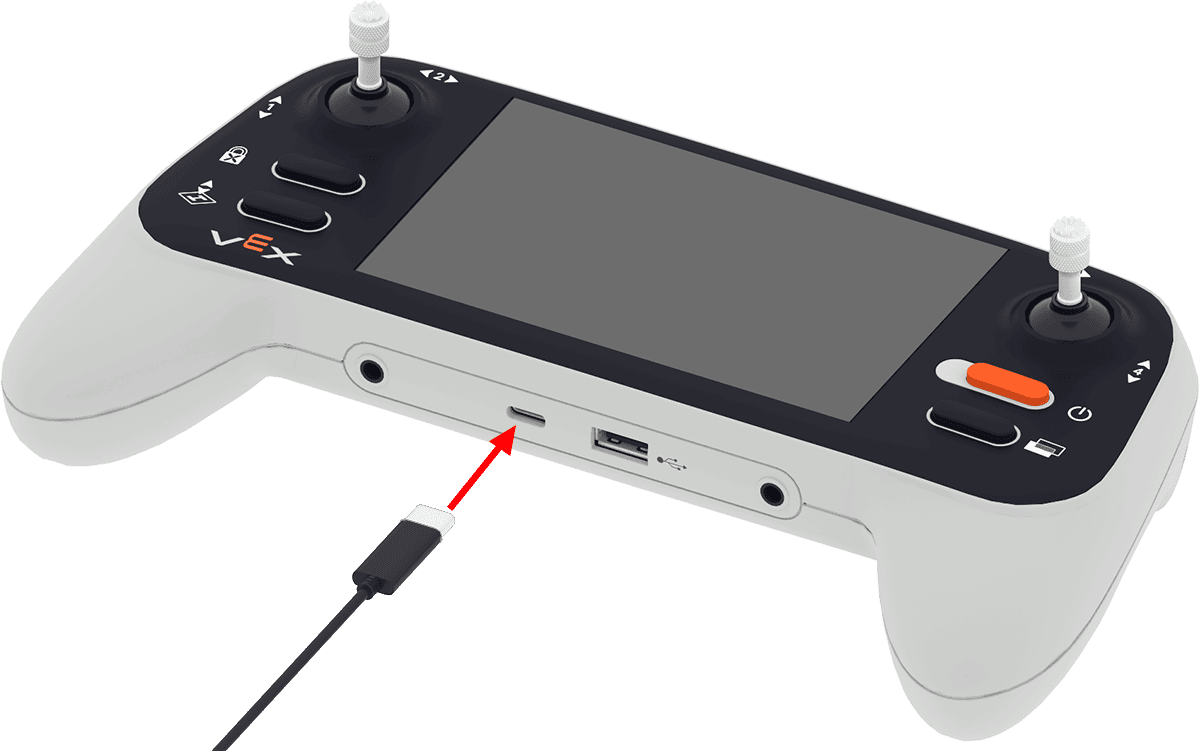
Charge Your Controller
Plug the controller into a computer using a USB cable connected to the controller’s USB-C port. The indicator light will blink red while it charges.
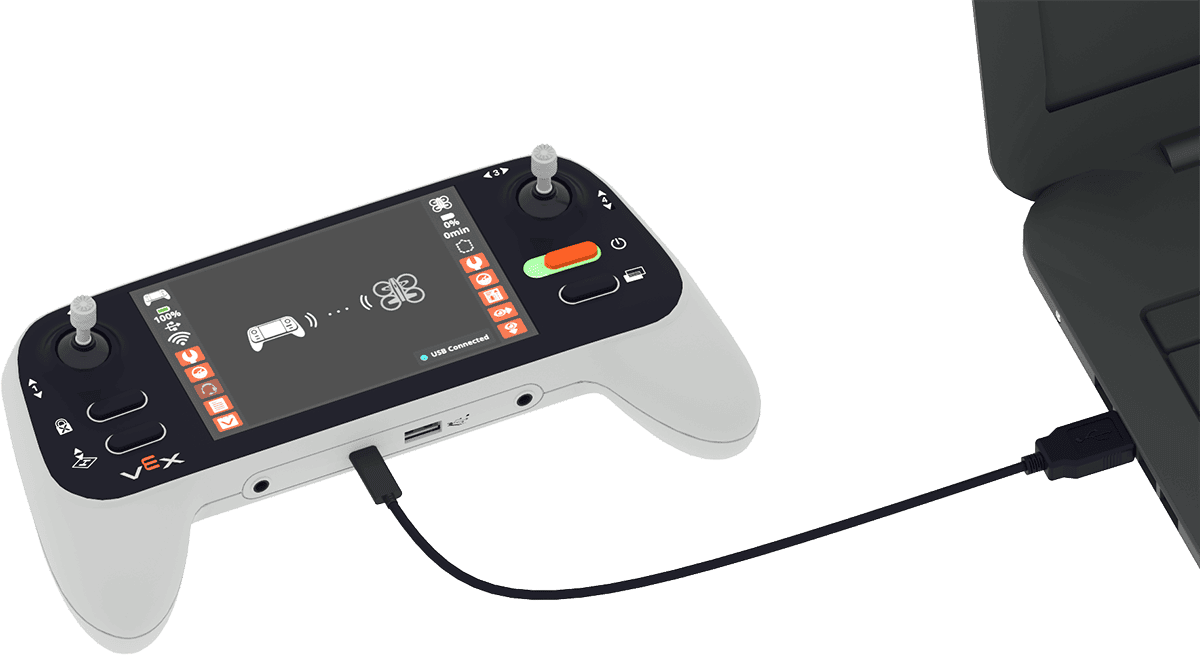
Connect to VEXcode AIR and Update Firmware
With your controller connected to your computer, power on the controller and open VEXcode AIR.
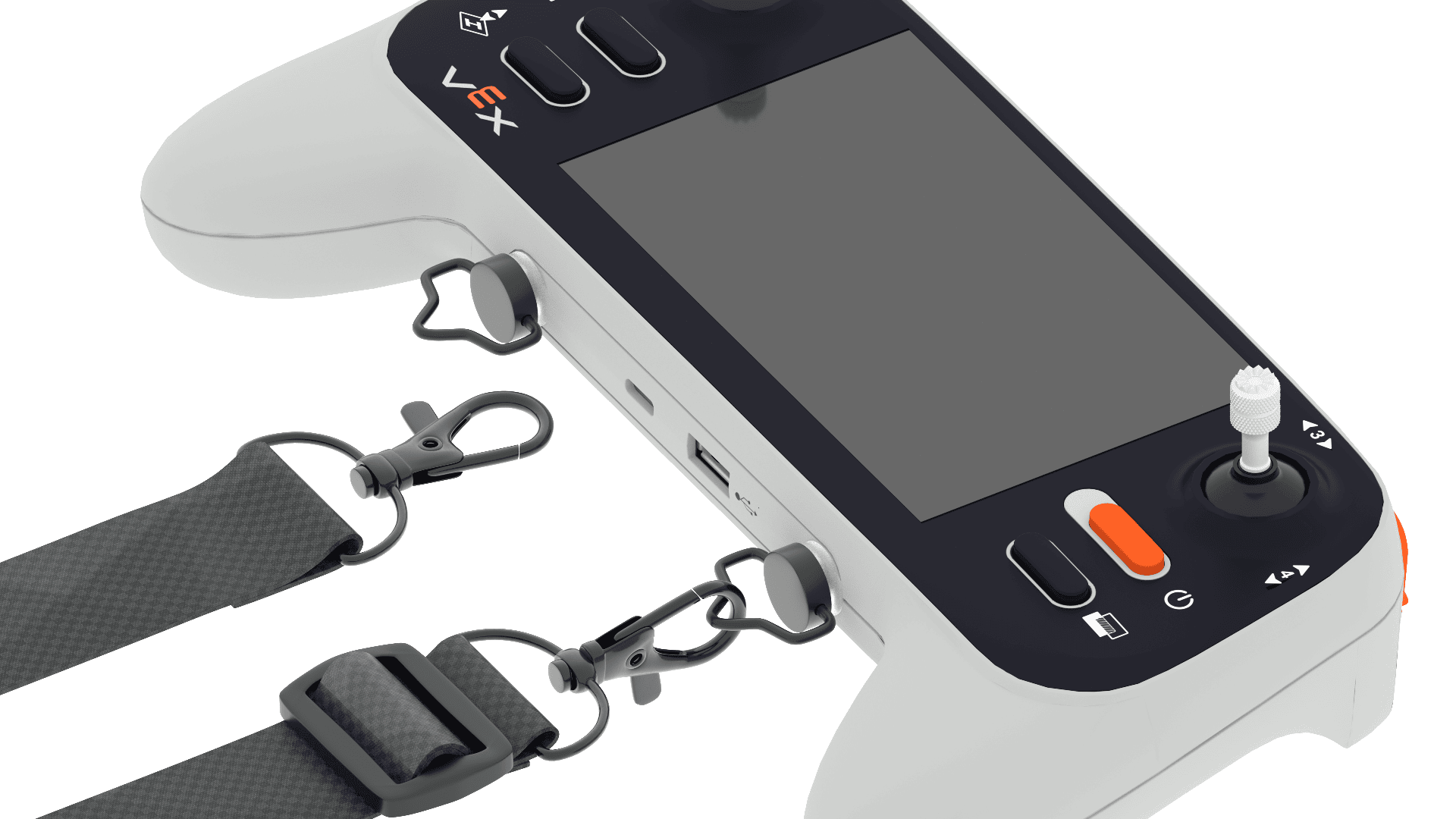
Connect the Joysticks and Lanyard
The joysticks need to be attached to the top of the controller in order to fly the drone. The lanyard is an added safety feature to prevent you from accidentally dropping the controller while in use.
- Follow the steps in this article to screw in the joysticks and attach the lanyard.
Real-World Connections
Learning how to connect, charge, and update your controller helps you build the same habits and technical skills that real drone operators use before every mission.

Pre-Flight Checklists
Before any drone takes off—whether it’s used by a delivery company, a rescue team, or a military unit—pilots must complete a pre-flight checklist. This includes making sure the drone’s controller and batteries are fully charged, the connection between the drone and its system is secure, and all equipment is working properly. These same preparation steps help ensure every flight is safe, reliable, and successful.
You will learn more about pre-flight checklists with the VEX AIR Drone later in this course.
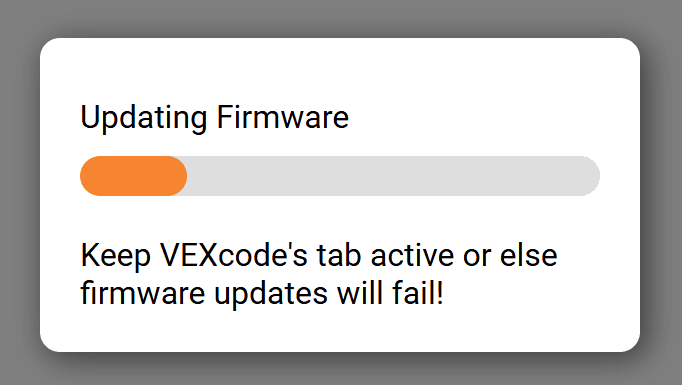
Firmware
Another important part of preparation is checking the firmware. Firmware is the built-in software that controls how the hardware of your drone and controller work. Just like phones or computers need updates to improve performance or fix bugs, drones and controllers need firmware updates to make sure they respond accurately and safely to commands.
Check Your Understanding
Before moving on, ensure that you understand the concepts in this lesson by answering the questions here (Google Doc / .docx / .pdf).
Select Return to Units > to move to the next unit in the course.