
In this lesson, you will use flight data to guide how you control the Z Height of your VEX AIR Drone. You will open the Drone Dashboard on the VEX AIR Drone Controller and learn how the drone’s height is shown using the z-axis data on the screen. As you fly, you’ll watch how the numbers change when you throttle to raise and lower the drone. This helps you understand how your inputs affect how high the drone is above the ground.
Watch the video below to learn about:
- How changing throttle affects the drone's z-coordinate.
- Using Z Height as a safety tool while flying.
Hover and Discover
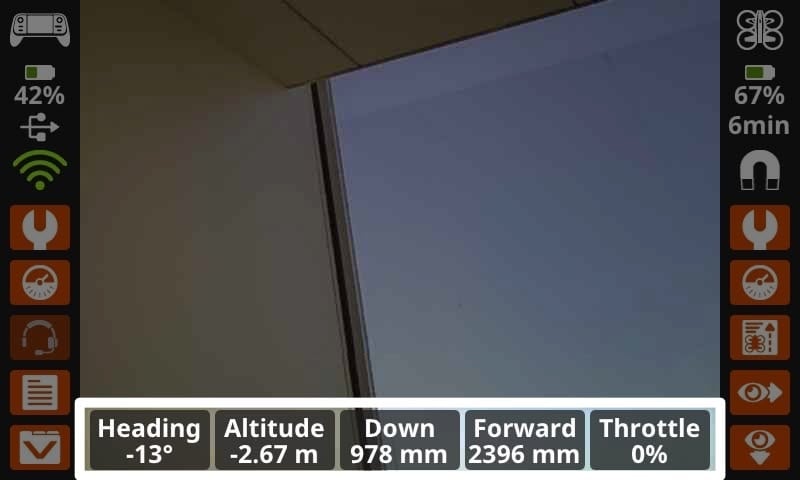
You are now familiar with some of the data displayed in the Drone Dashboard. Data can also be displayed on the main controller screen as you fly the drone. You can toggle Instruments on or off in the Controller Settings. When turned on, the screen will display real time instrument data including the drone's heading and altitude, downward and forward facing range sensor data, and its throttle percentage. This setting allows you to view this information while you are also using (and switching between) the camera views on the drone. The combination of the data plus the camera view offers a more comprehensive picture of the drone's position and movement as it flies.
The “altitude” data shown here reports the drone's current z-coordinate in meters. Pilots can use this measurement to ensure the drone does not fly too close to the ceiling or other overhead objects.
Mission: Throttle Up and Down
Check Your Understanding
Select Return to Units > to move to the next unit in the course.