
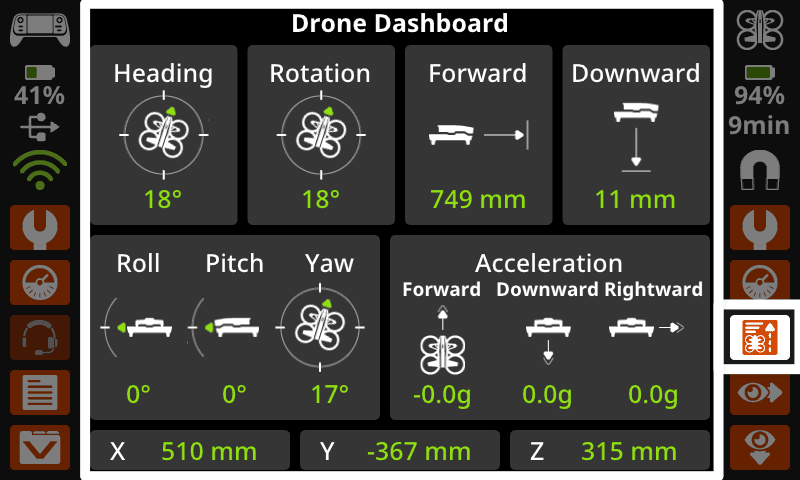
Previously, you were introduced to essential drone safety features and procedures. You learned how to prepare your VEX AIR Drone for flight and used the VEX AIR Drone Controller to control the drone to take off and land. In this unit, you will apply more flight controls from your Virtual Flight skill set as you practice pitch, roll, and throttle movements with the drone. You will learn how the Drone Dashboard data corresponds to your flight controls and tracks the drone's real-time position.
Roles and Responsibilities with VEX AIR
Flight safety is everyone's responsibility whenever you are working with VEX AIR. Part of creating a safe indoor flight environment is establishing clear roles and responsibilities for students and adults. Everyone should have an assigned role for each flight, so that each person on a flight team knows where they should be and what they are responsible for before, during, and after a flight.
You will either be a pilot, co-pilot, or observer during a flight. You will stay in that role for the whole flight cycle – before, during, and after – then can rotate roles with other flight team members.
- Pilot(s) - The student in the Pilot Station wearing the VEX AIR Drone Controller and actively flying the drone in the flight area.
- Co-Pilot(s) - A student in the Pilot Station working with the pilot and visually monitoring the drone's position and battery level during flight.
- Observer(s) - Any other students who are not piloting. Observers should stay within or outside the buffer zone, maintain awareness of their surroundings, and may be reflecting on or preparing for a flight.
Depending on your role, you will have different responsibilities before, during, and after a flight. Use these charts to help you identify responsibilities by roles, so the members of a flight team can hold each other accountable for safe flight practices throughout the flight cycle.
Before Flight
Adults and students are responsible for preparing for a flight. Adult responsibilities include designating an adult safety lead, checking the flight area, putting up signage as needed, and ensuring groups are on task.
| Flight Team: Pilots & Co-Pilots | Observers |
|---|---|
|
|
During Flight
Everyone is responsible for maintaining a safe indoor flight environment when flights are occurring. Adults are responsible for supervising the flight area and maintaining safety procedures.
| Flight Team: Pilots | Flight Team: Co-Pilots | Observers |
|---|---|---|
|
|
|
|
ALL: Calling “Cut” in the event of an emergency. Anyone (student or adult) may call out "CUT!" at any time if they see a safety concern during flight. All pilots must immediately stop flying when "Cut" is called. |
||
After Flight
Once a flight is over, there are still things to be done. Adults are responsible for helping with battery checks, material storage, and alerting the next group that they can approach the flight area.
| Flight Team: Pilots & Co-Pilots | Observers |
|---|---|
|
|
Vocabulary
The key terms below will be useful as you build your flight skills with the drone. The vocabulary list is here to provide you with a reference for terms you may not be familiar with.
- Z Height — How high the drone is above the ground.
- Instrument — A tool that gives information or measurements to help control the drone.
- Drone Dashboard — A controller screen that shows important information about the drone, such as its position, speed, and altitude.
- Lateral Movement — Side-to-side motion that occurs when the drone rolls left or right.
Select Next > to move on to the next lesson.