
Check Firmware
-
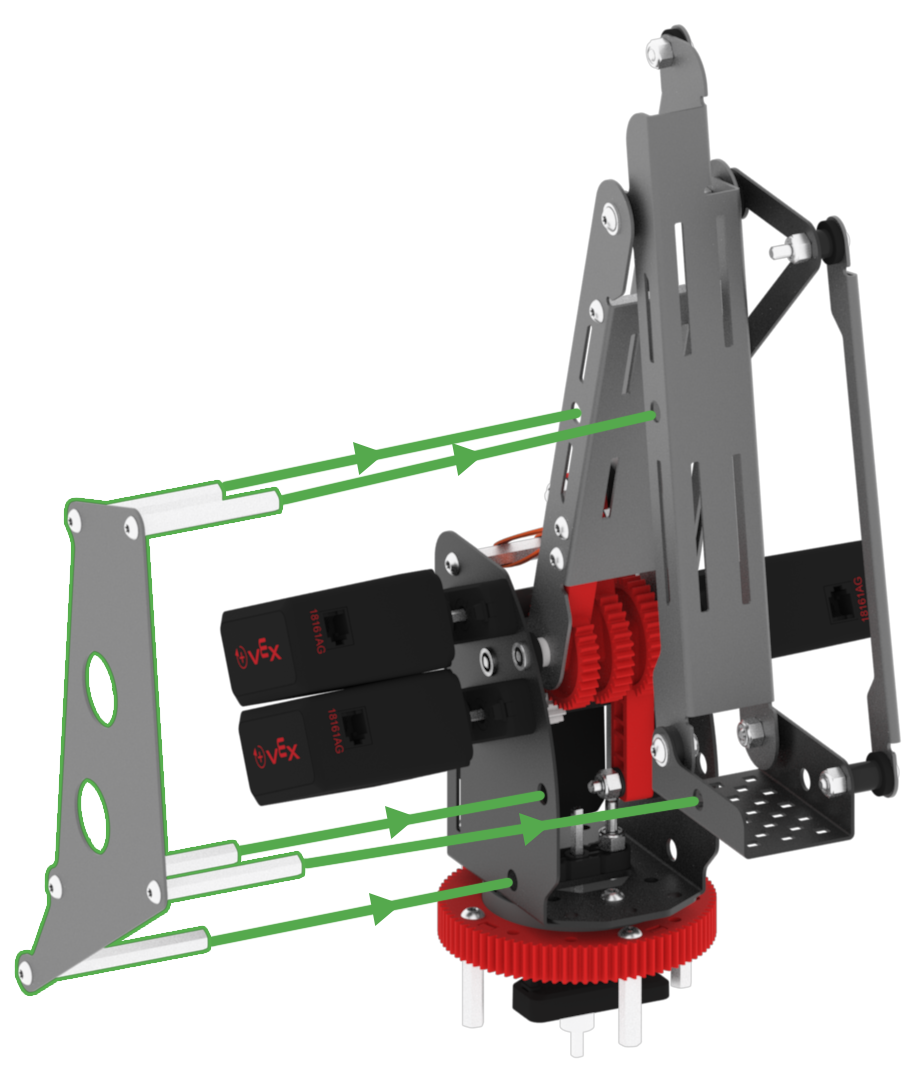
First, ensure that the Mastering Jig is inserted correctly into the arm mounted on the VEX V5 Workcell.
-
Launch VEXcode V5.

-
Connect the V5 Brain to your device via a USB cable.

-
Power on the V5 Brain.

-
Check if the V5 Brain firmware is up to date by selecting the green brain icon from the Toolbar.

-
If the firmware is out of date, view the Brain Firmware article for instructions on how to update it.
