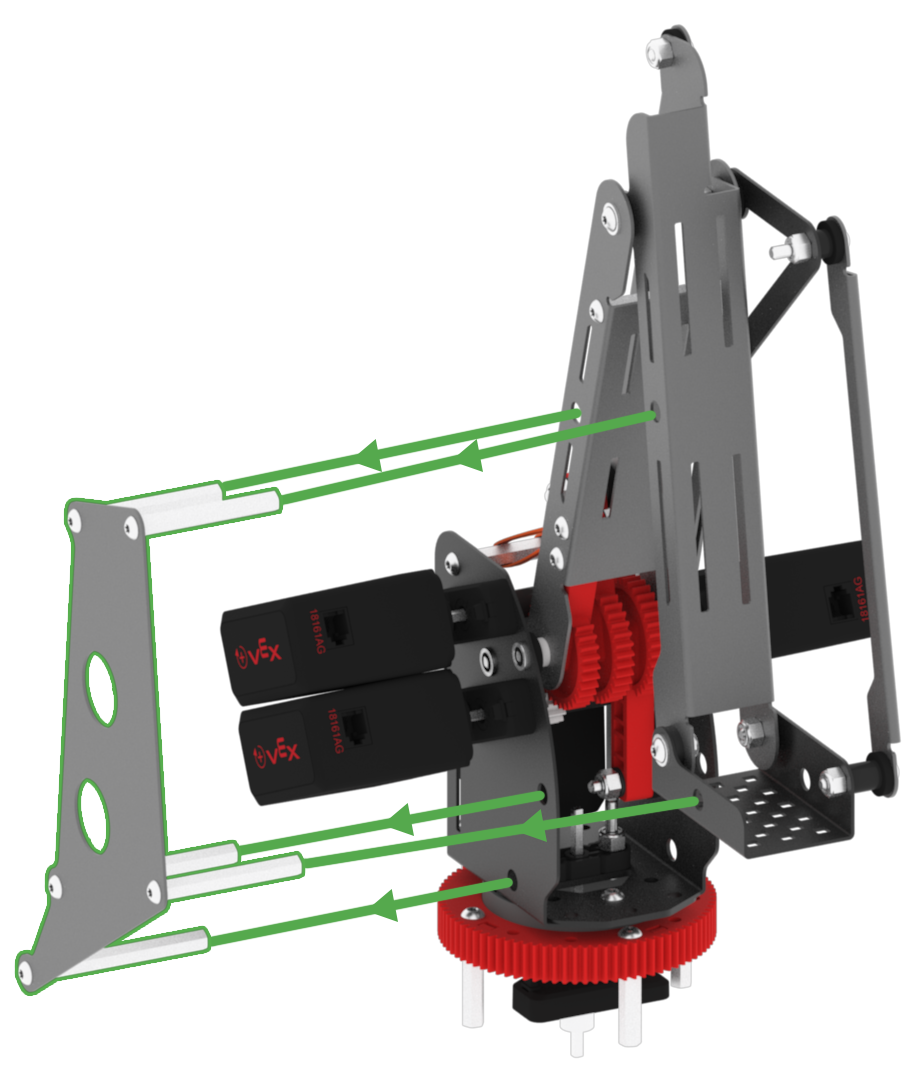
Test the Mastering Project
- Ensure the Mastering Jig is installed and download and run the project.

-
Each joint must be within the passing threshold. If any joint fails, the VEX V5 Workcell build and port configuration needs to be reviewed.
-
The passing thresholds are the following:
-
Joint 1: 1800 - 2200
-
Joint 2: 1900 - 2400
-
Joint 3: 1400 - 1800
-
Joint 4: 200 - 650
-
-
If any joint fails, first check if the potentiometers need to be adjusted. Refer back to the Lab 1: Build Instructions to ensure that the potentiometers were added and oriented correctly.
-
Ensure all devices are fully inserted into the correct V5 Smart Ports on the V5 Brain.
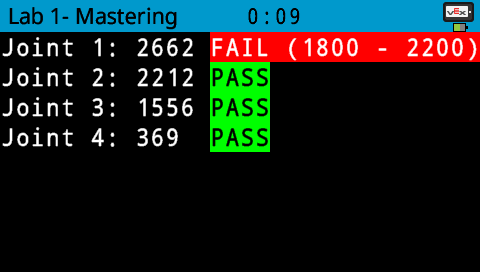
Note: your mastering values may be different than the values shown here. Mastering values vary slightly for each V5 Workcell.
-
-
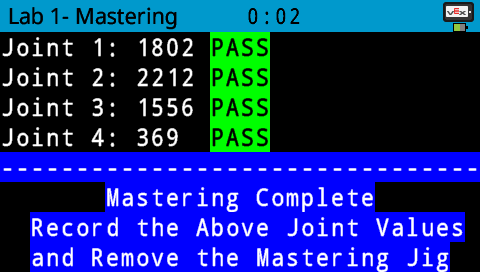
If all joints pass, the arm mounted on the V5 Workcell is ready to move.
-
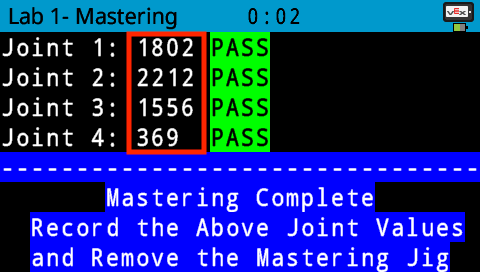
Once all joints pass, document the four joint values in your Engineering Notebook. These values will be used in all subsequent projects.
-
Remove the Mastering Jig from the arm mounted on the V5 Workcell.