
Change targetX
-
Select and drag the [Set variable] block from the ‘Variables’ category in the Toolbox and attach it to the [Set tool] block.

-
Change the variable of the [Set variable] block to ‘targetX.’
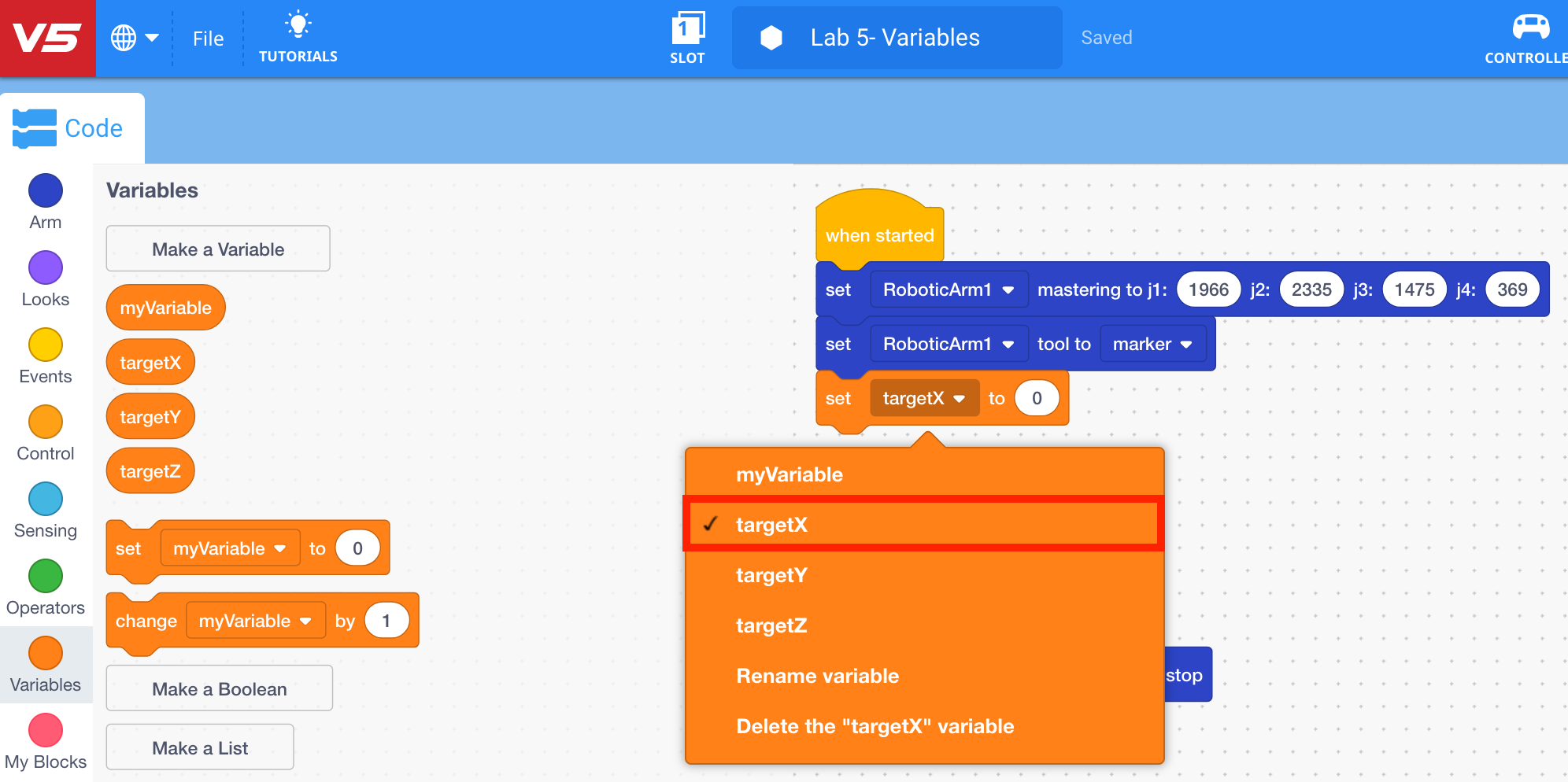
-
Repeat steps 11 and 12 to add two more ‘Set variable’ blocks for ‘targetY’ and ‘targetZ.’
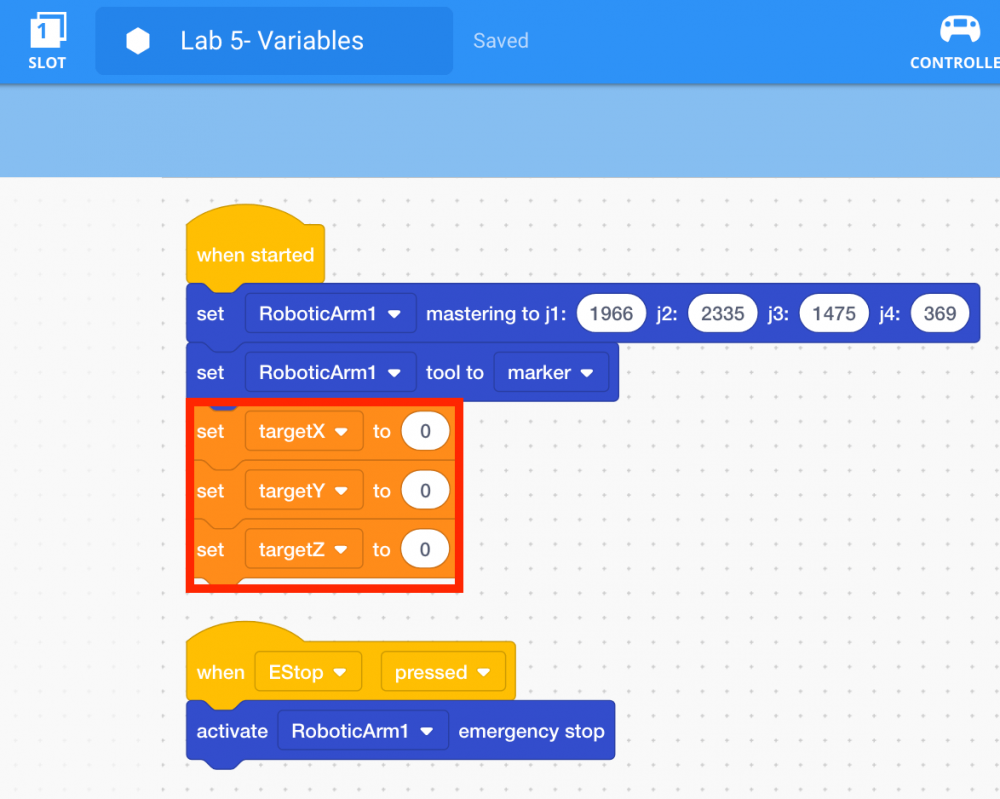
-
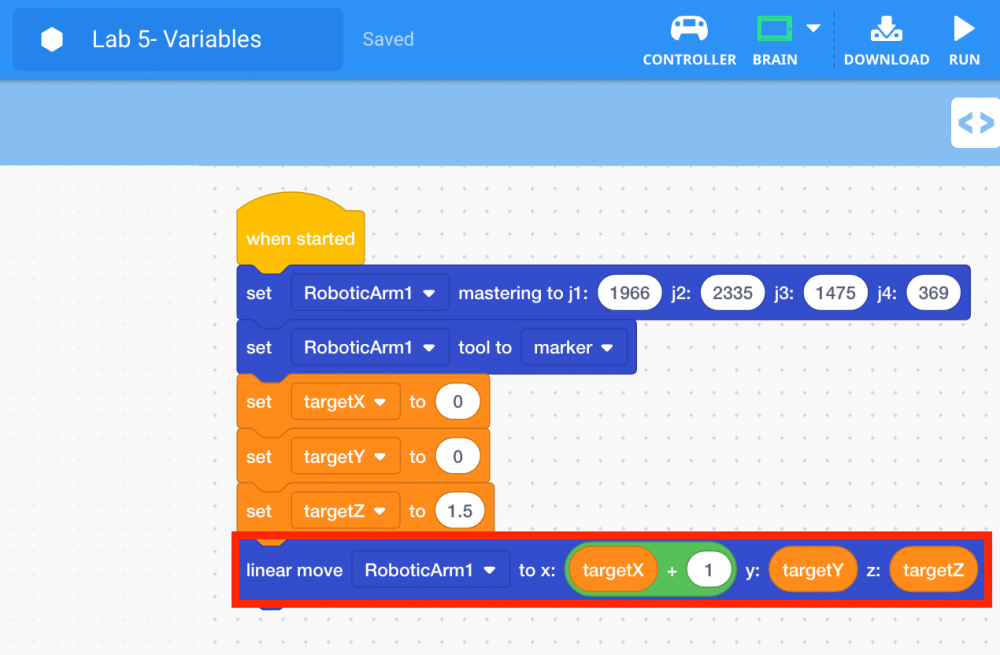
Since the arm mounted on the VEX V5 Workcell will start at the origin (0, 0, 0) the [Set variable] blocks for ‘targetX’ and ‘targetY’ should be set to ‘0.’ However, due to the dry-erase marker being raised slightly, ‘targetZ’ should be set to 1.5.
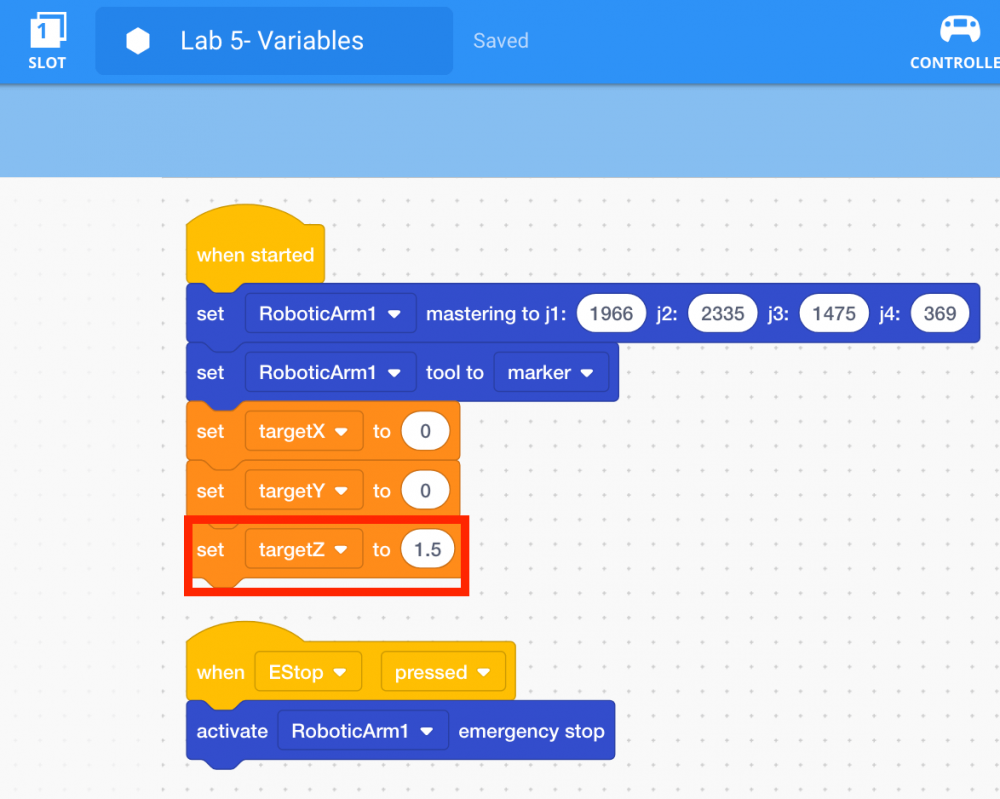
Note: the value of ‘targetZ’ may vary slightly depending on the mastering values and the size of the dry-erase marker being used.
-
Select and drag the [Linear move] block from the ‘Arm’ category in the Toolbox and attach it to the third [Set variable] block.
![add [Linear move] block](/stemlabs/sites/default/files/inline-images/add%20%5BLinear%20move%5D%20block.png)
-
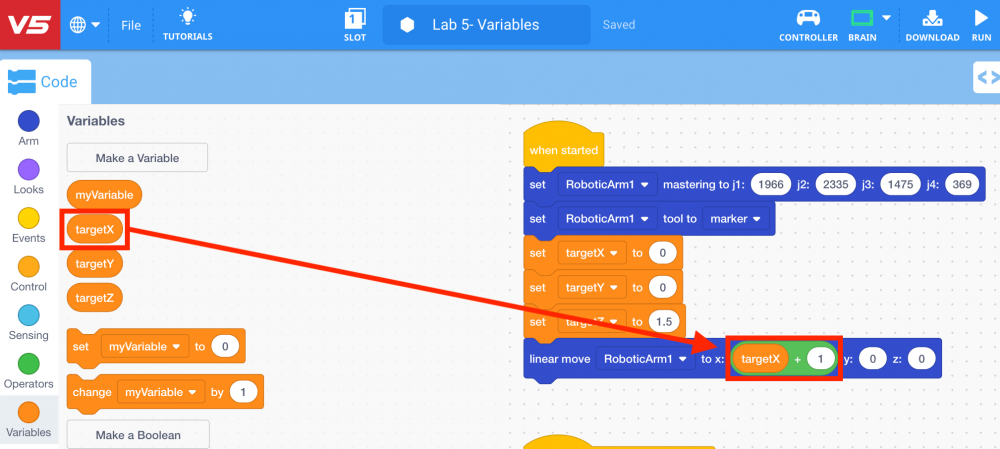
To move the arm mounted on the V5 Workcell one inch forward on the x-axis, a math block is needed. Select and drag the (Add) block from the ‘Operators’ category in the Toolbox and place it in the ‘x’ parameter of the [Linear move] block.
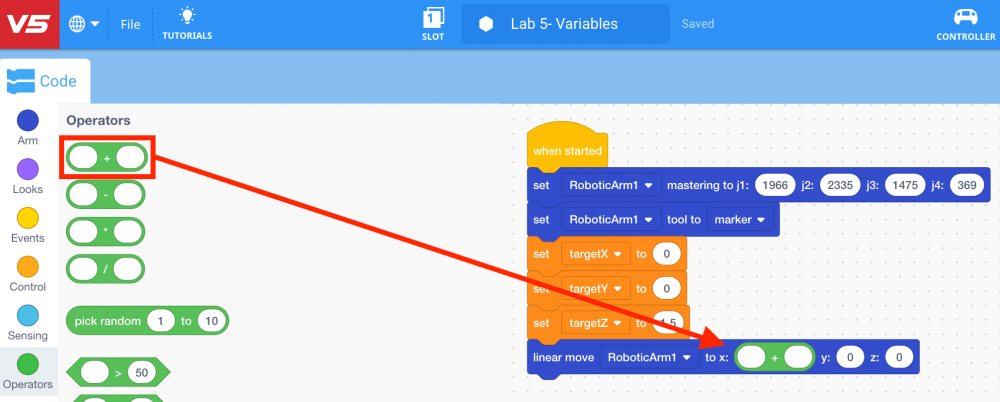
-
Select and drag the ‘targetX’ variable block from the ‘Variables’ category in the Toolbox and place it in the first addend of the (Add) block. Set the value of the second addend of the (Add) block to ‘1.’
-
Place the ‘targetY’ and ‘targetZ’ variables in the associated ‘y’ and ‘z’-axis parameters in the [Linear move] block.
-
Download and run the project.

Note: if the dry-erase marker is not drawing well, adjust the z-axis values to provide more force.
-
Observe that the arm mounted on the V5 Workcell drew a straight line (linear motion) one inch along the x-axis.

-
Stop the project.
