Repeating Variables
To change variables by a constant increment, a [Repeat] block can be used. A [Repeat] block is useful to repeat blocks for a fixed number of times. For more information about the [Repeat] block, view the Help for VEXcode V5 article from the Knowledge Base.
In the following steps, [Change variable] blocks will be used to increment the movement of the arm mounted on the VEX V5 Workcell by constant values.
-
Remove the (Add) blocks from the [Linear move] block.
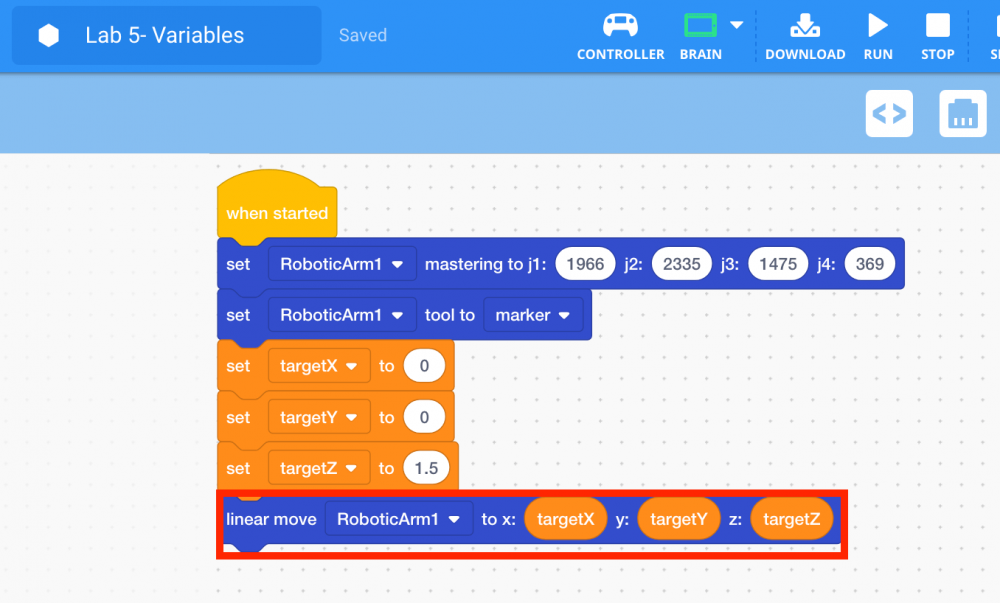
-
Select and drag the [Change variable] block from the ‘Variables’ category in the Toolbox and attach it to the [Linear move] block.
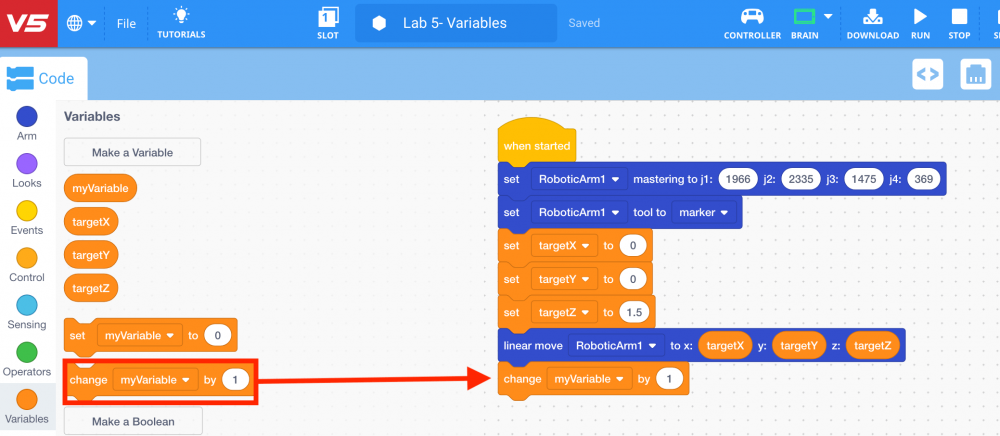
-
Change the variable of the [Change variable] block to ‘targetX.’
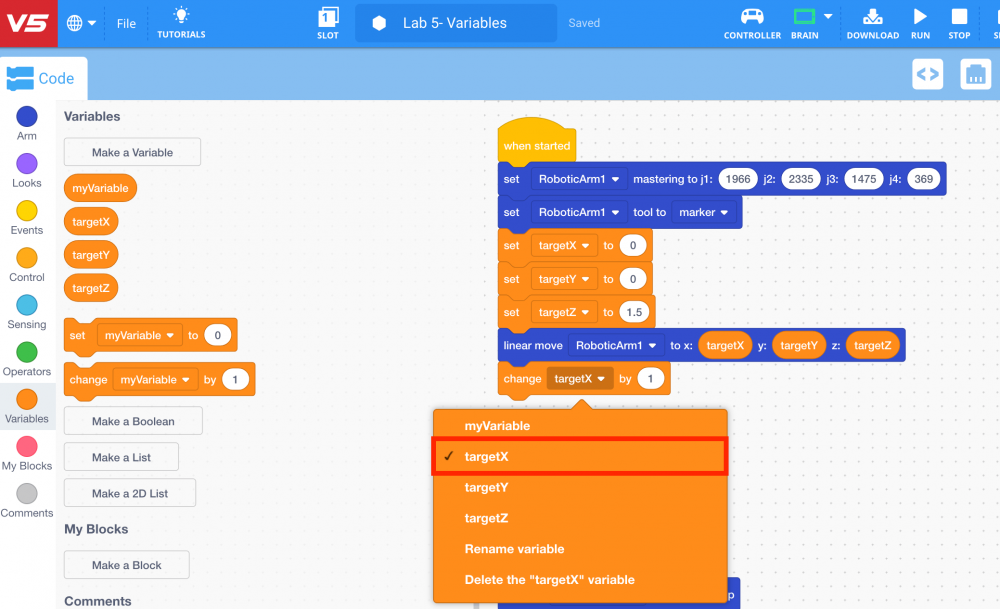
-
Repeat steps 39 and 40 to add another [Change variable] block for the variable ‘targetY’ to the first [Change variable] block.
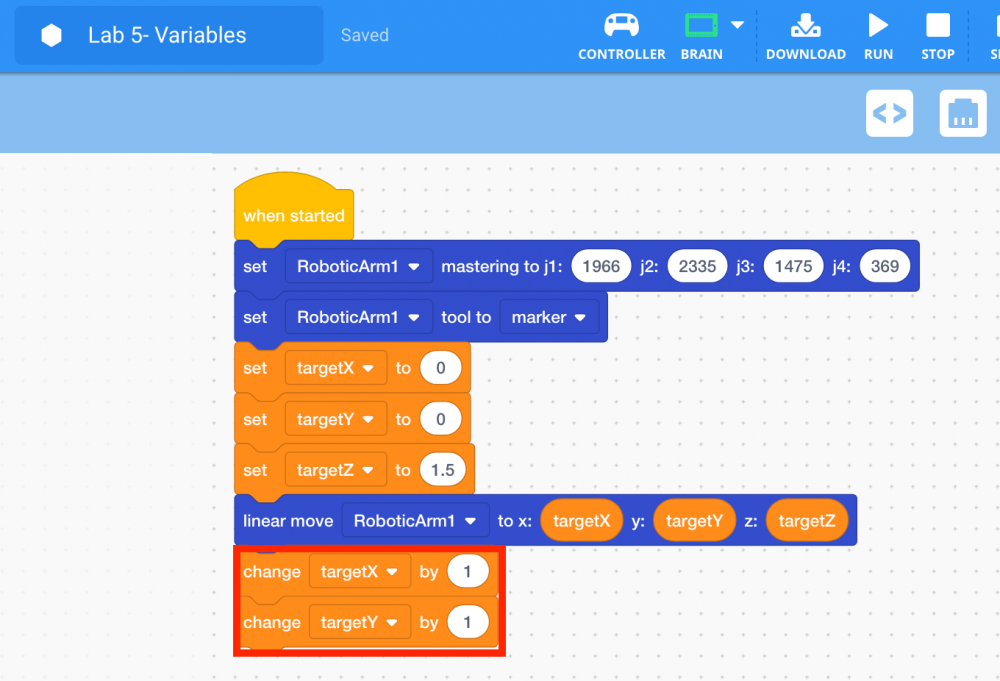
Note: a [Change variable] block is not added for the variable ‘targetZ’ because if that variable was changed, the dry-erase marker would not draw properly along the z-axis.
-
Add a [Repeat] block around the [Linear move] and [Change variable] blocks to repeat those three blocks a set number of times.
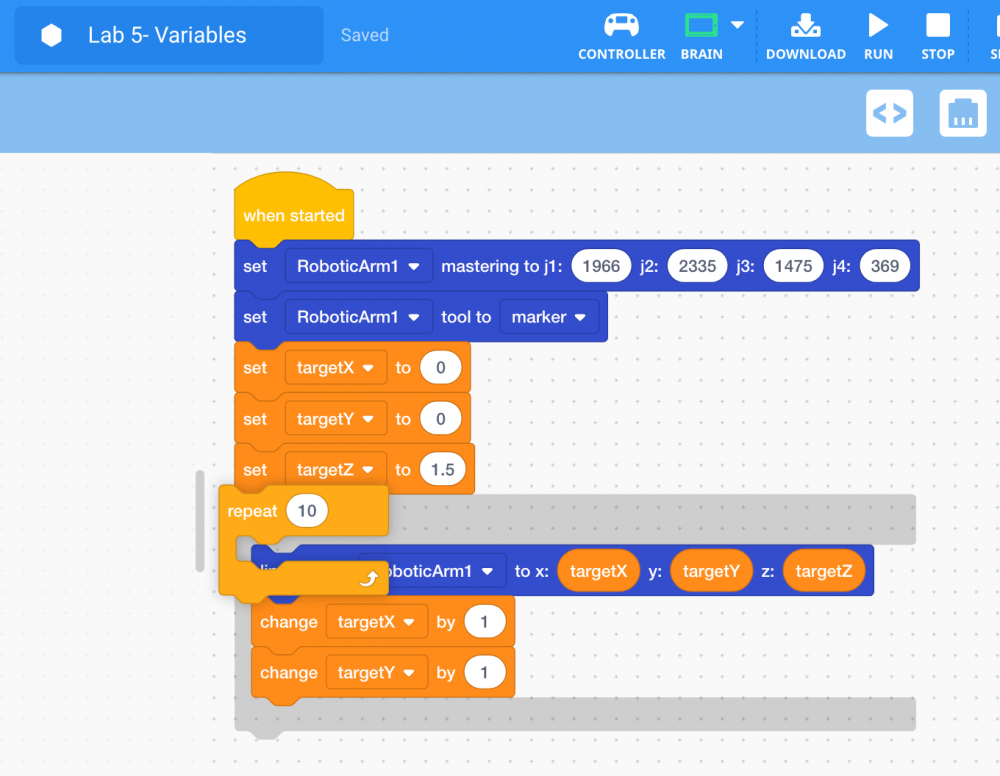
-
To move the arm mounted on the V5 Workcell along the x and y-axis in three increments, set the parameter of the [Repeat] block to ‘3.’
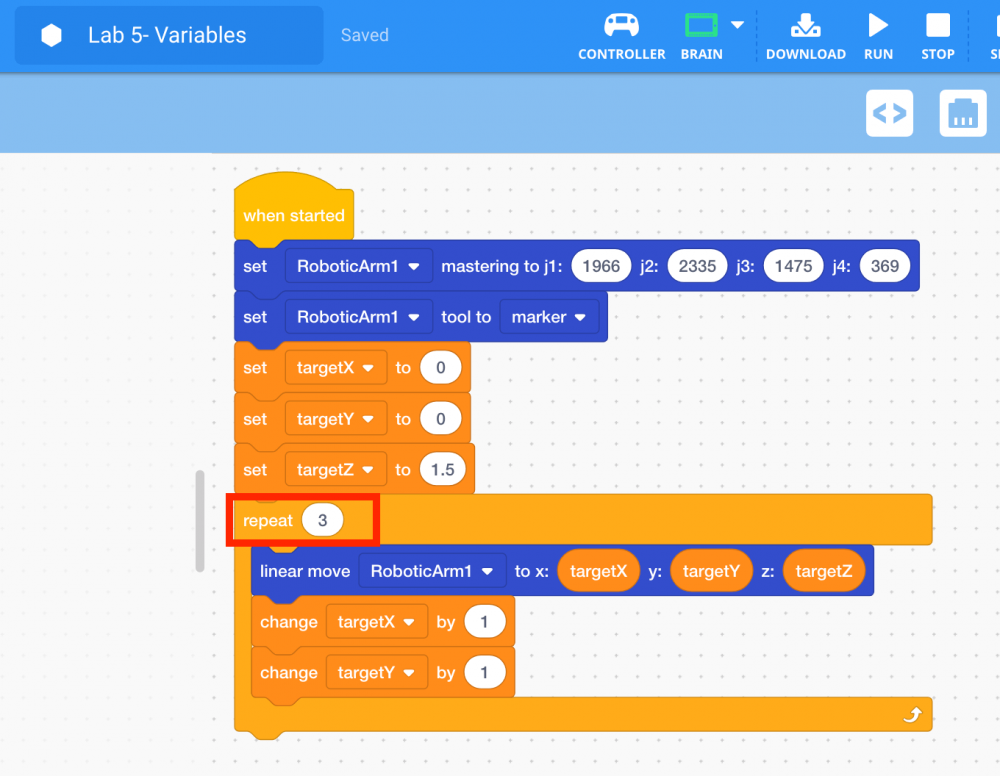
Note: a [Wait] block can be added after the [Change variable] blocks to observe the change in increments at a slower pace if desired.
-
Download and run the project.

Note: if the dry-erase marker is not drawing well, adjust the z-axis values to provide more force.
-
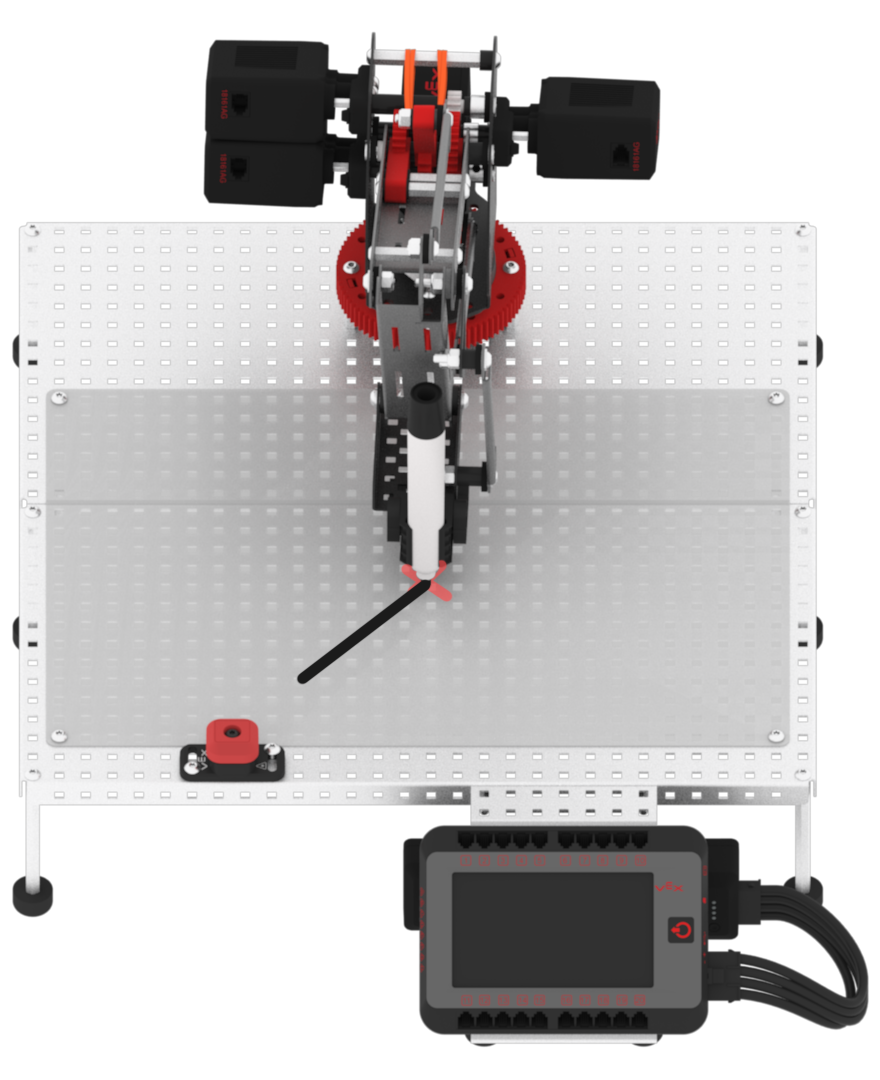
Observe that the arm mounted on the V5 Workcell drew a straight diagonal line (linear motion) in three-one inch movements along the x and y-axis.