Create Variables
A variable is used to store values in a project. These values can be used to control the movements of the arm mounted on the VEX V5 Workcell.
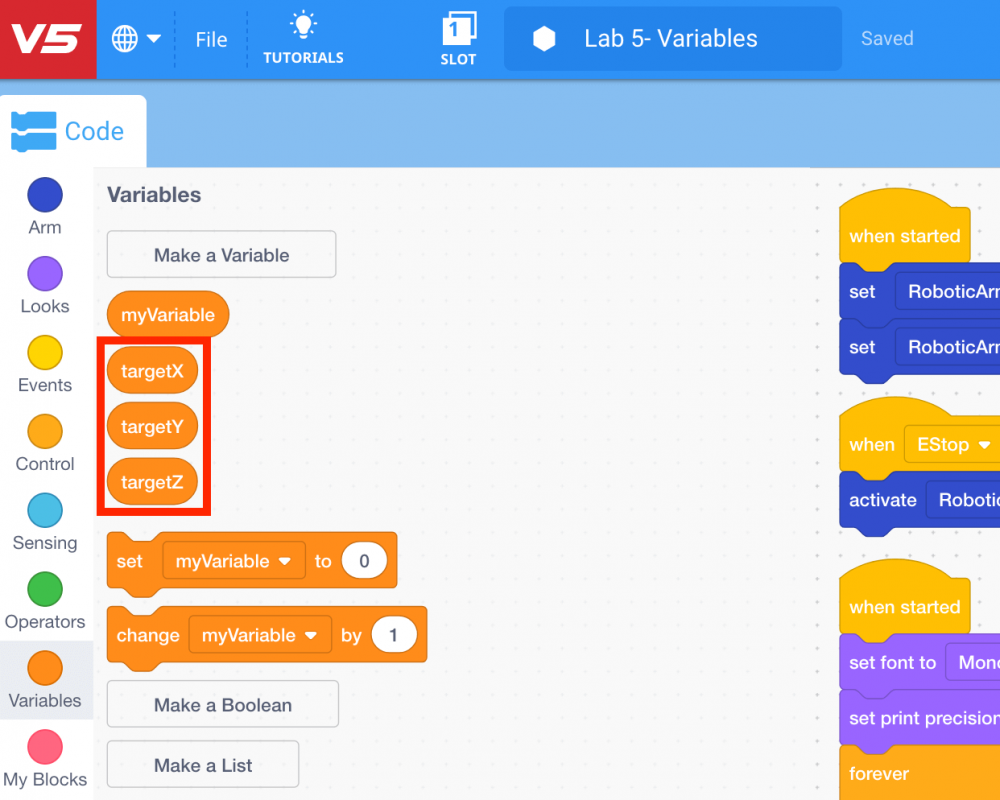
Three variables will be made in this project to represent x, y, and z values.
-
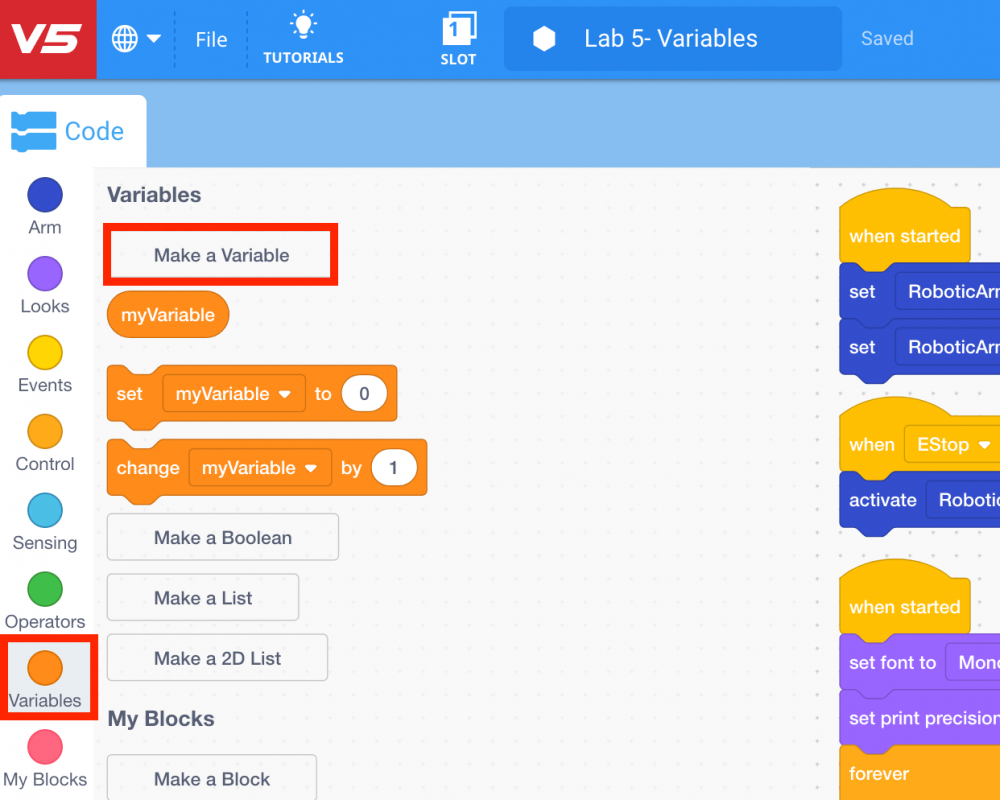
To create a variable, select the ‘Variables’ category in the Toolbox and then select ‘Make a Variable.’
Note: for more information about variables, view the Storing Data tutorial video in VEXcode V5. First select the ‘Tutorials’ button in the Toolbar.

Then select the ‘Storing Data’ tutorial video.
-
Name the variable for the x-coordinate ‘targetX,’ then select ‘Submit.’
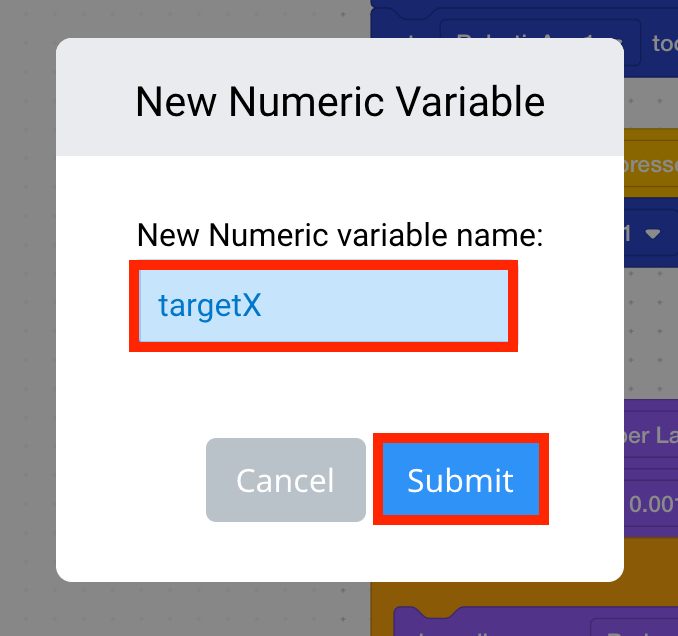
Note: for more information about naming rules for variables view the Name Rules for Variable and Device article from the Knowledge Base.
-
The variable ‘targetX’ will now appear in the ‘Variables’ category in the Toolbar.
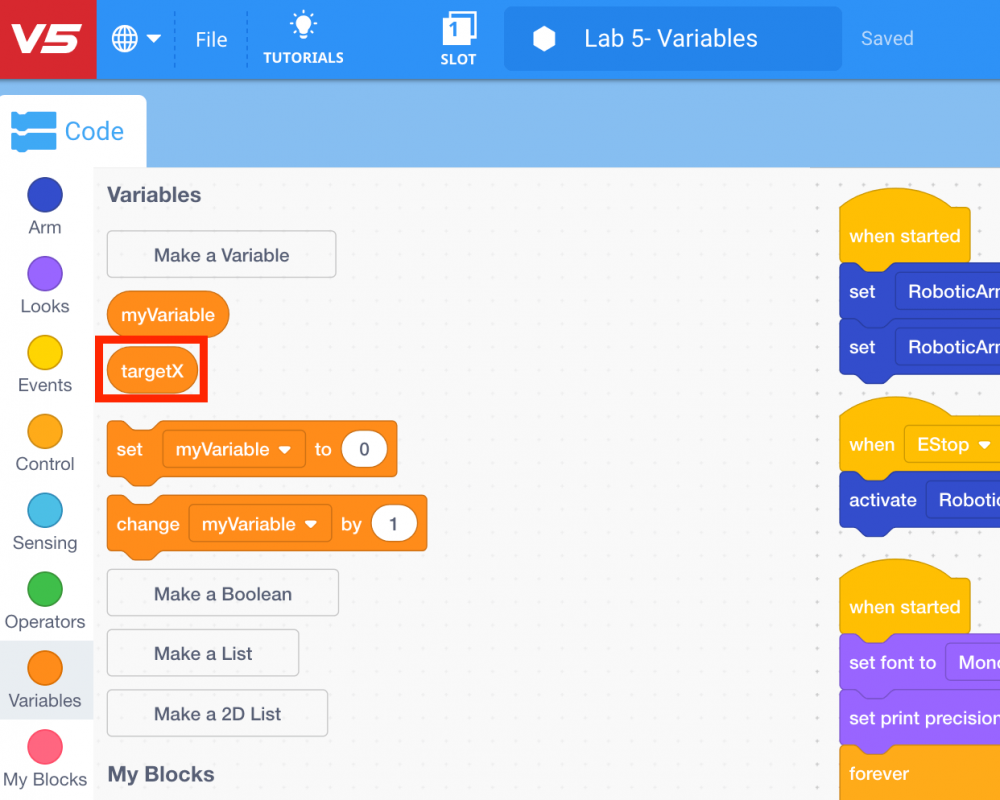
-
Repeat steps 7 and 8 to create two more variables, ‘targetY’ and ‘targetZ.’