
Change targetY
-
Remove the (Add) block from the ‘x’ parameter in the [Linear move] block by dragging it into the workspace.

-
Place the ‘targetX’ variable back into the ‘x’ parameter of the [Linear move] block.
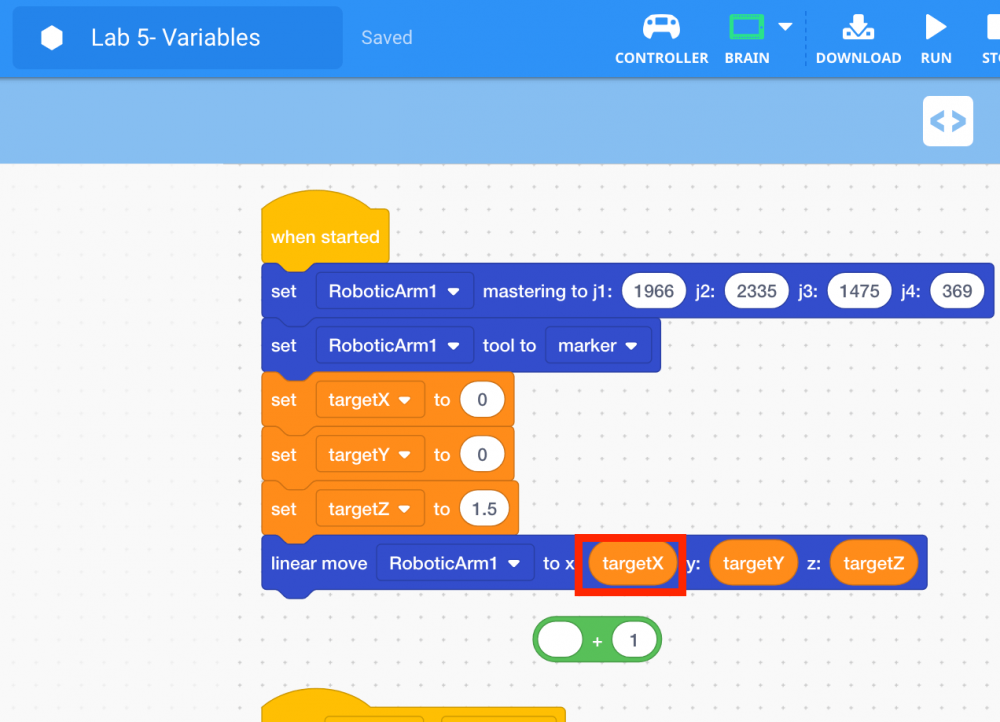
-
Move the ‘targetY’ variable from the ‘y’ parameter of the [Linear move] block to the (Add) block.
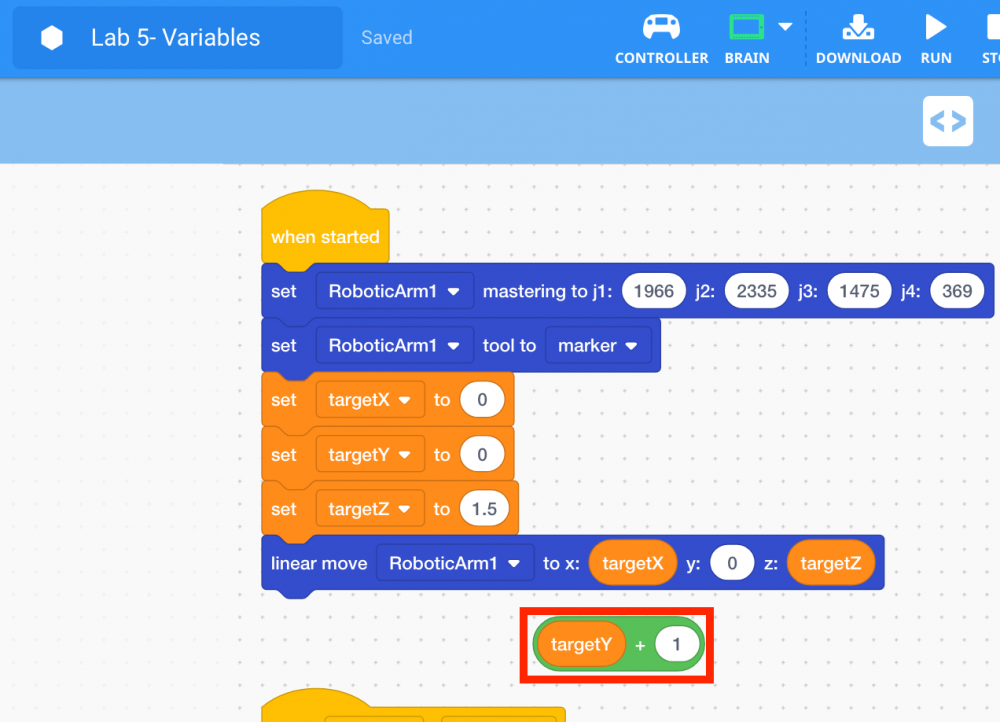
-
Place the (Add) block into the ‘y’ parameter of the [Linear move] block.
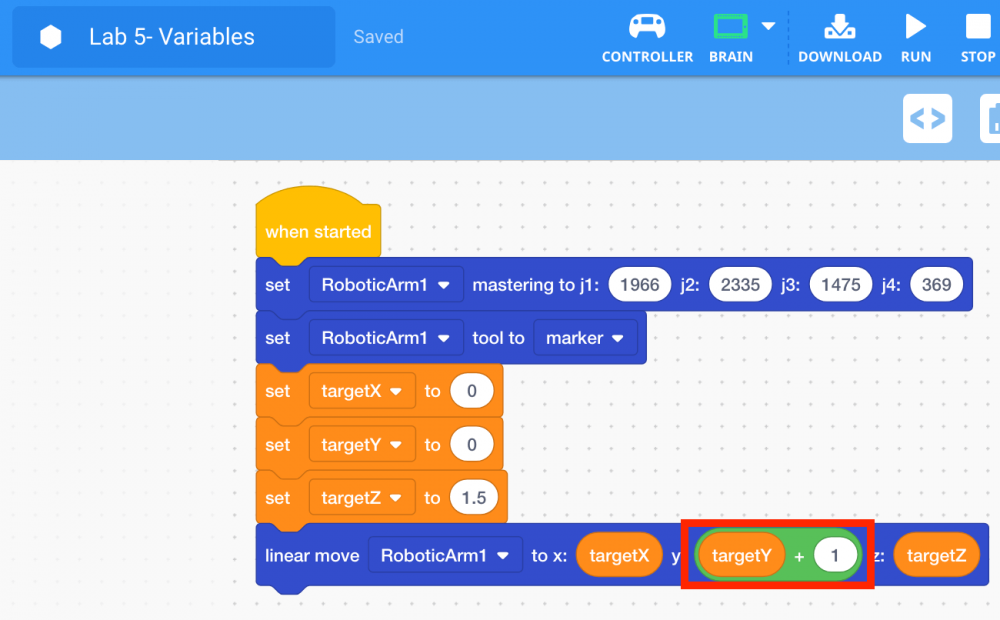
-
Download and run the project.

Note: if the dry-erase marker is not drawing well, adjust the z-axis values to provide more force.
-
Observe that the arm mounted on the VEX V5 Workcell drew a straight line (linear motion) one inch along the y-axis.
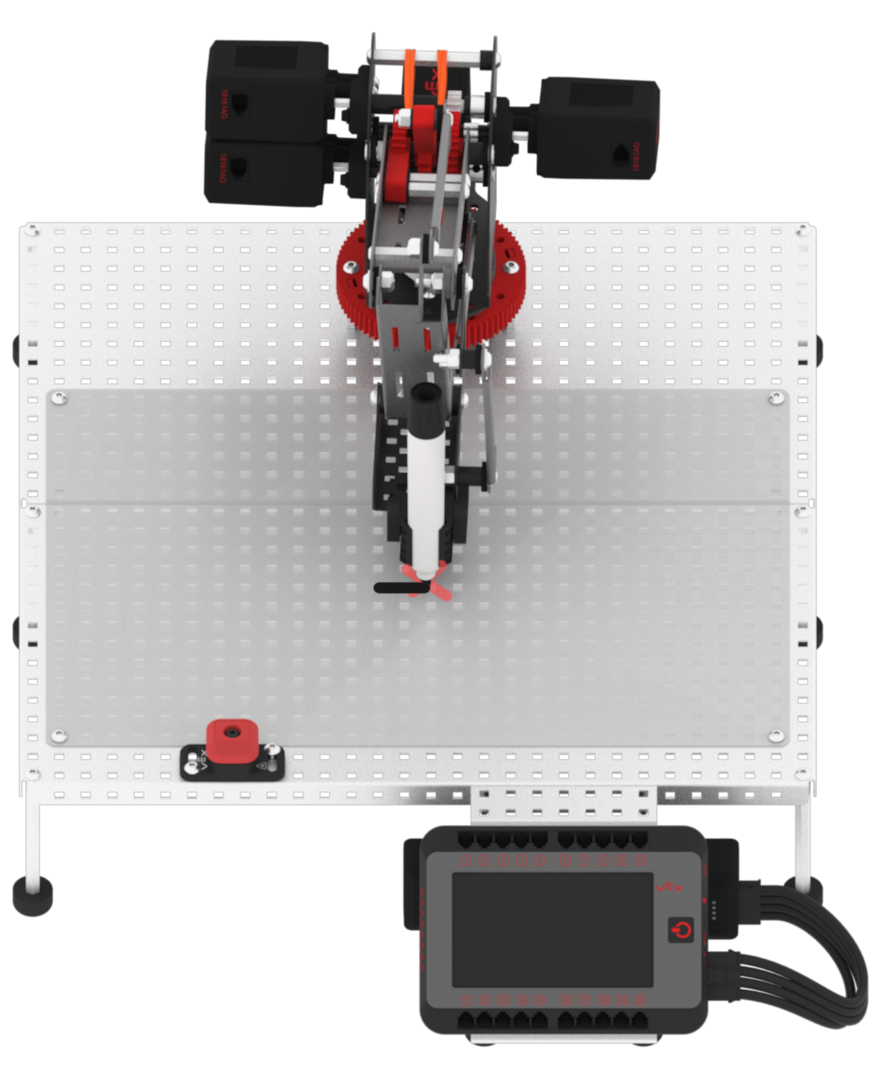
-
Stop the project.
