
Now that you have learned the basics of flying the VEX AIR Drone with the VEX AIR Drone Controller, you are ready to build your skills and combine controls to fly in more complex paths. Each of the missions in this lesson allows you to explore combinations of joystick inputs, as you complete different flight challenges.
In this video, you will learn about:
- How to use the joysticks to combine controls.
- How joystick inputs control flight trajectory.
Mission Prep
Each exploration mission focuses on combining two or more flight controls in a unique flight path. For each mission, make sure you:
- Log each practice flight in the Mission Logs. Each mission has its own log where you can record flight details. Your Mission Logs are an important tool for developing your piloting skills. Remember to reset the field for each practice flight, to ensure the collision and ring counts are accurate.
- Practice each mission multiple times. Your goal is not only to complete the path, but to do so with as few collisions as possible. Even if you fly through the path successfully once, continue to practice to ensure repeatability and improve your precision.
- Connect your controller to VEXcode AIR and select the Simulator tab before beginning.

This mission combines the controls for throttle (up and down) and pitch (forward and backward). In this mission, you will fly forward through all of the red rings, then back through the same tunnel, and land on the platform. Your goal is to complete the mission with as few collisions as possible.
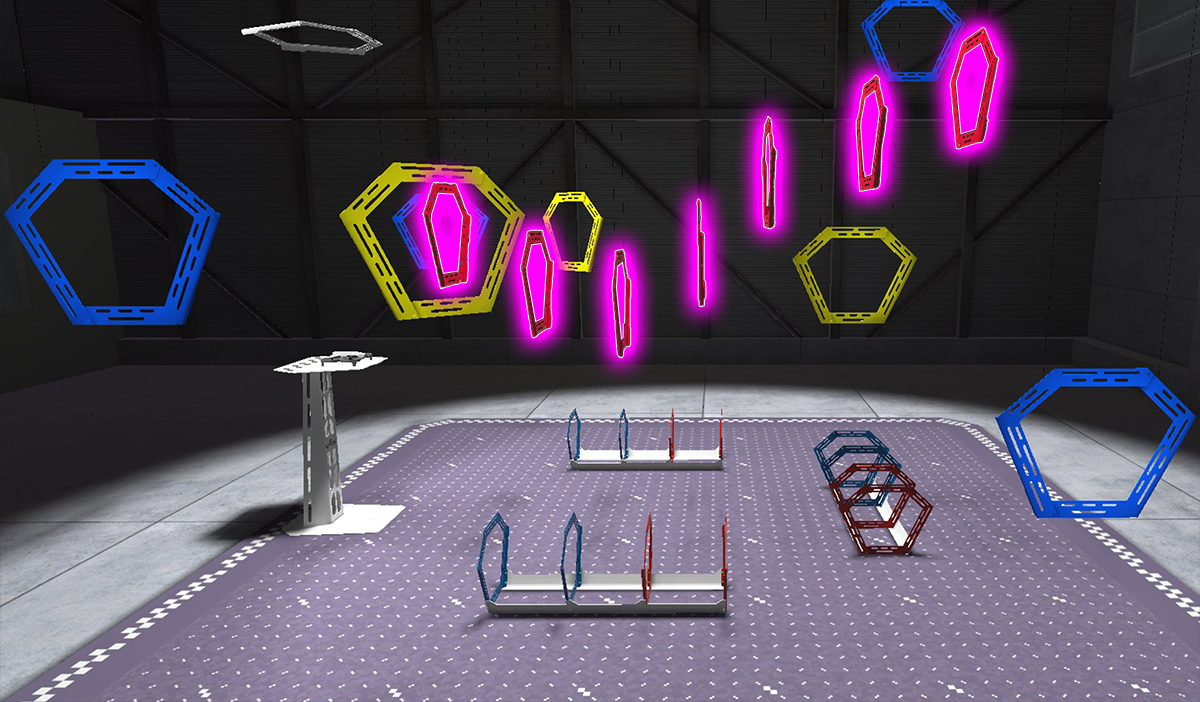
Use this Mission Log (Google Doc / .docx / .pdf) to record your flight practice.
Pro Tips:
- Explore different camera views to help you see the drone's position relative to the rings while flying. For instance, in Chase View, you can drag to adjust your viewing angle of the field.
- Consider the orientation of the drone as you fly through the tunnel. What direction helps you navigate the best?
Once you have practiced the mission and logged your practice flights in your Mission Log, complete the Tunnel Flight mission in Flight School.
- Read the VEX Library article Using Flight School in the VEX AIR Flight Simulator for instructions on how to access and use Flight School.
- Find badge criteria for the mission in the Mission Log.
- When you have completed your Flight School mission, add your name to your badge.
- Save your badge, and share it with your instructor as directed.
This mission combines the controls for throttle (up and down) and pitch (forward and backward) in a different flight path. In this mission, you will fly forward through all the red rings, then return to the platform by throttling down through both of the white rings.
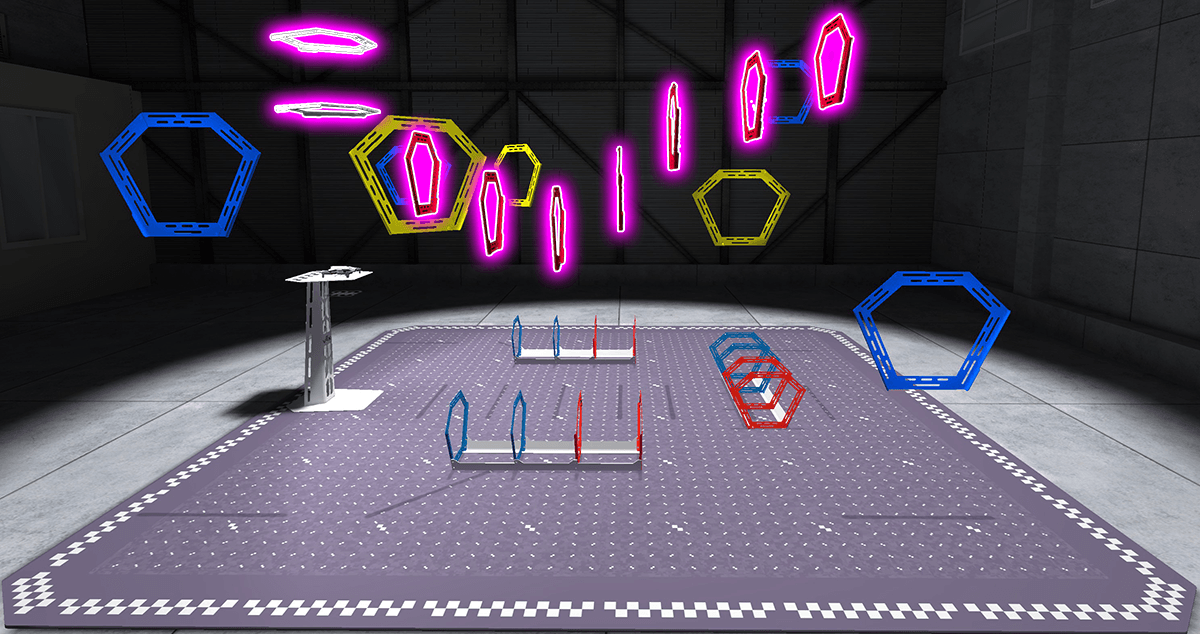
Use this Mission Log (Google Doc / .docx / .pdf) to record your flight practice.
Pro Tip: You can change steering modes while in flight to help you navigate successfully. For instance, using headless steering may help you return to the area with the white rings after flying through the red ring tunnel.
Once you have practiced the mission and logged your practice flights in your Mission Log, complete the Red-to-White mission in Flight School.
- Read the VEX Library article Using Flight School in the VEX AIR Flight Simulator for instructions on how to access and use Flight School.
- Find badge criteria for the mission in the Mission Log.
- When you have completed your Flight School mission, add your name to your badge.
- Save your badge, and share it with your instructor as directed.
This mission combines controls for yaw (turn) and pitch (forward and backward). In this mission, you will fly through blue and yellow rings in a bowtie-shaped path, facing forward. The drone should turn and fly through blue and yellow rings alternately, before landing on the platform.
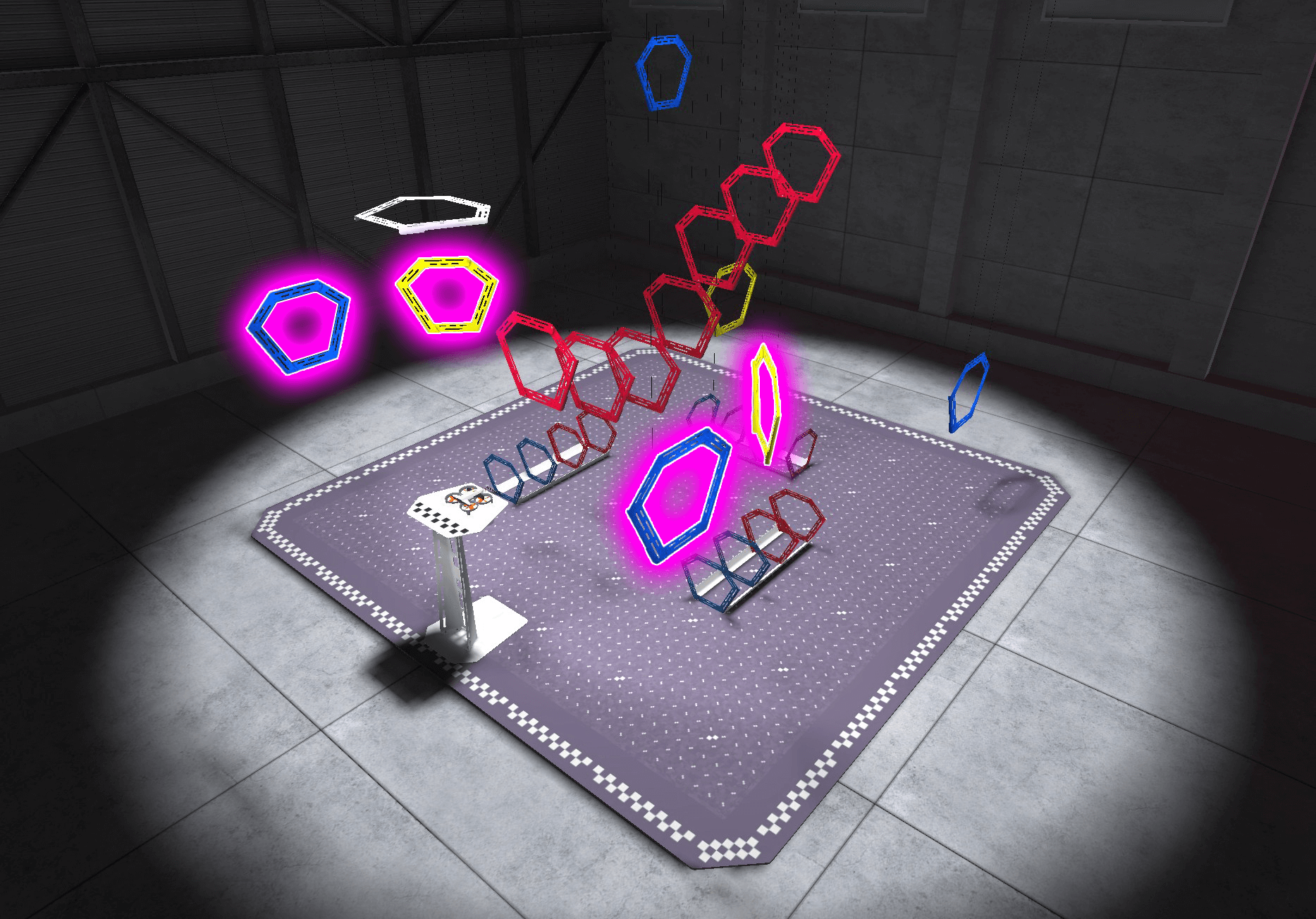
Use this Mission Log to record your practice (Google Doc / .docx / .pdf).
Pro Tip: Remember, the goal of the mission is precision, not speed. Start slowly, so that you can be precise in your movements, and gradually increase your speed as you gain comfort and confidence with the flight path.
Once you have practiced the mission and logged your practice flights in your Mission Log, complete the Bowtie Pattern mission in Flight School.
- Read the VEX Library article Using Flight School in the VEX AIR Flight Simulator for instructions on how to access and use Flight School.
- Find badge criteria for the mission in the Mission Log.
- When you have completed your Flight School mission, add your name to your badge.
- Save your badge, and share it with your instructor as directed.
This mission combines roll (side-to-side), pitch (forward and backward), and throttle (up and down) controls. You will fly through all three yellow rings in a diamond-shaped path without turning the drone—using only roll to move left or right.
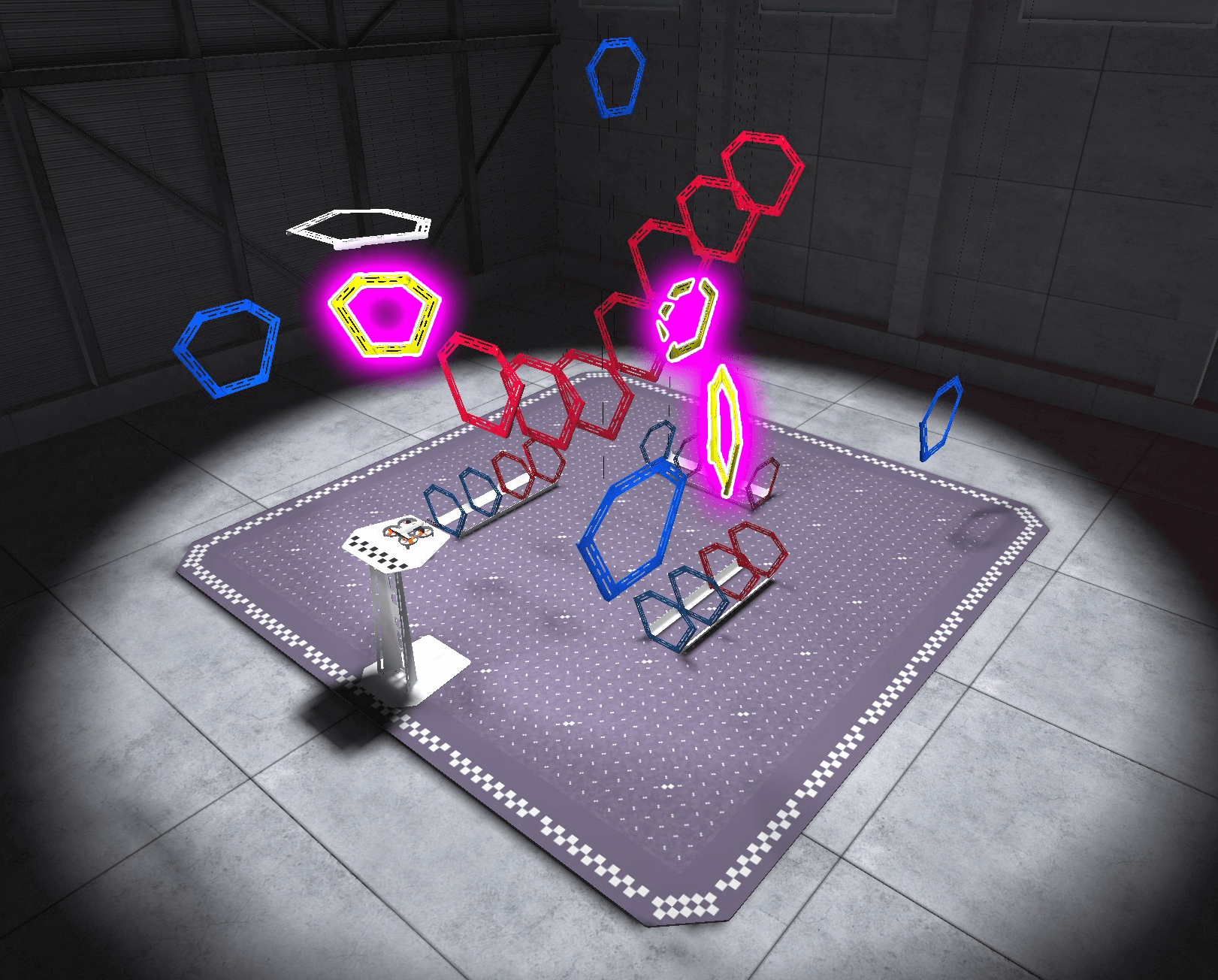
Use this Mission Log to record your practice. (Google Doc / .docx / .pdf)
Pro Tip: Look at the shadow of the drone on the floor of the field for another visual indicator of where the drone is in relation to the rings.
Once you have practiced the mission and logged your practice flights in your Mission Log, complete the No-Turn Diamond mission in Flight School.
- Read the VEX Library article Using Flight School in the VEX AIR Flight Simulator for instructions on how to access and use Flight School.
- Find badge criteria for the mission in the Mission Log.
- When you have completed your Flight School mission, add your name to your badge.
- Save your badge, and share it with your instructor as directed.
This mission combines roll (side-to-side), pitch (forward and backward), and throttle (up and down) controls in a different way. You will fly through all four blue rings in a square path, then land on the platform while keeping the drone facing the same direction throughout.
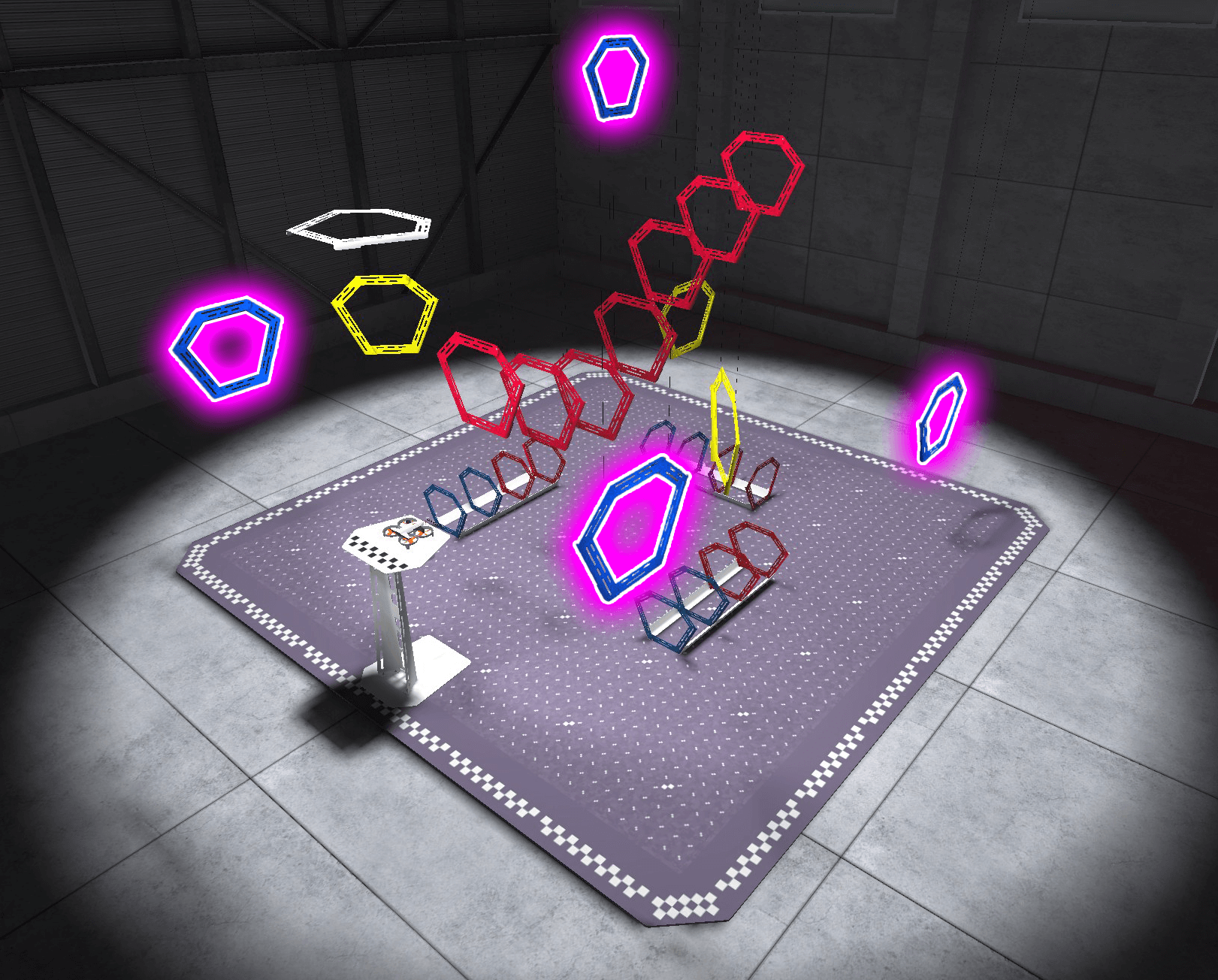
Use this Mission Log to record your practice (Google Doc / .docx / .pdf).
Pro Tip: Use the perimeter of the field to help guide you as you fly through the blue rings near the field's edge.
Once you have practiced the mission and logged your practice flights in your Mission Log, complete the No-Turn Square mission in Flight School.
- Read the VEX Library article Using Flight School in the VEX AIR Flight Simulator for instructions on how to access and use Flight School.
- Find badge criteria for the mission in the Mission Log.
- When you have completed your Flight School mission, add your name to your badge.
- Save your badge, and share it with your instructor as directed.
Real-World Connections
As flights become more complex, drone pilots and engineers rarely use just one control at a time. Real-world drone work depends on combining movements, like rolling while climbing or adjusting speed while turning, to fly smoothly, stay stable, and complete missions accurately. The skills you practiced in this unit are the same foundations used in many drone-related careers.

Drone Flight Programmer or Automation Specialist
These professionals design the software that tells drones how to move smoothly and stay balanced. They create flight algorithms and other automated behaviors by combining movements like roll, pitch, yaw, and throttle to ensure the drone responds correctly in different situations. The work you do combining controls in the simulator mirrors how these specialists approach drone motion.
Drone Data Analyst
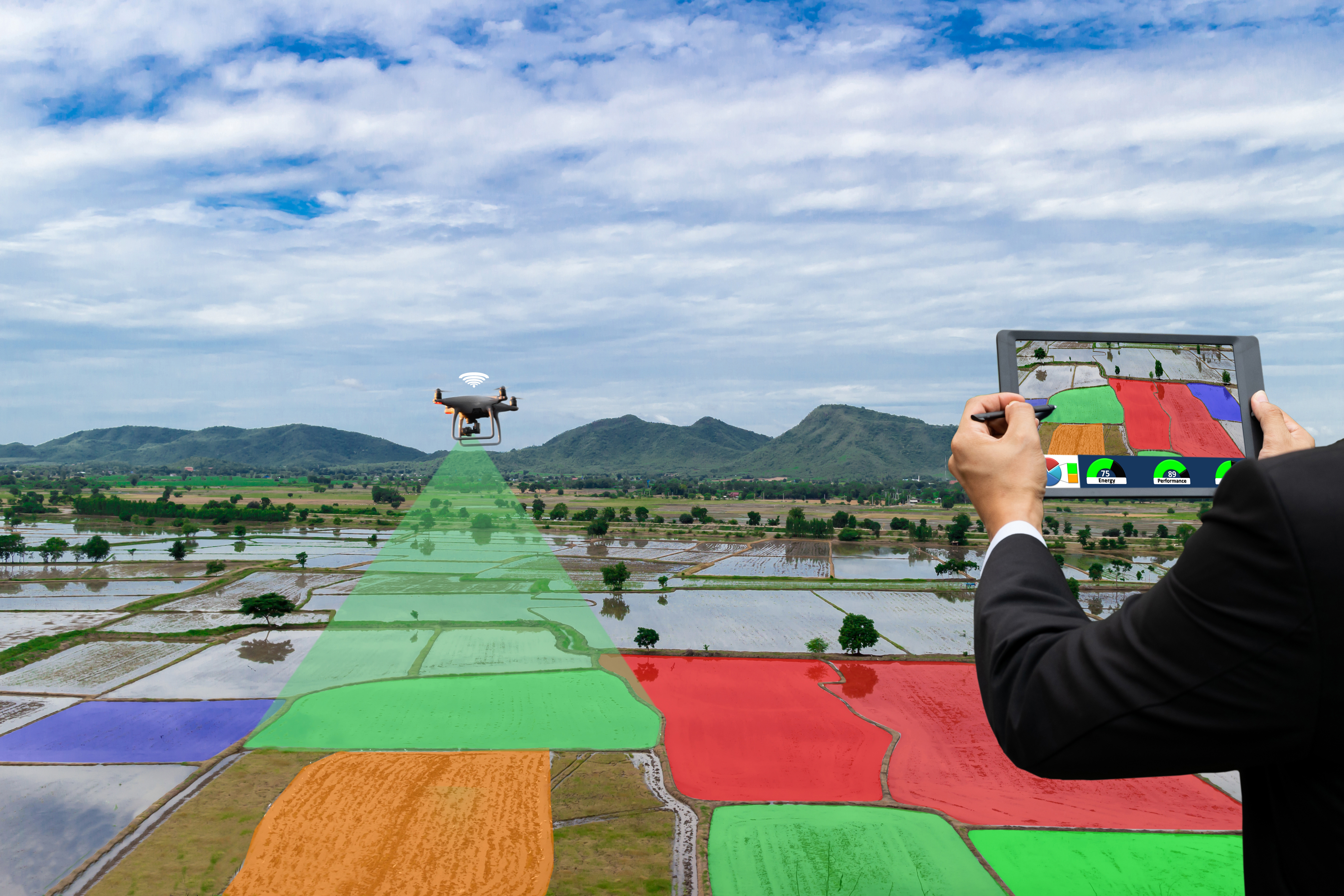
Drones collect large amounts of data, from images to movement information. Data analysts study this data to identify patterns, measure performance, and inform decisions. Understanding how a drone moves and why it follows certain flight paths helps analysts interpret the data accurately and explain what occurred during a mission. In the image to the left, a professional drone pilot flies an outdoor drone to collect crop data.
Drone Cinematographer
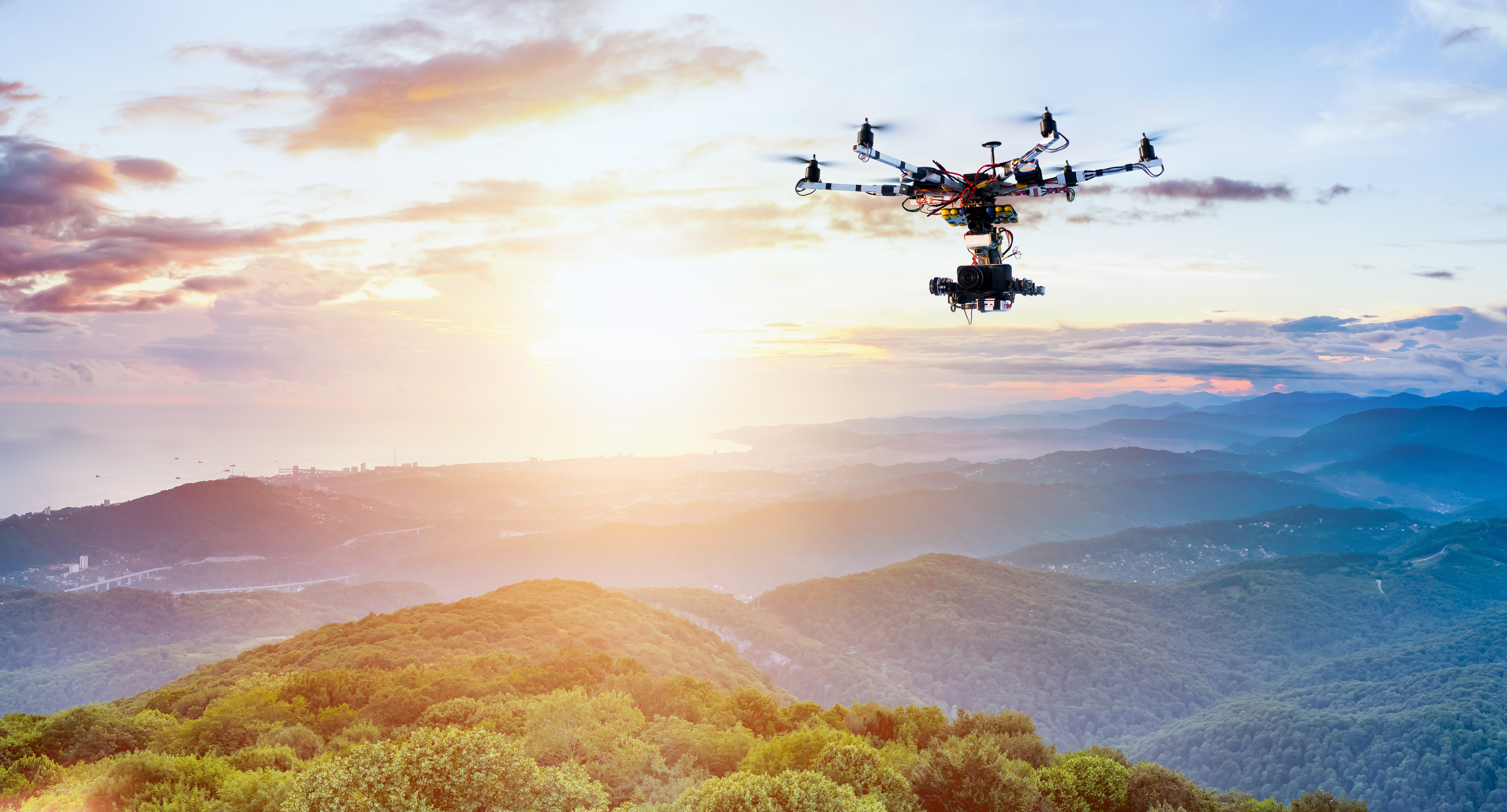
Drone cinematographers plan and capture smooth, controlled aerial shots with outdoor drones for movies, sports, and documentaries. They design flight paths that require simultaneous multi-axis movements to create steady, cinematic motion. Understanding how combined controls affect drone movement helps ensure the camera captures each shot exactly as planned.
Wrap-Up Discussion
Now that you have flown all five missions and logged your practice flights, pause and reflect on your progress. Consider how your piloting skills have developed from the start of the course to now, then discuss the following questions as a class.
- How have you improved as a drone pilot so far? What are you able to do now that you weren't able to do when you began this course?
- How are your preferences developing the more you fly? Do you have a particular steering mode or camera view you prefer? Why?
- What is the biggest challenge you've faced while learning to fly so far? How have you overcome that challenge?
Select Return to Units > to move on to the next unit.