Before You Begin
In this unit, students will combine what they have learned about controlling the virtual VEX AIR Drone using the VEX AIR Drone Controller to fly more complex flight paths. They will complete a series of exploration missions to combine joystick inputs and advance their piloting skills to the next level.
Be sure students have the following ready for use before you begin:
- A charged VEX AIR Drone Controller
- A USB-C cable
- A computing device with access to VEXcode AIR
Learning Objectives:
This unit offers students a chance to apply all that they have learned through various flight challenges. By the end of this unit students will be able to:
- Identify how combining pitch, roll, yaw, and throttle enables a drone to navigate complex paths.
- Describe how multi-axis movements create diagonal or curved flight trajectories.
- Predict how the drone will move when two or more controls (pitch and roll, yaw and pitch, etc.) are applied at the same time.
- Execute multi-axis movements by combining pitch, roll, yaw, and throttle to navigate simulator challenges such as tunnels, serpentine paths, or stacked rings.
Standards Alignment
Common Core English Language Arts (CCSS ELA)
- CCSS.ELA-LITERACY.CCRA.L.6 - Acquire and use accurately a range of general academic and domain-specific words and phrases sufficient for reading, writing, speaking, and listening at the college and career readiness level; demonstrate independence in gathering vocabulary knowledge when encountering an unknown term important to comprehension or expression.
- CCSS.ELA-LITERACY.RST.9-10/11-12.3 - Follow precisely a complex multistep procedure when carrying out experiments, taking measurements, or performing technical tasks, attending to special cases or exceptions defined in the text.
- CCSS.ELA-LITERACY.RST.9-10/11-12.4 - Determine the meaning of symbols, key terms, and other domain-specific words and phrases as they are used in a specific scientific or technical context relevant to grade level topics.
International Society for Technology in Education (ISTE)
- Empowered Learner – 1.1.d – Students understand fundamental concepts of how technology works, demonstrate the ability to choose and use current technologies effectively, and are adept at thoughtfully exploring emerging technologies.
- Knowledge Constructor – 1.3.d – Students build knowledge by exploring real-world issues and gain experience in applying their learning in authentic settings.
- Global Collaborator - 1.7.c - Students contribute constructively to project teams, assuming various roles and responsibilities to work effectively toward a common goal.
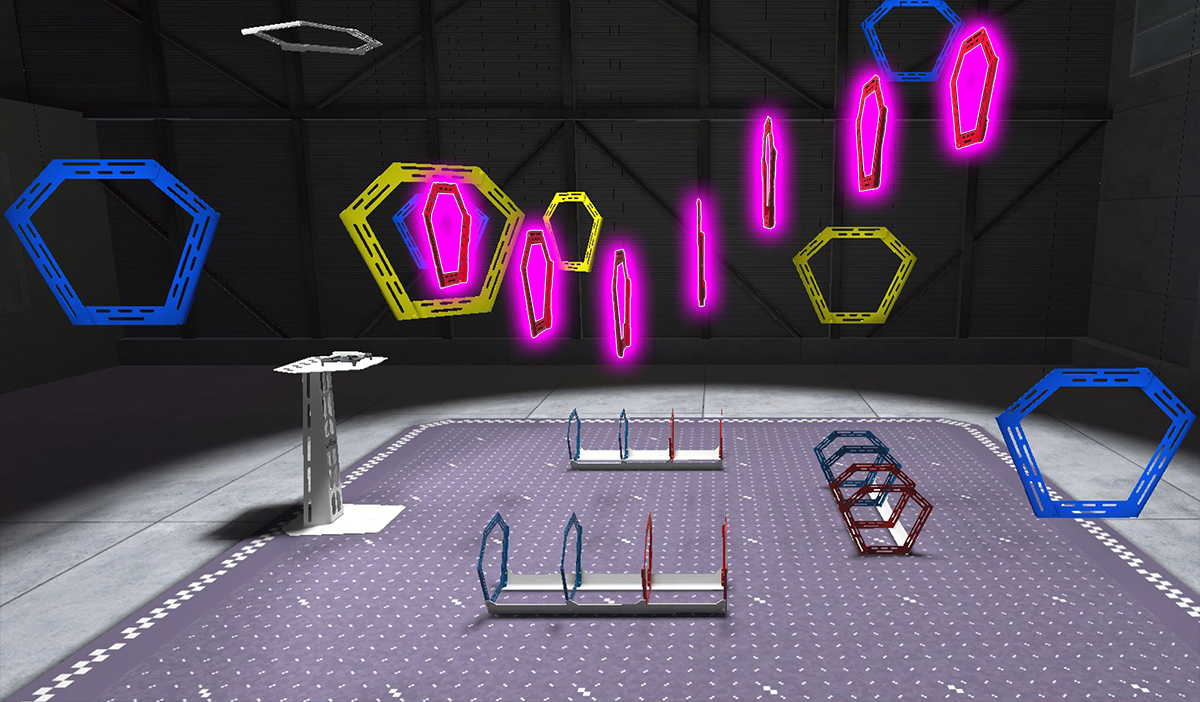
Now that you know how to use all of the basic controls on the VEX AIR Drone Controller and how they create simple movements of the VEX AIR Drone, you are ready to explore combining those controls into complex movements. In this unit you will learn about how multiple joystick inputs can be used at once in the VEX AIR Flight Simulator. You will practice using these complex controls with the controller to complete a series of missions and level up your piloting skills!
Vocabulary
The key terms below will help you as you expand your flight controls. The vocabulary list is here to provide reference for key terms you may not be familiar with.
- Multi-Axis Movement — When a drone moves by using two or more controls at the same time (like pitch, roll, yaw, and/or throttle) so it can fly in diagonal, curved, or more complex paths instead of only moving in one direction.
- Sequential Movement — When a drone completes movements one at a time in separate steps, such as yaw first, then pitch, instead of combining them
- Trajectory — The path the drone follows through the air as it moves from one point to another
- Flight Algorithm — The set of math and control rules defined by code that the drone uses to adjust how fast each propeller spins, to translate your joystick inputs into movement
The key terms below will help you as you expand your flight controls. The vocabulary list is here to provide reference for key terms you may not be familiar with.
- Multi-Axis Movement — When a drone moves by using two or more controls at the same time (like pitch, roll, yaw, and/or throttle) so it can fly in diagonal, curved, or more complex paths instead of only moving in one direction.
- Sequential Movement — When a drone completes movements one at a time in separate steps, such as yaw first, then pitch, instead of combining them
- Trajectory — The path the drone follows through the air as it moves from one point to another
- Flight Algorithm — The set of math and control rules defined by code that the drone uses to adjust how fast each propeller spins, to translate your joystick inputs into movement
These vocabulary terms are useful for connecting real-world drone applications to the simulator environment. Encourage students to use multi-axis movement and sequential movement when comparing their inputs and plans for completing the missions in the lesson.
Students may have questions about terms like flight algorithm. Explain that each drone type has a unique flight algorithm. For the VEX AIR Drone, this code is loaded onto the drone and controller through firmware updates that occur in VEXcode (which was discussed in Unit 1).
Select Next > to move to the next lesson.