
Arm UI Panel Project
The ‘Arm UI Panel’ example project is a type of User Interface or UI. A UI is a method to allow a user to interact with a computer system (or machine) to provide input or observe outputs.
The ‘Arm UI Panel’ example project will allow you to program four different colored boxes on the V5 Brain’s screen. The V5 Brain’s screen displays 48 columns with a range of 0 to 480 pixels along the x-axis, and displays 12 rows with a range of 0 to 240 pixels along the y-axis
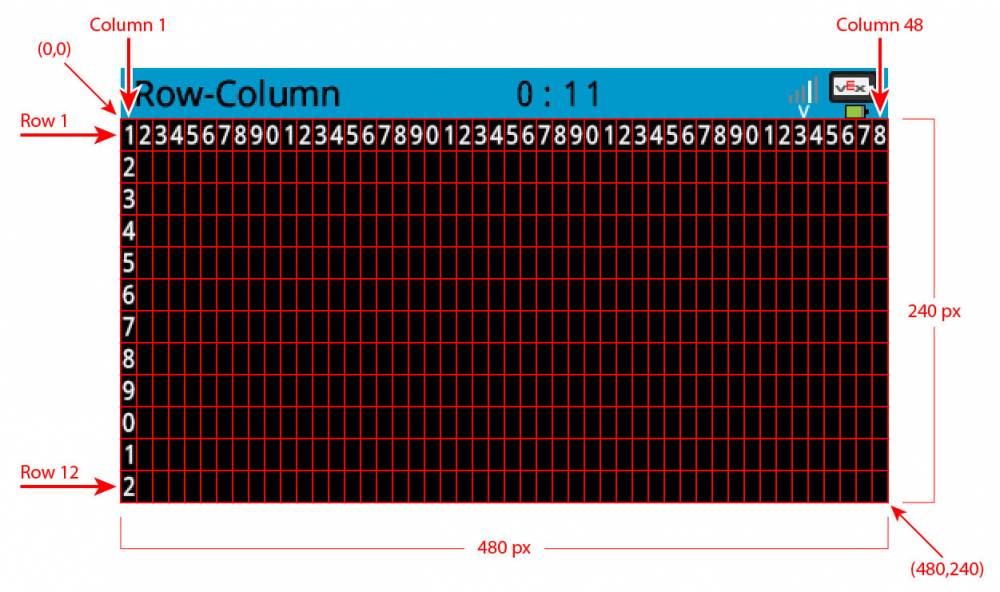
When you program the boxes on the V5 Brain's screen, you will create a way to interact with the arm mounted on the VEX V5 Workcell so that it can move to different known locations.
Notice the addition of the [Print] blocks in the project.

These blocks will print four different colored boxes on the V5 Brain’s screen. Each color (red, blue, and green) will be used to move a disk of that color. The white box will move the arm mounted on the V5 Workcell to the disk pick up location.

- Select the Robot Configuration button to open the Devices window.

- Notice that the Electromagnet has been added to the robot configuration. The ‘Magnet’ category of blocks now appears in the Tool Box.
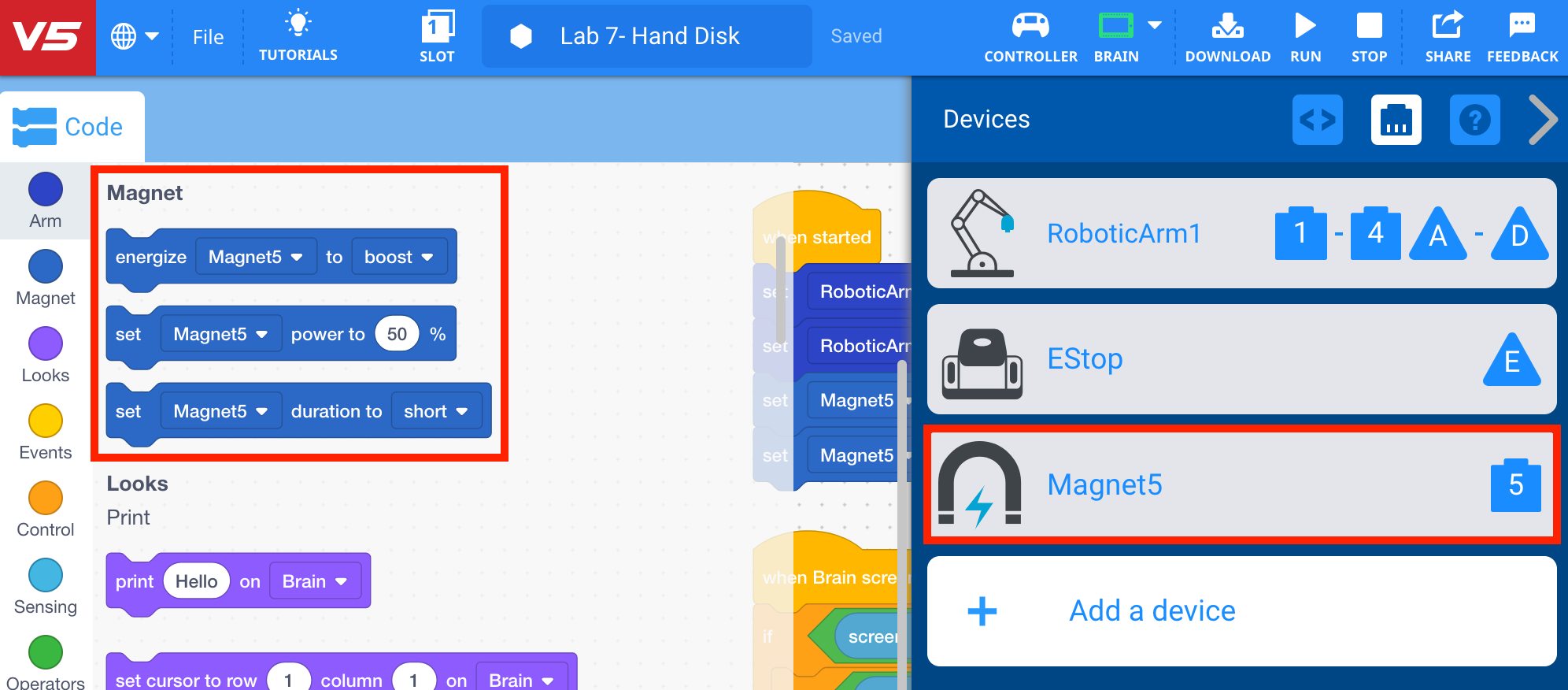
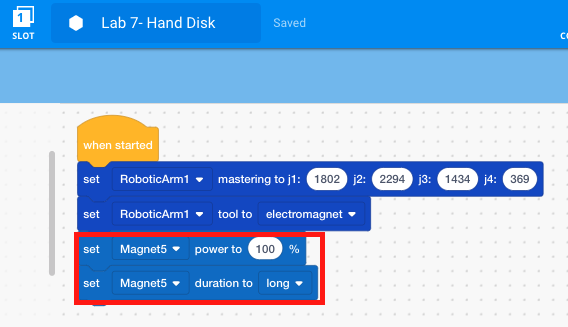
- Notice that the project includes the addition of the [Set Electromagnet power] and the [Set Electromagnet duration] blocks.
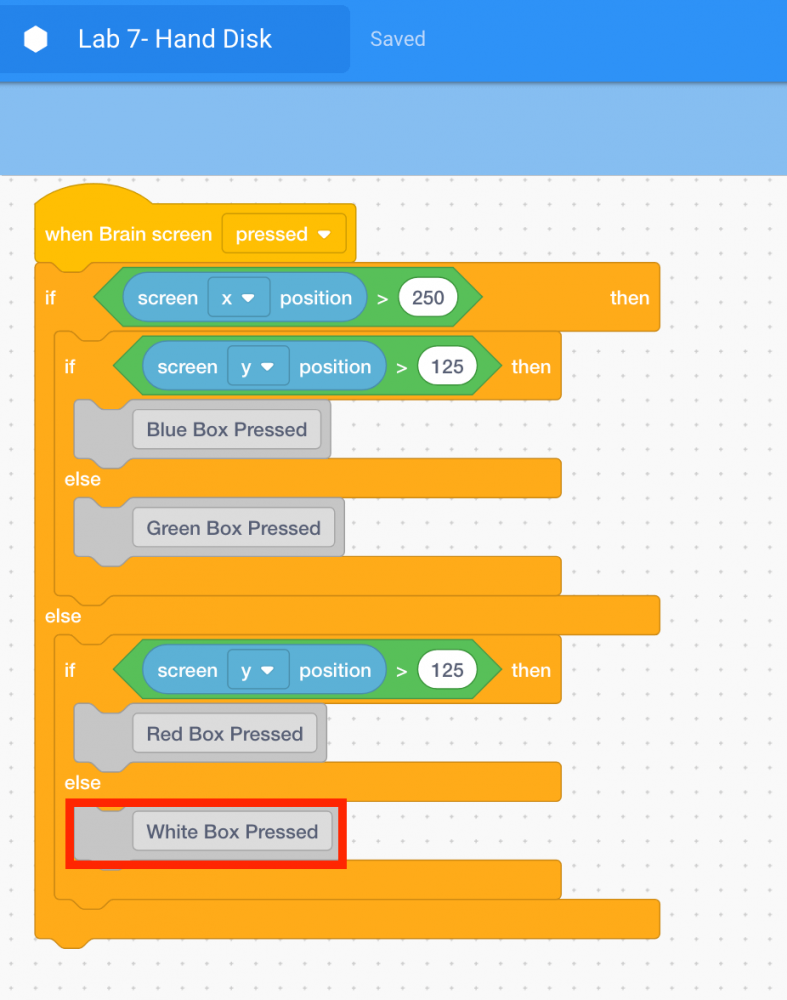
- Blocks from the ‘Events, Control, Operators, and Sensing’ category are shown. This combination of logic allows the arm mounted on the V5 Workcell to make decisions depending on which part of the screen is pressed.
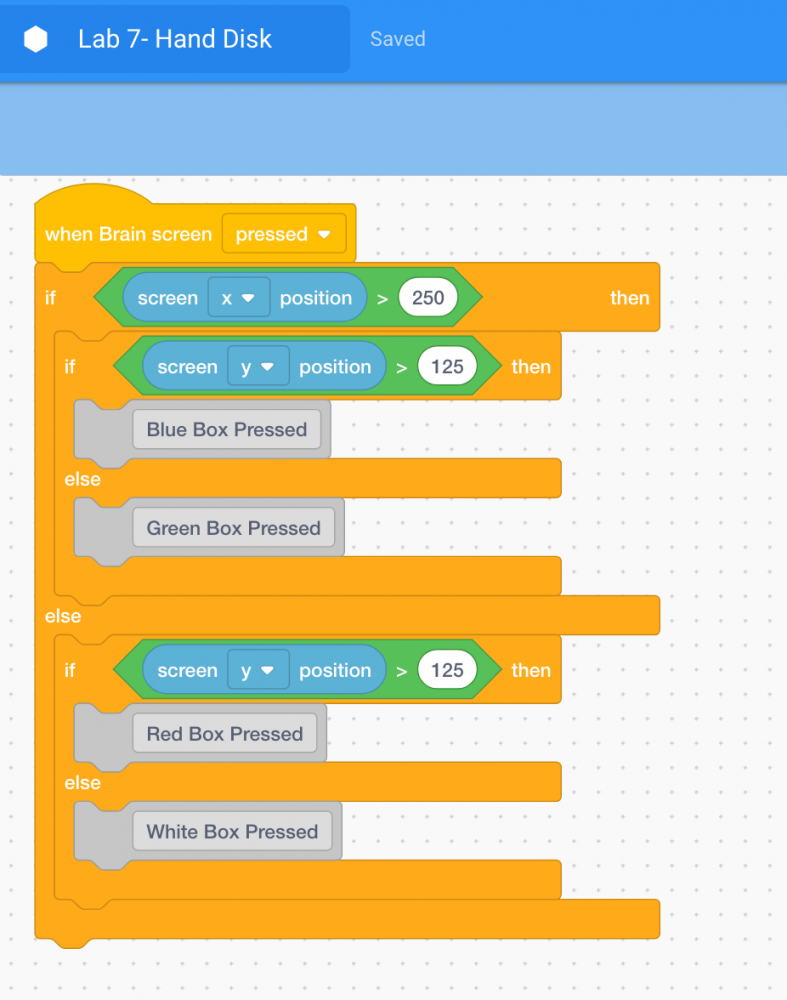
- Also notice the introduction of the [Comment] block. Comments are usually added to projects to explain what a programmer wants parts of a project to do. Comments are helpful when collaborating and troubleshooting, as they provide context and overall meaning to the code. Using comments allows the programmer to think conceptually about the overall goal and intention of the project, instead of trying to “guess and check.” Do you want to remember which blocks move the arm mounted on the V5 Workcell back to the disk pick up location? Add a comment saying “White Box Pressed.” This helps to communicate different sections and blocks of the project.
Note: for more information on comments, view the Comments article.