
Record Point Coordinates
- Download and run the project.

-
The (x, y, z) values will be displayed on the V5 Brain’s screen.
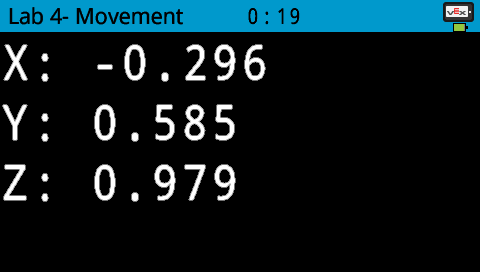
-
Manually move the arm mounted on the VEX V5 Workcell to Point 1 and record the (x, y, z) coordinates of the location in your Engineering Notebook
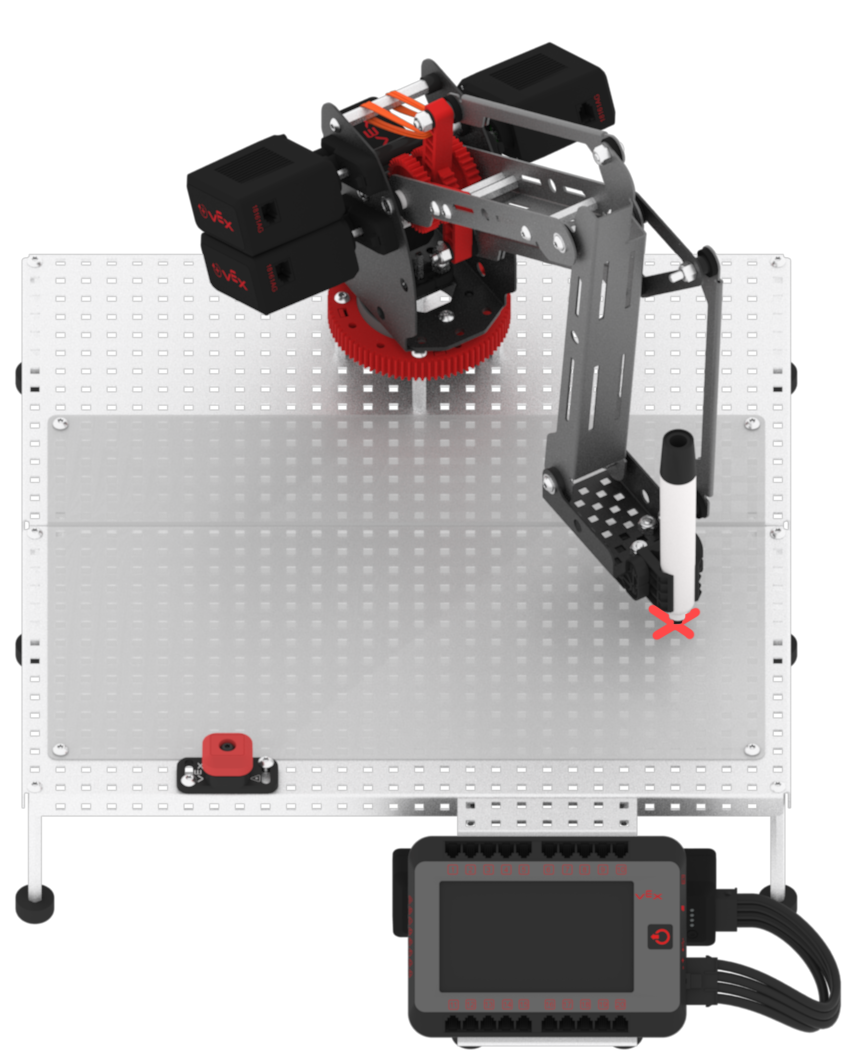
-
Repeat the same process for Point 2
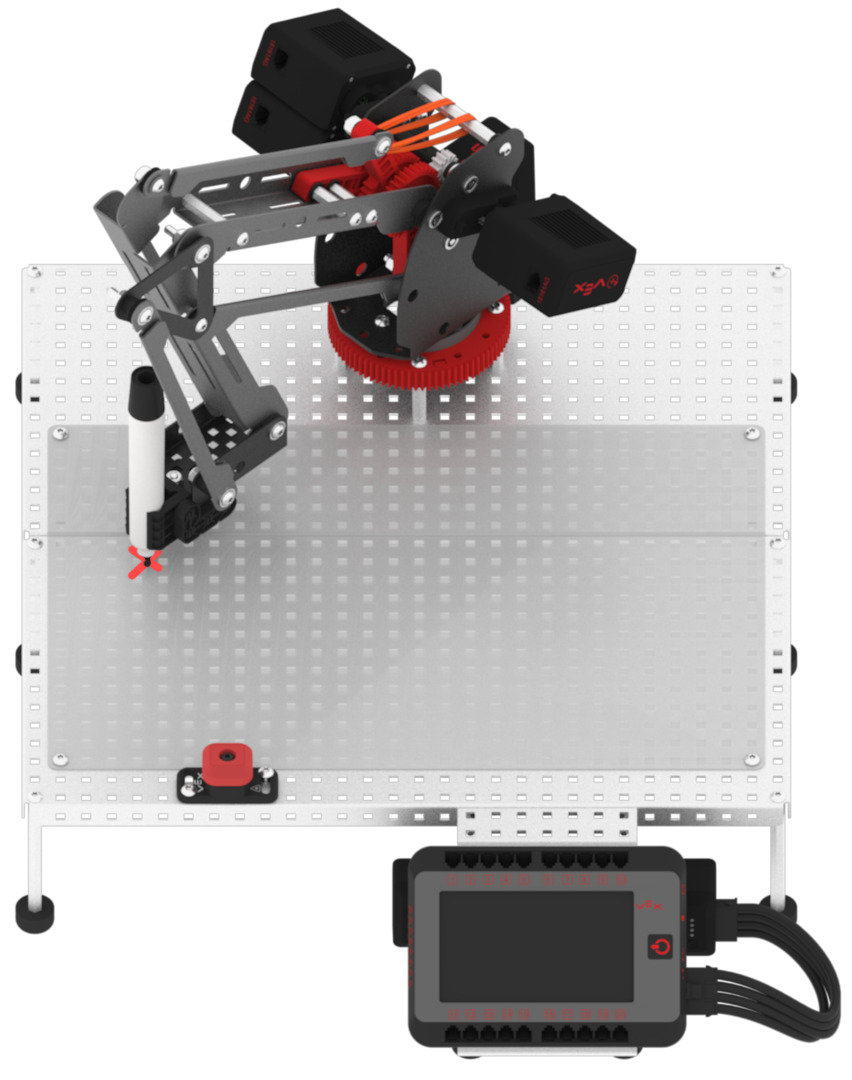
Note: the z-value for both coordinates should be very similar, if not the same
-
Stop the project

- Calculate and record the coordinates for Point 3 by using the Midpoint formula. The Midpoint formula is to calculate the point in the center of Point 1 and Point 2. The formula accounts for x and y-values, not z-values. Thus, the z-value for Point 3 should be the same as the z-values for Point 1 and/or Point 2.

For example, if my Point 1 coordinates were (0.8, -4.8, 1.8), then I would add ‘1.2’ to the z-value, and the location above Point 1 would have the coordinates (0.8, -4.8, 3).
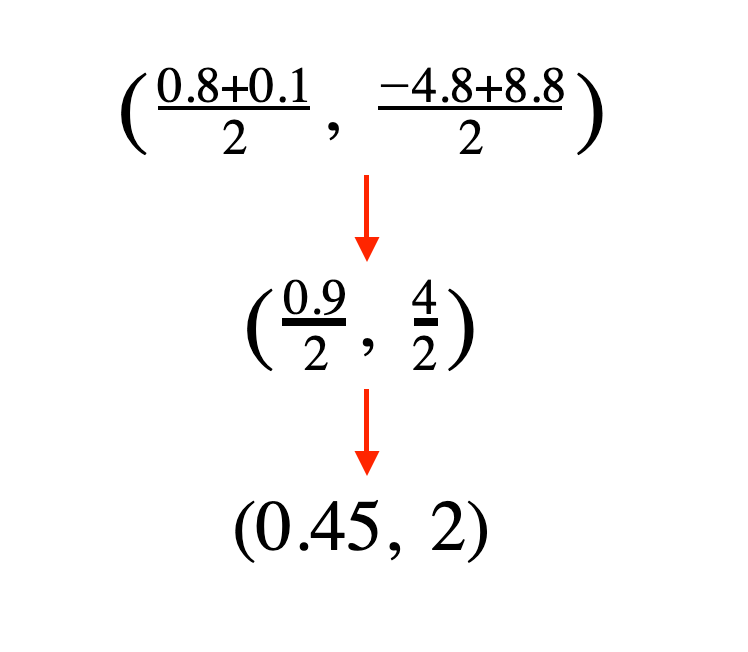
- Calculate and record the coordinates of the location above Point 1. The z-value is the only value that will be different from Point 1, and the location above Point 1. This is done by adding a value between 1 and 2 to the z-value of the coordinate. For example, if my Point 1 coordinates were (0.8, -4.8, 1.8), then I would add ‘1.2’ to the z-value, and the location above Point 1 would have the coordinates (0.8, -4.8, 3).
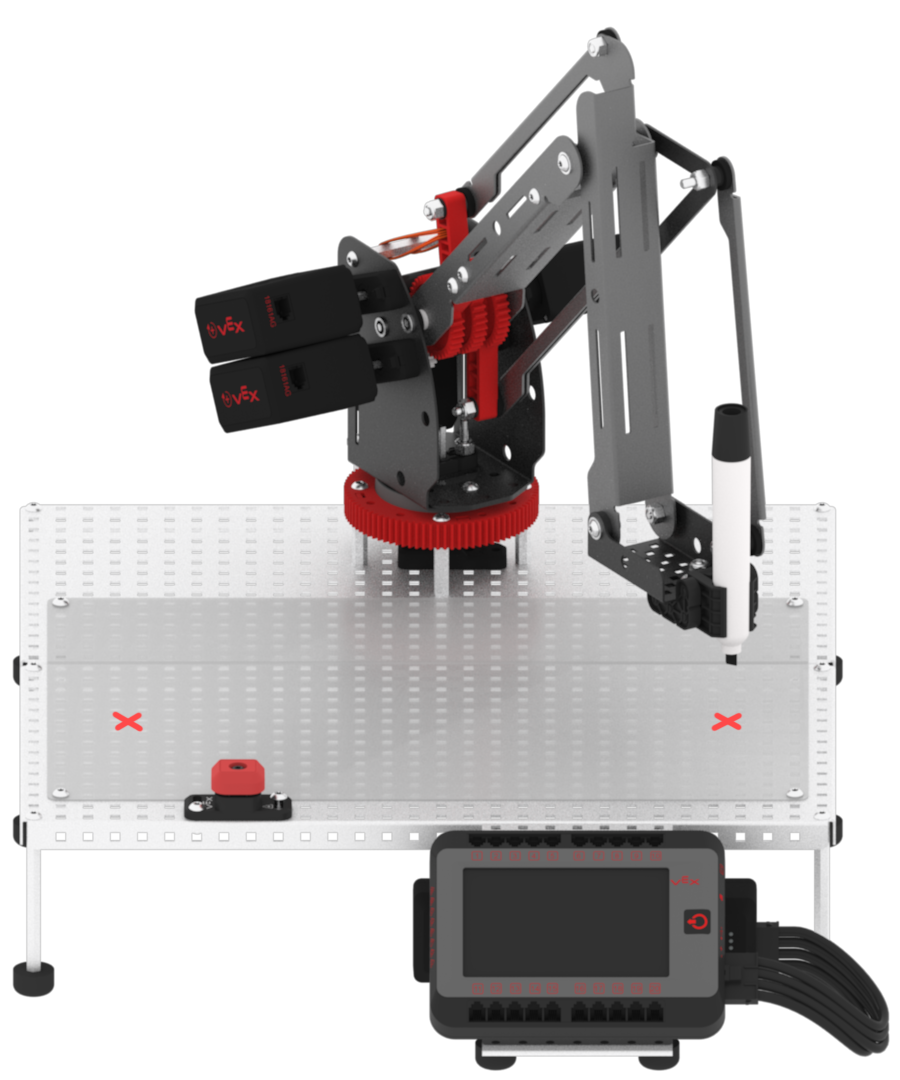
- Repeat step 15 to calculate and record the locations above Point 2 and Point 3. Make sure all of these coordinates are clearly recorded in your Engineering Notebook.