
Did you know…
Did you know that you can add personality to your VEX AIM Coding Robot? You've seen emojis on the screen when you were driving the robot. Did you know you can code the robot to show a range of emotion too? You probably noticed LEDs glowing in different colors and combinations when you were driving. Did you know you can code the LEDs to glow in different colors during a project? Not only are emojis and LEDs fun ways to add personality to your projects, they're also helpful tools for visualizing code.
Let's explore an example project in VEXcode AIM to learn more…
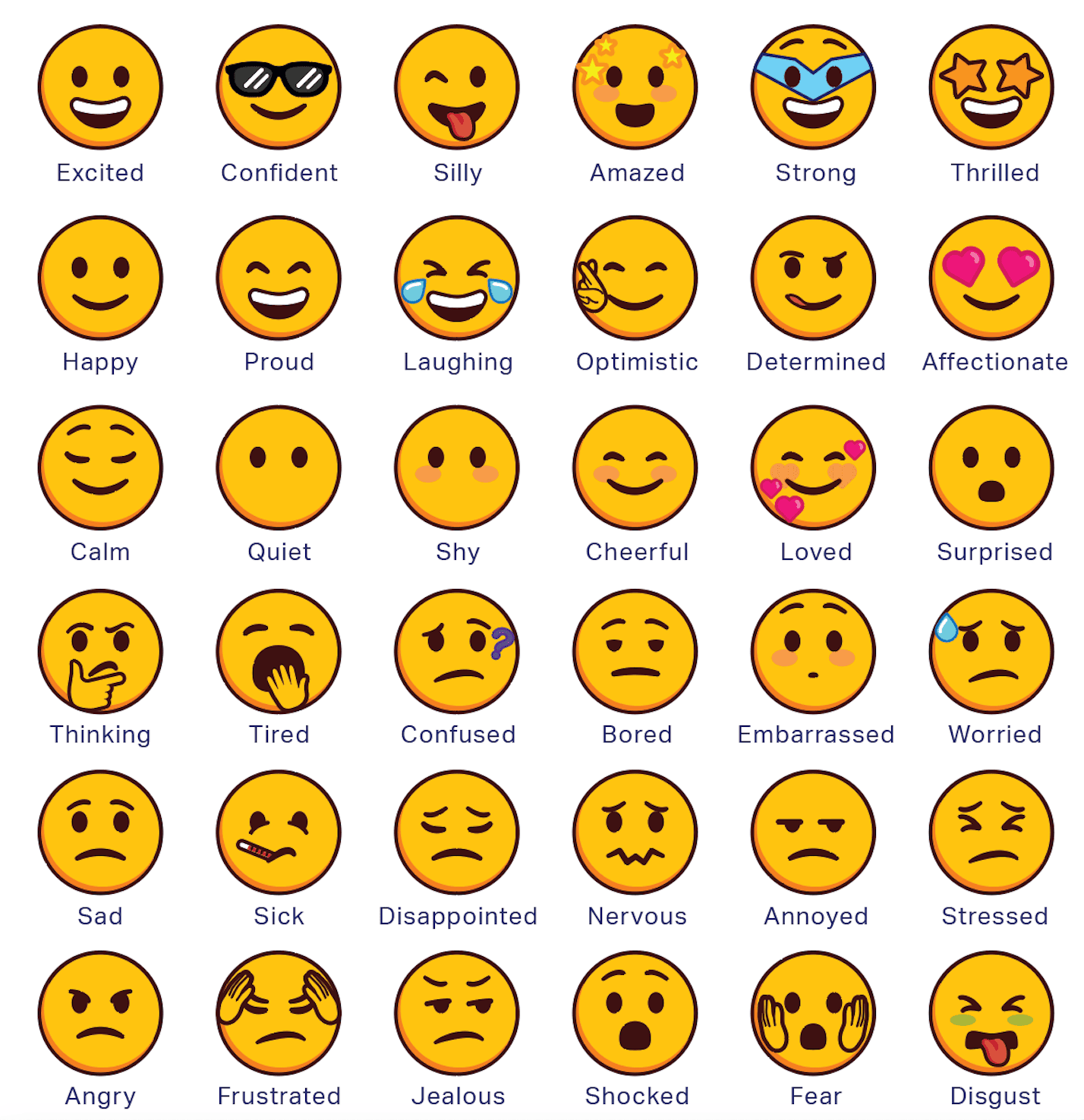
You can choose from 36 different emojis across of range of emotions to make your robot show personality, express a feeling, or celebrate a success!
You can control both the emoji displayed, and the direction it is looking with the Show emoji block.
You can use the six LEDs around the robot to show different colors. An LED (short for Light-Emitting Diode) is a small bulb in your robot that glows when electricity passes through it. They are great for communicating what you robot is doing or feeling.
You can control the color shown and LED that is lit using the Set LED block. Glow all six LEDs the same color at the same time, or create color combinations and patterns.

Example in action
- From the File menu in VEXcode AIM, select example projects. Then open the Colorful Square example project.
- Read the code – what do you think it will make the robot do when it is run?
- Record your prediction in your journal.
- Run the example project and observe the robot's behavior. How accurate was your prediction?
Taking it further…
Add personality, flair, and function to your code! Watch the video below to learn more about coding with LEDs and emojis to help you visualize your robot's progress through a project.
Modify and make it your own!
Modify the Colorful Square example project to:
- Make the robot drive in a square twice, and
- Show the difference between the first and second lap around the square.
Use any combination of LEDs and emojis to make your project unique to you!
Share and Discuss
Share your project with the class!
- As you demonstrate your project, explain what emojis and LEDs you used and why.
Discuss your learning together.
- How do you think emojis and LEDs could be useful in the unit challenge or future projects?
Select Next > to move on to the unit challenge.