Background
In the City Technology Rebuild STEM Lab Unit, students will learn about the different elements of the Field and compete in the City Technology Rebuild Competition. As they go through the process of learning the different scoring elements in the competition, students can explore different ways that communities and relief organizations come together to support rebuilding after storms or other disasters occur in the world.
City Technology Rebuild PDF Storybook
Introduce the City Technology Rebuild Competition to your students using the City Technology Rebuild PDF Storybook! This book gives a diary account of Col. Jo's time as part of the team of emergency relief workers with Hero the Robot, to contextualize competition tasks for students through Col. Jo's experiences in a fun and engaging story. Follow Col. Jo through various tasks throughout the City Technology Rebuild Field. Read the story to students, print a copy for your classroom library, and return to the story throughout your competition cycle. You may want to have students create their own Rebuild Logs to track their progress through the competition tasks alongside Col. Jo! 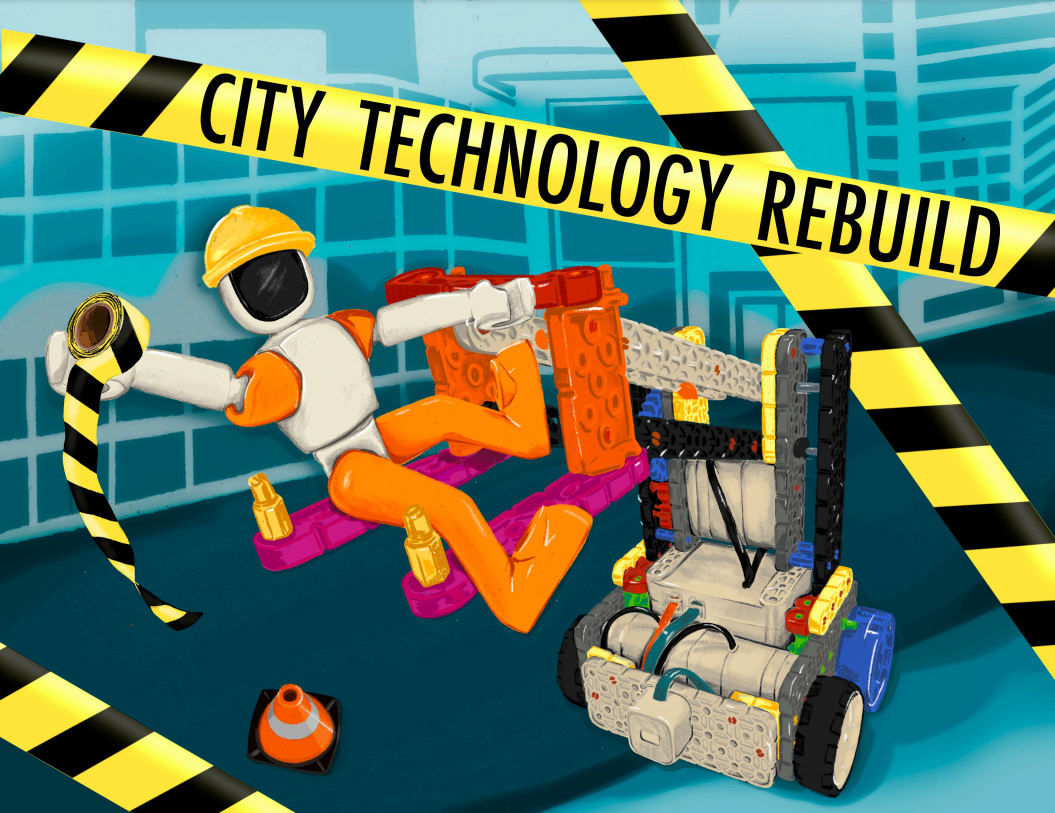
Emergency Relief and Response
When disasters occur, relief organizations around the world partner with communities to come together in support of rescue and rebuilding efforts. Whether a hurricane, global pandemic, wildfire, or other emergency, relief organizations work to bring necessary supplies, offer shelter to those in need, and help communities to heal and rebuild over time. The tasks that the Hero Robot will do in the City Technology Rebuild Competition are inspired by many of the real world responses and disaster relief efforts that take place around the globe, like distributing medicines, repairing downed power lines, and repairing emergency shelters.

Relating City Technology Rebuild Competition Tasks to Emergency Relief Efforts
As students work on various tasks, they may be interested to hear about how the actions of their Hero Robot relate to real world disaster relief actions. Below is a table comparing scoring elements of the competition to types of emergency and disaster relief responses.
| City Technology Rebuild Competition Task | Emergency Relief Efforts |
|---|---|
|
Remove medicine from the Dock
|
Organizations mobilize to deliver medicines and medical supplies to help aid communities. |
|
Deliver medicine to the Hospital
|
Organizations mobilize community helpers and emergency vehicles to deliver medicines and medical supplies to hospitals and emergency medical locations. |
|
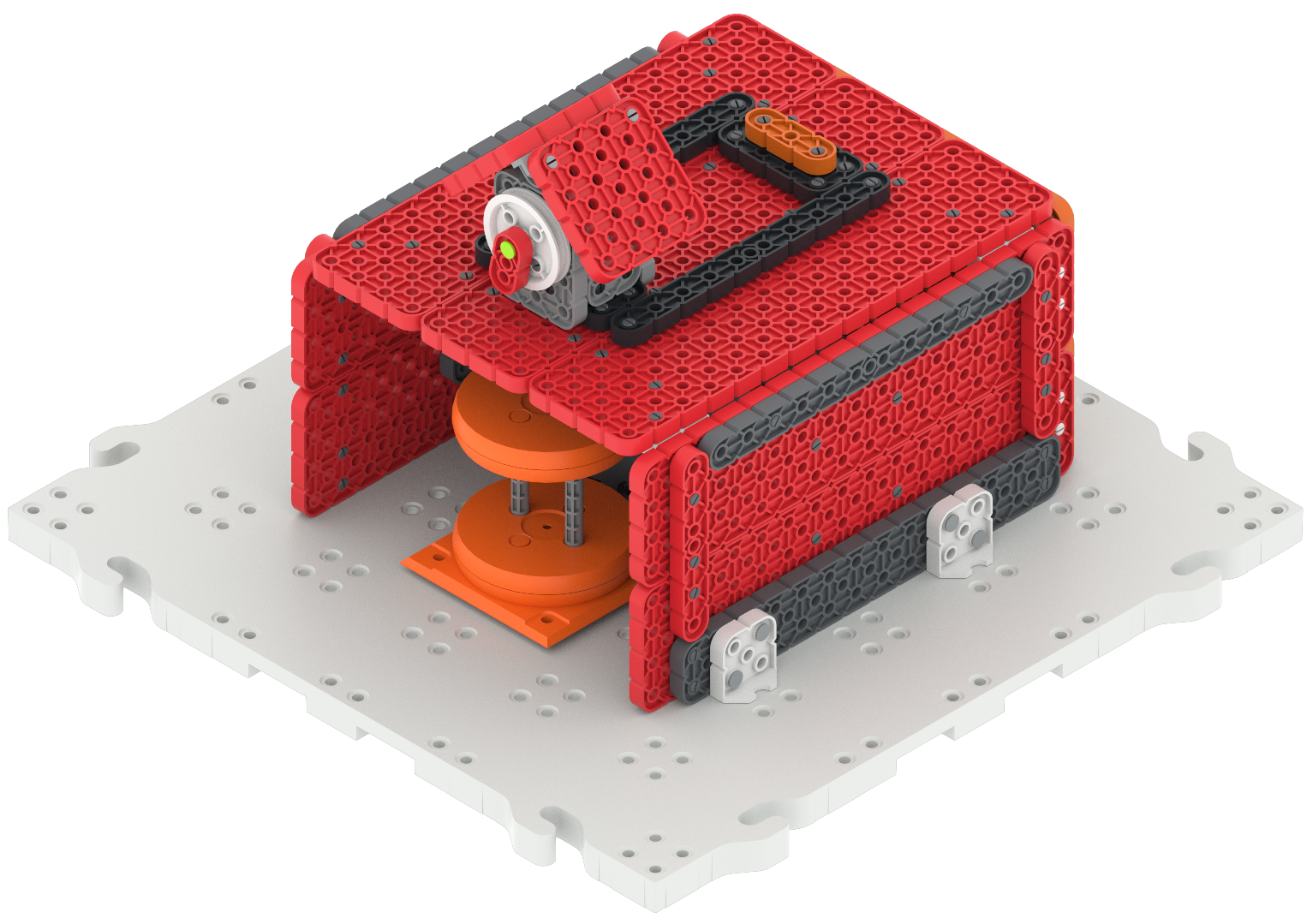
Raise the roof on the Emergency Shelter
|
Buildings are repaired and rebuilt, and emergency shelter locations are constructed to help shelter people in need, who may have lost their homes. |
|
Remove supplies from the Fire Station and deliver them to the Shelter
|
Local fire and police stations often serve as a site for community relief supplies. Members of the community and relief organizations can use these locations as hubs for donations and support, so supplies can be distributed to those in need. |
|
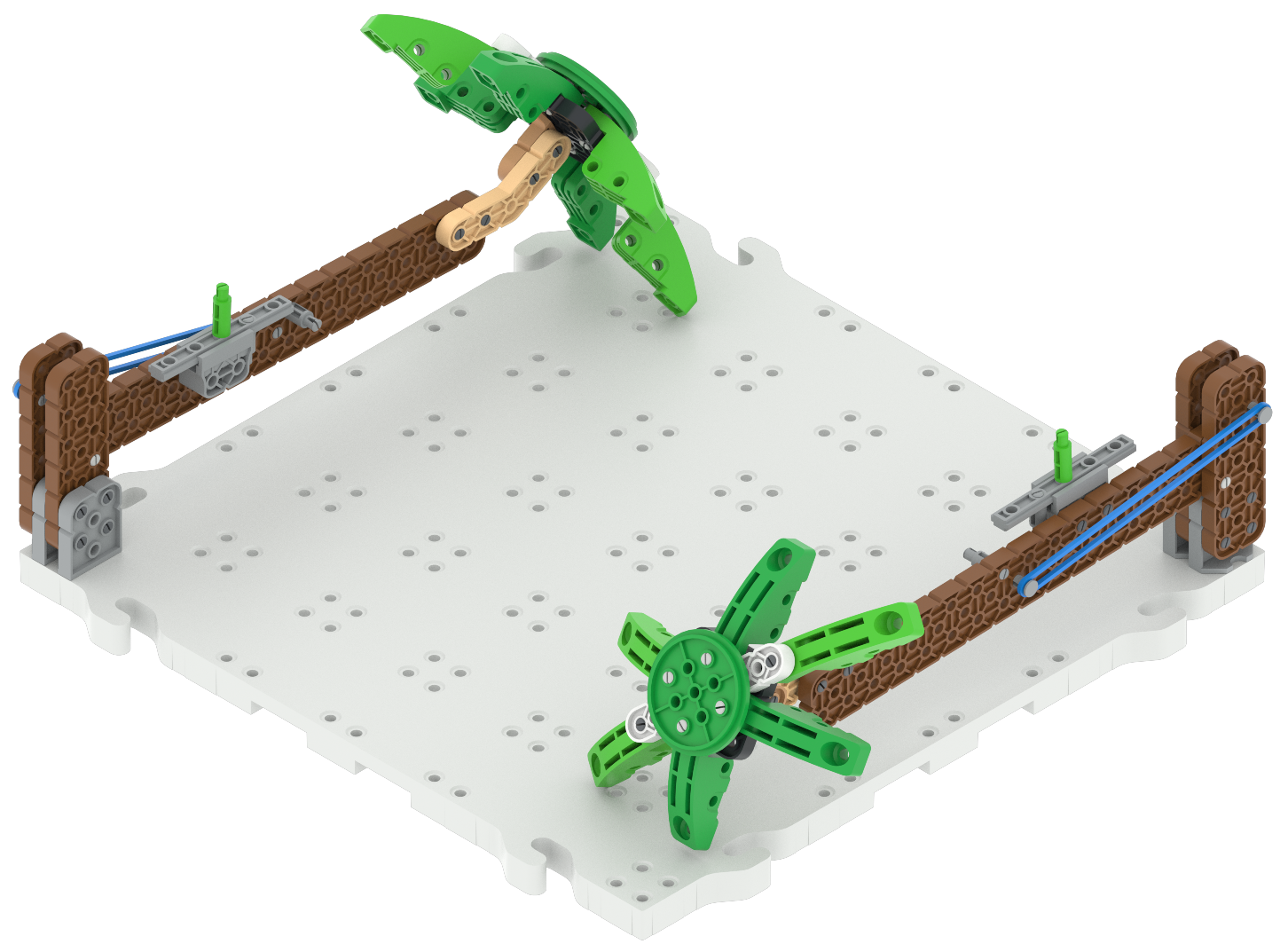
Lift a fallen tree
|
During hurricanes and other major storms, trees can become uprooted and fall onto roadways. Relief workers aid community members in clearing fallen trees and debris to make roadways safe for travel. |
|
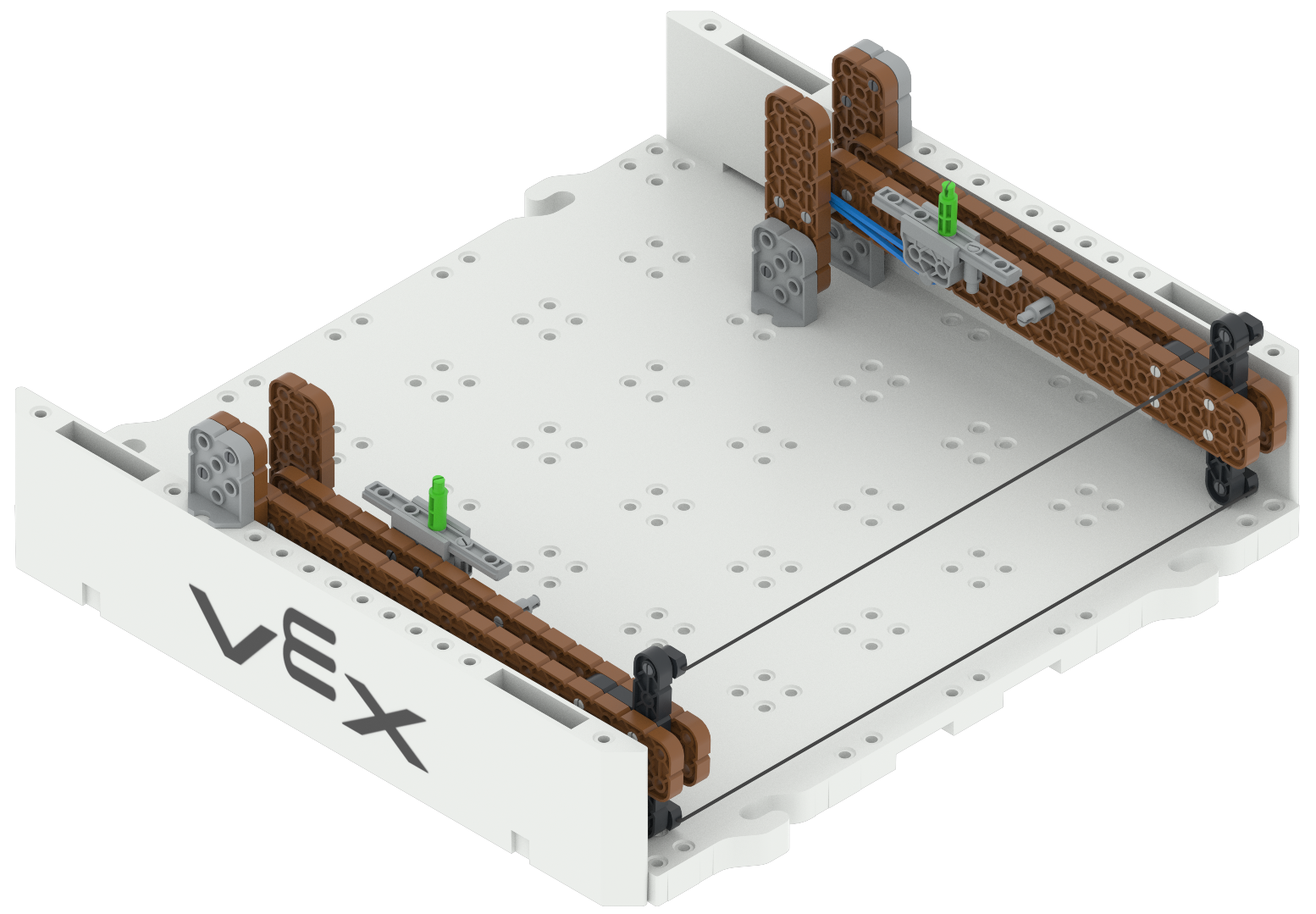
Lift the fallen power lines
|
Power lines can be knocked or blown over in strong storms, resulting in power outages across large areas. Relief and power company workers work together to restore power to communities by repairing and raising downed power lines. |
|
Clear rocks from the road
|
When landslides occur, large boulders, rocks, and debris need to be cleared to make roadways and areas safe again. |


VEX GO Competitions
Classroom competitions bring the excitement of robotics competitions to your learning environment, enabling teachers to leverage the creativity and motivation of the competition setting in their classrooms. Organizing your classroom competition will help ensure its success, and make sure that you and your students are on the same page during class.
Preparing for VEX GO Competitions
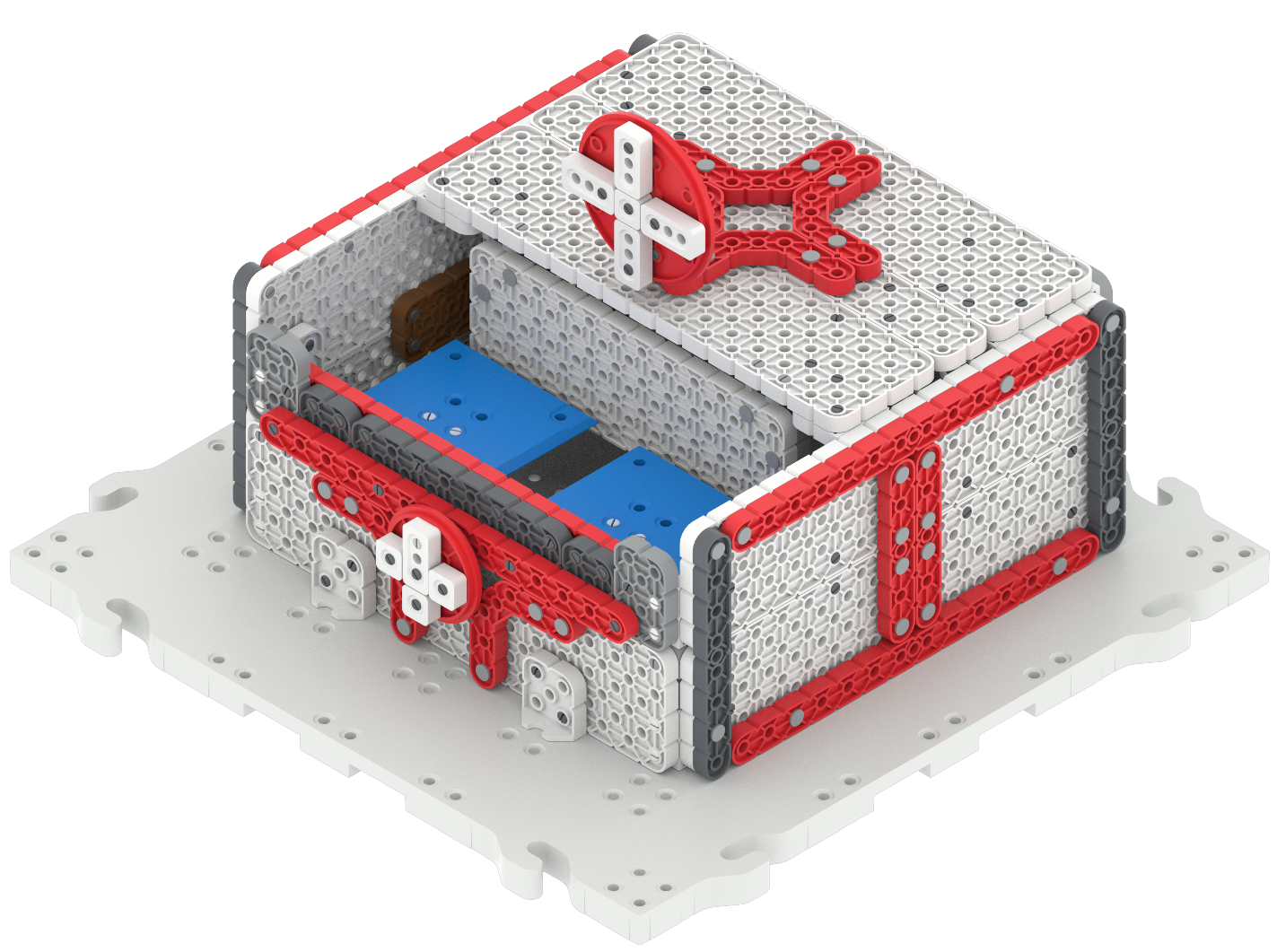
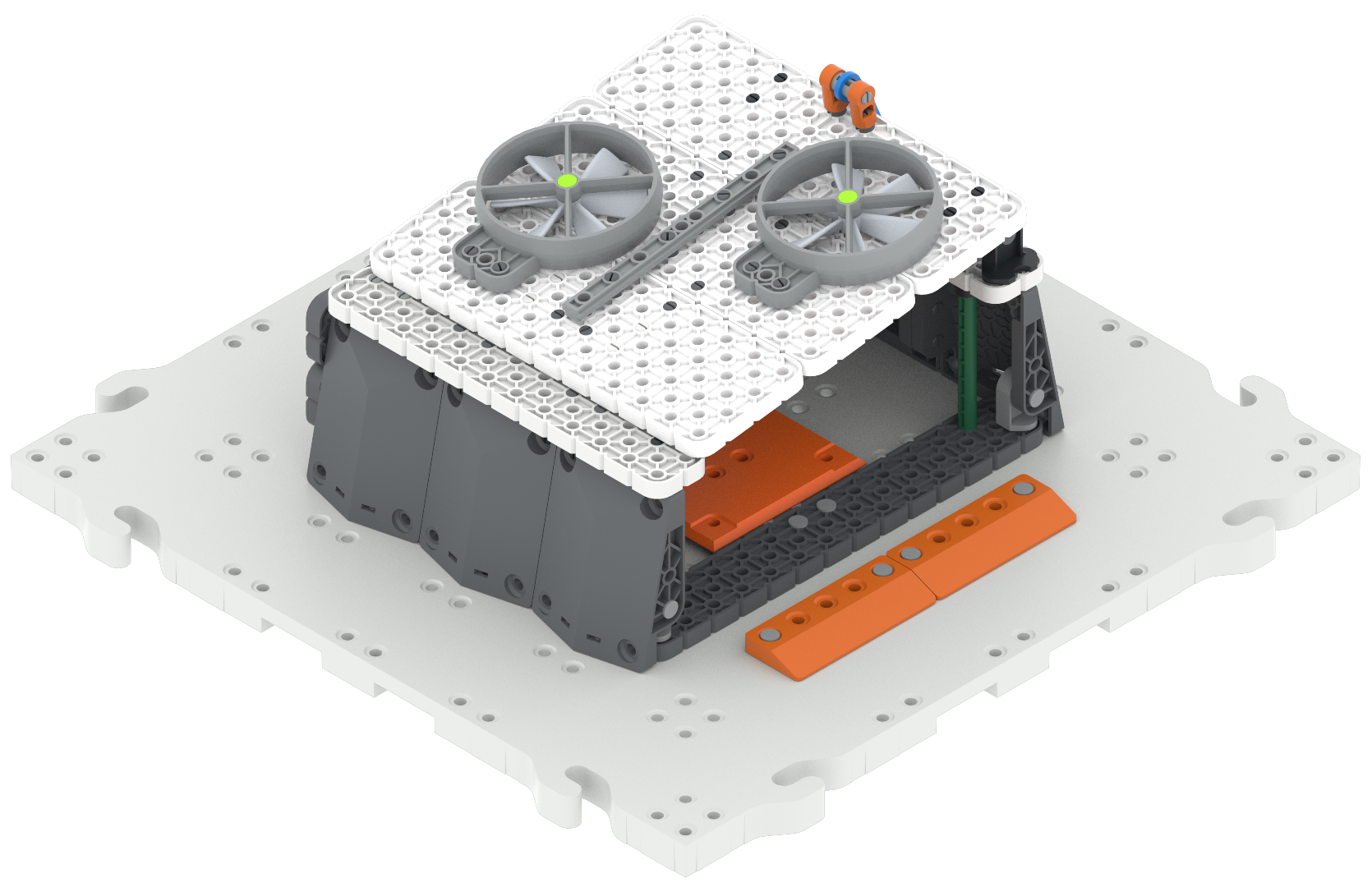
As you go through the Unit, you will see that the VEX GO Competition Field can be built in stages. This helps students focus on individual tasks on the Field so they can practice their skills. After building and practicing on all four stages, students will have had experience with every scoring method on the final competition field. Before beginning, you should decide if you want to build the stages on your own, or if you want to have students help build the Field. Building the field will give students an introduction to working with build instructions, experience building in a team, and experience working with VEX GO parts.
If you choose to have students build the Field, please allow for more time (estimated to be an additional hour per stage). The Facilitation Strategies in each Lab (on the Engage page) list recommended options for how to divide the build instructions by teams.
Running a VEX GO Competition
Create a match order
Matches can move more smoothly if you and your students know when they are expected to be ready to compete. Most matches are 1 minute long, but you will need to allow time for setup and clean up, so that students can navigate the classroom space easily. So setting up a schedule that allows for roughly 5 minutes per match, should account for student movement, setup and cleanup.
Post the schedule with the teams, or print it and give it out to students so that they can clearly see when they are expected to be ready. A sample match order is linked in the Summary of the Labs. An example match order is shown below.
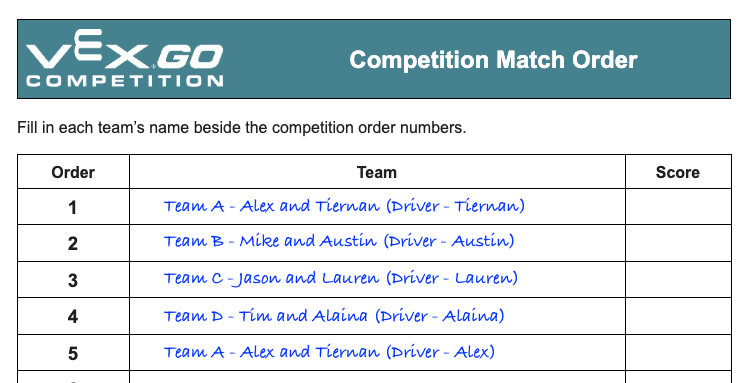
You will want to have multiple rounds of the competition so that students can iterate on their strategy and build between matches, so establishing a time table will help you plan your class time to allow for a successful competition lesson. Having a predetermined schedule will also enable you to announce the matches throughout class, so that your focus can remain on scoring and timing at the competition Field.
Present a Leaderboard
Post or project the match schedule on the whiteboard in your classroom, and give space for students to write in point totals and to identify the winner of each match. This visible record of matches can provide motivation for students as they continue to iterate, as well as give them an idea of other teams to scout as they develop game strategies.
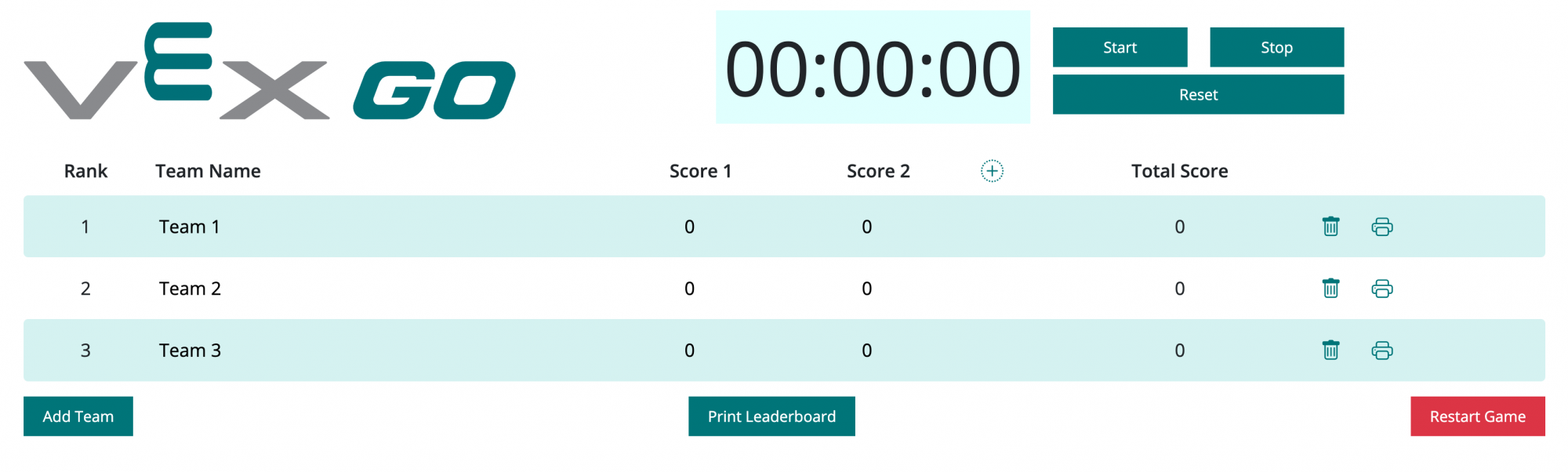
You can also use the VEX GO Leaderboard in your classroom. For more information about the VEX GO Leaderboard and how to use it, view this article.
Set up a space for the competition
There are three main areas that you should designate within your space for your classroom competition:
- A Competition Field - Have one central competition Field where all matches will take place. This should be easily accessible to all students, and have enough space for students who are not in the match to observe, so that they can scout other teams. This will be the teacher’s main responsibility as your matches are taking place, as you will be responsible for scoring and keeping time, so putting in a centrally located space where you can still supervise your students is optimal.
- A Practice Area - Have an additional Field, or taped off space, that students can use to practice for their competition matches. If space allows, you may want to have more than one practice area, so that multiple teams can practice simultaneously.
- Team Meeting and Preparation Spaces - Have several tables or meeting spaces available for alliances to use as their ‘home base’, or ‘pit’, throughout the competition. This will give space for documenting in their Engineering Notebook, meeting to develop game strategy, or building and iterating on their robots.
An example layout of a classroom space could include a centrally located competition Field, with desks pushed along one side of the classroom as Team Meeting spaces, and a practice space designated on the other side of the room. You will need to determine what works best for your setting, based on your space constraints and the needs of your students. The example layout below has an area for competition, practicing, team meeting spaces, and a place to post the leaderboard.
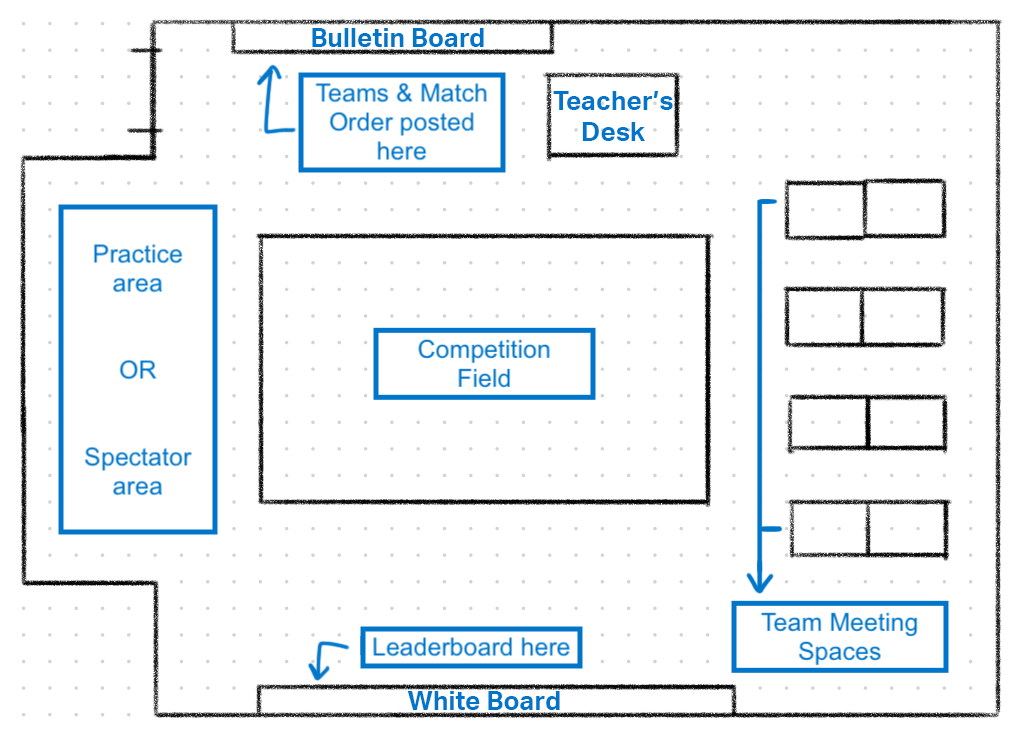
You may want your students to all sit around the Field during matches and observe the matches, or you could follow a flow like the following:
- The teacher would be based between the Competition Field and the Leaderboard.
- At the end of a match, the teacher announces the winner, and writes the scores on the Leaderboard, while the two groups that competed clear and reset the Competition Field for the next match.
- The teacher announces the next groups to compete, giving them a “2 minute warning” to the start of their match.
- Once the Field is cleared, the students who finished competing return their robot to the Meeting Space to strategize for the next round, and the students coming up to play can gather at the Competition Field from the Practice Space and/or Meeting Space.
Facilitating a VEX GO Competition
There are a number of facilitation strategies that you can use to help ensure your competitions are successful, and that you and your students are making the most of this learning experience.
Creating balanced teams
Some competitions will take place in teams, where students will work together for competition. The teacher should assign the teams prior to the competition class. When assigning team partnerships, consider the strengths and weaknesses of your students, to be sure that teams are balanced across the classroom. Pairing more experienced groups with less experienced groups gives students a chance to learn from and with one another in an authentic way.
When students enter the classroom, they should start in their team grouping, and participate in the entire competition, from game strategy and robot preparation to practice to the match itself, in their team. To help facilitate this, make sure that students have easy access to their team assignments by posting the listing somewhere visible in the classroom, or printing it and distributing it to students.
Tips and tricks for facilitating a competition
There are many ways that you can set up and organize your classroom competitions, and you will find what works best for you and your students over time. The following are some considerations that can support you and your students to have a successful classroom competition.
- To help students stay focused and engaged during the Competition, you may want to have them assign roles within their teams based on the Roles and Routines in the Lab Image Slideshow.
- Allow ample time for practice and development of game strategy. Especially for students who are new to the competition setting, working in a team and thinking deeply about game strategy will take time and practice. To ensure that your students get the most out of the classroom competition experience, allow extra time for Play Part 1 of each Lab where students will practice their skills. You may want to introduce the idea of game strategy as a whole class discussion, so that students can have the same entry point to work from before they break into their teams.
- Provide students with strategies for making decisions in a team. These can be posted on a bulletin board or shared with groups as they come across disagreements around strategy. Agreeing upon a 'tie-breaker' before beginning group work can help students to keep moving forward during a competition.
Play Part 2 of each Lab also includes facilitation prompts for what to ask students before, during, and after a competition match. Use these to help keep students engaged throughout the competition.
The Engineering Design Process
Students will use the Engineering Design Process (EDP) to create their game strategy as well as make any modifications to the robot. The EDP is a series of steps that engineers follow to come up with solutions to problems. Often, the solution involves designing a product that meets certain criteria or accomplishes a certain task.
Next Generation Science Standards breaks down the EDP into the following steps: DEFINE → DEVELOP SOLUTIONS → OPTIMIZE. This is a cyclical process. Students can continue to work through this cycle again and again as they try to earn their high score.
- Defining problems involves stating the problem to be solved as clearly as possible in terms of criteria for success, and constraints or limits. For a competition, that involved defining the following elements:
- Scoring
- Game rules
- Robot design
- Game strategy
- Designing solutions begins with generating a number of different possible solutions, then evaluating potential solutions to see which ones best meet the criteria and constraints of the problem. There can be steps within this design option to gather data that can be used as part of the decision making process.
- Test
- Compete
- Evaluate
- Observe
- Optimizing the design solution involves a process in which solutions are systematically tested and refined and the final design is improved by trading less important features for those that are more important.
- Check the rules
- Game strategy
- Robot design
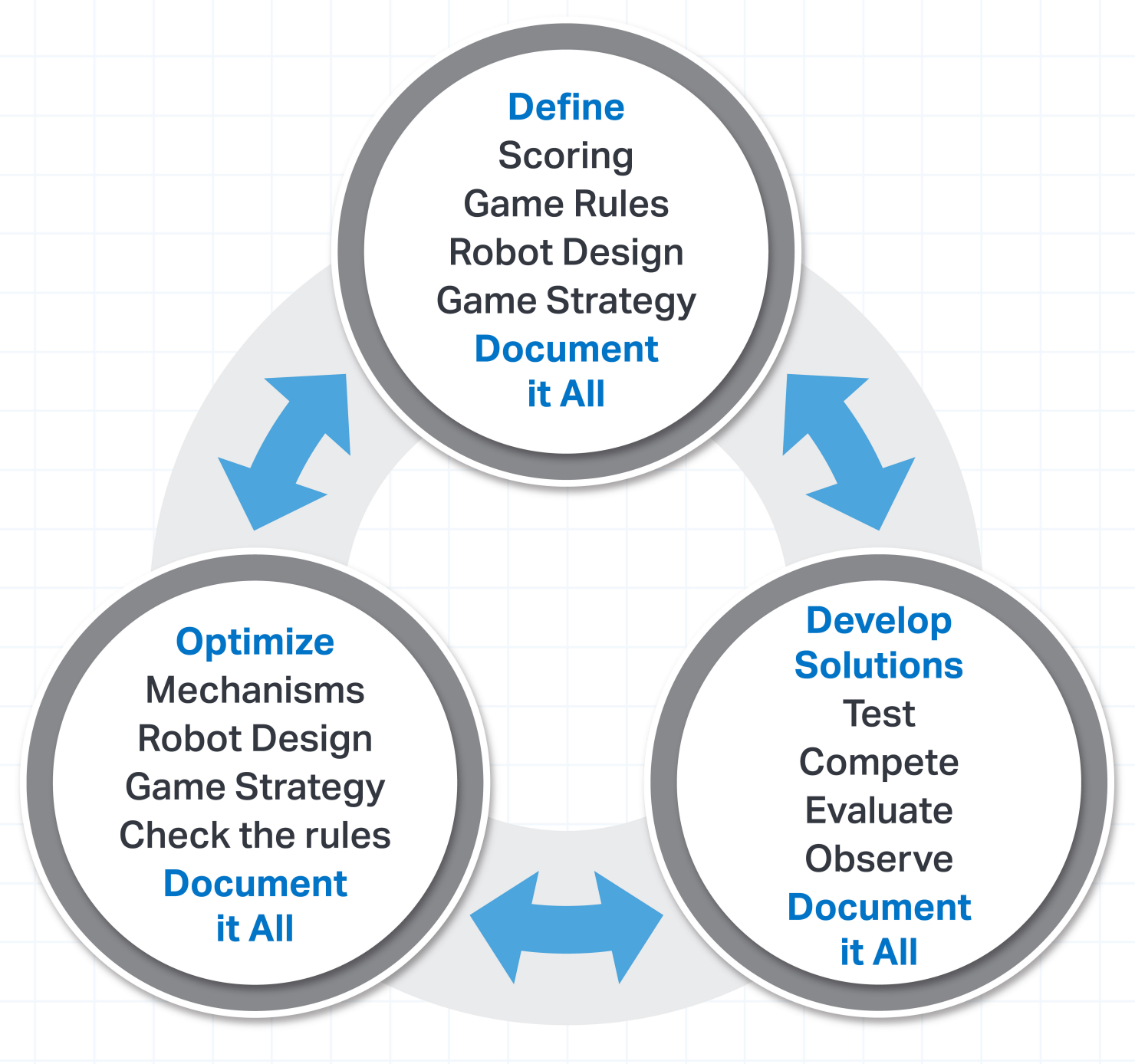
The EDP is cyclic or iterative in nature. It is a process of making, testing and analyzing, and refining a product or process. Based on the results of testing, new iterations are created, and continue to be modified until the team is satisfied with the results. The EDP is heavily reliant on good communication between team members. See the following section for information about how to help encourage students to make collaborative decisions during this Unit.
Collaborative Decision Making
As students work through the engineering design process, they will need to communicate with their team members. Good communication and collaborative decision making is a great way to ensure that students are having productive conversations about strategy and building their skills as good communicators. As students make decisions, encourage them to start by sharing data together, use the data to suggest strategy ideas, listen to one another, and come to an agreement about the strategy they want to try during their next cycle through the EDP.
What does good collaborative decision making look like?
- Active listening: Everyone in the team should have a chance to speak. Team members should ask questions about the other ideas and take turns.
- If students are not sure they understand their teammate's ideas, have them repeat back what they think the idea is. Then the teammate can clarify any parts needed.
- Decisions based on data: Students should use the information they gathered during their testing and practicing to make a decision. How long did that strategy take? How many points did it score? Did you score more points the other way? Encourage students to record this information on Data Collection Sheets or Blueprint Worksheets so they have numbers to reference during the team conversations.
- Disagreeing productively and respectfully: There will be moments that team members cannot come to a clear consensus. It is important that while disagreeing, they are doing so in a way that is respectful of one another. Here are some examples of how to disagree in a productive manner:
- Use a calm and kind tone of voice
- Ask questions calmly
- Continue to share strategy ideas: Teams will likely come to a shared strategy that is a combination of the strongest parts of all ideas. Encourage students to keep taking turns and listening to one another until they can find a compromise.
Not all students and teams will be able to come to a clear agreement. If you need to settle any disputes, have a method that is clearly defined for students ahead of time. For example, tell the students to try both strategies starting with the person who has the 'Builder' role from the Roles and Routines Checklist. Then both students will understand that they will each get to try their strategy and see how they perform in the tests. Then they can use the data from those tests to make a decision.
Drive Tab in VEXcode GO
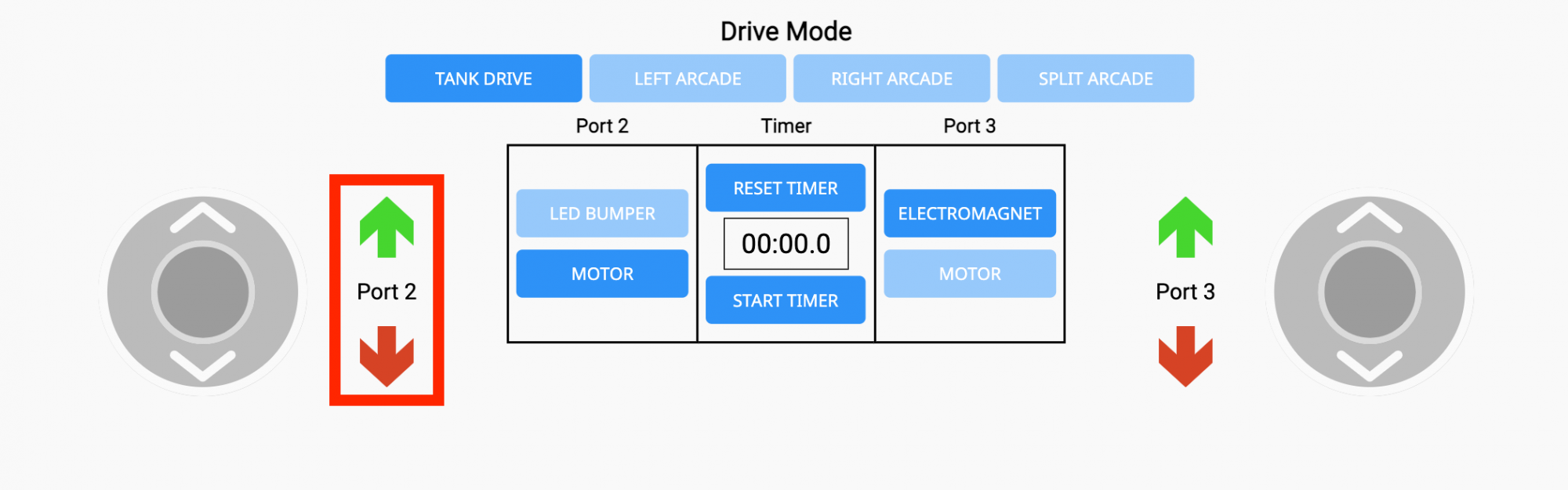
The Drive Tab in VEXcode GO is used to drive the Competition Advanced 2.0 Hero Robot using joystick controls. See this page for more information on accessing VEXcode GO on your device.
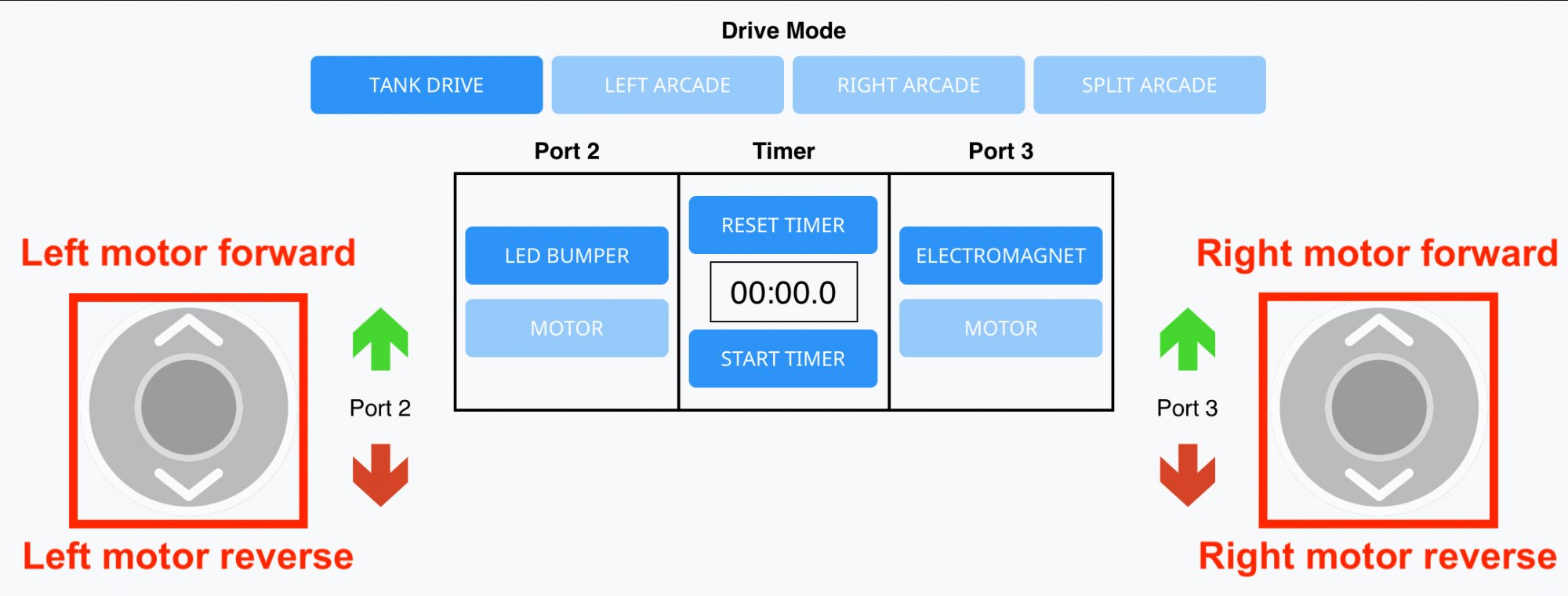
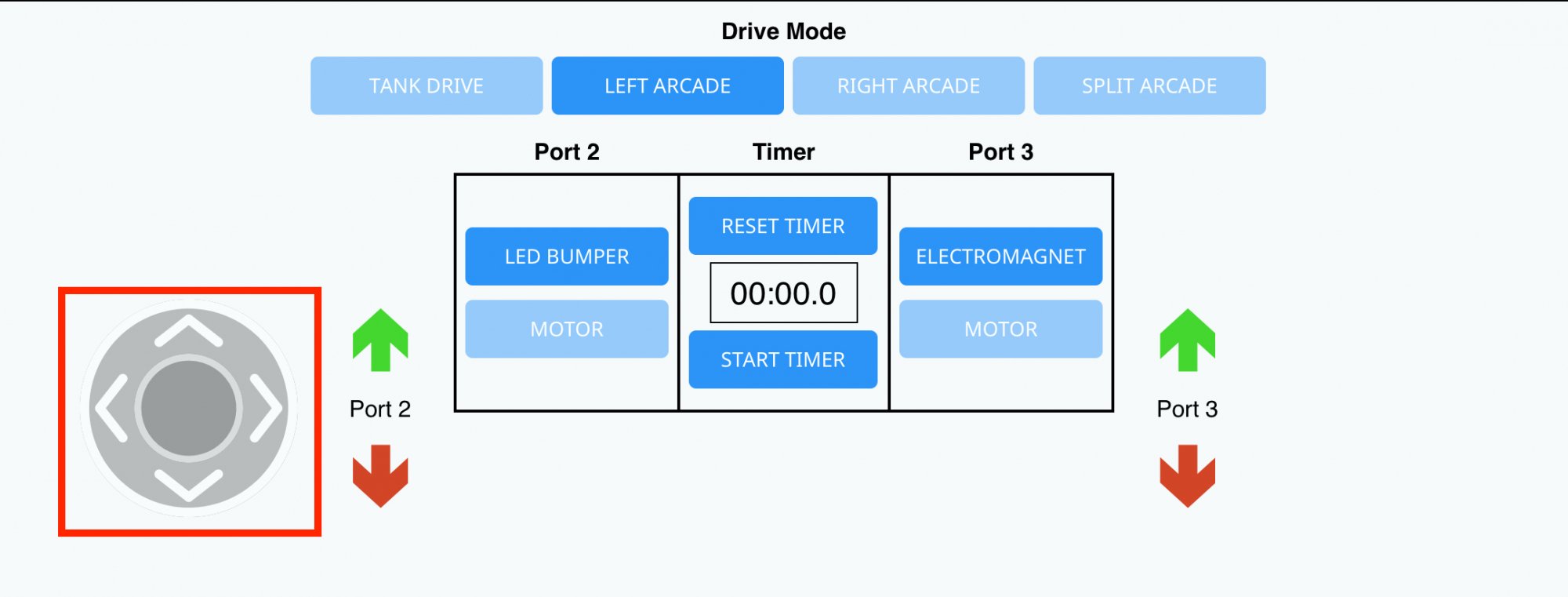
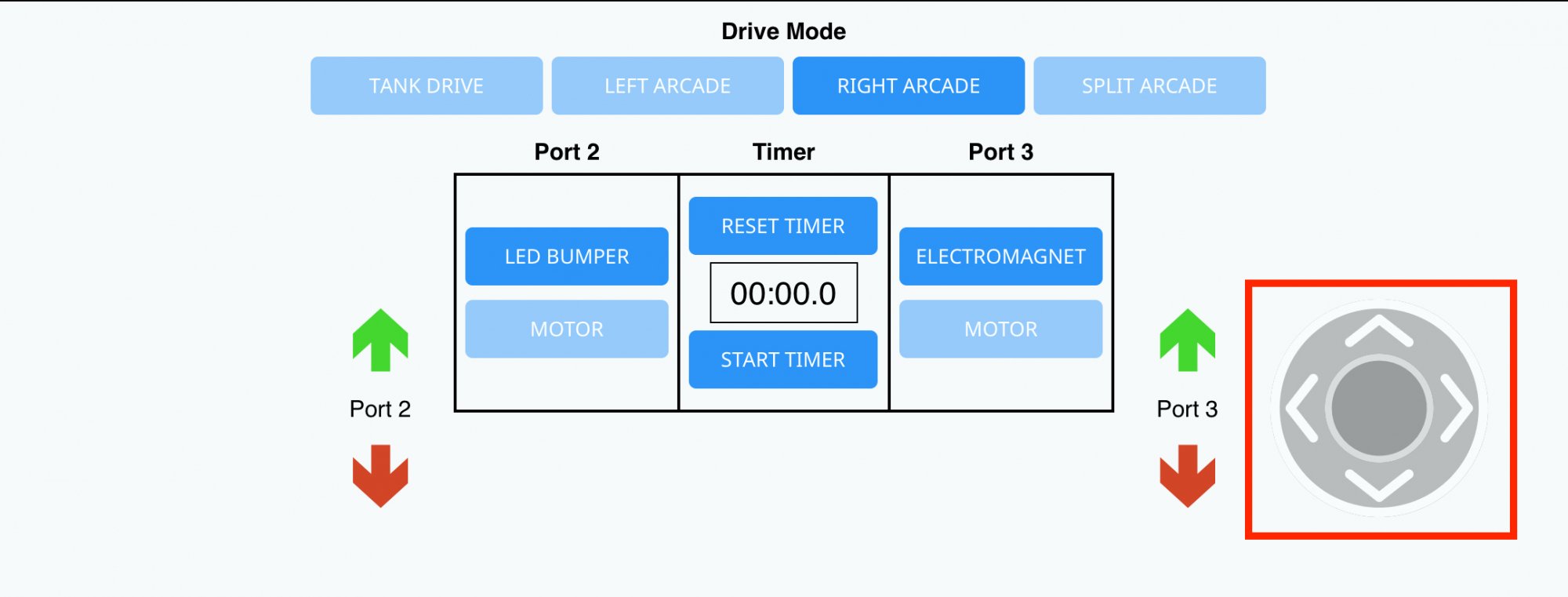
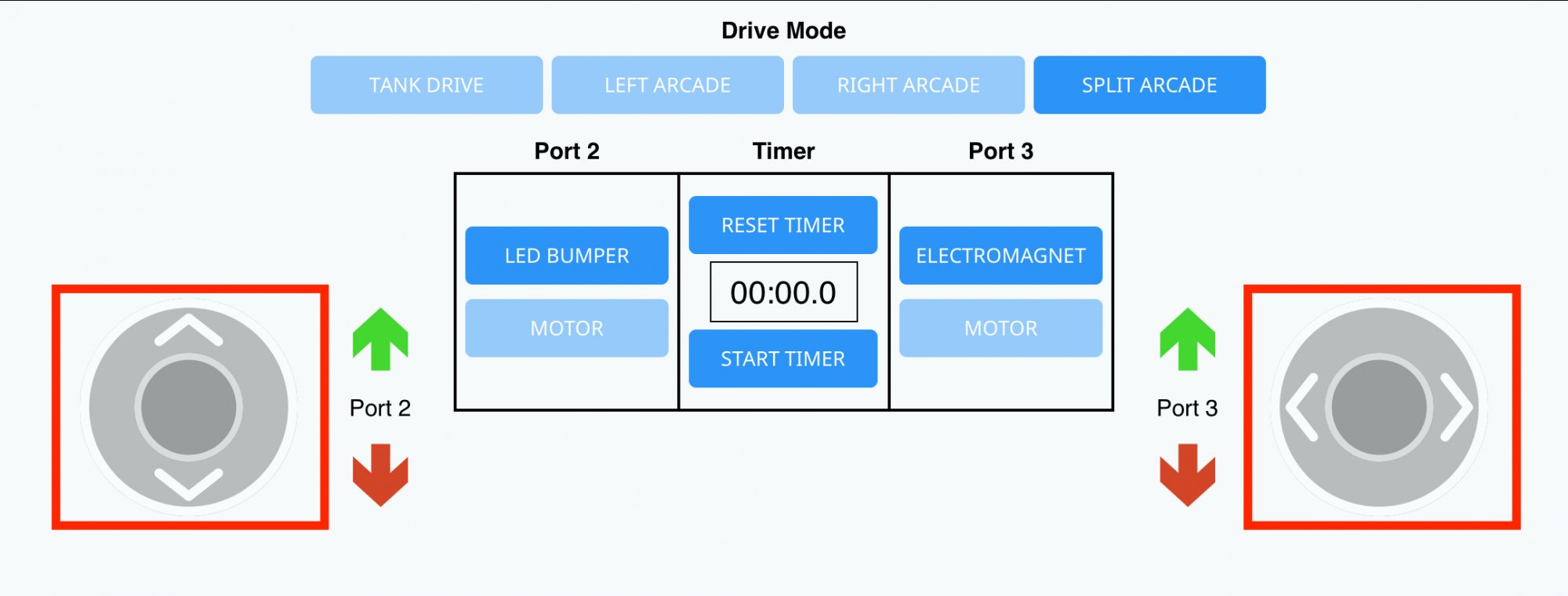
Inside of the Drive Tab, there are multiple options for controlling the Hero Robot. These are also known as drive configurations or drive modes. Select a Drive mode by choosing one of the buttons shown here.
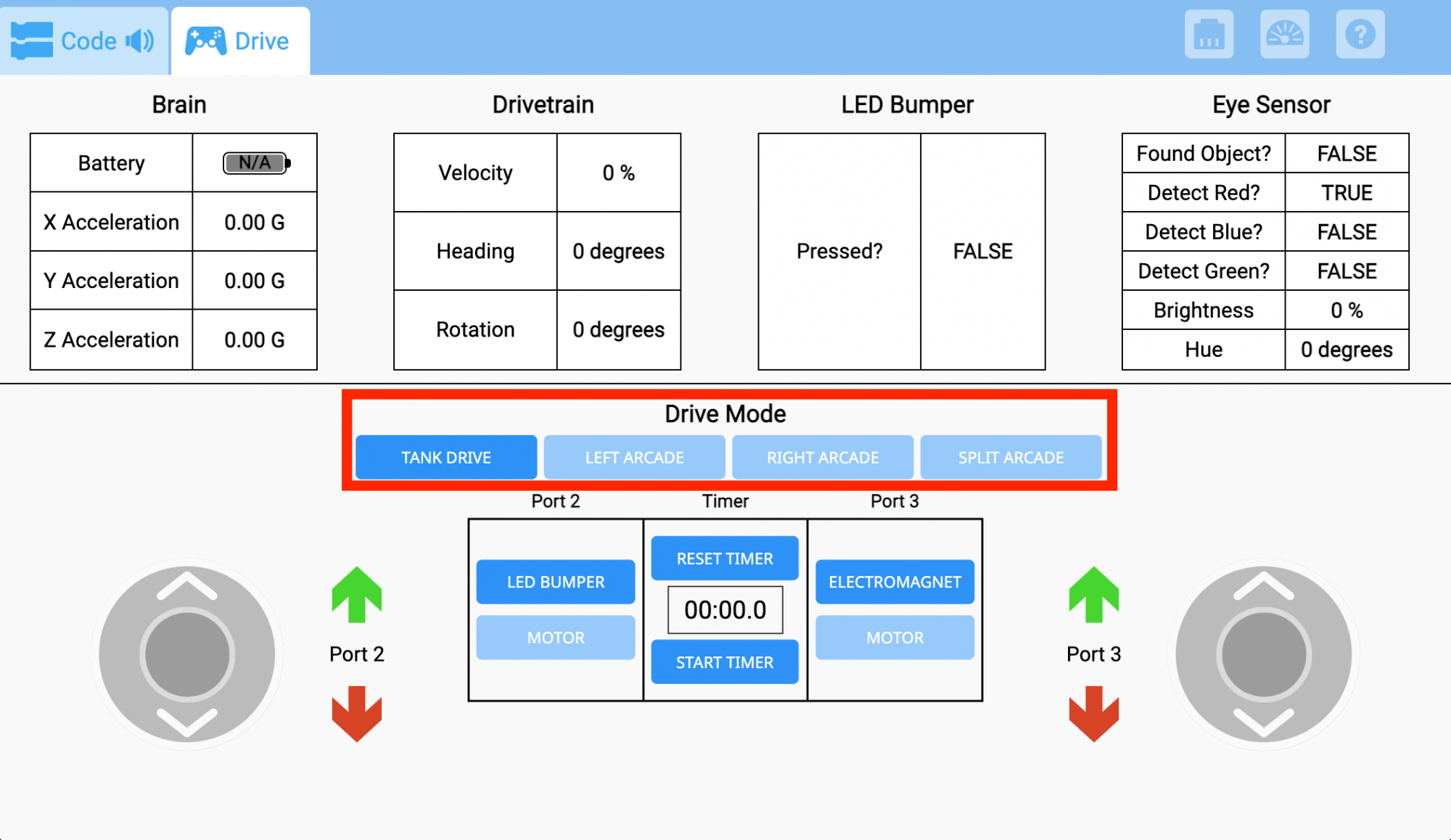
| Drive Mode | Joystick Controls |
|---|---|
|
Tank Drive
|
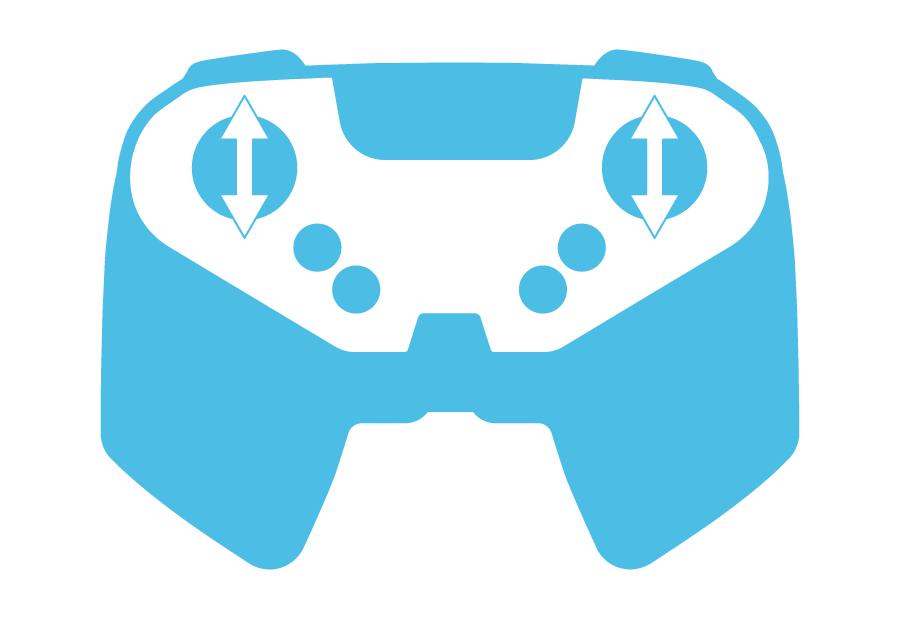
Drive the left motor of the robot using the left joystick, and the right motor of the robot using the right joystick.
|
|
Left Arcade
|
Drive the robot forward, reverse, left, and right all using the left joystick.
|
|
Right Arcade
|
Drive the robot forward, reverse, left, and right all using the right joystick.
|
|
Split Arcade
|
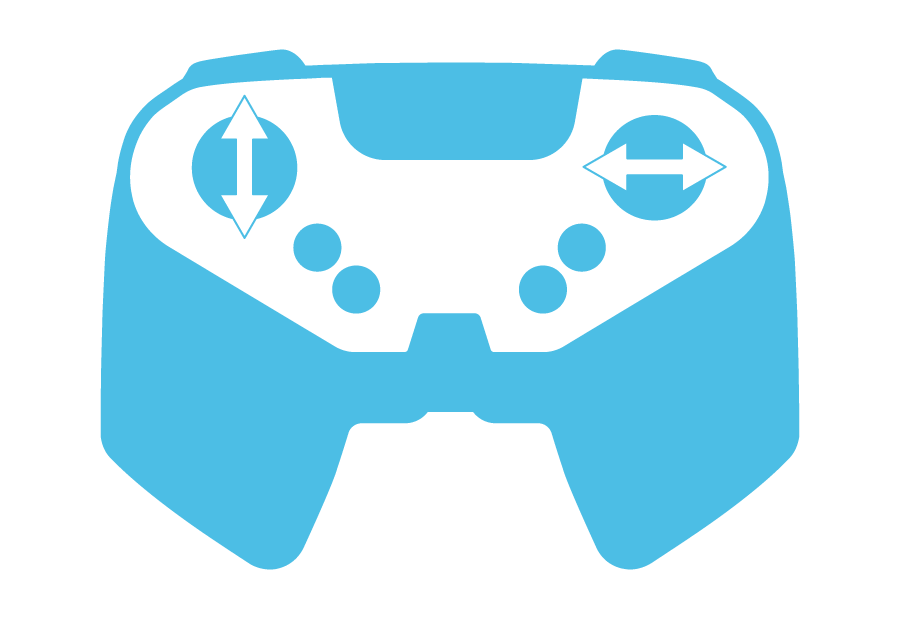
Drive the robot left and right using the left joystick, and forward and reverse using the right joystick.
|


Controlling the Arm of the Competition Advanced 2.0 Hero Robot
In order to control the movement of the arm for the Competition Advanced 2.0 Hero Robot, the Port needs to be set to 'MOTOR' in the Drive Tab. Since the arm motor is plugged into Port 2, switch Port 2 to control the arm of the Hero Robot.
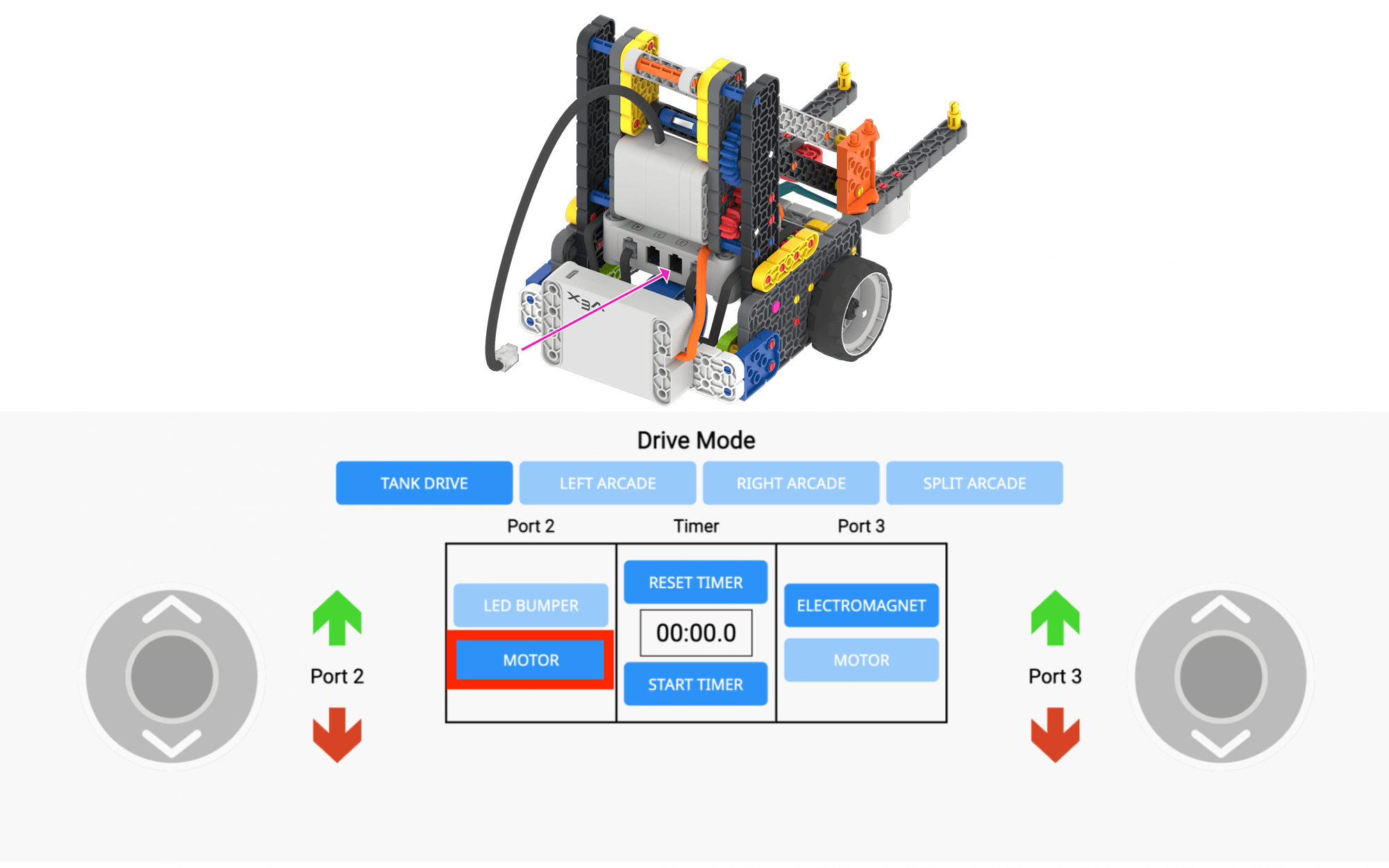
To control the arm motor, select the red and green arrows. Note that this controls the direction the motor spins, not necessarily the direction the arm moves. Students will need to press the red arrow in order to move the arm of the robot up and the green arrow to move the arm down.