
Challenge
In this challenge, you will use the ‘Arm Display Position’ example project to find the coordinate values of the four positions indicated on this image of the Workcell.
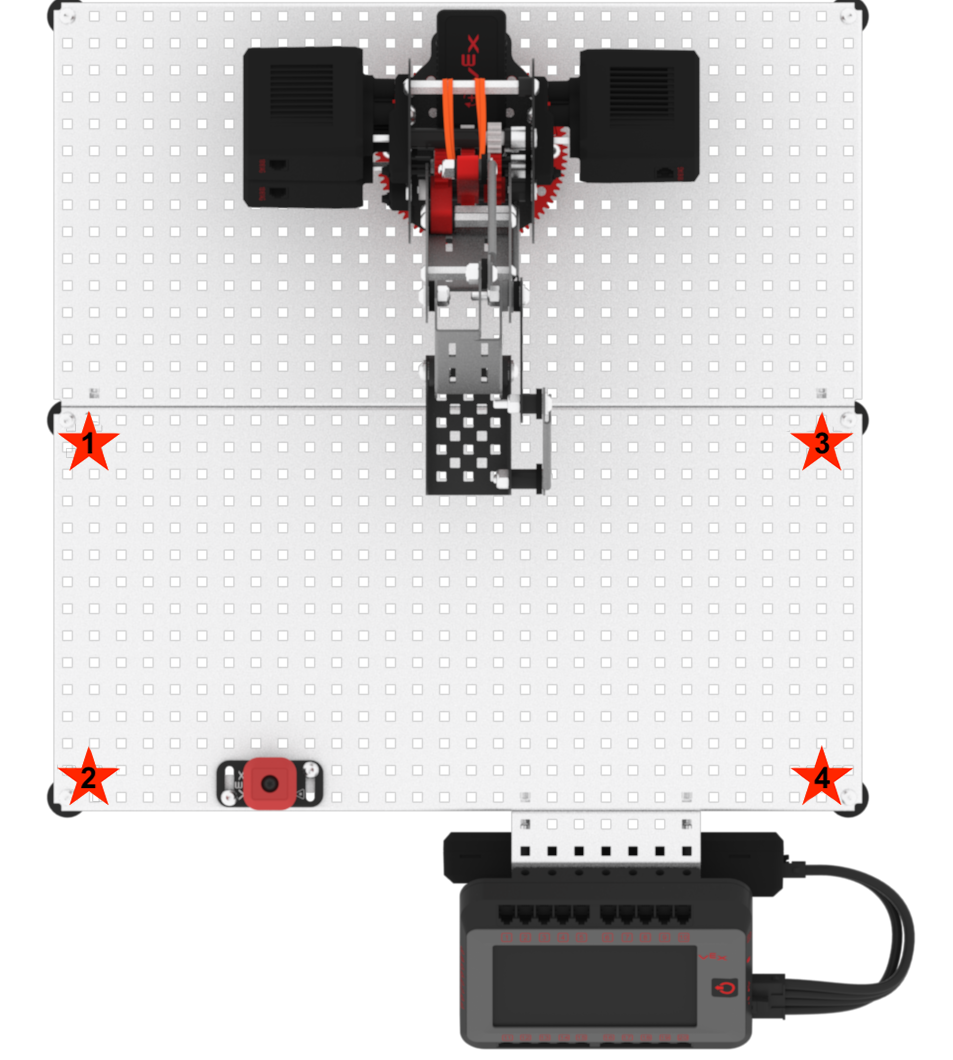
Follow these steps to complete the challenge.
- Launch VEXcode V5.
- Open the ‘Arm Display Position’ example project.
- Manually move the arm mounted on the VEX V5 Workcell to the four locations shown in the image above indicated by red stars.
- Document the X, Y, and Z coordinate values in your Engineering Notebook of each of the four locations by labeling them as the following:
- Location 1
- Location 2
- Location 3
- Location 4