Test the Display Project
-
Download and run the project.

-
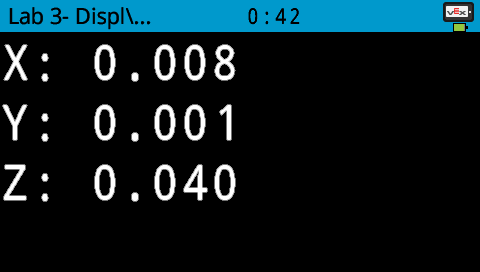
The (x, y, z) values will be displayed on the V5 Brain’s screen.
-
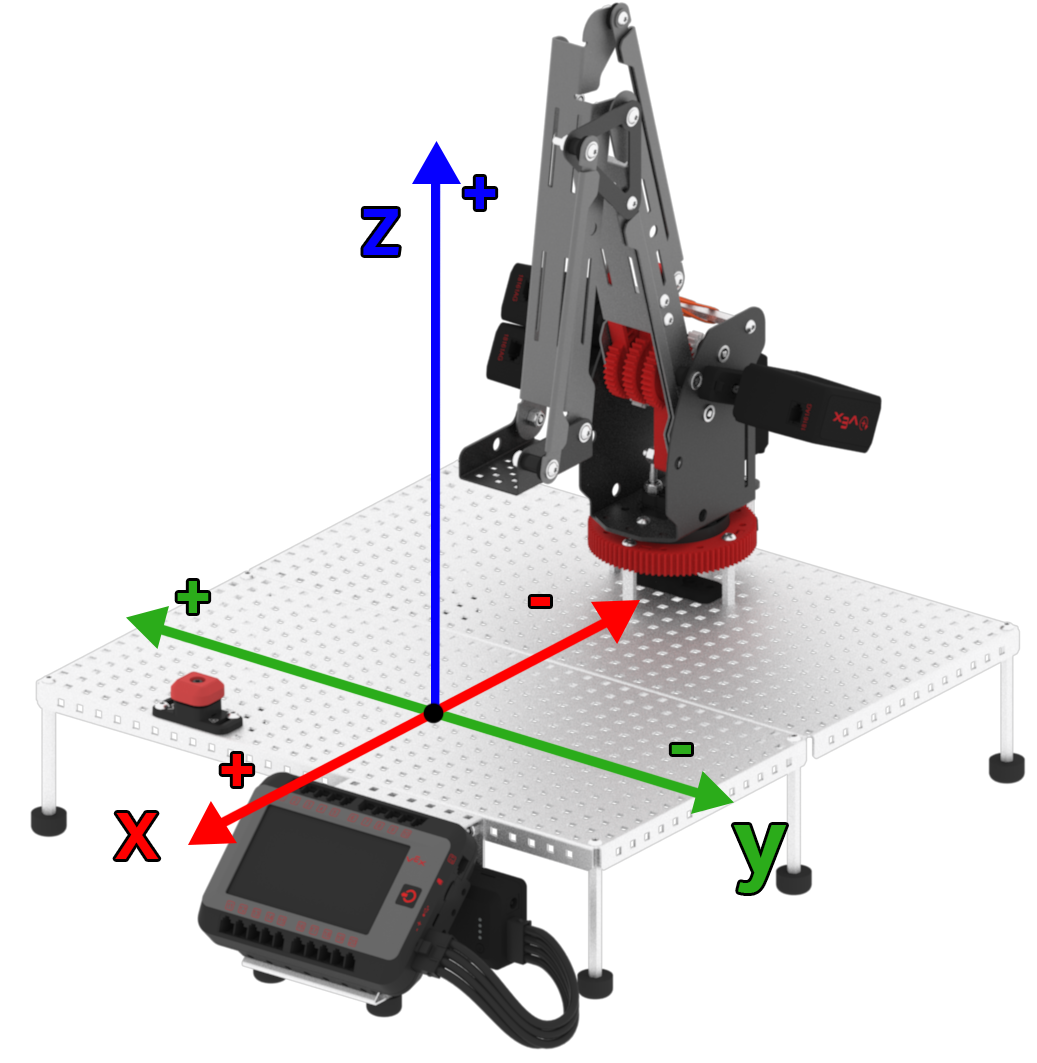
Keep in mind that each of the three values of the displayed coordinate represent a given position on the X, Y and Z axis.
-
Manually move the arm mounted on the VEX V5 Workcell forward, backward, up and down, and side to side. Notice that as you move it, the corresponding displayed (x, y, z) coordinate on the V5 Brain’s screen changes.
Video file -
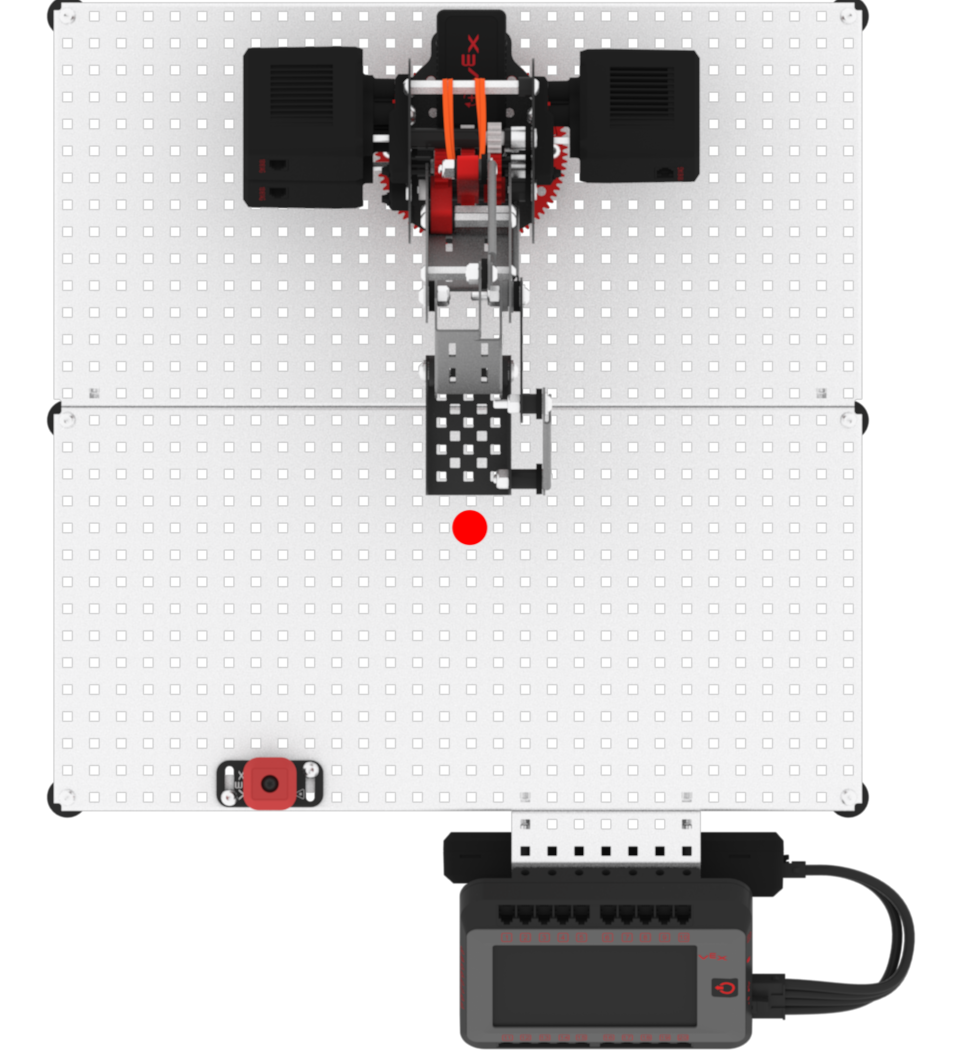
Move the arm mounted on the V5 Workcell to the origin, or the location of the coordinate (0, 0, 0). Keep in mind that values may vary for each V5 Workcell.
-
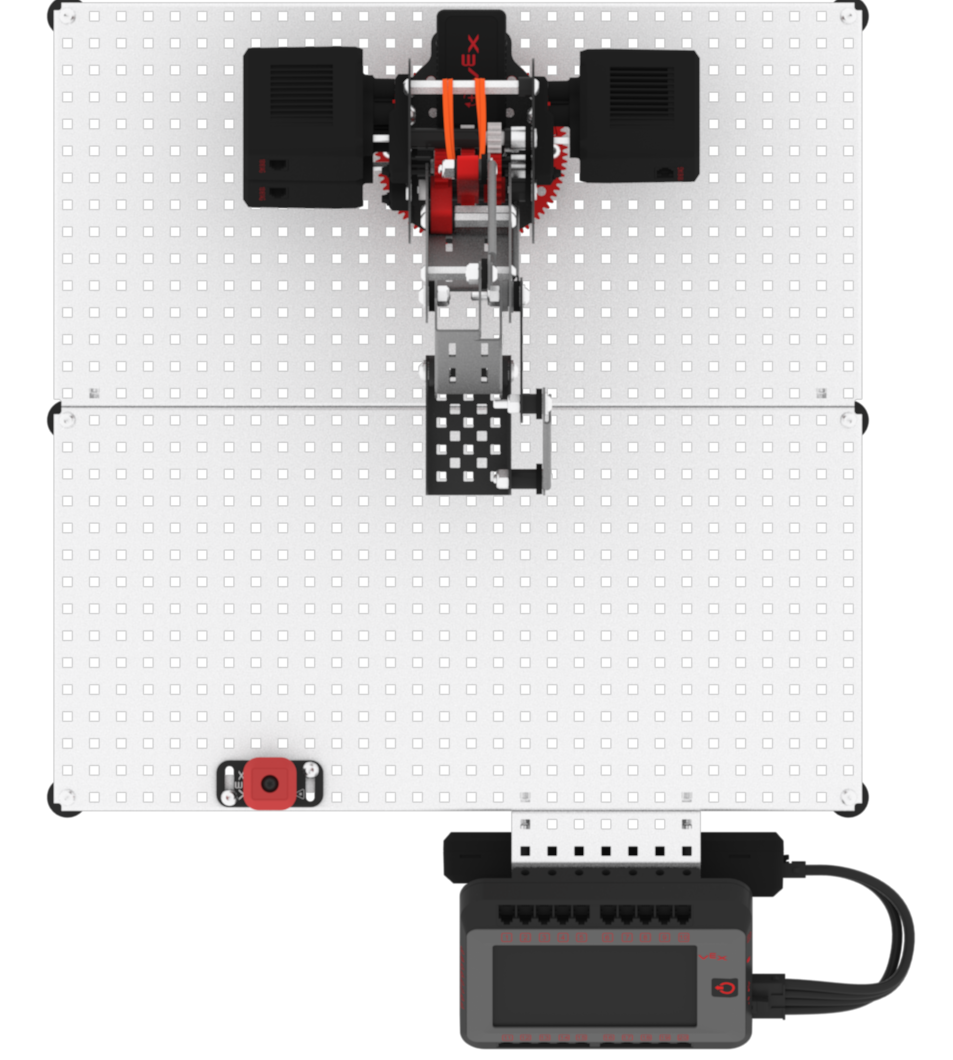
Sketch a top-down view of the Workcell or print the following image and include it in your Engineering Notebook. Label where the origin is located in the Workcell in your Engineering Notebook.
-
You will find that the origin is approximately 11 holes in from the right, and 15 holes up from the V5 Brain.