Program the E-Stop
-
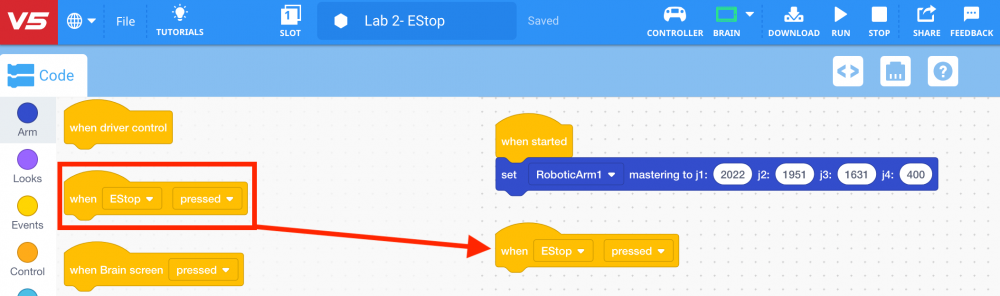
Select and drag the {When bumper} block from the ‘Events’ category in the Tool Box and place it in the workspace.
-
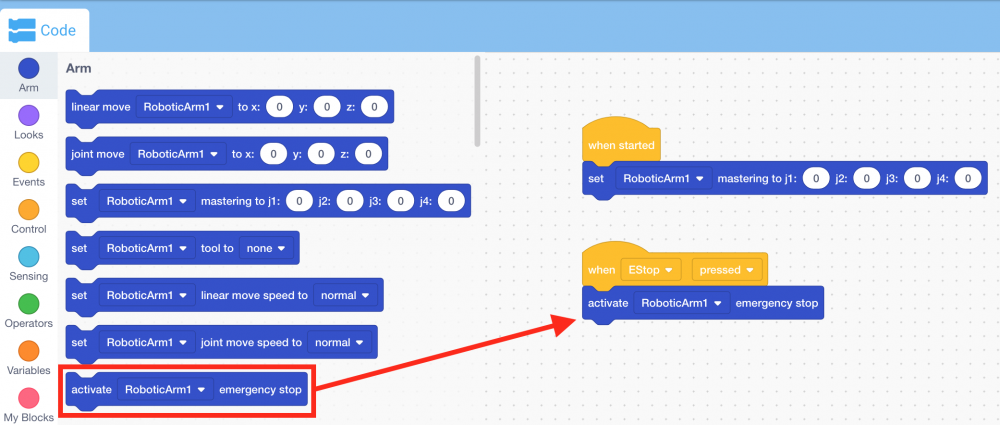
Select and drag the [Activate emergency stop] block from the ‘Arm’ category in the Tool Box and attach it to the {When bumper} block.