
Lesson 2: Mini Challenge
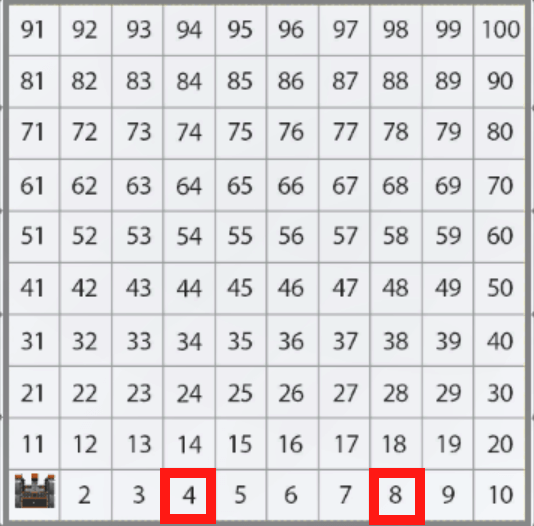
For this mini challenge, create a project where the VR Robot drives to the number ‘8’ and then drives to the number ‘4’ on the Number Grid Map Playground using comparison operators, while loops, and the Location Sensor!
Follow these steps to complete the mini challenge:
-
Watch the solution video to see how the VR Robot should drive in order to complete the mini challenge. The VR Robot begins on number 1, turns right, then navigates along the x axis to drive to the number 8, then turns around and drives to the number 4. At each number, the robot stops for 1 second to indicate it has reached its location.
- Create a project by adding or removing the necessary commands to the Unit6Lesson2 project.
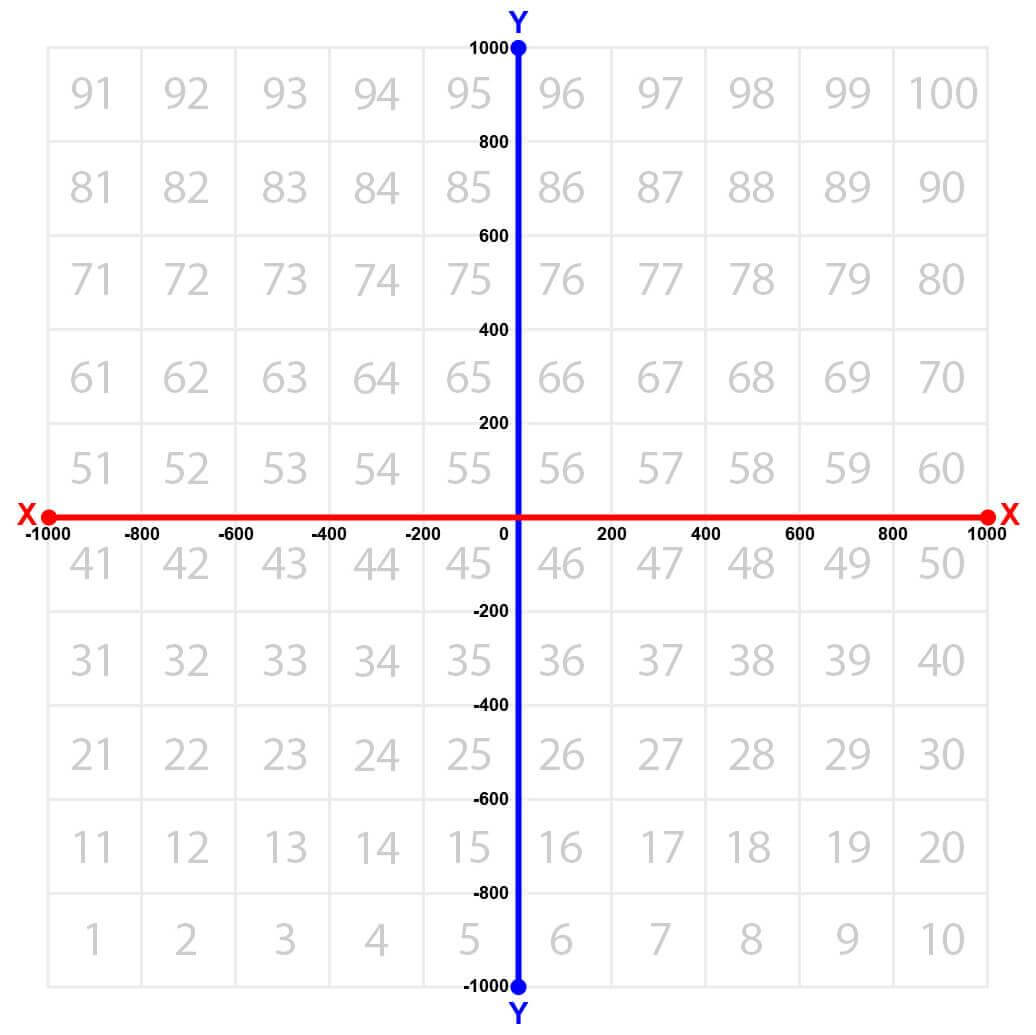
- If you need help determining the coordinates for the numbers '4' and '8,' use this image for reference.
- Start the project to test it.
- If the project is not successful, edit and try again. Continue to revise and run the project until the VR Robot successfully drives to the number ‘8’ and then to the number ‘4’ on the Number Grid Map Playground.
- Save the project once the VR Robot successfully drives to the number ‘8’ and then to the number ‘4’ on the Number Grid Map Playground.
Congratulations! You solved the mini challenge!