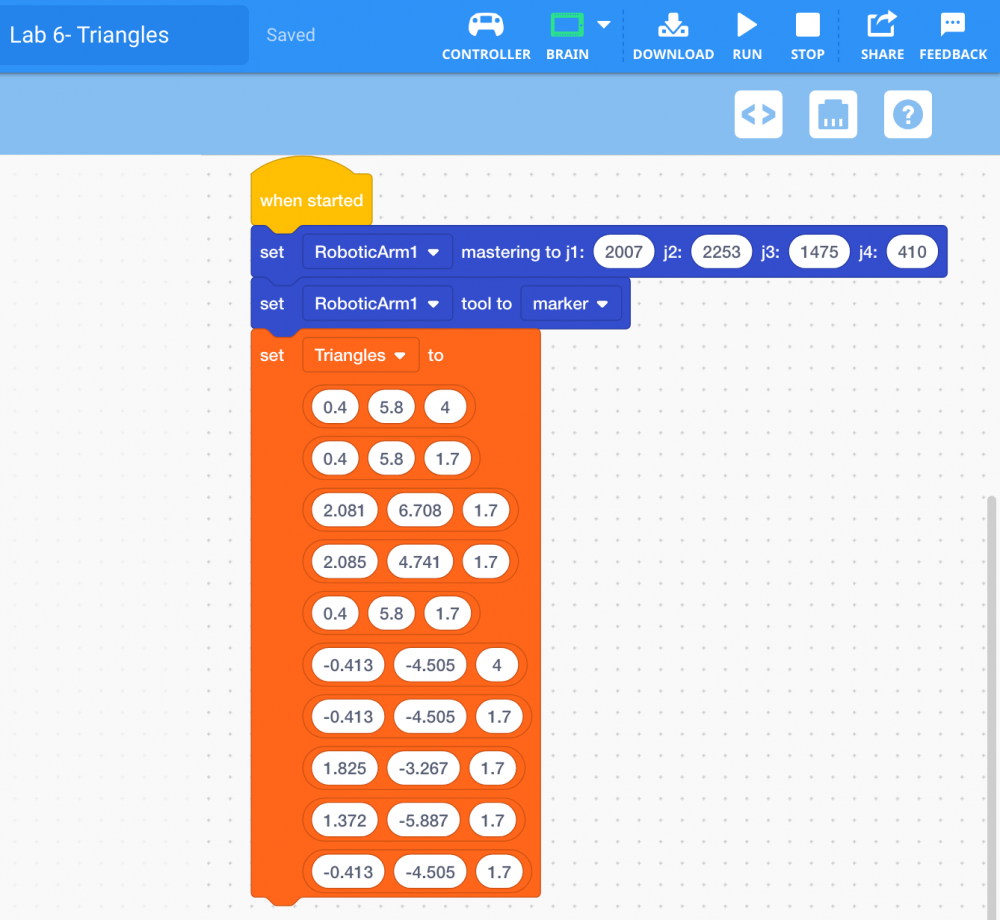
Adding Coordinates to a 2D List
-
Select and drag the [Set 2D List to] block from the ‘Variables’ category in the Tool Box and attach it to the [Set tool] block.
![Add [Set 2D list to] block](/stemlabs/sites/default/files/inline-images/Add%20%5BSet%202D%20list%20to%5D%20block.png)
-
Input the (x, y, z) coordinates of Point 1 into the 2D List.
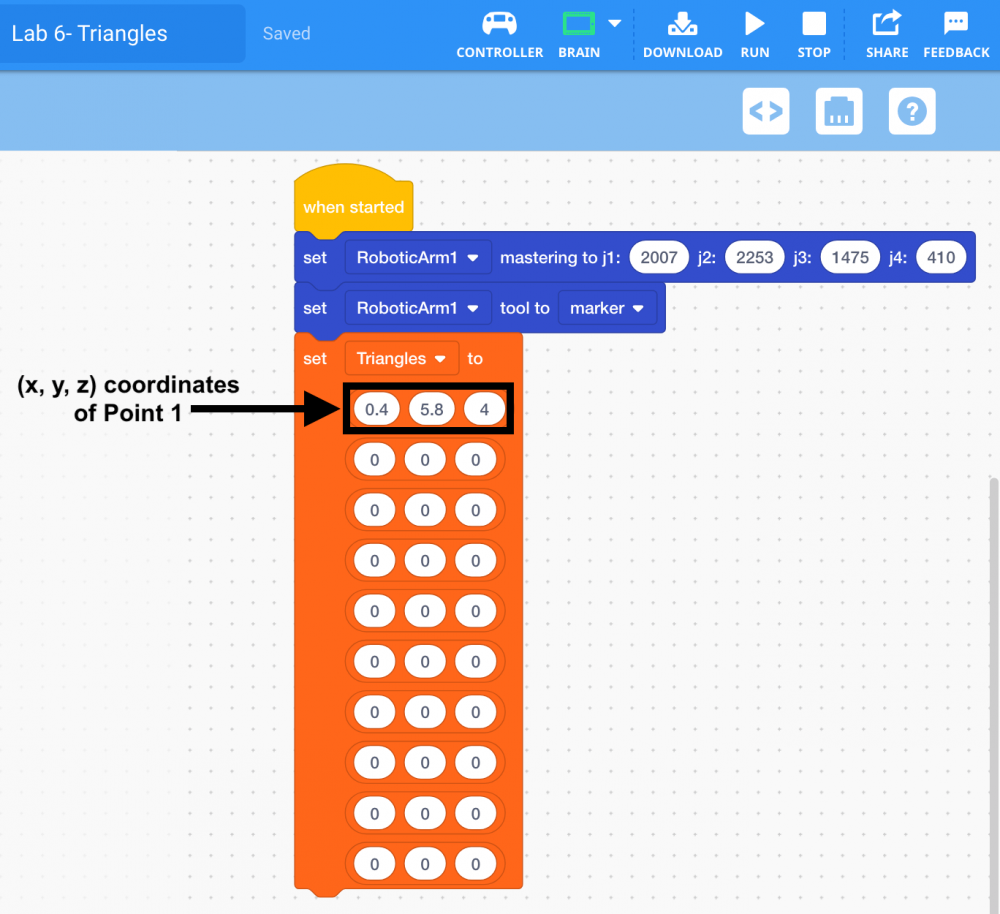
Note: your (x, y, z) coordinates may vary slightly compared to the coordinates shown. -
Repeat the previous step to input the (x, y, z) coordinates of all 10 Points into the 2D List.