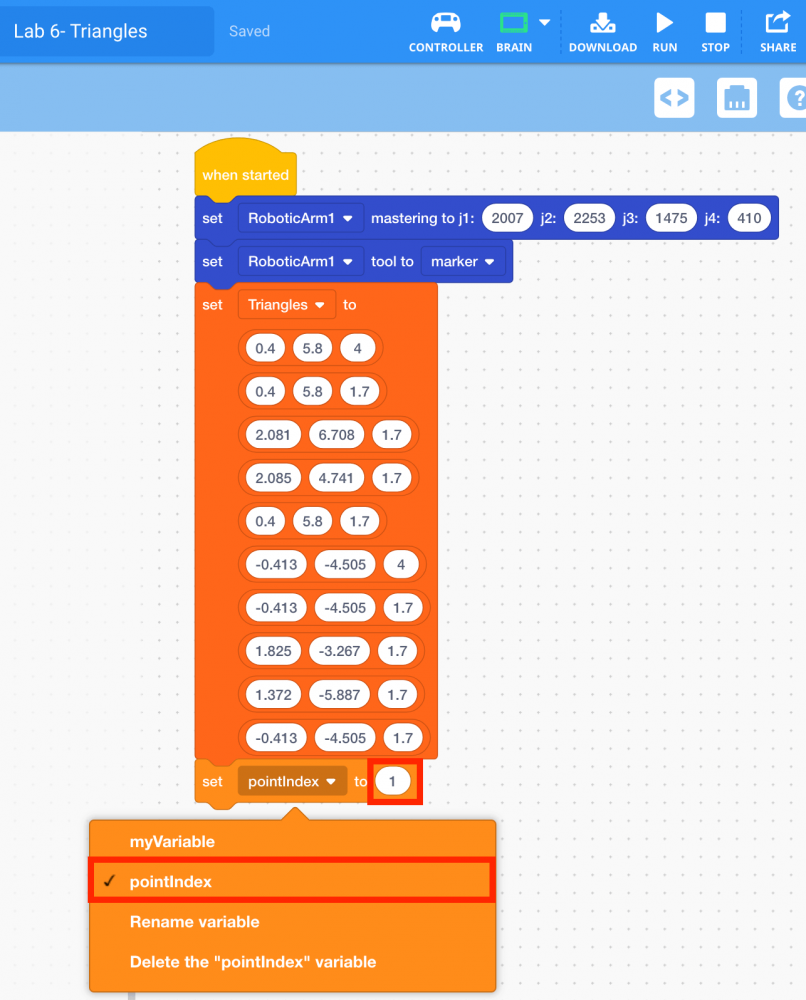
Create pointIndex Variable
Now that all 10 points have been added to the 2D List, you will need to keep track of which point the arm mounted on the VEX V5 Workcell should move towards. To do this, create a variable called "pointIndex" and set its initial value to ‘1’ for Point 1.
-
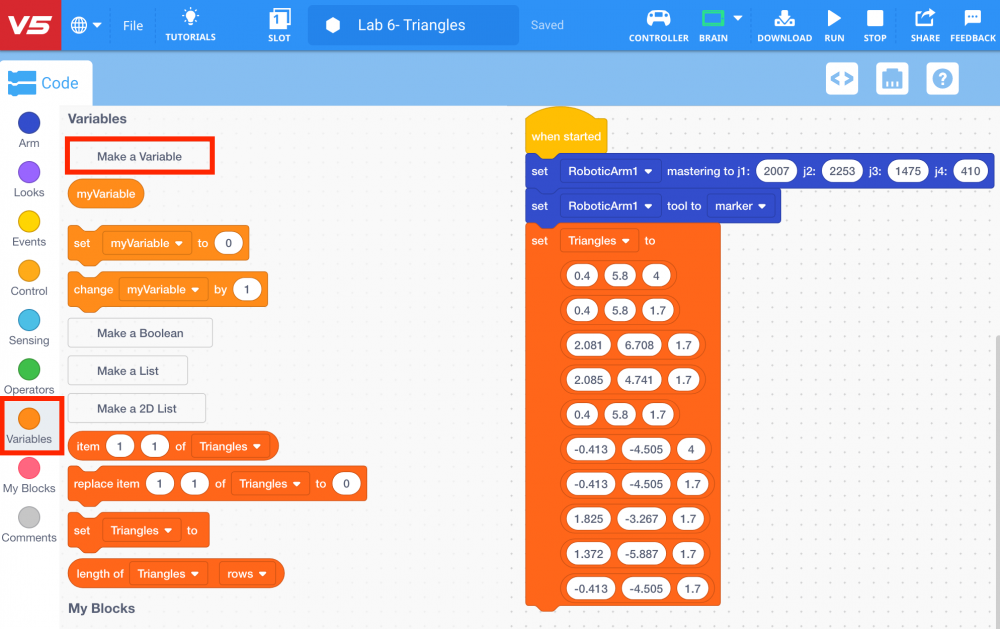
Select the ‘Make a Variable’ button from the ‘Variables’ category in the Tool Box.
-
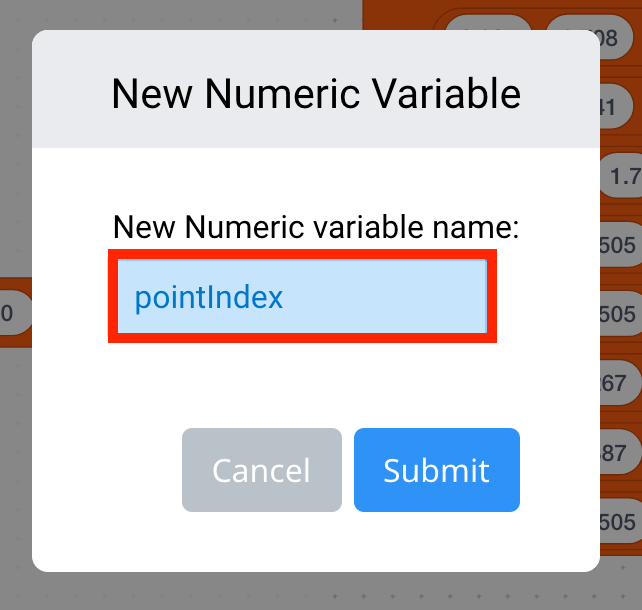
Name the variable ‘pointIndex’ and select ‘Submit.’
-
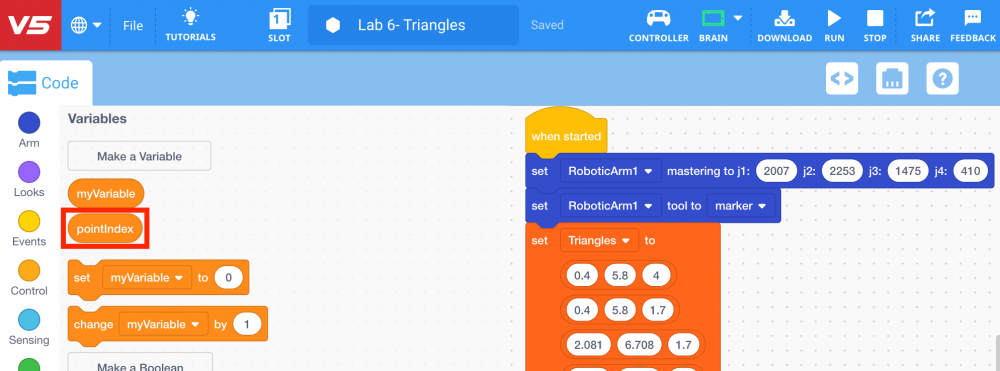
The variable ‘pointIndex’ will now appear in the ‘Variables’ category in the Tool Bar.
-
Select and drag the [Set variable] block from the ‘Variables’ category in the Tool Box and attach it to the [Set 2D list to] block.
![Add [Set variable]](/stemlabs/sites/default/files/inline-images/Add%20%5BSet%20variable%5D.png)
-
Change the variable of the [Set variable] block to ‘pointIndex’ and set the parameter to ‘1.’