Use a Repeat Loop
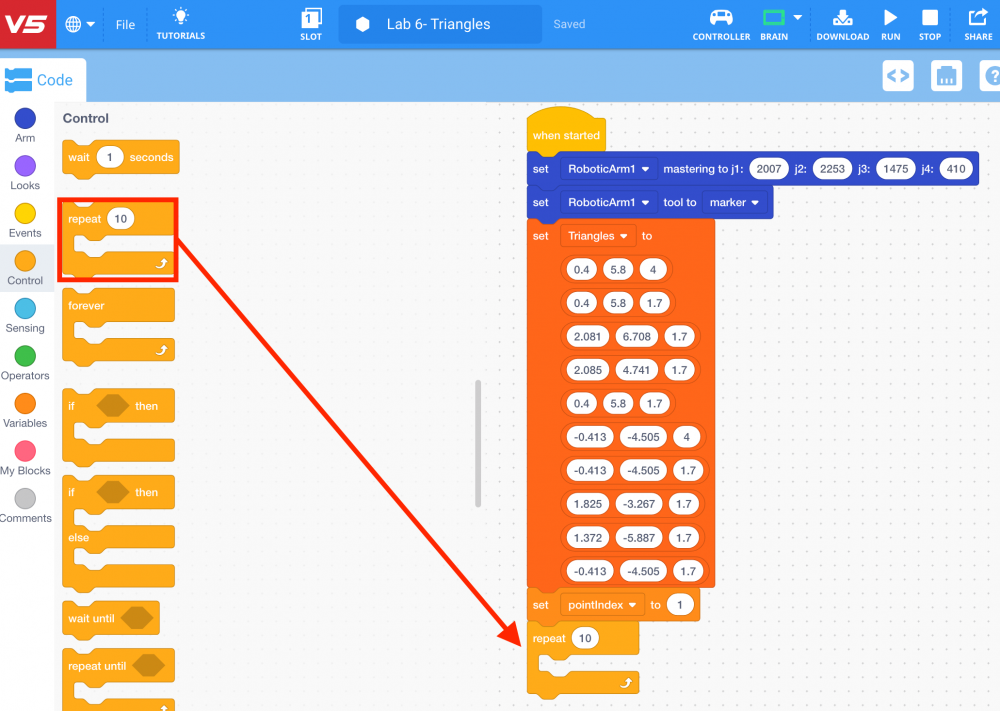
Next, a [Repeat] block will be used. The [Repeat] block will repeat the same number of times as the number of rows in your 2D List. This will ensure that the arm mounted on the VEX V5 Workcell will move to all ten points in the 2D List.
-
Select and drag the [Repeat] block from the ‘Variables’ category in the Tool Box and attach it to the [Set variable] block.
-
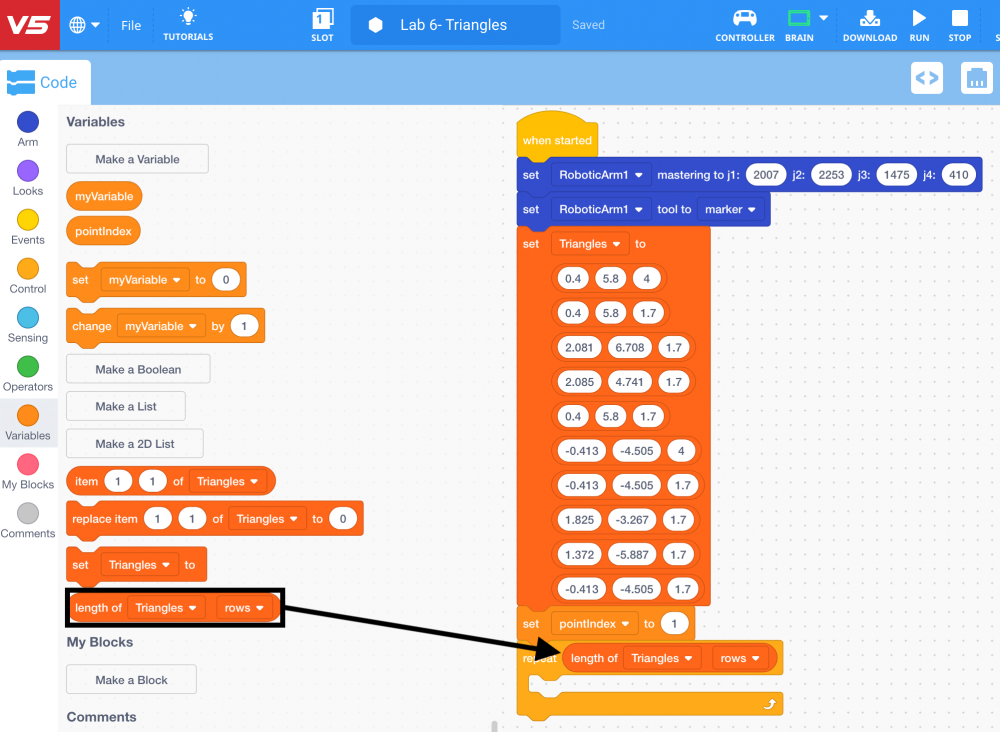
Set the parameter of the [Repeat] block to the (Length of 2D List) block from the ‘Variables’ category in the Tool Box.
-
Place a [Linear move] block inside the [Repeat] block. The [Linear move] block is used to tell the arm mounted on the V5 Workcell the (x, y, z) coordinates of the 10 points in the 2D List.
![Add [Linear move] block](/stemlabs/sites/default/files/inline-images/Add%20%5BLinear%20move%5D%20block.png)
-
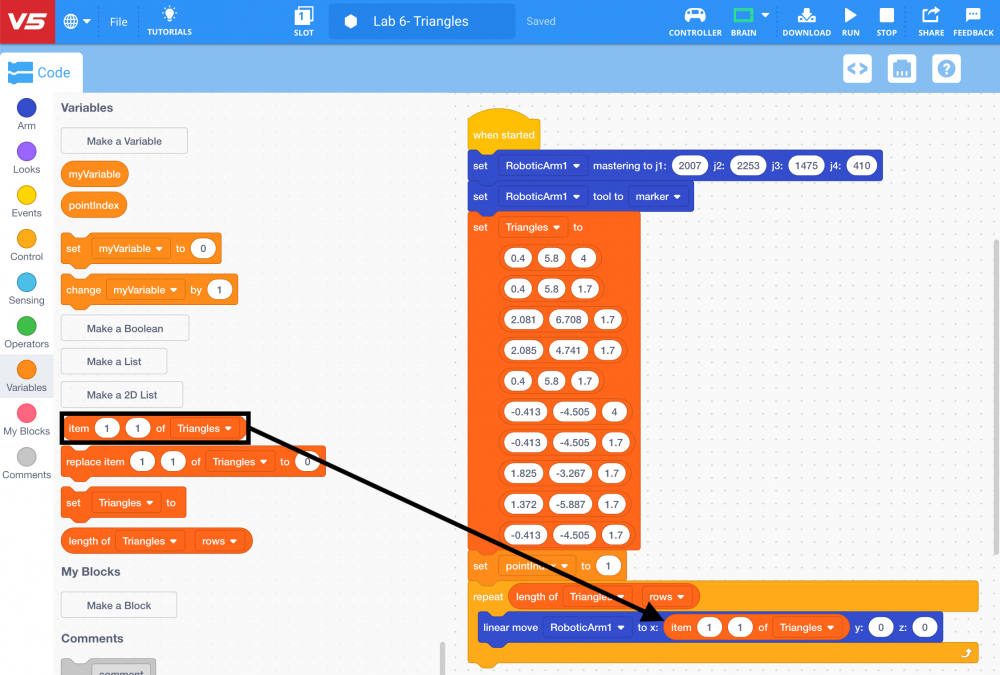
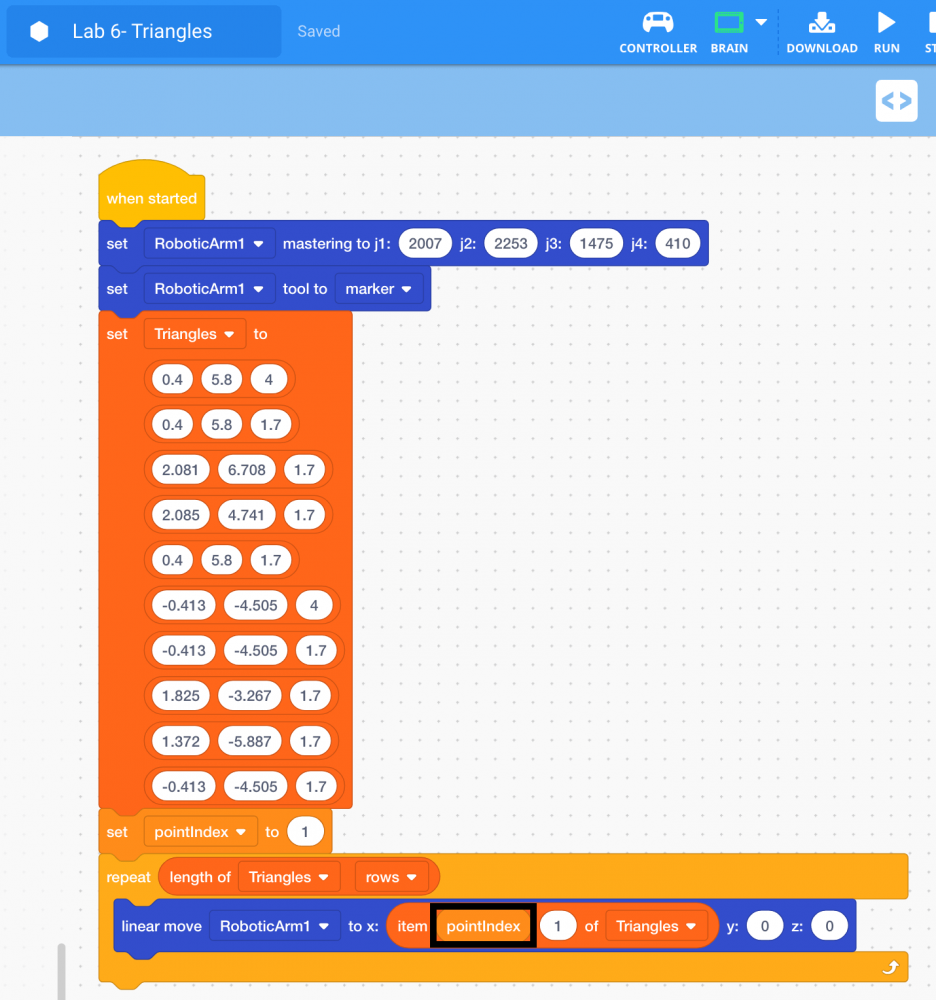
Set the x-coordinate parameter of the [Linear move] block to the (Item of 2D List) block from the ‘Variables’ category in the Tool Box.
-
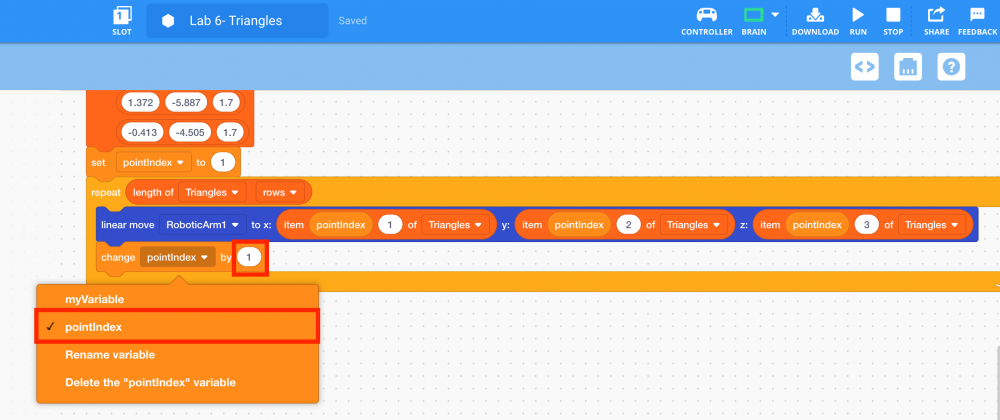
Set the first parameter of the (Item of 2D List) block to the variable ‘pointIndex’ from the ‘Variables’ category in the Tool Box. Set the second parameter to ‘1’ to indicate the first column of the 2D List.
-
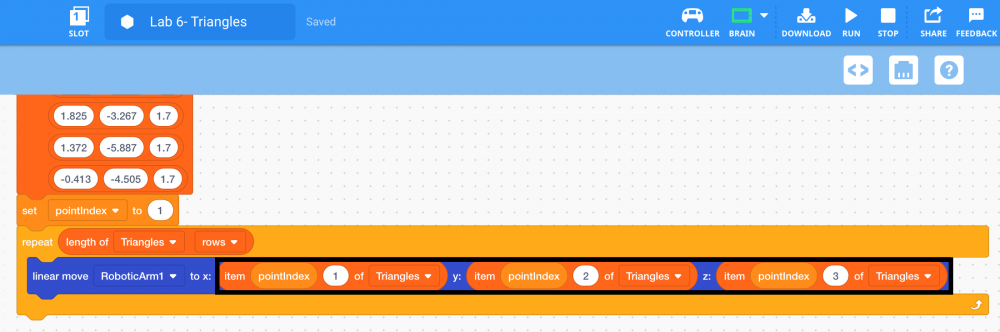
Repeat step 31 for the y and z-coordinate parameters of the [Linear move] block. The second parameter of the (Item of 2D List) block for the y-coordinate should be set to ‘2’ to indicate the second column of the 2D List. The second parameter of the (Item of 2D List) block for the z-coordinate should be set to ‘3’ to indicate the third column of the 2D List.
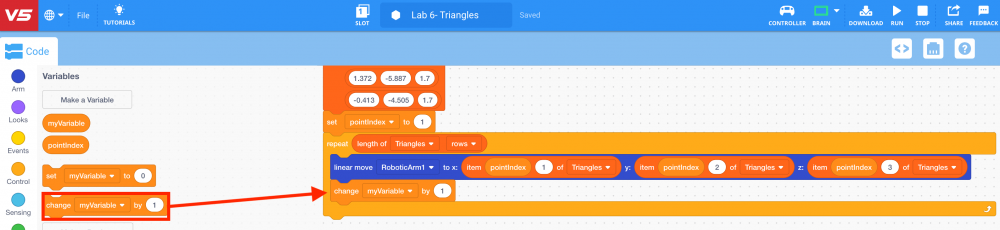
The "pointIndex" variable can be changed after each movement to keep track of the next point to move towards. Moving through each row in a 2D List is known as iterating through the 2D List. To iterate through the 2D List, a [Change variable] block will be used.
-
Select and drag the [Change variable] block from the ‘Variables’ category in the Tool Box and attach it to the [Linear move] block.
-
Set the variable of the [Change variable] block to ‘pointIndex’ and set the parameter to ‘1.’