Build a 2D List
A 2D (2-Dimensional) List, also known as a 2D Array, stores multiple sets of numeric values that are related. A 2D List can also be defined as a variable that contains other variables.
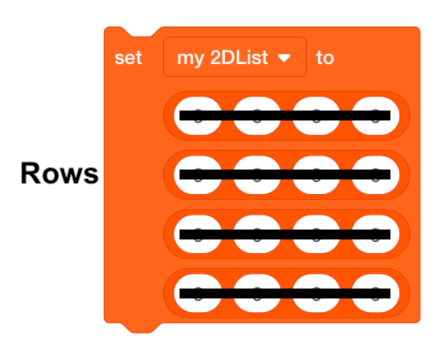
A 2D List is made up of rows and columns. Rows are horizontal.
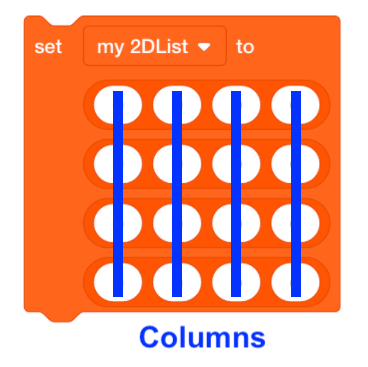
Columns are vertical.
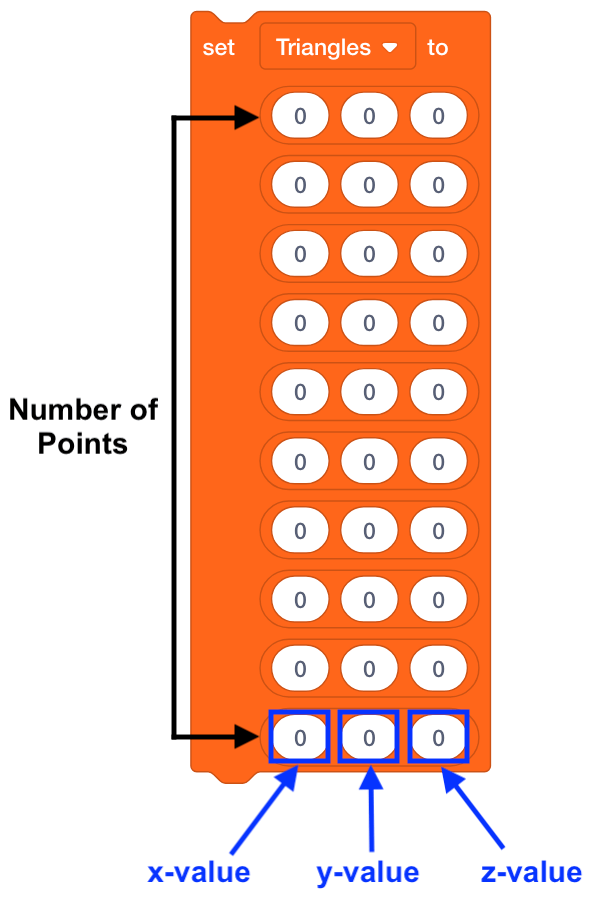
For the VEX V5 Workcell, the 2D List created in the ‘Triangles’ project will be used to iterate the arm mounted on the V5 Workcell’s movement between the different coordinate points. The number of columns will represent the x, y, z-axis values of the coordinates and the number of rows will represent the number of stored (x, y, z) points.
-
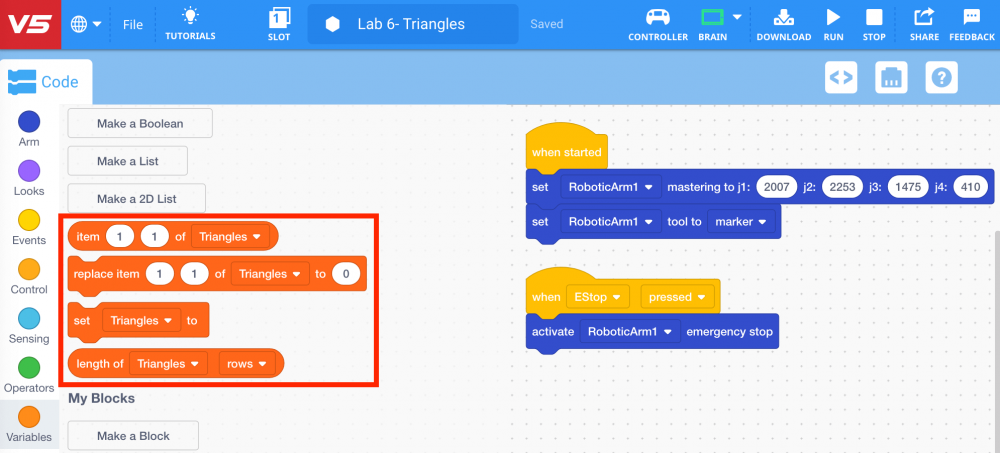
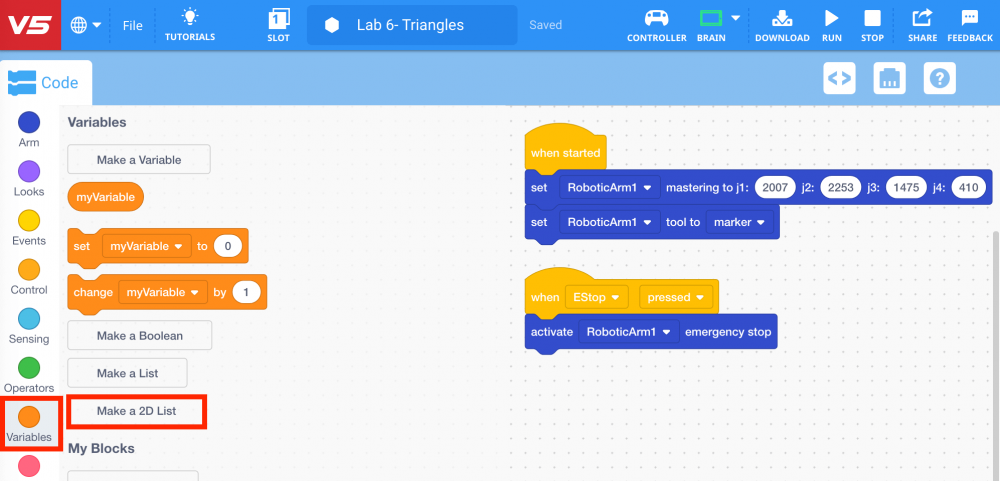
To create a 2D List, select the ‘Make a 2D List’ button from ‘Variables’ category in the Tool Box.
-
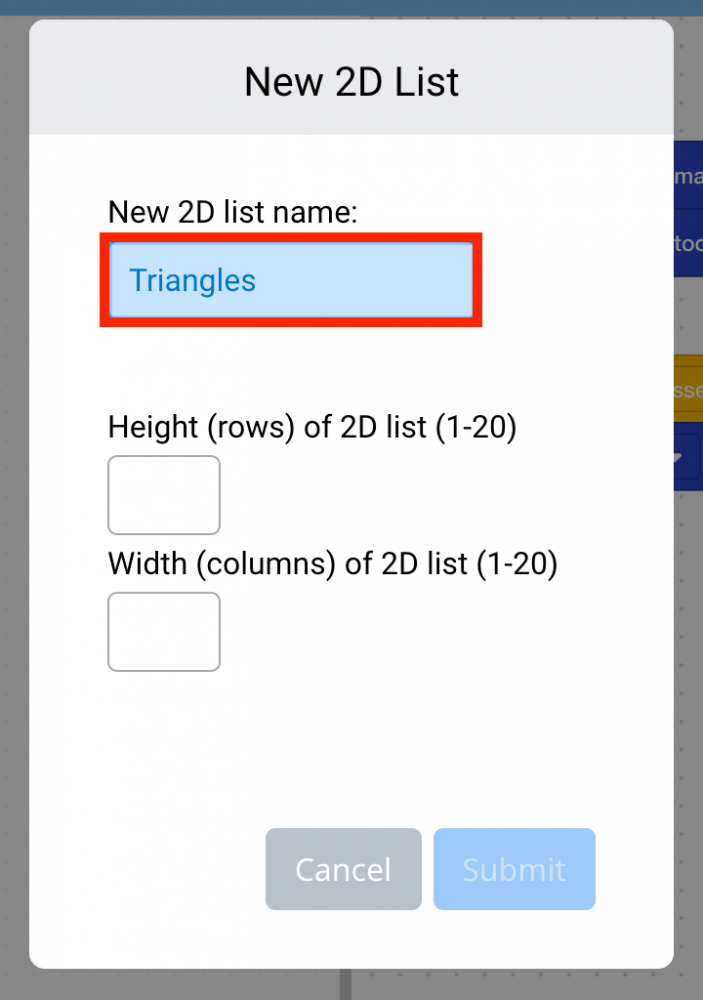
Name the 2D List ‘Triangles.’
-
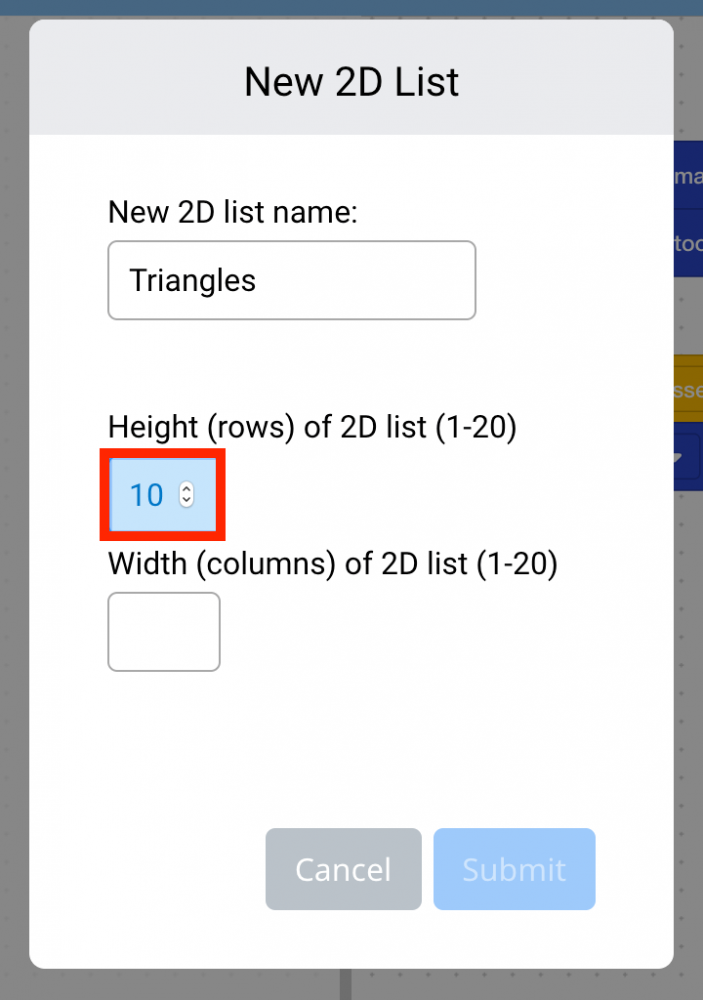
Since there are ten points needed for the arm mounted on the V5 Workcell to draw two triangles, there will be 10 rows needed to store each coordinate point. Set the ‘Height (rows)’ of the 2D List to ‘10.’
-
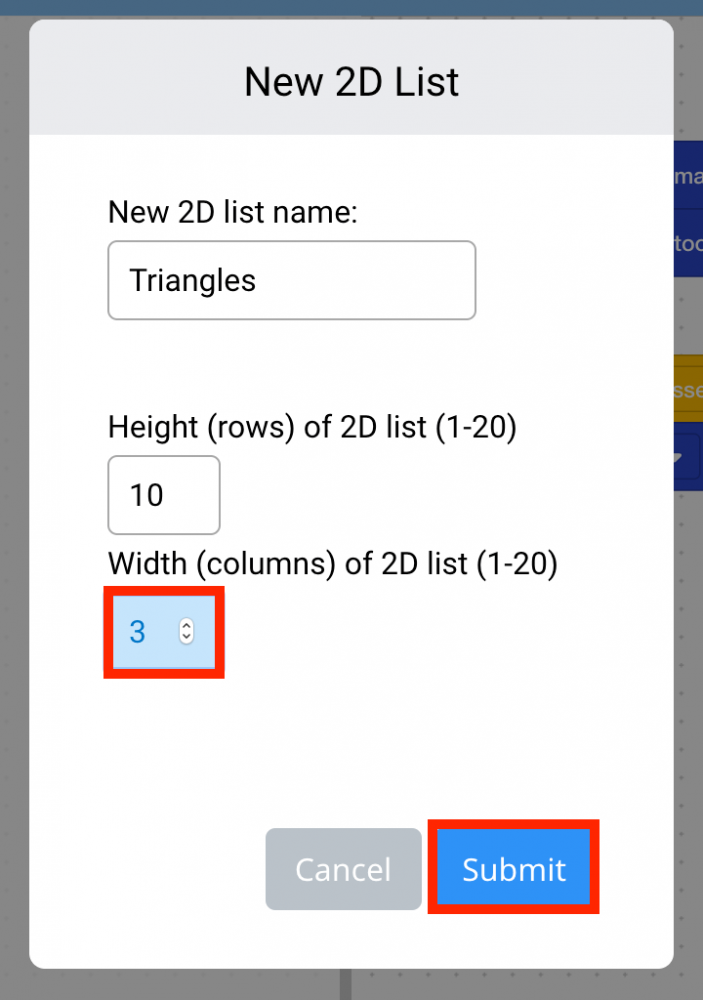
Since there are 3-axis values (x, y, z) for each of the 10 points needed for the arm mounted on the V5 Workcell to draw two triangles, there will be 3 columns needed to store each of the x, y, and z values. Set the ‘Width (columns)’ of the 2D List to ‘3.’ Then select ‘Submit.’
-
List blocks will now appear in the ‘Variables’ category in the Tool Box.