VIQRC Session 2
Before You Begin This Session
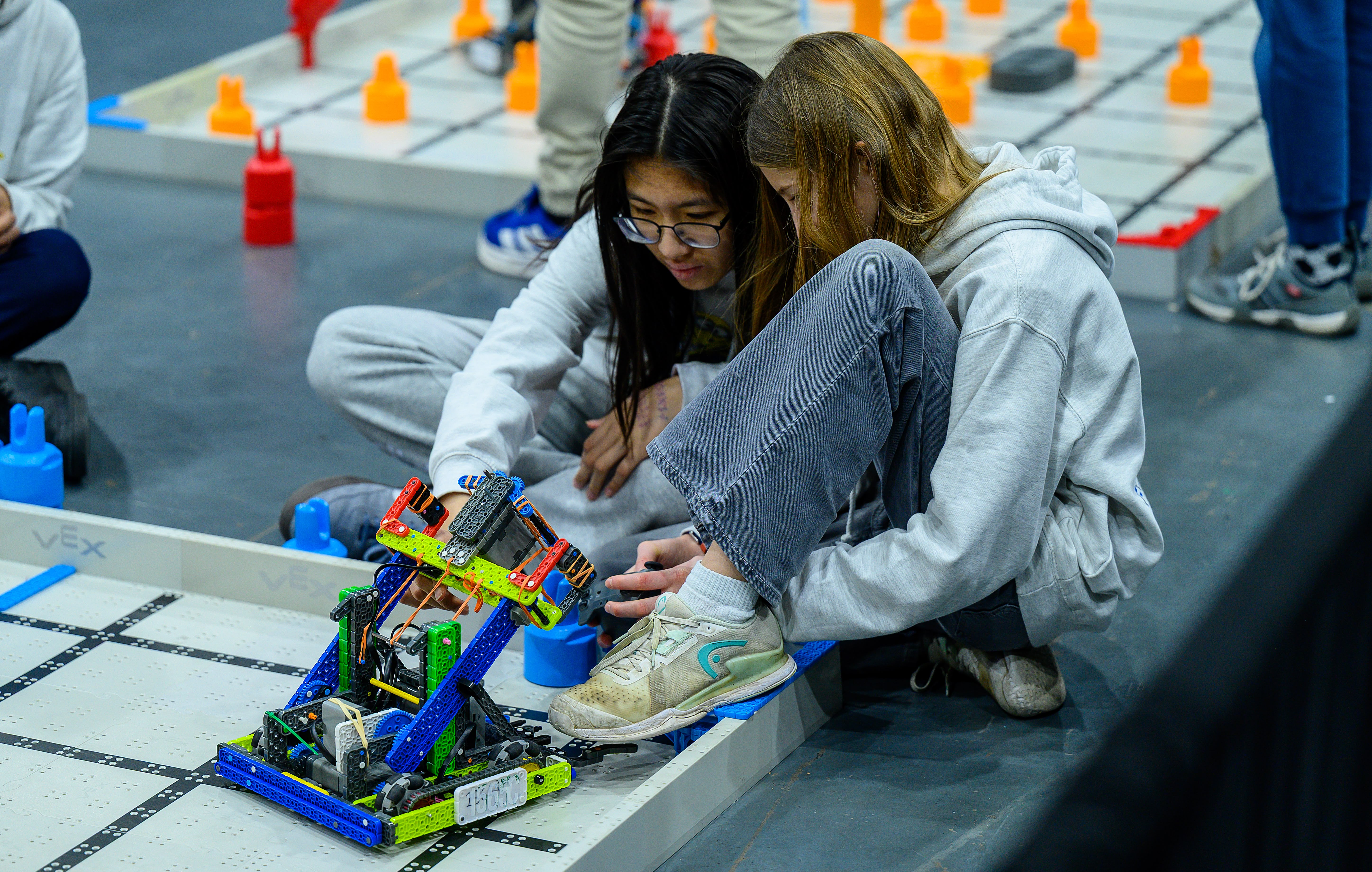
This session will guide your team through building this year's Hero Bot, Huey. The build is divided into stages so that all team members have a chance to be hands-on during the building process. Since not everyone can build at the same time, this session is divided into rotating stations, so that all team members get to practice a variety of skills as the Hero Bot is assembled.
We recommend pairing students and having partners rotate through the stations. The stations are:
- Building Station – Build a stage of the Hero Bot.
- Virtual Driving Station – Practice with Virtual Driving Skills and explore planning for scoring.
- Virtual Coding Station – Use Virtual Coding Skills to build and test projects and score points with the virtual Hero Bot.
- Game Station – Re-watch the game unveil video to identify key details, answer questions about the game, and explore resources like the game manual.
As you facilitate the stations, take note of students you think might work well in different team roles, like builder, driver, or coder. In addition to keeping students engaged throughout the building process, these stations give you and your team an opportunity to explore different avenues of VIQRC to begin to gauge interest and skill around collaborative building, driving, and coding.
Building the entire Hero Bot will likely take more than one team meeting. Continue working through this session until the entire robot is built and tested, and all students have rotated through each station.
- If your students have never built with VEX IQ before, you may want to do a few building activities with the whole group to get them comfortable, before beginning to build the Hero Bot. Use the following to get started:
- Scavenger Hunt or Advanced Scavenger Hunt to learn about pieces in the Kit.
- Get in Shape to explore how pieces connect.
- Hang Out or Tallest Tower to practice free building.
Have your kit and materials ready before starting this session. You will need:
- A complete VEX IQ Competition Kit (If you do not have a kit yet, you may want to wait before beginning this session.)
- Your Team Number and Virtual Skills Key
- An engineering notebook
Review strategies for implementing this STEM Lab with your team.
- Use the Implementing a Competition 101 STEM Lab article to help you prepare and facilitate this session.
- Read the Making Competition 101 STEM Labs Work For All Students article for ways to adapt, or differentiate, session content to meet varying student needs.
- Review the considerations in the Cultivating a Positive Team Culture article to support your teams' growing collaboration skills.
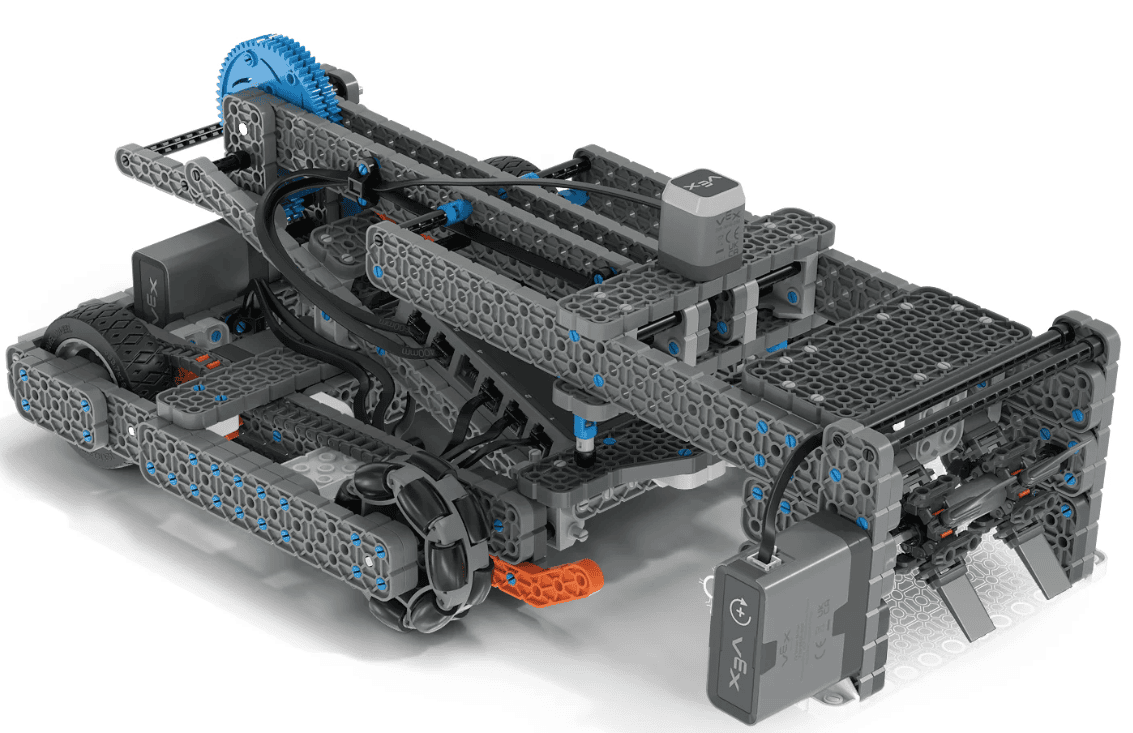
Now that you've been introduced to VIQRC Mix & Match, it's time to build your first competition robot! In this session, your team will build this year's Hero Bot, Huey. Hero Bots are designed with different features and functions to help you get started with this year's game.
Since Huey is a large build, your team will build it in stages. Everyone on the team will have a chance to build a part of Huey. When it's not your turn to build, you'll be practicing your skills in other areas as you rotate through four stations.
Before you begin, make sure you have the following ready:
- A complete IQ Competition Kit
- Your Team Number and Virtual Skills Key
- An engineering notebook
Now that you've been introduced to VIQRC Mix & Match, it's time to build your first competition robot! In this session, your team will build this year's Hero Bot, Huey. Hero Bots are designed with different features and functions to help you get started with this year's game.
Since Huey is a large build, your team will build it in stages. Everyone on the team will have a chance to build a part of Huey. When it's not your turn to build, you'll be practicing your skills in other areas as you rotate through four stations.

Before you begin, make sure you have the following ready:
- A complete IQ Competition Kit
- Your Team Number and Virtual Skills Key
- An engineering notebook
If this is the first time team members are building with IQ, consider starting with a whole-team overview of the tools and basic connections they’ll use. Reminding students the usage of the VEX Pin Tool can help them a long way. To learn more about how to use the VEX Pin Tool, see this article.
Here are some considerations for facilitating this session:
- How will you pair students up for this session? If possible, consider pairing novice and experienced builders together to encourage peer learning.
- Where will you locate the stations within your space? Think about how to organize your room so that students can rotate easily and safely between stations.
- If you will be carrying this session into multiple team meetings, where can you leave a partially built robot between sessions so it stays safe and intact?
- How will students rotate between stations? You can rotate by time, or when the builders have completed their stage, or use other criteria.
For more facilitation and implementation ideas or recommendations, reach out in the PD+ Community.
Building Station
Get ready for building! You will use 3D Build Instructions to construct part of the Hero Bot, Huey, with your partner. If you've never used 3D Build Instructions before, watch the video below to get started.
Use this task card (Google doc / .pdf / .docx) to guide you through what to do in this station.
- Take turns with your partner to build and check each step as you go.
- 3D Build Instructions for Huey can be found here.
Have fun building Huey!
Get ready for building! You will use 3D Build Instructions to construct part of the Hero Bot, Huey, with your partner. If you've never used 3D Build Instructions before, watch the video below to get started.
Use this task card (Google doc / .pdf / .docx) to guide you through what to do in this station.
- Take turns with your partner to build and check each step as you go.
- 3D Build Instructions for Huey can be found here.
Have fun building Huey!
The goal of this station is for students to get experience with building collaboratively. They are not expected to be master builders by the end of their stage, but to instead have practiced working with a partner to follow build instructions accurately, and to be more comfortable building with VEX IQ.
- The build is broken into 4 stages, but you can adjust those stages to best meet your students' needs. If you have novice builders for instance, you may want to shorten each stage, and have students rotate through them more times.
Remember, you can guide students as they build the Hero Bot, but you CANNOT complete any of the build steps for them. You can offer tips like holding pieces in the same orientation as the image in the build instructions, but you cannot actually connect the pieces together.
- Refer to the Mechanical Design, Physical Construction, and Inspection section of the student-centered policy for more details about what the coach/mentor can and can't do while the team builds.
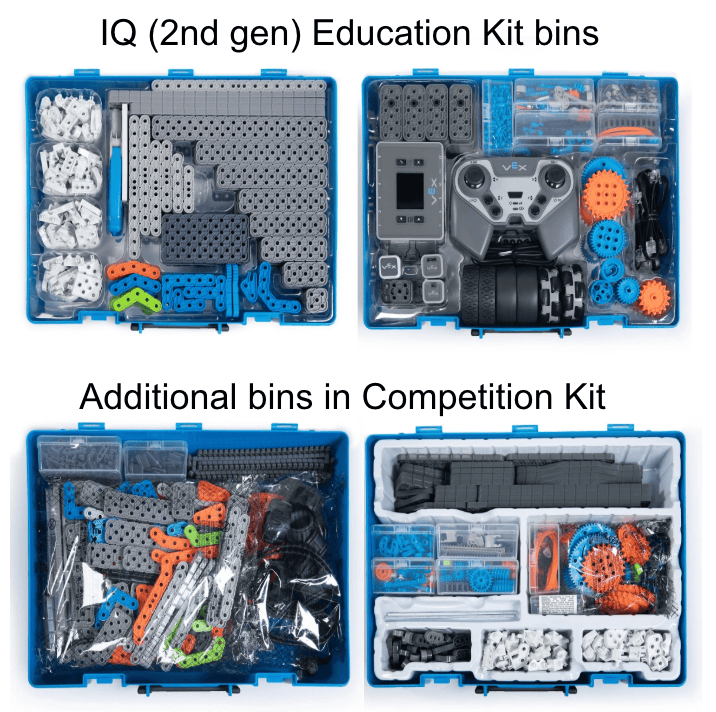
Have several copies of the VEX IQ Printable Ruler available for students to help students identify pieces by size. Remind your team that they can also use the Competition Kit Parts Poster to help identify which bin pieces can be located.
- Note that the Competition Kit Parts Poster has two pages. The first page shows the pieces located in the two IQ (2nd gen) Education Kit bins, while the second page shows the pieces located in the two additional bins.

Virtual Driving Station
It's time to hone your driving skills! You will take turns driving and scoring with Huey in Virtual Driving Skills Practice. This is your chance to learn more about the Hero Bot and its controls while you try to score points.
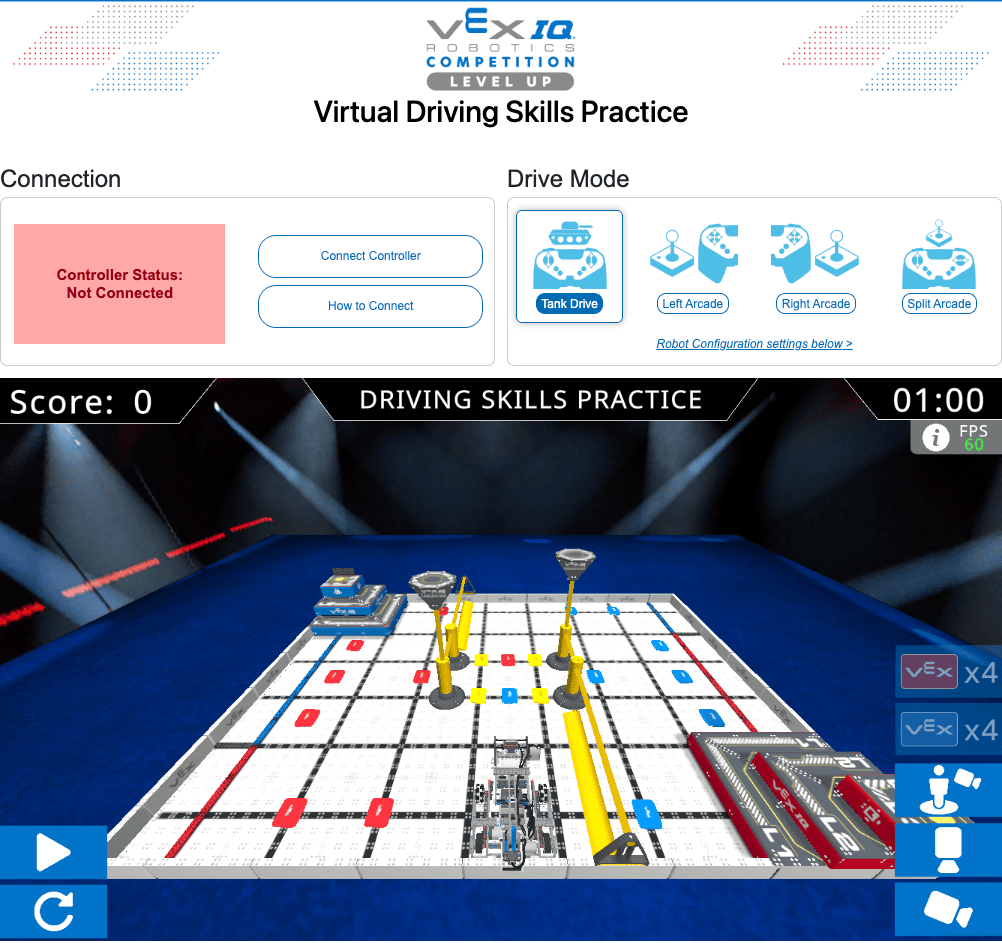
Use this task card (Google doc / .pdf / .docx) to guide you through what to do in this station.
- Take turns driving and documenting with your partner.
- Follow the steps in this article to connect your IQ (2nd gen) Controller to Virtual Driving Skills Practice.
- Use the Practicing Using VIQRC Virtual Driving Skills article to help you as you drive.
Have fun driving virtual Huey and playing VIQRC Mix & Match!
It's time to hone your driving skills! You will take turns driving and scoring with Huey in Virtual Driving Skills Practice. This is your chance to learn more about the Hero Bot and its controls while you try to score points.

Use this task card (Google doc / .pdf / .docx) to guide you through what to do in this station.
- Take turns driving and documenting with your partner.
- Follow the steps in this article to connect your IQ (2nd gen) Controller to Virtual Driving Skills Practice.
- Use the Practicing Using VIQRC Virtual Driving Skills article to help you as you drive.
Have fun driving virtual Huey and playing VIQRC Mix & Match!
You may want to have the Team Number and Virtual Skills Key written out and posted at this station. Use the accessing VIQRC Virtual Skills with a Virtual Skills Key article to help you as needed.
The goal of this station is for students to build their comfort and skills with driving a robot. Students on your team will likely have different experience levels with remote control driving, and that's ok. This station offers a chance to practice and explore ways to drive, so that students are set up for success when it comes to driving the physical robot later.
There are so many ways to drive and score with Virtual Driving Skills Practice. If students need help staying engaged in this station, you can offer ideas for exploration, like:
- Changing the camera views to see how that affects their perspective.
- Experimenting with the different Drive Modes.
- Testing out the robot controls.
- Trying to set a new high score!
Virtual Coding Station
Now you're ready to try your coding skills with Huey! You will work with your partner to code Huey in VIQRC Virtual Coding Skills in VEXcode VR. Watch this video to see how to get started coding Huey with VIQRC Mix & Match Virtual Skills.
You are going to try to code Huey to create a 3-Pin Stack on the Field. Watch this recording to see virtual Huey stack the preload Pin onto a Pin, then pick up that Stack and place it onto another Pin.
Use this task card (Google doc / .pdf / .docx) to guide you through what to do in this station.
- You can access VEXcode VR at vr.vex.com.
- You can go back to the video above to see one way to get your project started.
- Learn about the VIQRC Mix & Match Playground, Huey, and every block in the Toolbox at api.vex.com.
Have fun coding Huey!
Now you're ready to try your coding skills with Huey! You will work with your partner to code Huey in VIQRC Virtual Coding Skills in VEXcode VR. Watch this video to see how to get started coding Huey with VIQRC Mix & Match Virtual Skills.
You are going to try to code Huey to create a 3-Pin Stack on the Field. Watch this recording to see virtual Huey stack the preload Pin onto a Pin, then pick up that Stack and place it onto another Pin.
Use this task card (Google doc / .pdf / .docx) to guide you through what to do in this station.
- You can access VEXcode VR at vr.vex.com.
- You can go back to the video above to see one way to get your project started.
- Learn about the VIQRC Mix & Match Playground, Huey, and every block in the Toolbox at api.vex.com.
Have fun coding Huey!
The goal of this station is for students to explore coding a robot. The task in this station builds on what they saw in the video, enabling students to practice foundational skills, like sequencing, to move the robot to stack Pins. This may be the first time that students have coded anything, so try to celebrate any and all behaviors that students are able to code, to keep this a positive experience.
- If students are struggling, you can distribute this sample solution to help them get started. It shows the sequence of blocks needed to complete the task, but with the distance and degree parameters removed.
- Remind students that this virtual environment is here to help simplify the coding experience for them and help them experience that early success coding. This may mean the virtual robot will appear to behave slightly differently than the physical version.
You may want to have your Team Number and Virtual Skills Key written and posted at this station. Use this article to help as needed.
Remember, you can help team members learn about coding concepts, but you CANNOT build their code for them. Review the Programming/Coding section of the student-centered policy for more details about what coaches can and can't do while students are coding.
- Remind students to run their projects often to see how Huey is moving on the Field.
- Give students the Using the Navigation Kit article to learn more about using the Navigation Kit to help them plan their projects.
- Encourage team members to use VEXcode API Reference for support with Virtual Skills.
- For students who are interested in learning more about coding:
- You can use the CS Level 1 - Blocks course to help them learn more.
- Encourage them to keep going with Autonomous Skills or Virtual Skills Online Challenges.
Make sure that both students are actively participating in coding. One student can build the project while the other tests or documents, and then students can switch roles at regular intervals. Learn more about strategies like pair programming in this article.
Game Station
It's time to dive deeper into VIQRC Mix & Match! You will watch the game unveil video again, this time looking for more game play specific and scoring details. Then you're going to ask and answer some questions to help get you thinking about the game and competition as a whole. This is your chance to get into the game so you can be ready to start strategizing when the time comes.
Watch the game unveil video below.
Use this task card (Google doc / .pdf / .docx) to guide you through what to do in this station.
- Take notes as you watch the video, and use them to help you answer the questions on the task card.
- You can also use the game manual to help you answer your questions.
- Talk with your partner to make sure that you're in agreement about your answers to each question.
Get excited about VIQRC Mix & Match!
It's time to dive deeper into VIQRC Mix & Match! You will watch the game unveil video again, this time looking for more game play specific and scoring details. Then you're going to ask and answer some questions to help get you thinking about the game and competition as a whole. This is your chance to get into the game so you can be ready to start strategizing when the time comes.
Watch the game unveil video below.
Use this task card (Google doc / .pdf / .docx) to guide you through what to do in this station.
- Take notes as you watch the video, and use them to help you answer the questions on the task card.
- You can also use the game manual to help you answer your questions.
- Talk with your partner to make sure that you're in agreement about your answers to each question.
Get excited about VIQRC Mix & Match!
The goal here is not to become an expert in every facet of the game, but for students to stop and think a bit more about what they will need to know and learn to be successful for the season. Read this Insights article to learn more about the thinking behind the questions on the task card, and how to scaffold students' thinking in open-ended challenges.
Students should practice finding answers to questions on their own by using available game resources. This builds independence and sets them up for success throughout the season. This exercise may also generate additional questions from students—and that’s great! Consider posting any unanswered team questions at the end of the session in a visible place, so students can keep them in mind during future sessions.
The game manual is a big document, with a lot of information in it. You can use this article to help you as you support students to navigate the game manual. They should not be expected to read the manual in its entirety during this station, but to instead use it as a reference.
Now that you've got your Hero Bot ready to go, and you understand more about Robot Skills and Teamwork Matches, you're ready to dive into using Huey on the Mix & Match Field!

Select Next Session > to move on to the next session.