
Spin the Transport Conveyor
Now that the Entry Conveyor has moved the red disk to the Transport Conveyor, the blocks from the ‘Motion’ category need to be added in order to spin the Transport Motor.
- Add a [Spin] block to the ‘Move red disk on Transport Conveyor’ comment and set the motor to ‘TransportMotor.’
![Add a [Spin] block to the ‘Move red disk on Transport Conveyor’ comment.](/stemlabs/sites/default/files/inline-images/add-transport-block-red.png)
The red disk will travel on the Transport Conveyor until it is detected by the Load Sensor. Thus, the ‘TransportMotor’ should spin forward until the Load Sensor detects the disk. Then, once the red disk is in front of the Load Sensor, the Diverter should be set to divert the red disk to the Exit Conveyor.

- Add a [Wait until] block from the ‘Control’ category to the ‘Divert red disk to Exit Conveyor when disk is detected by Load Sensor’ [Comment] block.
![Add a [Wait until] block.](/stemlabs/sites/default/files/inline-images/add-wait-until-block.png)
The Transport Conveyor should spin forward until the Load Sensor detects a light value greater than the lower threshold value. Then, once the red disk is in front of the Load Sensor, the Diverter should be set to divert the red disk to the Exit Conveyor.
- Add a <Greater than> block from the ‘Operators’ category to the [Wait until] block. Change the second parameter of the <Greater than> block to the lower threshold value of the Load Sensor.
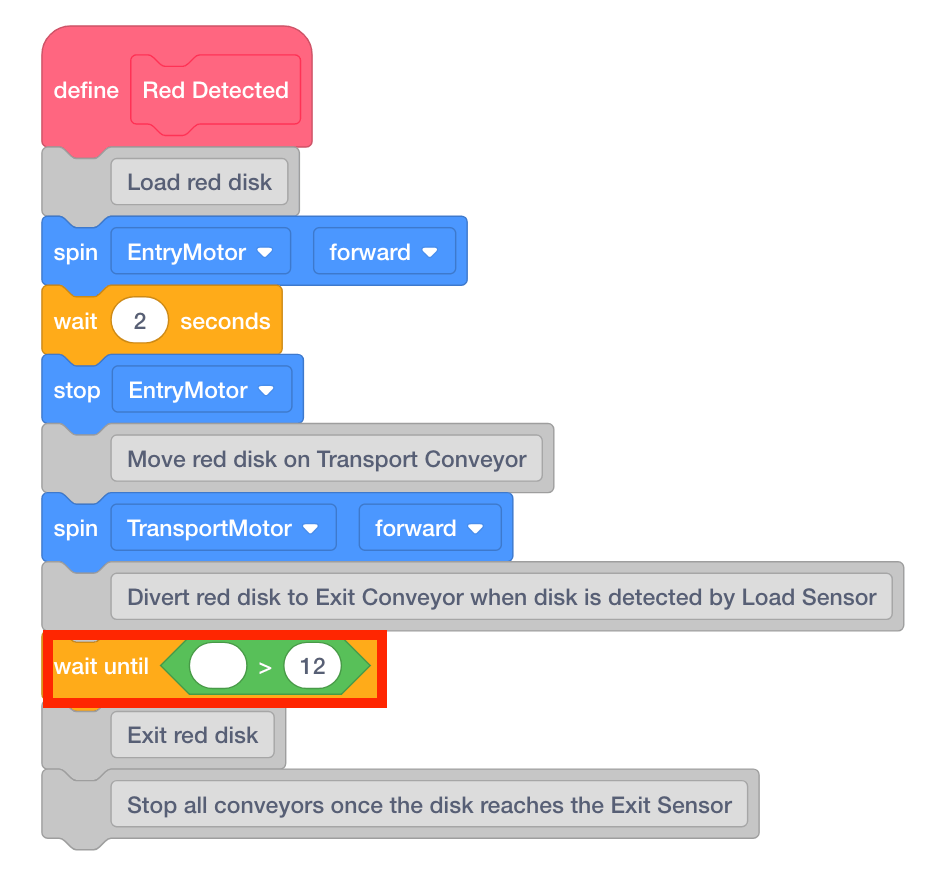
- Add a (Reflectivity of) block from the ‘Line Tracker Sensing’ category to the first parameter of the <Greater than> block.
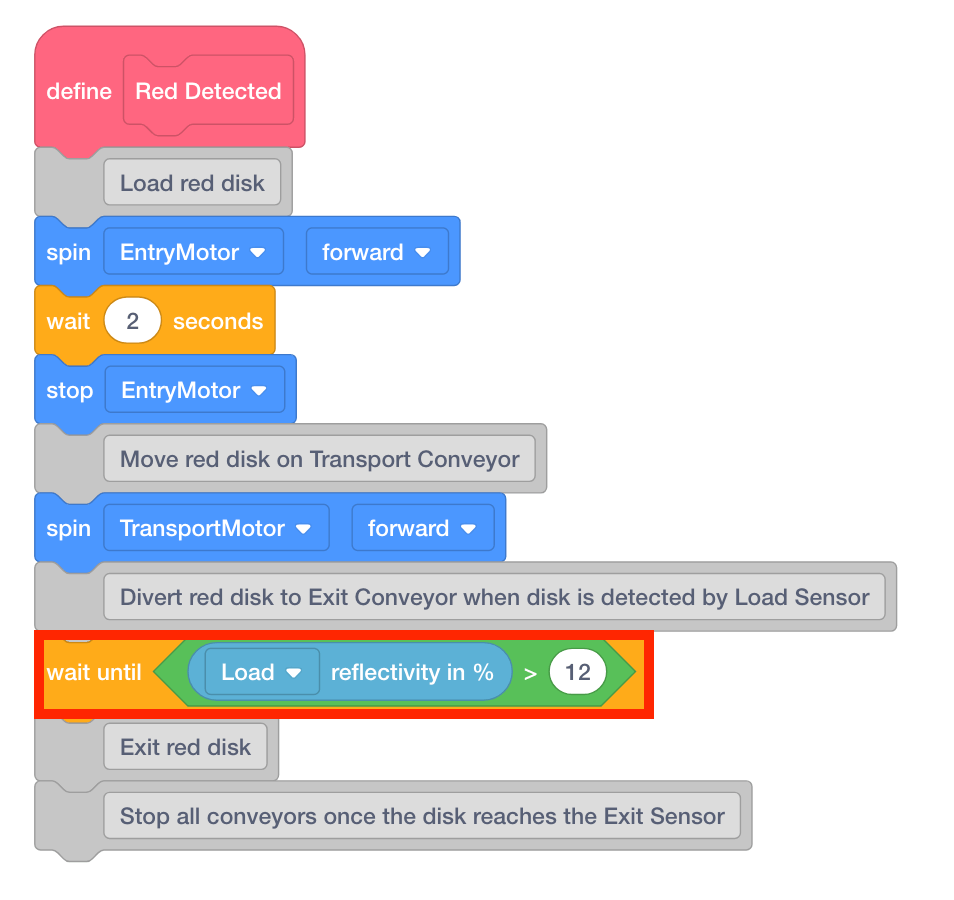
- Once the Load Sensor detects a disk, the Diverter should be set to position to divert the red disk to the Exit Conveyor. Add a [Spin to position] block to the [Wait until] block and set the motor to ‘DiverterMotor.’
![Add a [Spin to position] block.](/stemlabs/sites/default/files/inline-images/add-diverter-block-red.png)