Adding Conditions
Now that the VEX V5 Workcell is programmed to pick up a disk from the disk pick up location and move it above the Optical Sensor to determine the color, the conditions need to be added to the [If then] blocks in order to determine which disk drop off location the arm mounted on the V5 Workcell should take the disk to depending on the disk’s color.
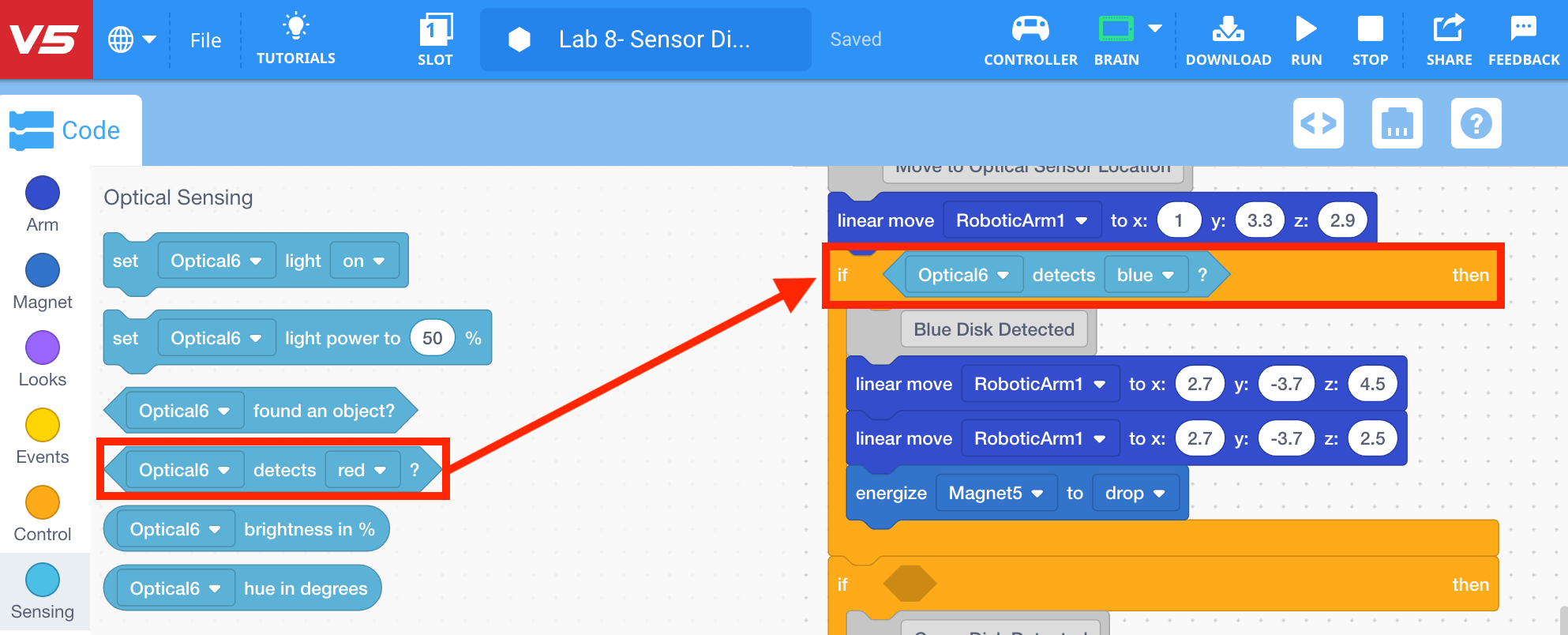
- Select and drag the <Optical detects color> block from the ‘Optical Sensing’ category in the Tool Box and place it in the first [If then] block. Change the parameter to detect ‘blue.’
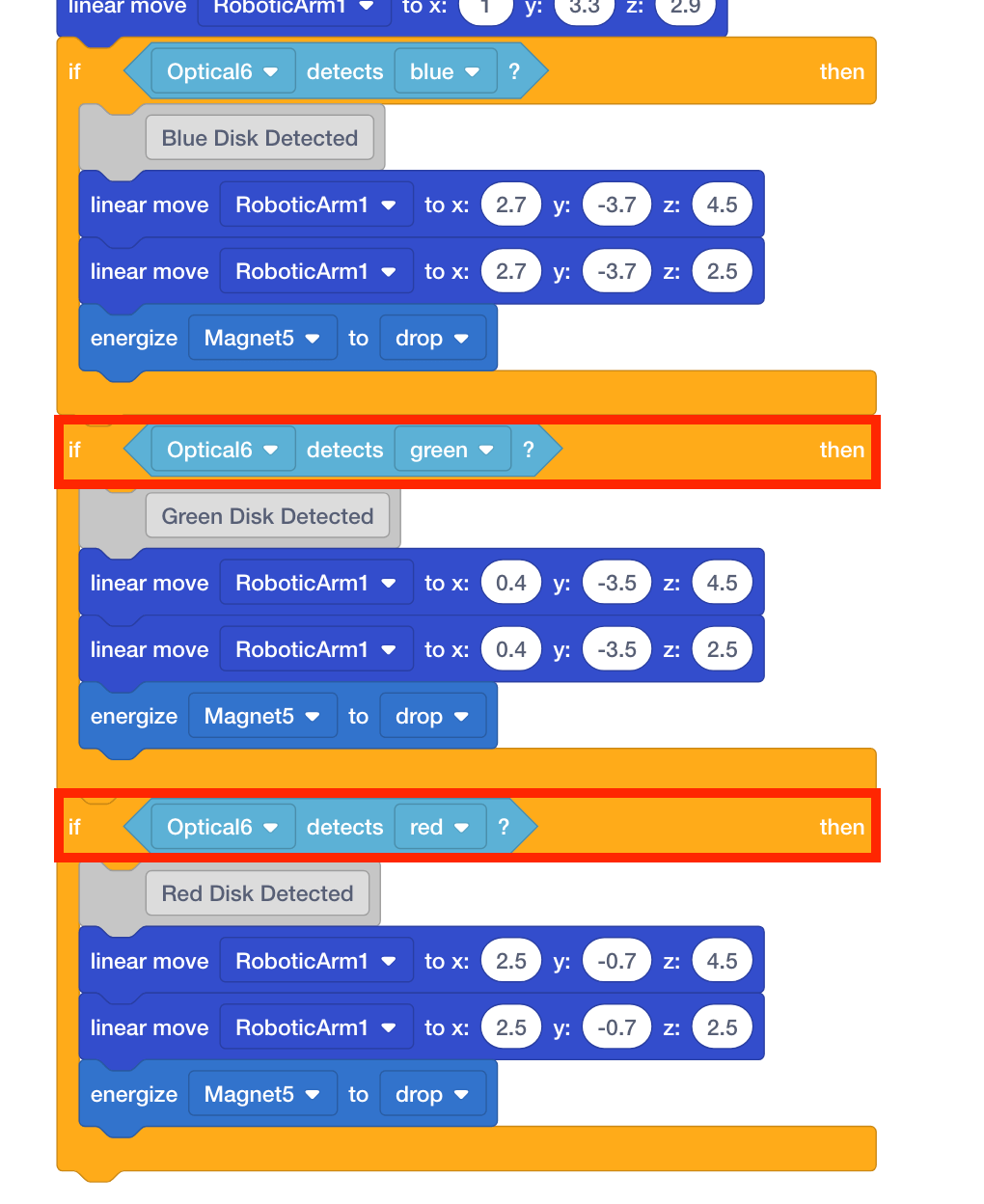
- Select and drag two <Optical detects color> blocks from the ‘Optical Sensing’ category in the Tool Box and place them in the second and third [If then] blocks. Change the parameters of the blocks to ‘green’ and ‘red.’