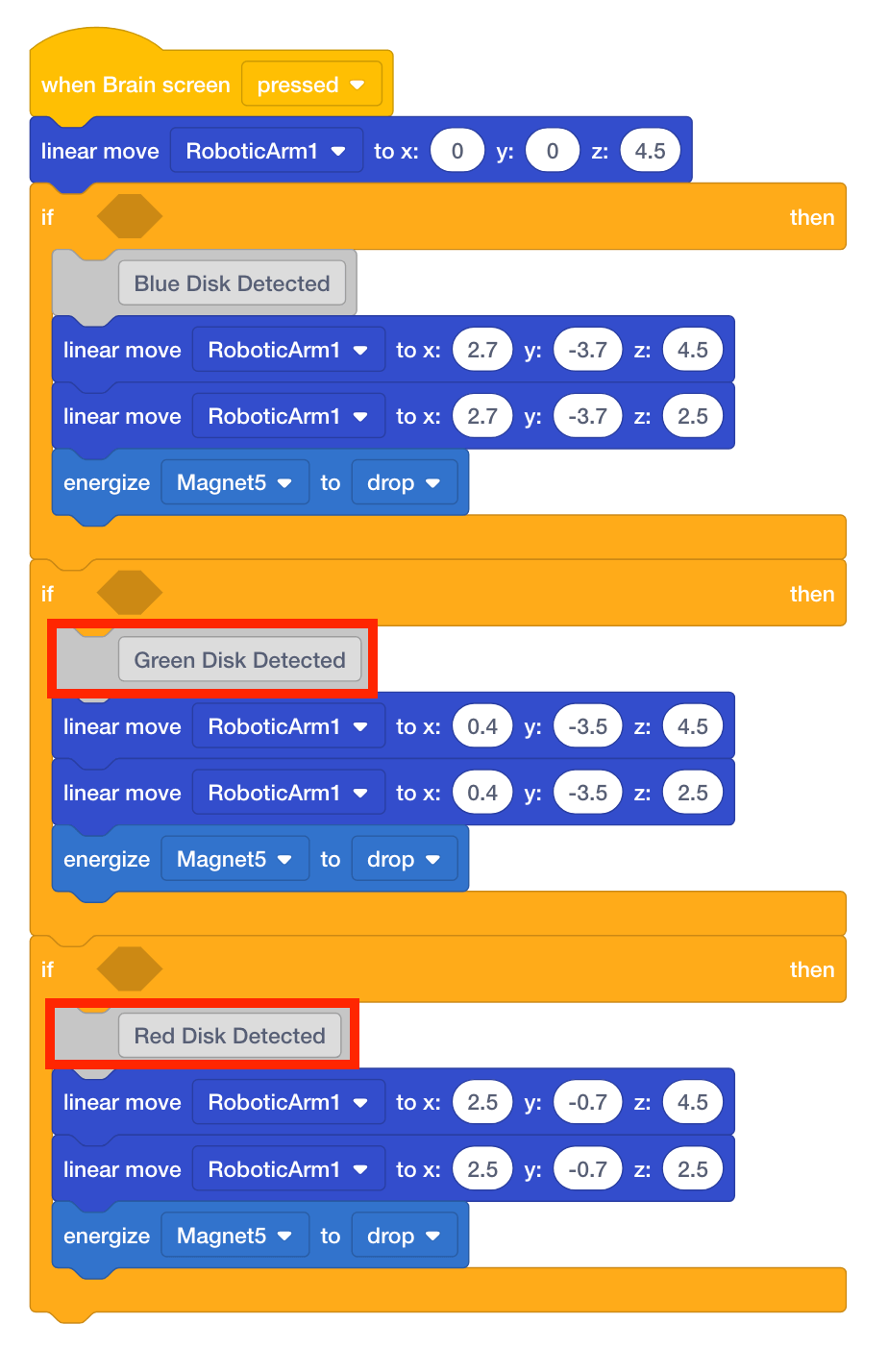
Detect Blue, Green, and Red Disk
The blocks that move the arm mounted on the VEX V5 Workcell to the blue, green, and red disks drop off locations will now be moved into [If then] blocks.
- Move the four blocks associated with the blue disk inside the first [If then] block.
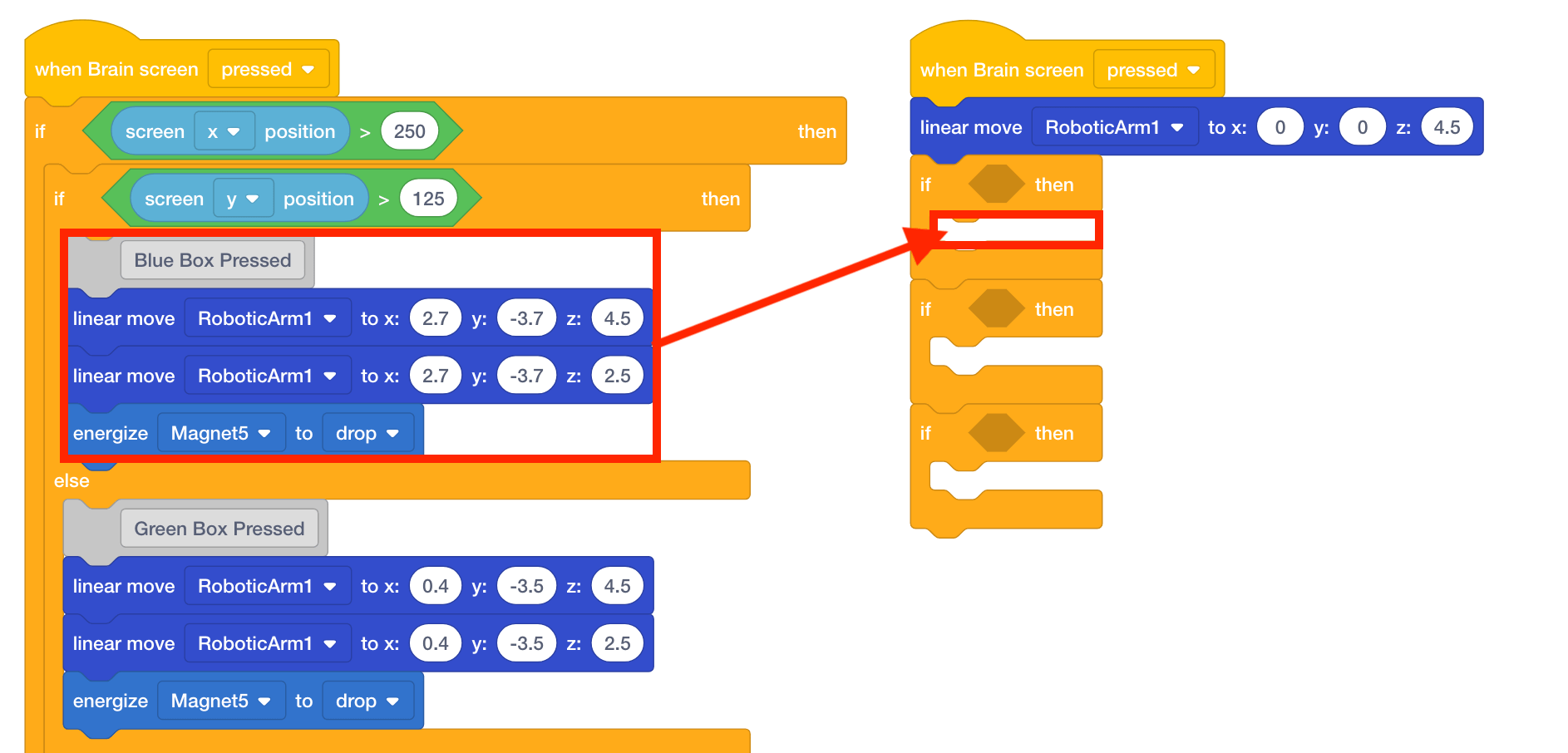
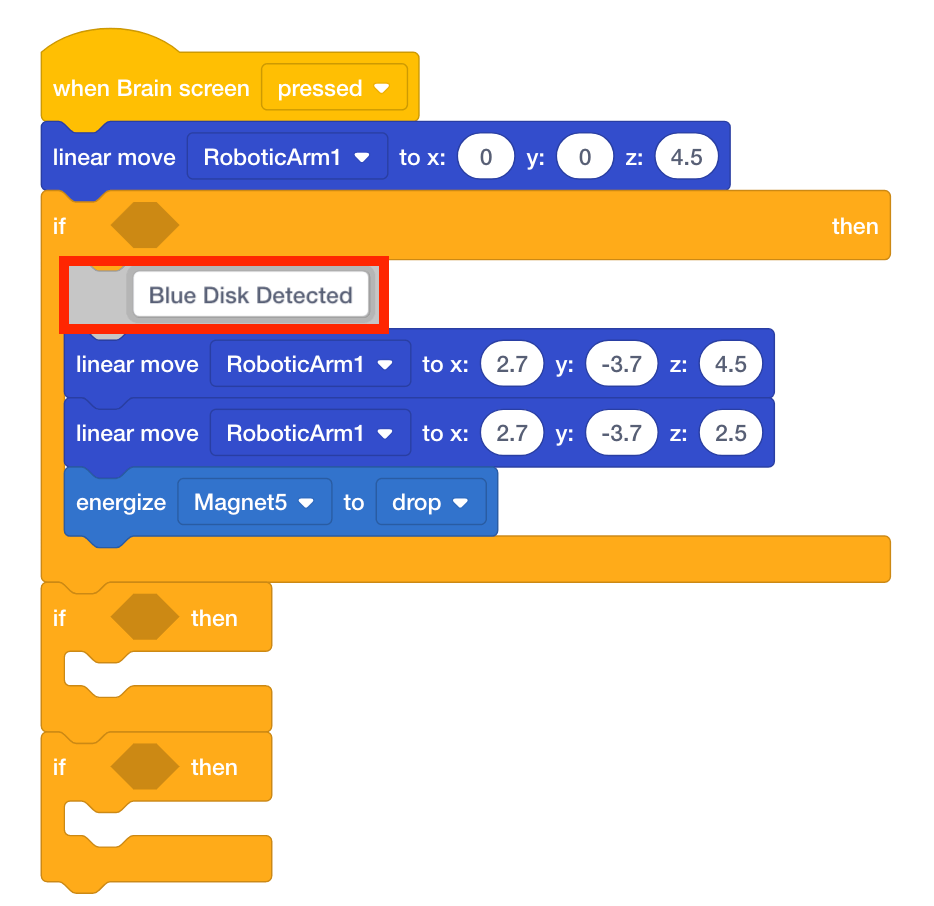
- Since the colored boxes are no longer on the V5 Brain’s screen, change the comment from ‘Blue Box Pressed’ to ‘Blue Disk Detected.’
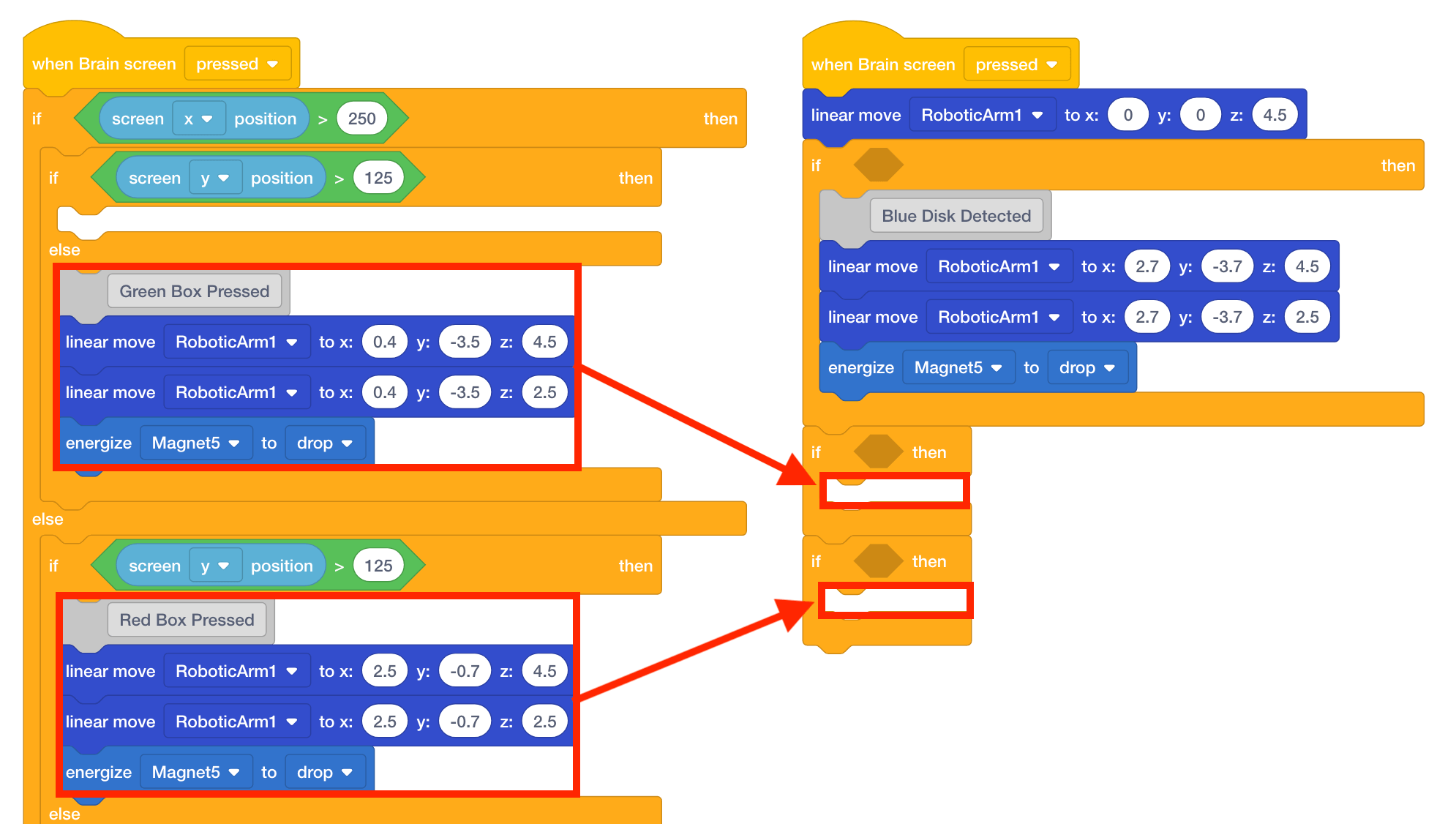
- Move the four blocks associated with the green disk inside the second [If then] block and the four blocks associated with the red disk inside the third [If then] block.
- Adjust the comments to ‘Green Disk Detected’ and ‘Red Disk Detected.’