Before You Begin
Welcome to the VEX AIR Virtual Flight Course! Throughout this course, students will use the VEX AIR Flight Simulator to gain comfort and familiarity with the VEX AIR Drone Controller through hands-on practice and the completion of challenges and tasks. The goal of the course is for students to learn how to operate the virtual drone in the simulator, so they can build their skills in a safe space before learning to operate the indoor-only drone in the next course.
Teacher Notes in this Course: Teacher Notes are embedded within the course in boxes like these. The Student - Teacher toggle at the top of each lesson will change the view, showing or hiding teacher notes when selected. These Teacher Notes are designed to give you in-the-moment support and resources for facilitating the course.
Learning Objectives:
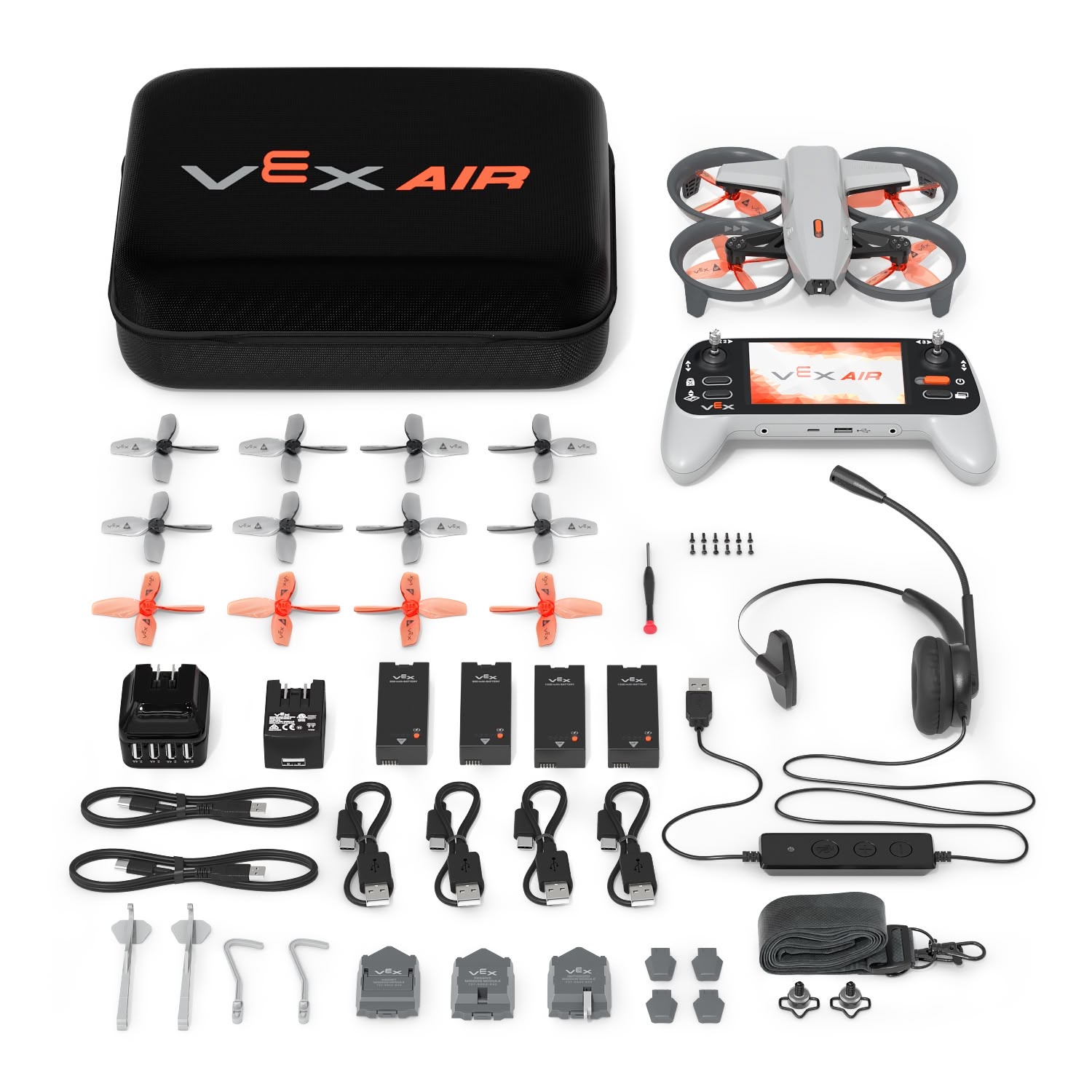
This unit is designed to introduce students to the components of the VEX AIR Drone Kit, and guide them through the steps to get their controller ready for use in the course. By the end of this unit students will be able to:
- Identify and describe the main components included in the VEX AIR Drone Kit.
- Describe how to charge the VEX AIR Drone Controller.
- Identify the steps to connect a controller to VEXcode AIR.
- Recognize the process for updating controller firmware in VEXcode AIR.
- Identify examples of organizations and careers that rely on drone technology.
A Note About Materials in This Course:
During this unit, students will use their VEX AIR Drone Kits for Lesson 1, as they learn about the kit components and their functions. The rest of the course will use only the controller and VEXcode AIR. For all subsequent lessons, ensure students have access to the following:
Important Safety Reminder
Although this course is focused on simulated flight, rather than flying the physical drone, it is important to emphasize to students that the VEX AIR Drone is for indoor use only and should never be flown outdoors. Establishing this important safety rule from the beginning will help to ensure students clearly understand the expected use of the drone moving forward throughout all courses.
Standards Alignment
The following standards can be reached in this unit. To learn how these standards are met, and view a comprehensive standards alignment, go to standards.vex.com.
Common Core English Language Arts (CCSS ELA)
- CCSS.ELA-LITERACY.CCRA.L.6 - Acquire and use accurately a range of general academic and domain-specific words and phrases sufficient for reading, writing, speaking, and listening at the college and career readiness level; demonstrate independence in gathering vocabulary knowledge when encountering an unknown term important to comprehension or expression.
- CCSS.ELA-LITERACY.RST.9-10/11-12.3 - Follow precisely a complex multistep procedure when carrying out experiments, taking measurements, or performing technical tasks, attending to special cases or exceptions defined in the text.
- CCSS.ELA-LITERACY.RST.9-10/11-12.4 - Determine the meaning of symbols, key terms, and other domain-specific words and phrases as they are used in a specific scientific or technical context relevant to grade level topics.
International Society for Technology in Education (ISTE)
- Empowered Learner – 1.1.d – Students understand fundamental concepts of how technology works, demonstrate the ability to choose and use current technologies effectively, and are adept at thoughtfully exploring emerging technologies.
- Knowledge Constructor – 1.3.d – Students build knowledge by exploring real-world issues and gain experience in applying their learning in authentic settings.
- Global Collaborator - 1.7.c - Students contribute constructively to project teams, assuming various roles and responsibilities to work effectively toward a common goal.