
Now that you've explored the VEX AIM Coding Robot's AI Vision—and learned about its field of view and the factors that affect the data it reports—it's time to apply that knowledge to a new challenge! In this activity, you will build a project to make your robot react differently depending on what object is detected.
Watch the video below to see the code you will be starting with, and learn about how the blocks in that project connect to what you've learned in your explorations. In this video, you will review the challenge and learn about:
- AI Vision blocks that allow you to use sensor data in a project.
- How the starter project is structured.
Now that you have watched the video, capture your thoughts in your journal. Answer the questions below to guide your thinking and help you prepare for a whole-class discussion.
- What are your initial ideas for how to complete the activity? List at least two ideas in your journal, with details.
- How do you think what you learned in the explorations will help you to complete this challenge?
- What other questions do you have about the code or the challenge?
Putting It All Together
Now that you've discussed the activity, it's time to try it!
Step 1: Set up your field. Place one object in the center of each wall, and your robot in the center of the field. Use the image below as a guide. You can use blue and orange barrels, and sports balls.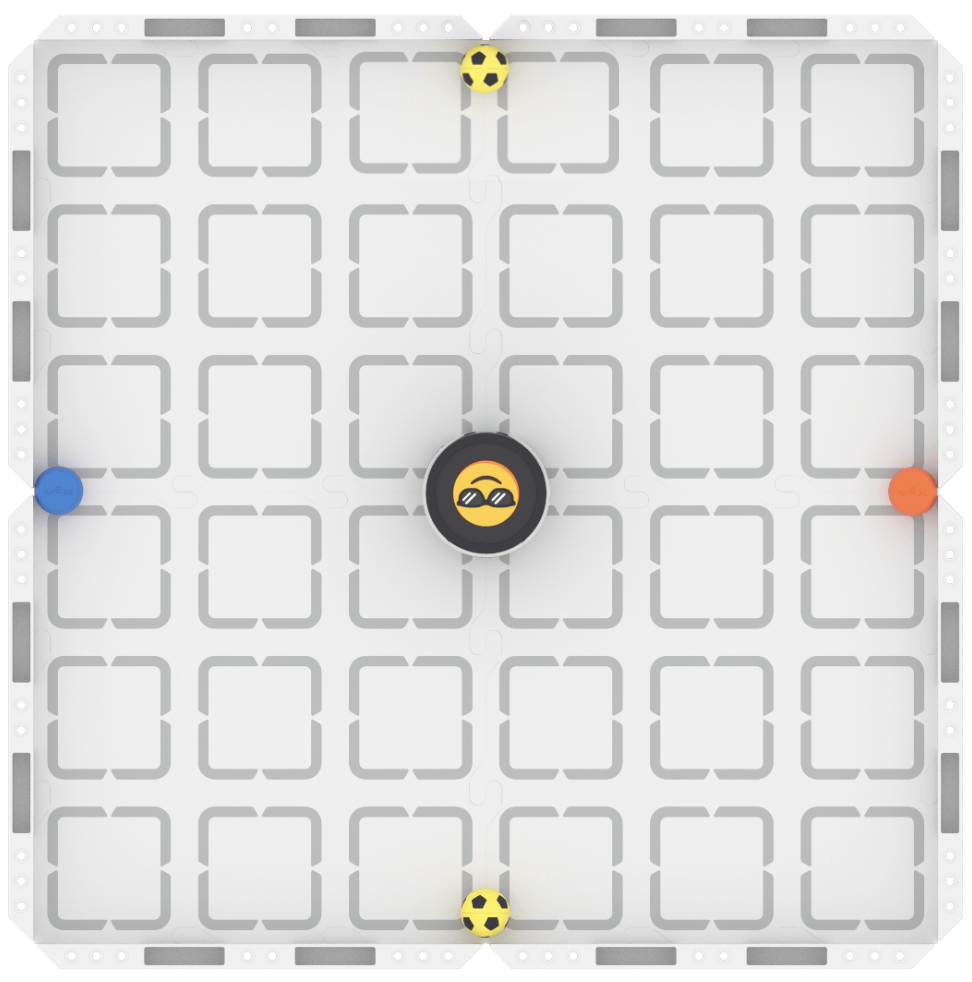
Step 2: Plan your project to make the robot react differently depending on the object detected. Together with your group, choose how you want your robot to react to each of the objects on your field. Document your plan in your journal, and be specific.
- Use this task card (Google / .docx / .pdf) to guide you as you complete the activity.
- Be creative—use emojis, LEDs, built-in sounds, or other actions to design your robot's reactions.
Step 3: Code your robot to complete the activity, making sure it reacts differently depending on the object detected. Continue to use your task card. Build the project shown below to get started.
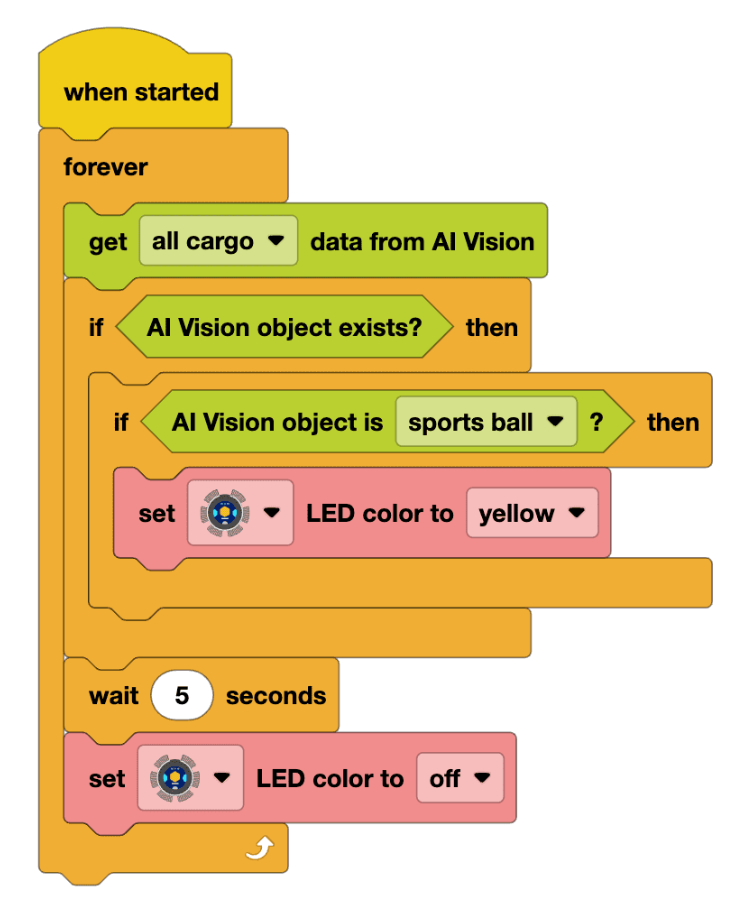
- Pro Tip: Use the built-in VEXcode resources to learn more about what blocks to use to build a project that matches your plan. You can check out Example Projects, or view the Help for specific blocks, to help if you get stuck or need ideas.
Step 4: Explore! Try different objects in each location. Does your project still work as intended? Think about how you can further customize your reactions, then continue to iterate on your project to improve it.
Additional Resources
The following articles and resources may help you as you work through this challenge:
Wrap-Up
Now that you have completed the activity, it is time to share how you applied what you learned about the robot's AI Vision to this coding challenge. Answer the following questions in your journal to help you reflect on your learning and prepare for a whole-class discussion:
- Describe your project. Include what AI Vision blocks were used and the reactions you coded.
- What learning did you apply from the AI Vision explorations to create this project?
- What was the biggest challenge your group faced? How did you work together to solve it?
Select Return to Units > to return to all units.