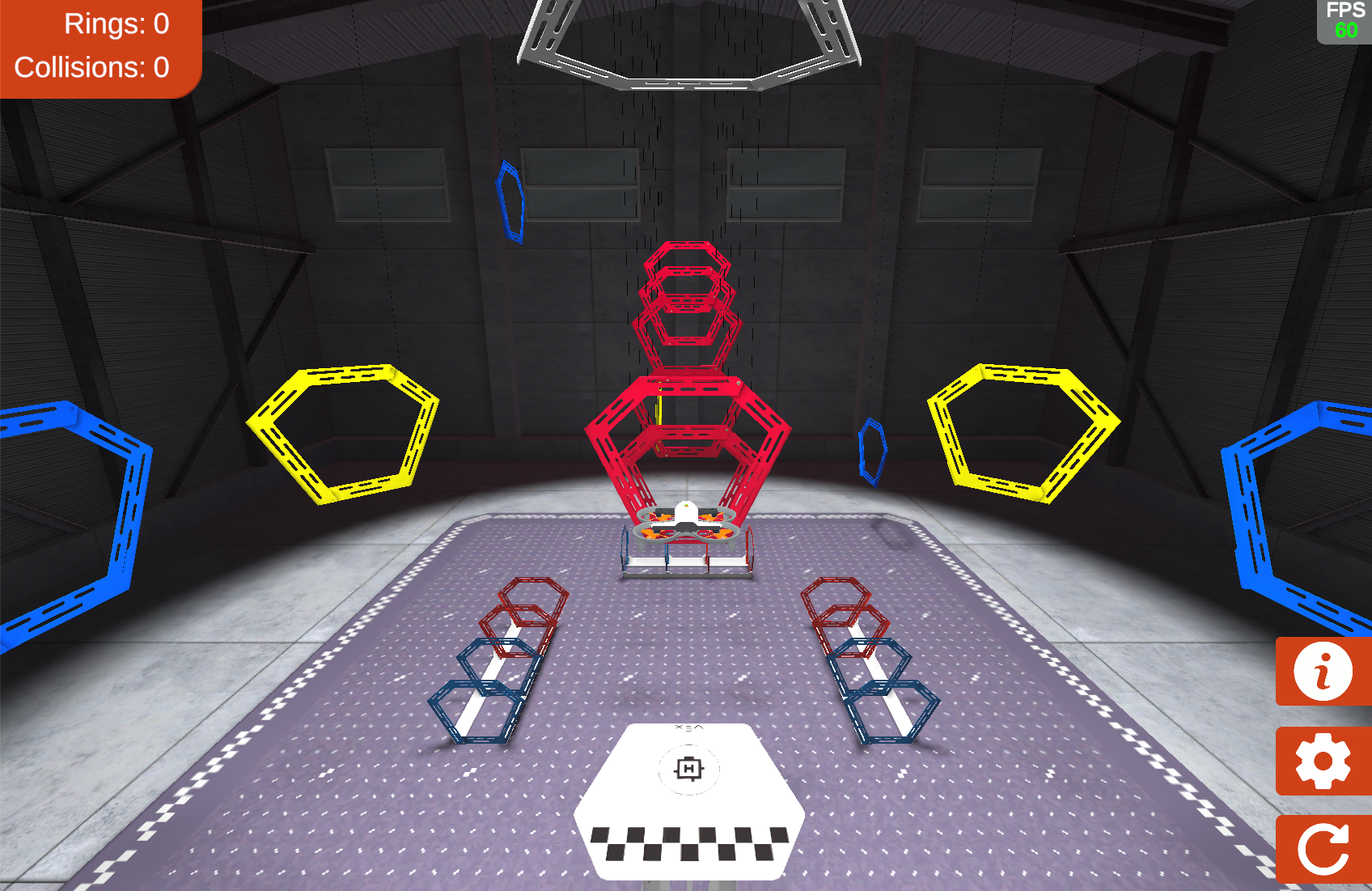
Throughout this course, you've learned a great deal about how to fly the virtual VEX AIR Drone in the VEX AIR Flight Simulator. Now you're going to put your skills to the test as you fly through your most complex mission yet! Your goal is to use the VEX AIR Drone Controller to fly through all the rings on the field as quickly as possible. To prepare for your flight, you'll develop a flight plan, practice and refine it, then take flight to balance speed and precision in real time.
Hover & Discover
Before taking off, pilots create a flight plan to map out their route, controls, and potential challenges. Planning helps pilots fly more efficiently, avoid mistakes, and stay safe—especially for missions with multiple movements or obstacles. In this challenge, you'll use the same approach real pilots rely on before every flight. You'll develop, practice, and refine your flight plan in preparation for your mission.
Challenge Mission: Fly Through All Rings
Fly through all the rings on the field (including the ring tunnels on the floor) as quickly as possible with zero collisions, then land back on the platform. Apply everything you've learned about drone control and your piloting preferences to complete this challenge successfully.
This mission will take planning and practice to complete. You will follow a multi-step process to help guide you through the challenge. Be sure to take your time through each phase of the process. All phases of the process are included in the Mission Log.
Use the Mission Log to record your progress through the challenge.
Google Doc / .docx / .pdf
Fly through all the rings on the field (including the ring tunnels on the floor) as quickly as possible with zero collisions, then land back on the platform. Apply everything you've learned about drone control and your piloting preferences to complete this challenge successfully.
This mission will take planning and practice to complete. You will follow a multi-step process to help guide you through the challenge. Be sure to take your time through each phase of the process. All phases of the process are included in the Mission Log.
Use the Mission Log to record your progress through the challenge.
Google Doc / .docx / .pdf
All four phases are included in the Mission Log (Google doc / .docx / .pdf). Distribute the Mission Log to students at the start of the challenge.
Note: If using printed Mission Logs, you may want to have extra copies readily available for students to use throughout the mission, as they are documenting their plans and practice.
Be sure that all students have ample time for planning, practicing, and refining their flight plans for the mission. Help students to remain engaged in the challenge by celebrating small successes along the way.
You can adapt the challenge as needed to best suit the needs of your students. If zero collisions is too challenging, consider setting a collision threshold for success such as zero collisions for “expert”, 1-3 collisions for “amateur”, or 4+ collisions for “beginner”.
Phase 1: Develop a Flight Plan
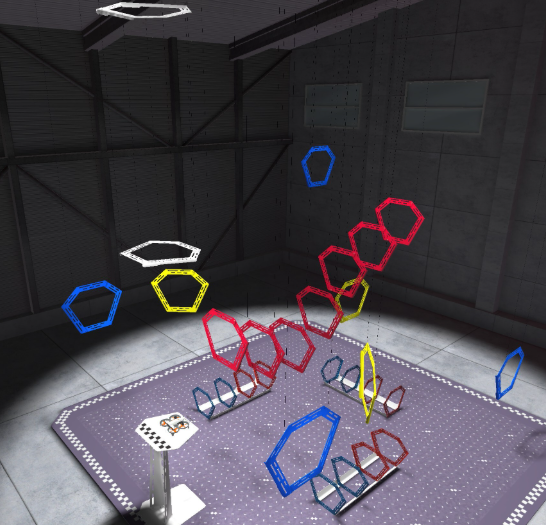
Success requires strategic planning. Before you fly, map out your approach: choose your primary route, identify backup options, and develop tactics to minimize collisions while optimizing your speed and efficiency.
Use the Phase 1 section of the Mission Log to document your flight plan.
- Your flight plan should describe the path you intend to fly. This plan includes things like where the drone will fly, the order of the rings, and the maneuvers needed to complete the path.
- Use the legend in the Mission Log for reference to help you communicate your plan.
- Document your decisions and why you chose that approach. Explain why you chose this path to try first and what advantages you think it gives you in the mission.
Pro Tip: Look back at your Mission Logs to get data about your flying in different paths, and use that data to inform you decisions about your plan.
Check in with your instructor to share your flight plan before moving on to the next phase.
Success requires strategic planning. Before you fly, map out your approach: choose your primary route, identify backup options, and develop tactics to minimize collisions while optimizing your speed and efficiency.

Use the Phase 1 section of the Mission Log to document your flight plan.
- Your flight plan should describe the path you intend to fly. This plan includes things like where the drone will fly, the order of the rings, and the maneuvers needed to complete the path.
- Use the legend in the Mission Log for reference to help you communicate your plan.
- Document your decisions and why you chose that approach. Explain why you chose this path to try first and what advantages you think it gives you in the mission.
Pro Tip: Look back at your Mission Logs to get data about your flying in different paths, and use that data to inform you decisions about your plan.
Check in with your instructor to share your flight plan before moving on to the next phase.
The goal of this phase is for students to stop and think before they take flight. There is not one “right way” to fly through the rings on the field and students should be encouraged to explore many alternatives before choosing a particular path.
Introduce this phase by demonstrating how to identify and evaluate a few possible paths together as a whole class. With everyone looking at the field together, talk through one possible route that includes all of the rings. Use the labels identified in the legend to ensure everyone is referring to the rings in the same way. Then, think together about the possible issues with that path:
- Are collisions likely?
- Does it require a difficult flight trajectory?
- Is there a faster way to accomplish the same goal?
This can give students a reference point to build upon as they create and improve their own strategies.
Students should check in with you to share their flight plan before moving on to practicing.
Phase 2: Practice Your Plan
With your plan ready, it's time to test it. Practice flights reveal whether your strategy is viable and help identify needed adjustments.
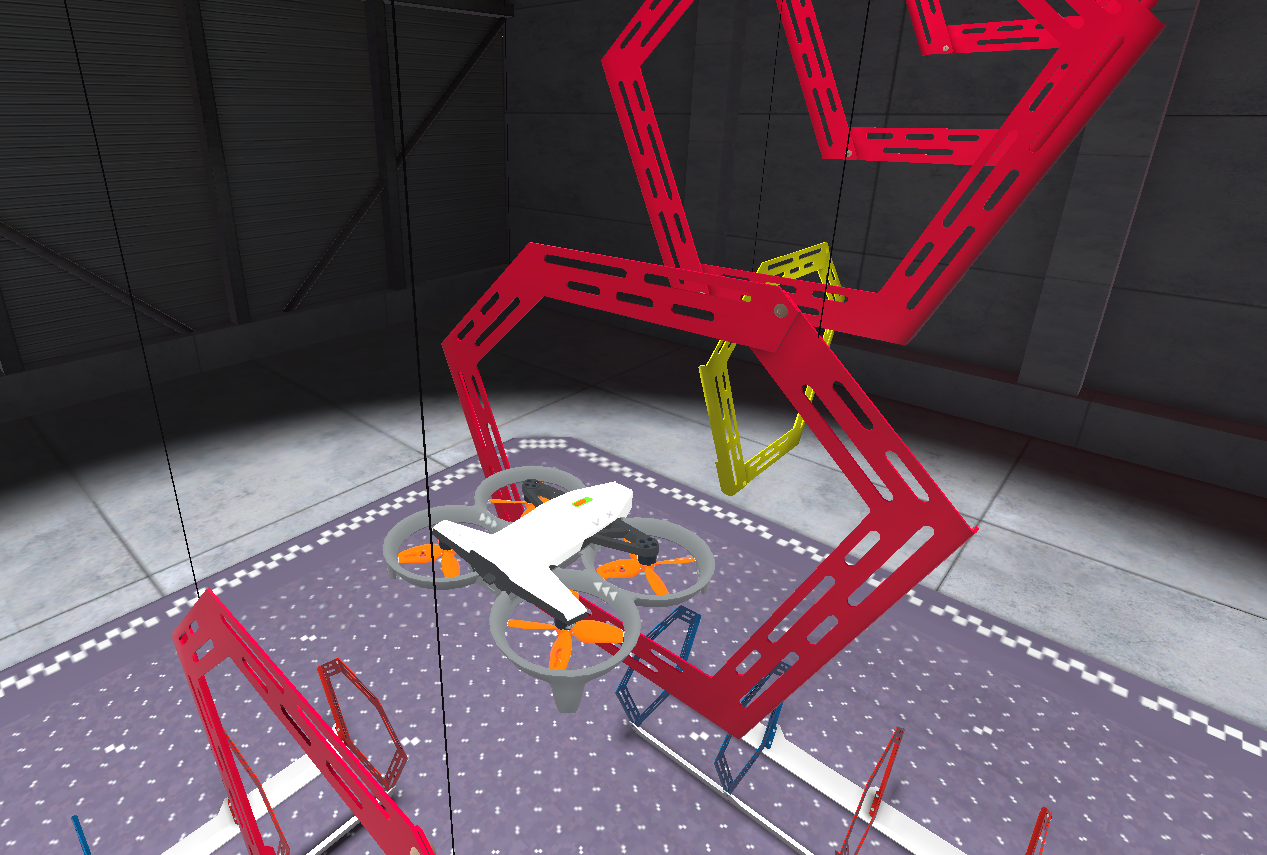
Practice flying your flight plan and record your flights in the Phase 2 section of the Mission Log.
- Document the same way you have in previous missions in this course. Note things you want to change in your plan.
- Record any changes made to the path as you practice.
- Practice multiple times so you can evaluate how effective your flight is in the next phase.
Remember, the goal of the mission is to balance precision and speed. Flying quickly but with lots of collisions is less successful than a slower time with fewer collisions.
Check in with your instructor after you have completed and documented at least five practice flights and are ready to move on to the next phase.
With your plan ready, it's time to test it. Practice flights reveal whether your strategy is viable and help identify needed adjustments.

Practice flying your flight plan and record your flights in the Phase 2 section of the Mission Log.
- Document the same way you have in previous missions in this course. Note things you want to change in your plan.
- Record any changes made to the path as you practice.
- Practice multiple times so you can evaluate how effective your flight is in the next phase.
Remember, the goal of the mission is to balance precision and speed. Flying quickly but with lots of collisions is less successful than a slower time with fewer collisions.
Check in with your instructor after you have completed and documented at least five practice flights and are ready to move on to the next phase.
This phase should feel like the other missions in this course. The goal here is that students take time to practice flying their intended flight path so they can collect data and evaluate its success.
Remind students to take turns after each practice flight. This gives each student the opportunity to reflect on their flight and document it in the Mission Log, while another student practices, so all students remain engaged throughout the challenge.
As students are flying, talk with them about their progress. Ask questions like:
- How are you determining if a flight was successful or not?
- What is one strategy you learned in the course about precise flying that you are applying here?
- Do you want to change your flight plan or path? Why or why not?
Students should check in with you to share their practice and documentation before moving on to the next phase.
Phase 3: Refine Your Flight Plan
In real-world flight, flight planning is iterative, not one-and-done. Now that you have data and documentation about your performance from practicing, you are ready to refine and adjust your plan to optimize it for the challenge.
Use the Phase 3 section of the Mission Log to document your flight plan adjustments.
- Record any changes to the path based on practice. You can sketch or write a new route description based on your practice.
- Document why you are making those changes, and what data you used to inform your decisions.
- For example: Changing the sequence of rings helped me eliminate collisions because…
- Note any pilot preferences you want to make sure you're using throughout the flight, such as camera views or steering modes.
Check in with your instructor to share your refined flight plan before going back to practice your new flight plan or moving on to the Challenge Mission.
In real-world flight, flight planning is iterative, not one-and-done. Now that you have data and documentation about your performance from practicing, you are ready to refine and adjust your plan to optimize it for the challenge.
Use the Phase 3 section of the Mission Log to document your flight plan adjustments.
- Record any changes to the path based on practice. You can sketch or write a new route description based on your practice.
- Document why you are making those changes, and what data you used to inform your decisions.
- For example: Changing the sequence of rings helped me eliminate collisions because…
- Note any pilot preferences you want to make sure you're using throughout the flight, such as camera views or steering modes.
Check in with your instructor to share your refined flight plan before going back to practice your new flight plan or moving on to the Challenge Mission.
Encourage students to think critically about their practice and to use their reflection notes to help them improve their flight plans. Students do not need to make big changes, but all students should document some type of refinement based on their practice.
The goal of this phase of the process is to encourage reflection and decision-making, not just execution, and to help students get hands-on experience with iterative improvement and making data-based decisions. Talk with students about their refinements, asking questions like:
- What was the biggest challenge you faced in practice? How are you accounting for that in your flight plan iteration?
- How/Why will this refined flight plan improve your speed? What about your precision?
- How confident are you in your ability to fly this flight plan successfully? Why?
Students should share their refined flight plan before moving on. Students will likely need multiple practice rounds with their revised plan. Encourage them to cycle between Phases 2 and 3 as many times as needed before attempting the final challenge mission.
Phase 4: Fly the Challenge Mission
You've planned, practiced, and refined your strategy—now it's time to fly the Challenge Mission! Your goal: fly through all the rings as quickly as possible with zero collisions. Follow your flight plan and document each flight. Complete multiple attempts, focusing on eliminating collisions and improving your time with each run.
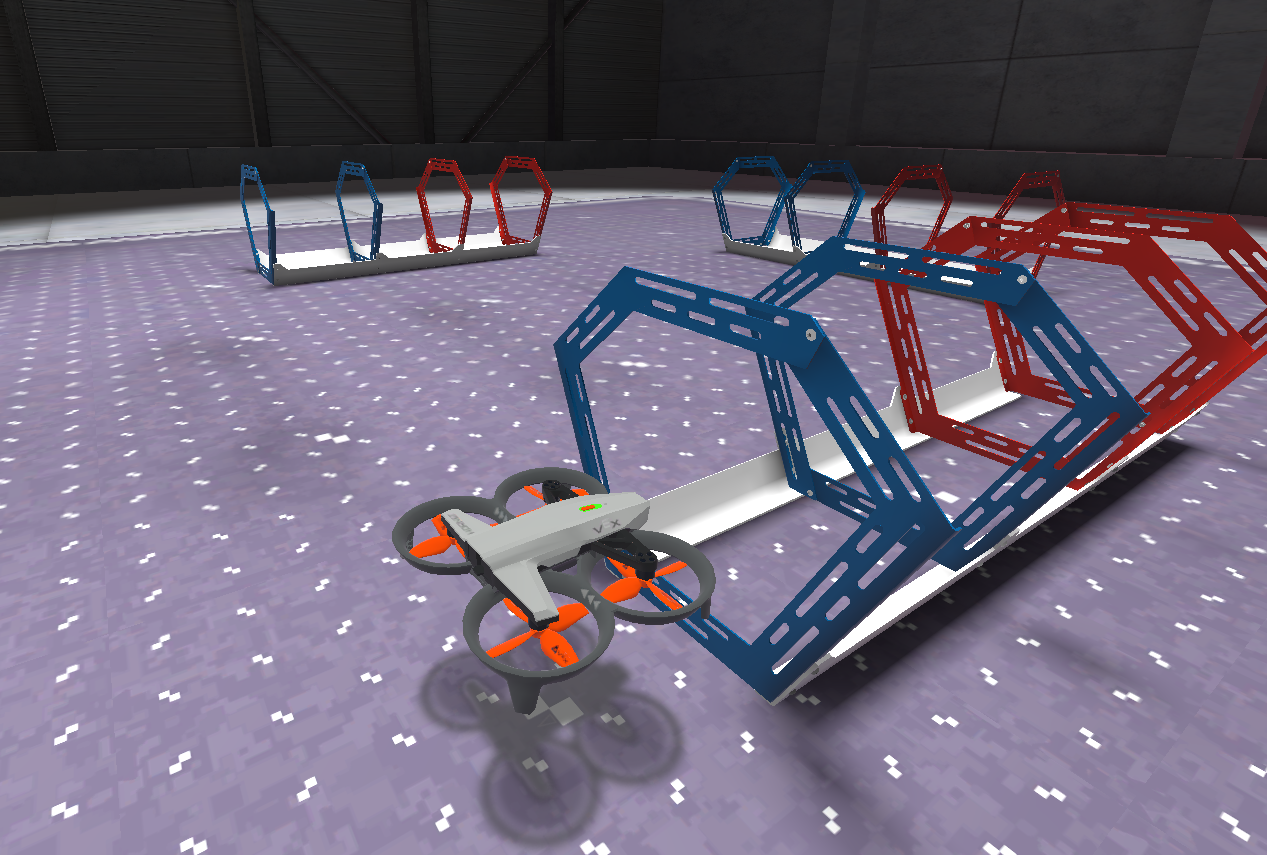
Use the Phase 4 section of the Mission Log to record your flights.
- Record each flight and note areas where you could improve speed or accuracy.
- Document strategies for challenging sections, such as where to slow down or how to apply multi-axis movements for smoother navigation.
- Track your flight times and aim for the shortest time with zero collisions.
Pro Tip: Identify areas or rings where you're repeatedly colliding. Try switching camera views in those sections to get a better perspective on the drone's position relative to the rings.
You've planned, practiced, and refined your strategy—now it's time to fly the Challenge Mission! Your goal: fly through all the rings as quickly as possible with zero collisions. Follow your flight plan and document each flight. Complete multiple attempts, focusing on eliminating collisions and improving your time with each run.

Use the Phase 4 section of the Mission Log to record your flights.
- Record each flight and note areas where you could improve speed or accuracy.
- Document strategies for challenging sections, such as where to slow down or how to apply multi-axis movements for smoother navigation.
- Track your flight times and aim for the shortest time with zero collisions.
Pro Tip: Identify areas or rings where you're repeatedly colliding. Try switching camera views in those sections to get a better perspective on the drone's position relative to the rings.
The goal is for students to apply their planning and preparation to their actual flights. Encourage students to reflect between attempts so they can document not only whether each flight was successful, but why, and how it connects to their flight plan.
Note: The ring count in the upper left corner of the simulator should show a count of 28 when students have flown through all of the rings.
Talk with students about how their flight planning and practice helped them be successful in the mission. Ask questions like:
- What is something you learned in practice that you are applying to these flights?
- How did your plan change from Phase 1 to now? Why did you change it?
- How did taking time to plan and practice help you improve your piloting skills?
Students can repeat phases of the challenge to continue to improve and iterate.
- The goal is for students to complete the mission with zero collisions, which will take practice. Encourage them to continuously analyze their paths and refine their plans to achieve this goal.
- Open-ended challenges don't have a finish line—there's always room for improvement. Encourage students to celebrate their successes while continuing to look for ways to strengthen their piloting skills.
Select Return to Units > to move on to the next unit.