
Engage
Launch the Engage Section
ACTS is what the teacher will do and ASKS is how the teacher will facilitate.
| ACTS | ASKS |
|---|---|
|
|
Getting the Students Ready to Build
Now that you’ve pointed out traits for bunnies, we’re going to create a bunny with the Bunny Traits build and record different traits that it has.
Facilitate the Build
-
InstructInstruct
students to join their team, and have them complete the Robotics Roles & Routines sheet. Use the Suggested Role Responsibilities slide in the Lab Image Slideshow as a guide for students to complete this sheet. Inform students that they will be building the first bunny parent.
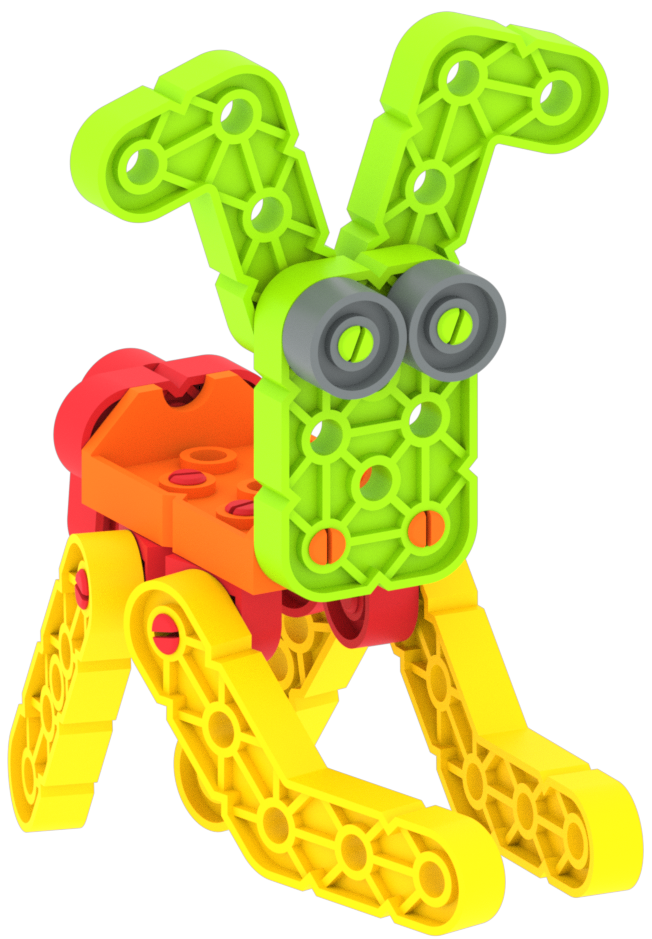
Bunny Traits Build: Bunny Parent 1 The first build will use the first variation on each step (not the “or” option). Use the first variation trait on step 4 of the build instructions to make sure students understand that the first build uses the top left option.

Step 4, First Variation -
DistributeDistribute
build instructions to each team. Journalists should gather the materials on the checklist. There are variations in pieces for each build, so use the Trait Piece Variation Chart image from the Image Slideshow to help the journalist make sure they have the correct pieces gathered.
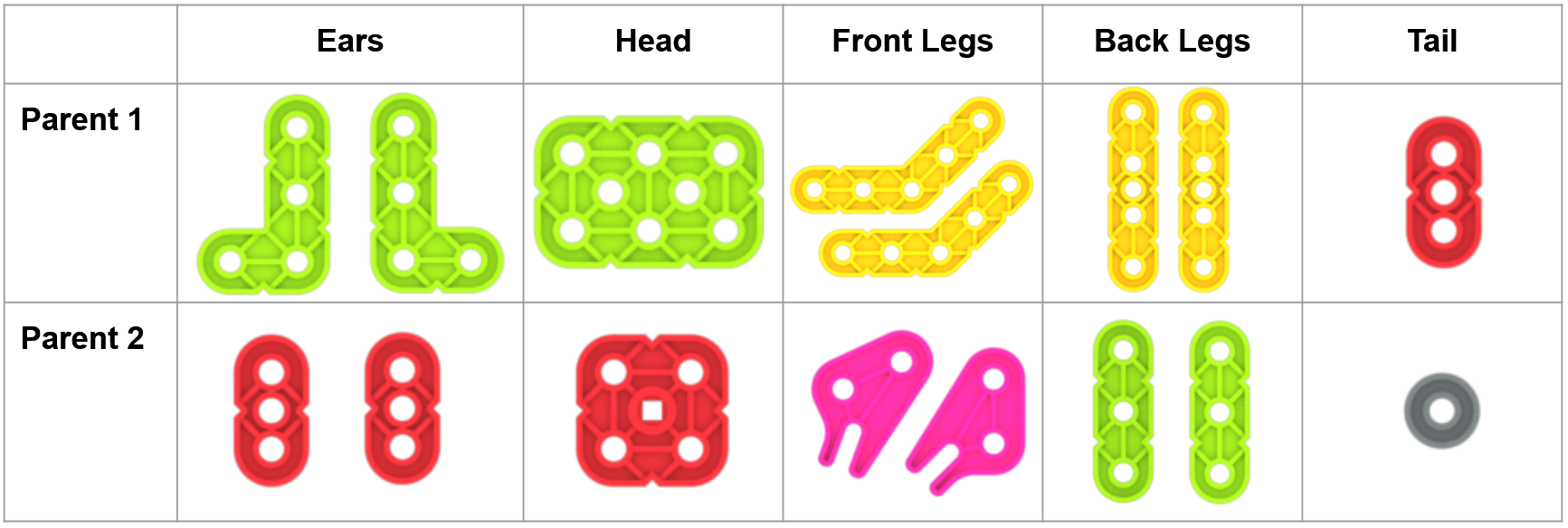
Trait Piece Variation Chart - FacilitateFacilitate the building process by walking between groups to answer questions. Encourage students to use spatial language while discussing the build. Ask them to explain the position of the ear, or describe why the legs are at the bottom of the build. Keep an ear out for any confusion that might arise between group members. Refer to the Robotics Roles & Routines handout for group instruction. Builders can begin building. If there are multiple builders, they should alternate steps to complete the build. Journalists should assist with the build, gather materials, and record information on the Data Collection Sheet.
- OfferOffer suggestions and note positive team building and problem solving strategies as teams build together.

Teacher Troubleshooting
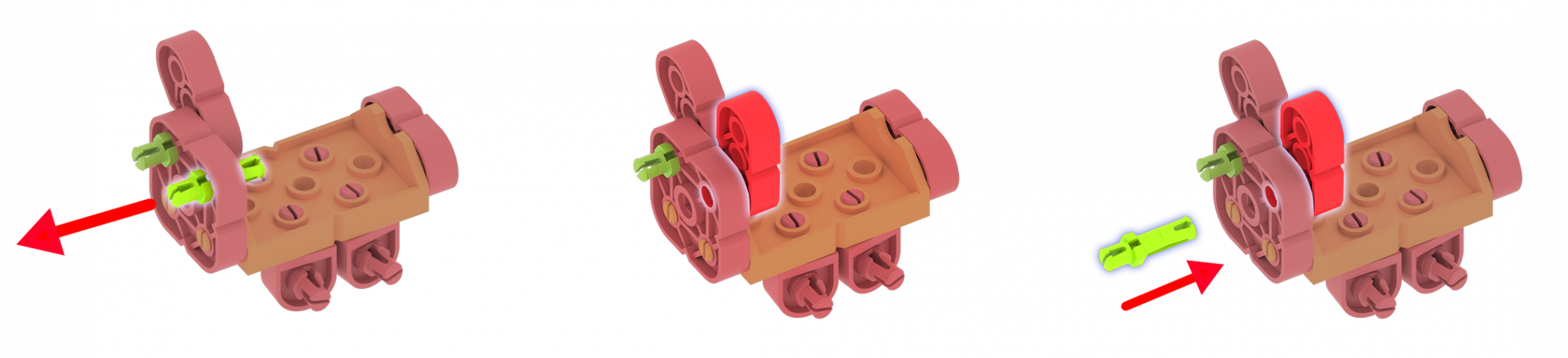
When students begin step 6 of the second parent bunny in Play Part 1, following the alternative build options, they will use a 2x2 plate for the head. Initially students will find they do not have room to attach the ears. In order to complete this step:
- Back out the green pin.
- Insert the ear, lining up the holes.
- Insert the pin through both pieces simultaneously.
Facilitation Strategies
- Ask students to refer to their Robotics Roles & Routines in class. What are their responsibilities?
- Remind students to ensure they are choosing the first option from the build instructions.
- Ask the journalist to check that the builder has selected the correct pieces for each build.
- Use the Explore VEX GO Kit Contents Poster with students to learn how pieces function in a build and to learn the part names in order to establish a shared vocabulary with students.
- Use the Get Ready...Get VEX...GO! PDF Book and Teacher’s Guide - If students are new to VEX GO, read the PDF book and use the prompts in the Teacher’s Guide (Google / .pptx / .pdf) to facilitate an introduction to building and using VEX GO before beginning the Lab activities. Students can join their groups and gather their VEX GO Kits, and follow along with the building activity within the book as you read.
- Use the Teacher’s Guide to facilitate student engagement. To focus on VEX GO connections in a more concrete or tangible way, use the Share, Show, or Find prompts on each page to give students an opportunity to get to know their kits in more depth.
- To focus on the habits of mind that support building and learning with VEX GO, like persistence, patience, and teamwork, use the Think prompts on each page to engage students in conversations about mindset and strategies to support successful group work and creative thinking.
- To learn more about using the PDF book and accompanying Teacher’s Guide as a teaching tool any time you are using VEX GO in your classroom, see this VEX Library article.