
Summary
Materials Needed
The following is a list of all the materials and teaching resources that are needed to complete the VEX 123 Lab. First listed are the materials needed for the entire Lab, including the 123 Robot. In certain Labs, links to teaching resources in a slideshow format have been included. Not all Labs will include a slideshow. These slides can help provide context and inspiration for your students. All slides are editable, and can be projected for students or used as a teacher resource.
| Materials | Purpose | Recommendation |
|---|---|---|
|
123 Robot |
For teachers and students to create and start projects and observe 123 Robot behaviors. |
1 per group |
|
Coder |
For building a project to use with the 123 Robot. |
1 per group |
|
Coder cards |
For inserting into the Coder to create a project. |
Up to 10 per group, See Environment Setup below for specifics |
|
For visual aids while facilitating the Lab. |
1 for the class to view | |
|
123 Field |
To use as the testing surface for projects. |
4 Tiles and 8 Walls per Field |
|
VEX 123 PDF Printables (optional) |
To use as manipulatives to support student project planning and saving. |
1 of each per group |
|
Pencils or drawing materials (optional) |
For filling in the printables. |
1 set for the whole class to access |
Environment Setup
-
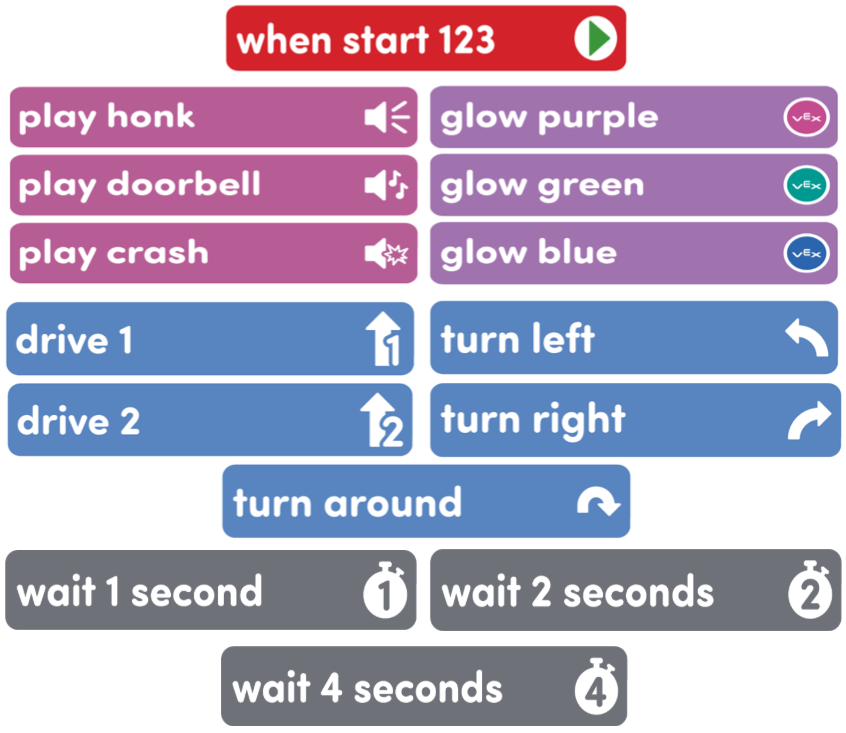
Gather the materials each group needs before class. For this Lab, each group of two students will need a 123 Robot, a Coder, access to a 123 Field, and the following Coder cards:
Cards needed for Play:
- One “When start 123” Coder cards
- 1-3 Looks Coder cards (Glow blue, glow purple, etc.)
- 1-3 Sounds Coder cards (Play honk, play crash, etc.)
- 1-3 Motion Coder cards (Drive 1, Turn around, etc.)
- 1-3 Wait Coder cards (Wait 1 second, etc.)
- Give students directions for how to share responsibilities to help students take turns and stay focused on Lab activities. For groups larger than the recommended two students, provide students with more granular roles. Examples of responsibilities for students in this Lab:
- Sequencing the Coder cards on a table.
- Inserting the Coder cards into the Coder.
- Turning on the 123 Robot and connecting it to the Coder.
- Pressing the “Start” button to run the project.
-
If you want to prepare your Field ahead of time, connect 4 123 Tiles together, and attach 8 Walls around the edge, as shown in the image below.
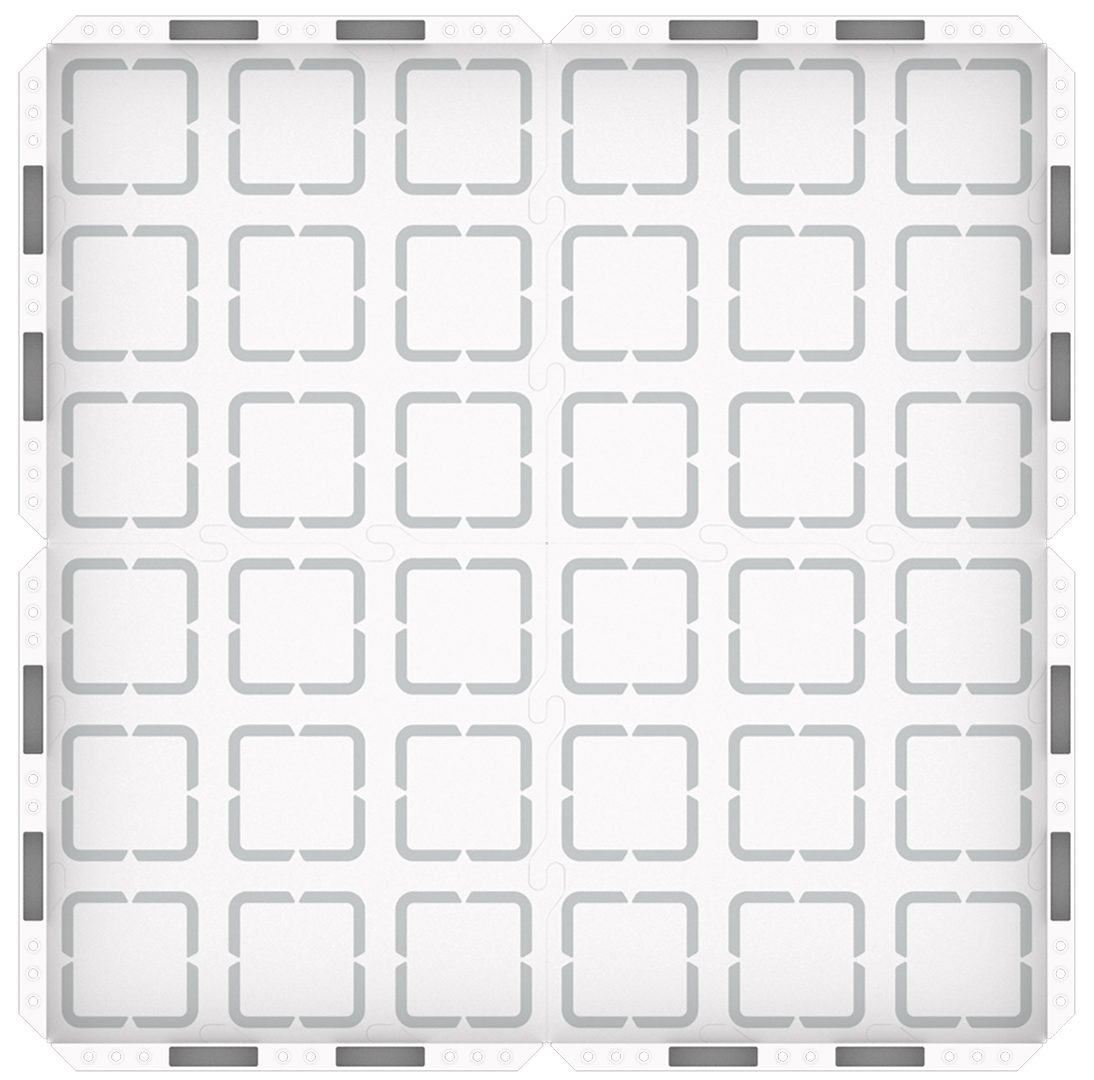
123 Field Setup - To prepare for the Engage demonstration, wake your 123 Robot, turn on your Coder, and connect the 123 Robot and Coder before you begin.
Engage
Begin the lab by engaging with the students.
-
 Hook
Hook
In Lab 1, we coded our 123 Robots to show out of control and in control behaviors, like moving quickly and yelling loudly, then moving calmly. Have you ever had a time where you felt like the out of control 123 Robot and you needed to calm down enough to be ready to learn? What did you do to help yourself calm down?
-
 Demonstrate
List some strategies students can use to help themselves calm down when faced with strong emotions. Ask students about how they can code the 123 Robots to do some calming behaviors, so they can be ready to learn. Guide students to choose Coder Cards that represent a calm down strategy. Add those cards to the Coder and run the project for students to see.
-
 Leading Question
How can we code our 123 Robot to act out calming behaviors?
Play
Allow students to explore the concepts introduced.
Part 1
Students will break into small groups to create a project that represents a human calm-down strategy with the 123 Robot.
Mid-Play Break
Students will share their projects, and then brainstorm other combinations of behaviors that people use when they need to calm down. They will explore the idea that different people may need different strategies to calm down.
Part 2
Students will return to their small groups to add additional behaviors to create “Calm Down Codes” by creating projects that sequence multiple calm down behaviors together.
Alternate Coding Methods
While this Lab is written to use the Coder and Coder cards with the 123 Robot to code, it can also be completed using VEXcode 123. If modifying the Lab to use VEXcode 123, give students a tablet or computer and build projects using the Drivetrain, Looks, and Sounds blocks in VEXcode 123.
Share
Allow students to discuss and display their learning.
Active Share
Students share their “Calm Down Codes”, explaining their reasoning behind their Coder card choices. They also model how they would use their codes to help themselves calm down.

Discussion Prompts
- How did creating your “Calm Down Code” for the 123 Robot help you to practice strategies for calming down?
- What kinds of compromises did you have to make in your groups while you were creating your “Calm Down Code”? What disagreements did you have, and how did you solve them?
- What was challenging about linking human actions to robot behaviors? What was easy? Why?