
Engage
Launch the Engage Section
ACTS is what the teacher will do and ASKS is how the teacher will facilitate.
| ACTS | ASKS |
|---|---|
|
|
Getting the Students Ready to Build
Before we can drive our Hero Robots to score samples at the Lab, we first need to build our competition Hero Robot.
Note: If you have already built your Competition Advanced 2.0 Hero Robots, you can skip this section.
Facilitate the Build
-
InstructInstruct
students to join their group, and have them complete the Robotics Roles & Routines sheet. Use the Suggested Role Responsibilities slide in the Lab 3 Image Slideshow as a guide for students to complete this sheet
Instruct students that the competition Hero Robot is built in two stages. First, they will build the Competition Base, then they will add onto that to build the Competition Advanced 2.0 Hero Robot. -
DistributeDistribute
build instructions for the Competition Base 2.0 to each team. Journalists should gather the materials on the checklist for the Competition Base to begin.
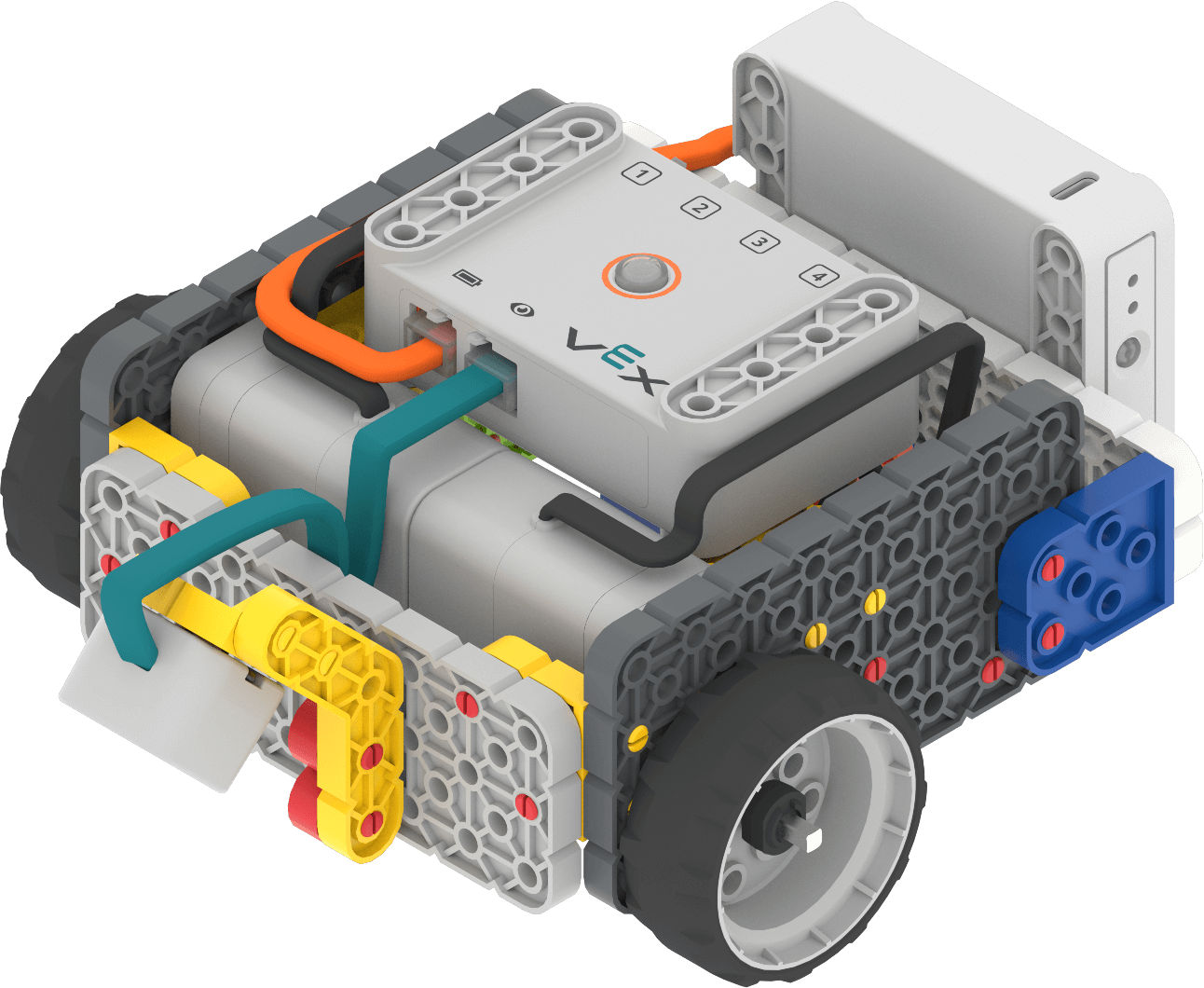
Competition Base 2.0 As students complete the Competition Base, have them check in with you. Then, distribute build instructions for the Competition Advanced Hero Robot. Students will add onto the Competition Base to build the Competition Advanced Hero Robot. Journalists should gather the materials on the checklist.
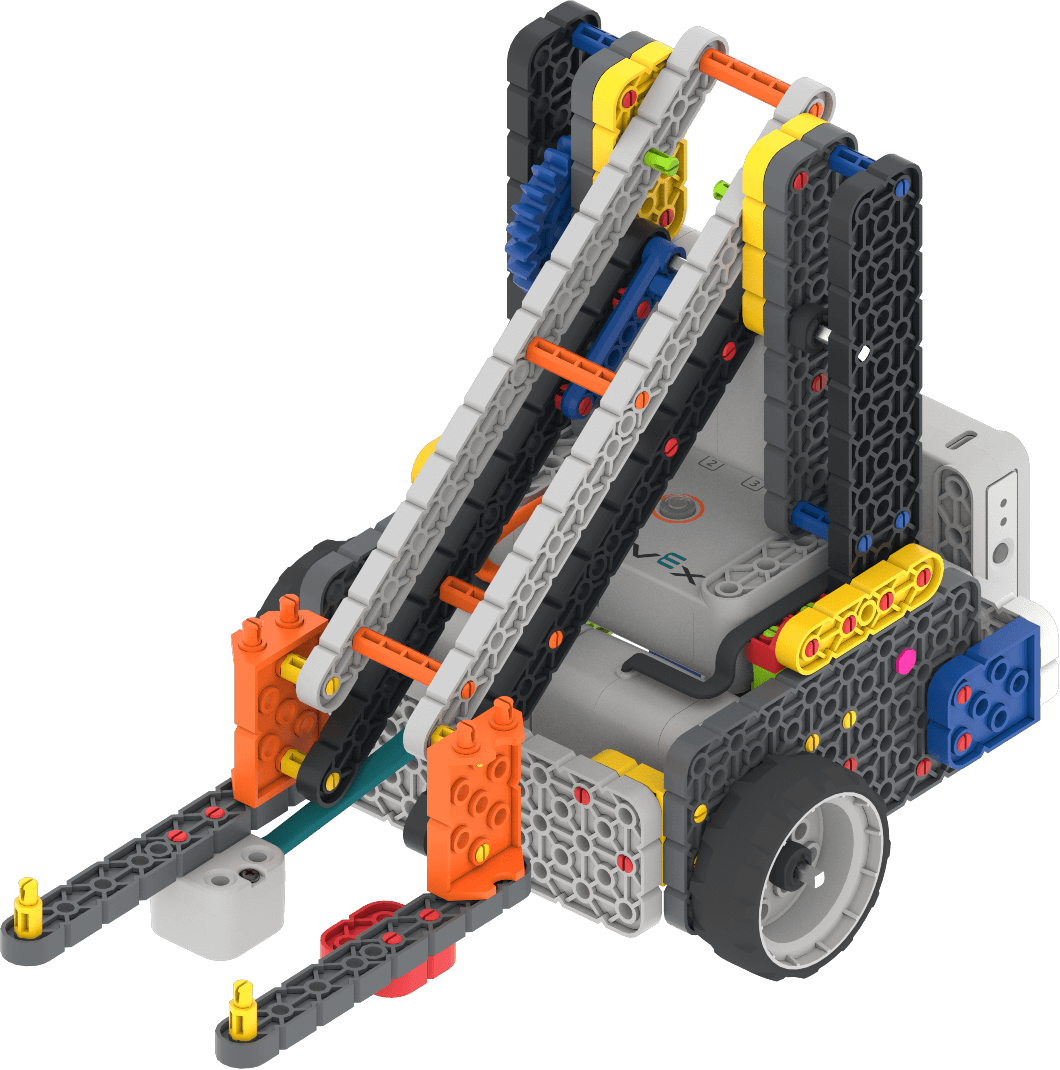
Competition Advanced 2.0 Hero Robot -
FacilitateFacilitate
the building process.
- Builders and Journalists should begin building based on their responsibilities in the Lab 3 Image Slideshow.
- Depending on the amount of time you have, you may want to have students build the Competition Base, then stop, and resume building during the next class time.
- Circulate around the room to help students with building or reading instructions where needed. Remind students that they can orient the pieces they are holding and building with the same way they are shown in the build instructions, in order to help them be successful in their build.
- Engage students' prior knowledge by asking questions about how this build is similar or different to other VEX GO builds that they have used before, like the Code Base. Why do they think that is? What might the competition robot be able to do that is new or different?
- OfferOffer positive reinforcement for teams that are working well together, taking turns, and using respectful language as they are building. If there are particular teams or students that excel at building, offer them the opportunity to help teams that may be struggling with the build.

Teacher Troubleshooting
- Students can test that their Competition Base is built correctly before moving on to the Competition Advanced portion of the build. Have them power on the Brain, connect to VEXcode GO and open the Drive tab. Use the joysticks to move the robot forward or backward. If the robot is built correctly, it should drive successfully when it is connected to VEXcode GO.
- Remind students that forward/reverse is based on the location and position of the robot. If the Hero Robot is backwards on the Field with the fork facing the student, moving the controls forward will drive the robot towards the student, not towards the Field.
- If the robot does not respond, try disconnecting and reconnecting the Brain and try again. This may happen if too much time passes between turns driving the robot.
Facilitation Strategies
- Allow extra time in the Engage section if you choose to have students build Stage 3 of the Ocean Science Exploration Field together with you. This stage builds the Volcano tile to add to the Field. All elements from Stage 2 stay intact, and are part of this stage as well. To help students stay organized, divide up build instructions by team. Suggestions for how to do this include:
- Team A completes steps 1-9 of the Volcano build instructions
- Team B completes steps 10-27 of the Volcano build instructions
- Team C completes steps 28-40 of the Volcano build instructions
- Team D completes steps 41-52 of the Volcano build instructions
- Team E completes steps 53-68 of the Volcano build instructions
- Team F completes steps 69-78 of the Volcano build instructions
- Team G completes steps 79-90 of the Volcano build instructions
- Team H completes steps 91-97 of the Volcano build instructions, connect the new Volcano tile to the rest of the Field and attach all walls
- Allow time during Play Part 1 for all students to take a turn driving the Hero Robot on the Field. Remind students that they can change the controls to find a drive mode that works best for them.
- You may want to allow students time to make modifications to their robot, in order to complete the various game tasks more easily. In this case, allow students time to iterate on the changes they are making to their Hero Robot, using the engineering design process.
- Because Volcano Deposit adds in a new skill of using the robot arm, encourage teams to think carefully as they are practicing about how they want to plan their competition strategy, balancing the time and difficulty it takes them to complete the tasks in order to score the most points.
- The speed of the Hero Robot depends on how slow or quickly the controls are moved in the Drive tab. The slower the joystick is pushed, the slower the robot will move. For more information about remote control driving in VEXcode GO, read the Using the Drive Tab in VEXcode GO article.
- Think ahead about how you want to structure the Volcano Deposit! Competition. It is recommended for each team to have at least two matches to compete in, so that as many students as possible get to have the chance to be a driver in the competition. To learn more about running VEX GO classroom competitions, see this article.
- Encourage students to document their learning by drawing or writing about their robot, driving practice, and competition strategy. Use the (Google / .docx / .pdf) or the Data Collection Sheet (Google / .docx / .pdf) as a basic template for students to take notes. These artifacts can then be used to share student learning and progress with others in the classroom and school community on a bulletin board or student portfolio.